Investigate an Inferred Relationship
After you have added any entity instances in the Debugger, you can investigate an inferred relationship. How you do this depends on whether you are investigating a containment relationship or a reference relationship.
Investigate an inferred containment relationship
- On the Data tab in the left hand pane, select the inferred containment relationship. (Inferred containment relationships are indicated by a yellow multi-cube icon.)
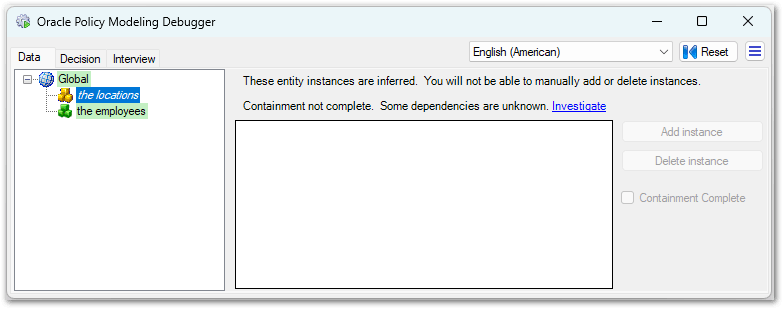
- In the right hand pane, select Investigate. This will switch to the Decision tab.
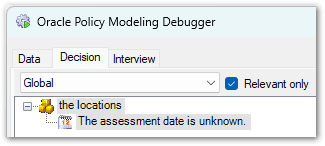
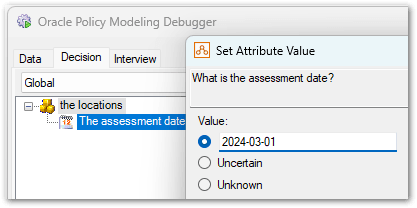
- Set the values for any input attributes.
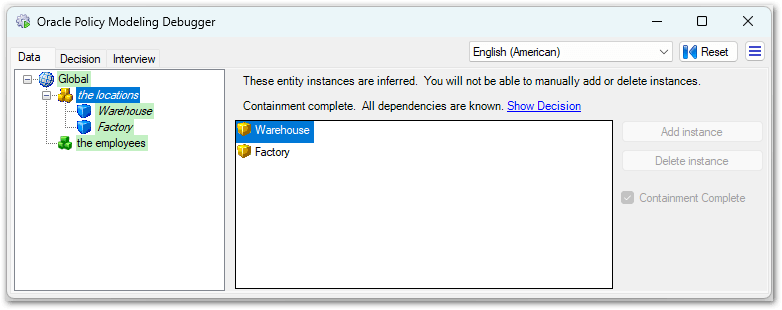
- Switch back to the Data tab. The left hand pane has been updated to show the entity instances that have been created as members of the containment relationship.
Tip: To try this out for yourself, open the Worked Example 2 project in Oracle Policy Modeling and enable Alternative 2 in the rule document and then run in the Debugger.
Investigate a inferred reference relationship
- On the Data tab in the left hand pane, select the entity instance.
- In the right hand pane, select the inferred (reference) relationship that you want to investigate.

- Right-click and select Investigate. This will switch to the Decision tab.
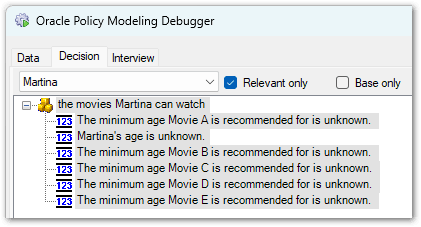
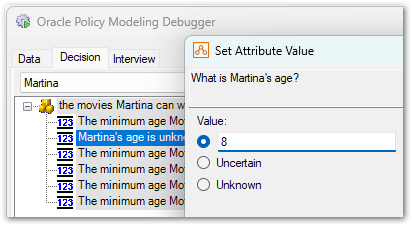
- Set the values for any input attributes.
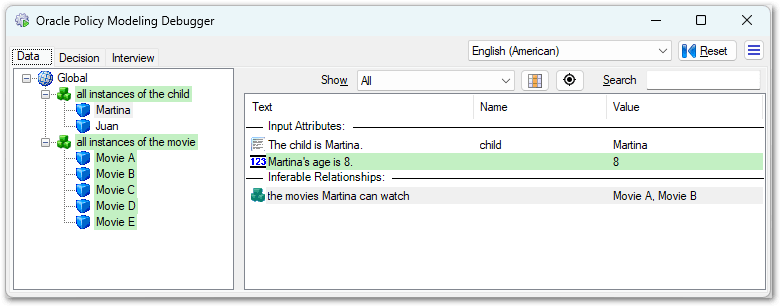
- Switch back to the Data tab. The reference relationship list in the right hand pane has been updated to show which entity instances have been inferred for this relationship.
Tip: To try this out for yourself, open the Worked Example 1 project in Oracle Policy Modeling and run the Debugger.