Create a Data Warehouse Transformation
From the Data Workbench UI, you can view existing transformations, including their status, destination object, type, and last modified information.
This section explains how to create, manage, and monitor Data Warehouse Transformations in Oracle Fusion Unity Data Platform.
Follow these steps to create a data warehouse transformation.
- From the navigator, select and a navigation menu similar to the following is
displayed.
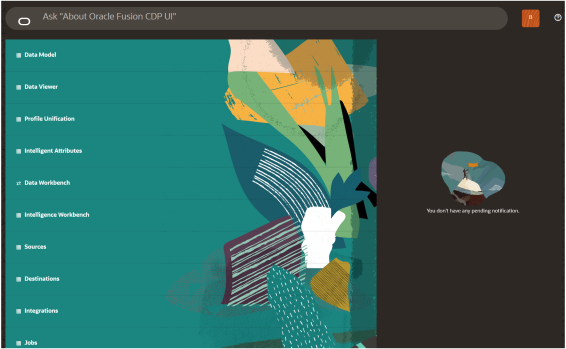
- From the navigation menu, select Data Workbench.
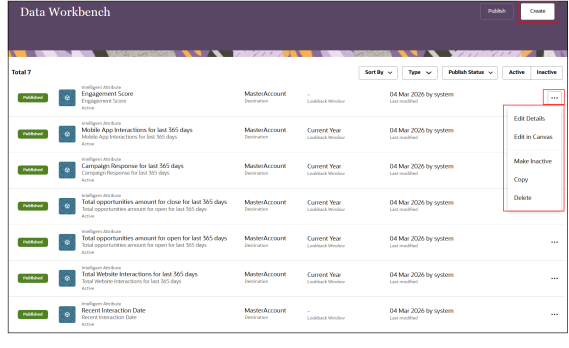
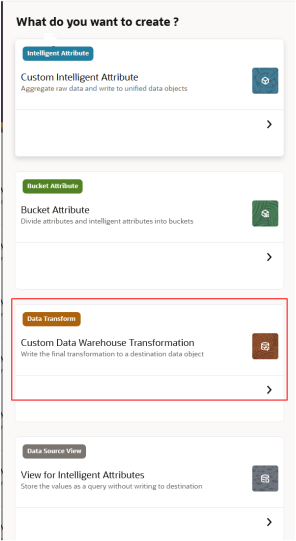
- Click Create, then select Custom Data Warehouse Transformation.
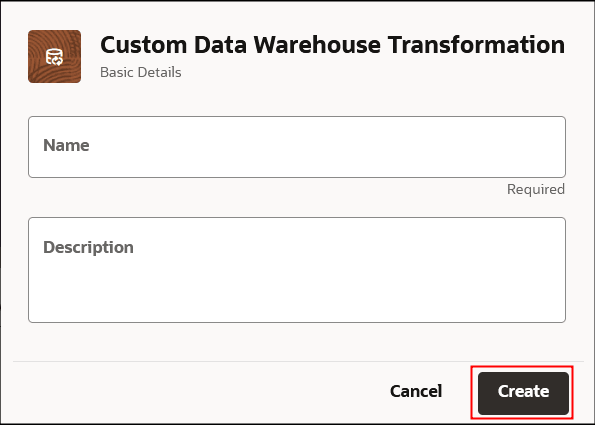
- Enter a name and description for the transformation.
- Use the visual editor to configure the transformation:
- Select one or more source data objects.
- Configure joins and filters.
- Define transformation logic and expressions.
- Map attributes to the destination data object.
- Select Save.
- Select Publish.