Enable the Fusion Marketing Offering
Enable the Fusion Marketing offering in Oracle Functional Setup Manager to activate Fusion Unity Data Platform (UDP) and Fusion Marketing features. This provisions services and makes functional areas available in Setup and Maintenance.
Once you've subscribed to Fusion Marketing, this image shows an example of which features will be available to you:
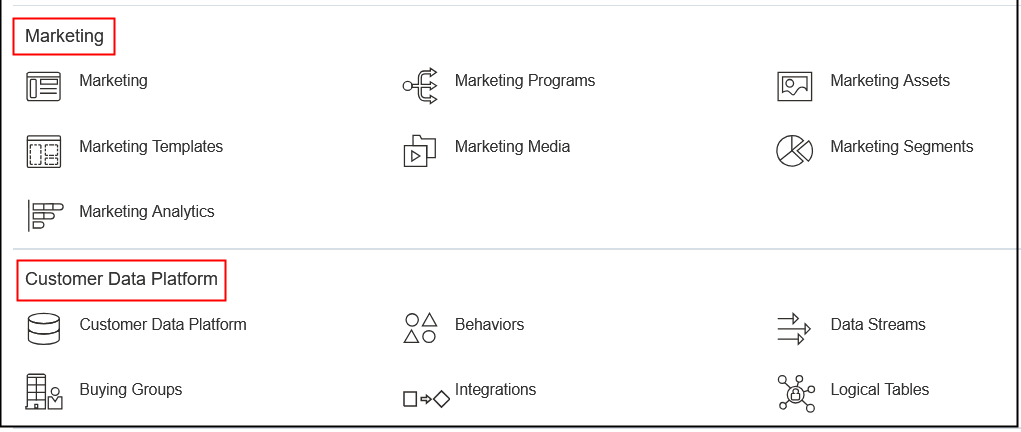
Here are the steps to enable the Fusion Marketing offering:
- Sign in to Oracle Applications Cloud as an administrator.
- Go to .
This image shows an example of the Offerings page with Marketing selected:
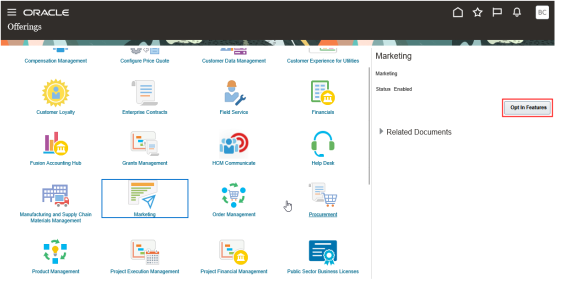
- Select the Marketing icon and then Opt-In
Features to enable the Marketing offering.
This image shows an example of the Opt In: Marketing page with the Enabled checkbox selected:
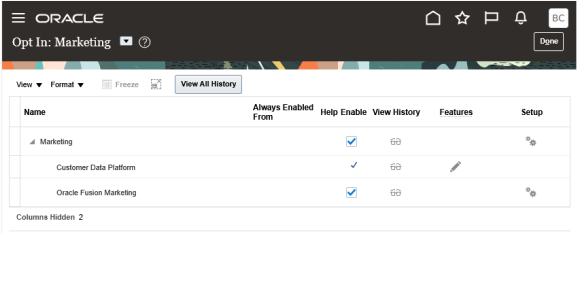
- Select the Enable checkbox for the marketing features you want to enable.
- Select Done to save and close. Monitor the status on the Offerings page.
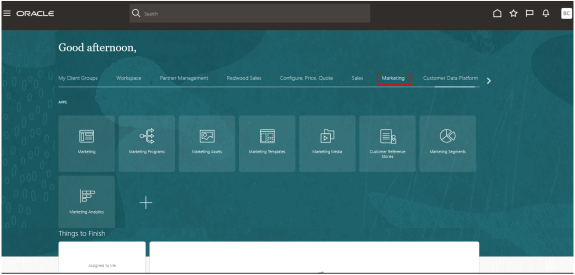
Once you enable the Fusion Marketing offering, you should see a screen similar to the following when you select marketing from the Navigator:
Access Functional Area Tasks
Functional areas define key details of your organization, such as the legal address, roles, and privileges required to use the Marketing offering. You must configure the Company Profile and the Users and Security functional areas that are available in the Setup and Maintenance work area, including the related tasks. This is also where you configure the marketing domain used for marketing messages (if you're using the Fusion Marketing Orchestration add-on).
To access the Marketing functional area tasks:
- Sign in to Fusion Applications and go to .
- Ensure that the Marketing offering is selected within the
Setup field in the header. This image shows an
example of the Setup: Marketing page with the Oracle Fusion Marketing functional
area highlighted:
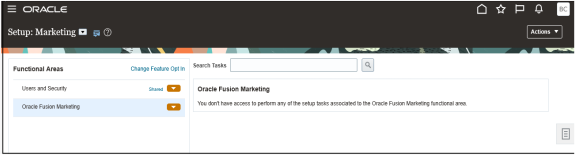
- If you're setting up this offering for the first time, select each functional area in the order it's listed. If you're changing the existing data, select the relevant functional area. If a functional area has required tasks, then only those are displayed by default. If all tasks are optional, then all tasks are shown. To see both required and optional tasks, select All Tasks from the Show list.
- Enter the necessary data. When finished, close the page to return to the setup task list.
- Continue selecting and completing the tasks from the list as needed.Note: Your Fusion user account needs the ORA_ASM_FUNCTIONAL_SETUPS_USER_ABSTRACT role assigned to it to complete these tasks.
For more information, see the Oracle Fusion Implementing Applications guide.