Get Started with Streaming Data Collection
Here's how to get started using Streaming Data Collection:
- Sign in to Oracle Fusion Cloud Applications with a user account that has the required Data Collection Tag access.
- Go to
- Select the Data Collection tab.
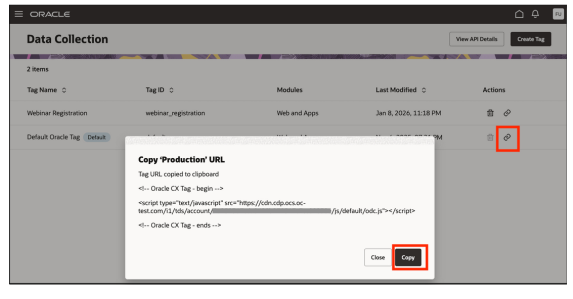
- From the Data Collection list page, select Default Oracle Tag to use the default tag.
- In the Actions column, select the
Link icon.
From here you can copy the JavaScript tag and apply it to the web pages or web applications you want to track.
- You can also create your own tag by selecting Create
Tag.
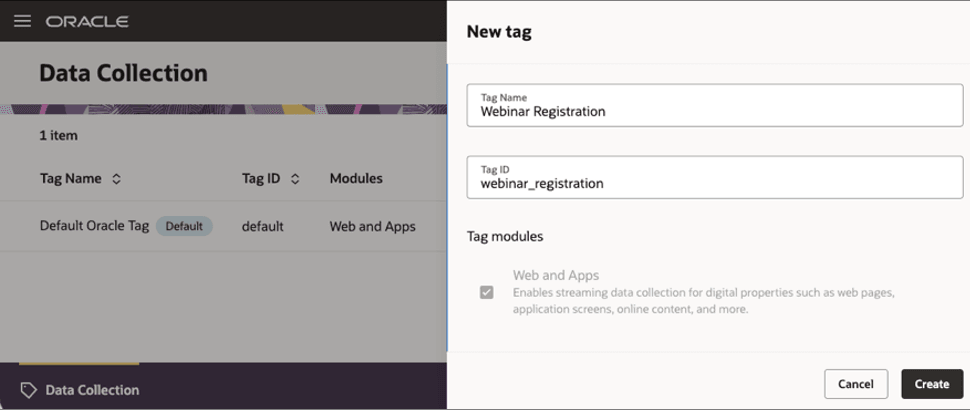
- Enter a Tag Name and specify a unique Tag ID.
- Select the required modules, then select Create. Note: The Tag ID can't be changed after creation.
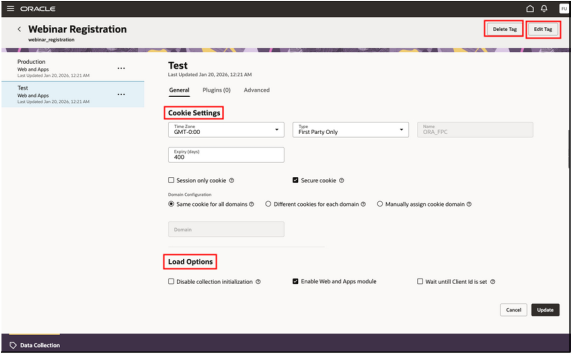
- Select a tag to open its details page. Update the Test container settings, such
as cookie settings and load options, as needed for your web-enabled property,
then save your changes.
From here you can set cookies and load options and perform general update actions and create and delete tags.
- To add plugins to your tag, select the Plugins tab.
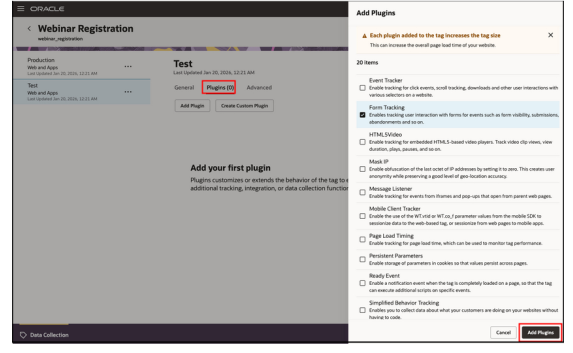
- Select the plugin you need, configure it, and then enable it. Note: Plugins are disabled by default.
- Review and validate the tag configuration in the Test container on the web-enabled property where you plan to use it.
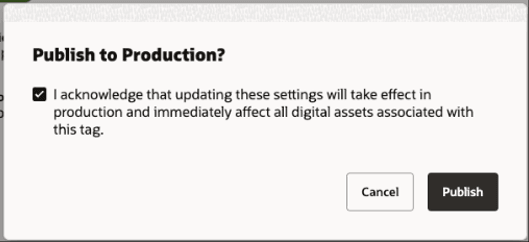
- When validation is complete, you can select the Publish
option in the container options.
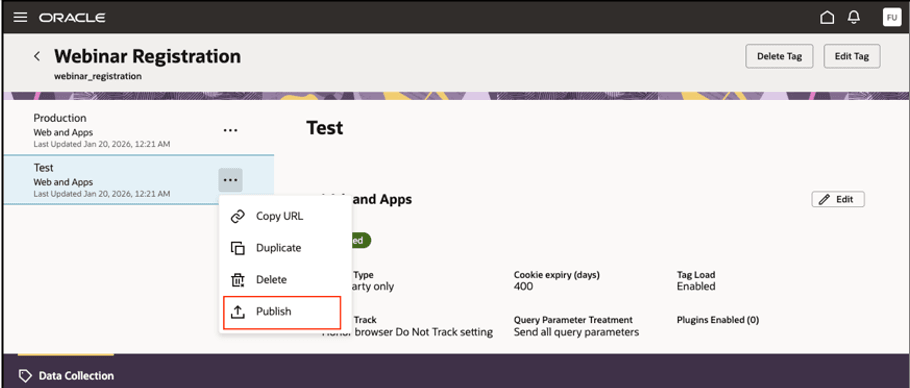
- In the publishing confirmation, confirm your selection to make the updated
configuration available in production.