Create a Content Bundle
Create a snapshot of your application artifacts to save their current state. You can view the bundles that you created on the Bundles page.
- On the Bundles page, click Create.
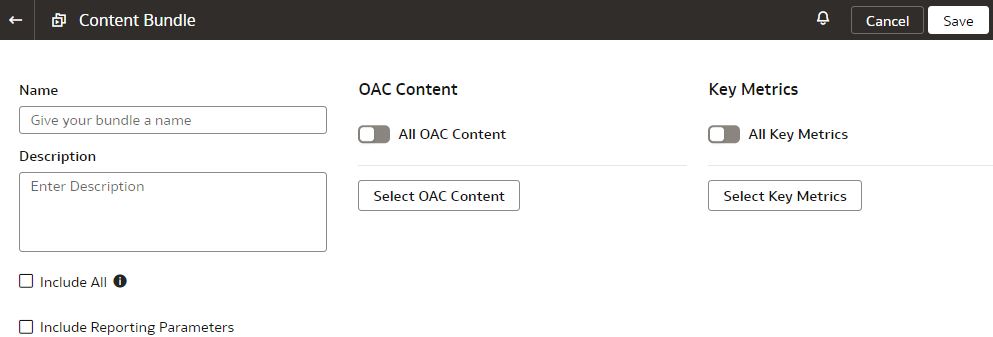
- For a content bundle, select the following options depending on your requirement or select the applicable Oracle Analytics Cloud content, workbooks, and key metrics using the corresponding buttons.
- Select Include All if you want to include all Oracle Analytics Cloud content under Shared Folders and My Folders, and key metrics.
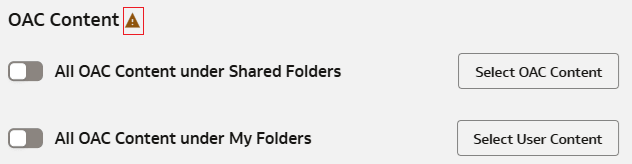
- Select All OAC Content under Shared Folders if you want to include all Oracle Analytics Cloud content under Shared Folders .
- All OAC Content under My Folders if you want to include all Oracle Analytics Cloud content under My Folders.
Note:
When you deploy a content bundle with Include All or specific My Folders selected, the existing content in the affected My Folders will be replaced with the content from the bundle. Oracle recommends that you create a backup bundle of your current content before you proceed with the deployment.You can select the Include Reporting Parameters and Include Configurable Account Analysis check boxes, if applicable.
While creating an Oracle Analytics Cloud content bundle in your source instance, ensure that you select only the data sources that are also available in the target instance to avoid deployment failures in the target instance.
If there aren't any key metrics to back up in the content bundle, then you can only select the Oracle Analytics Cloud content options from the user interface.
Content bundles exclude non-catalog items such as datasets, connections, and machine learning artifacts. You must manually recreate these excluded items in the target instance. You can rebuild datasets from scratch or import using a .dva file.
Use the Maximum Content Bundle Size icon next to OAC Content to view the largest bundle you can create. If your bundle exceeds this limit, select individual Oracle Analytics Cloud items instead of including all content. To verify the bundle size, generate and download it.