Next-Generation Homepage
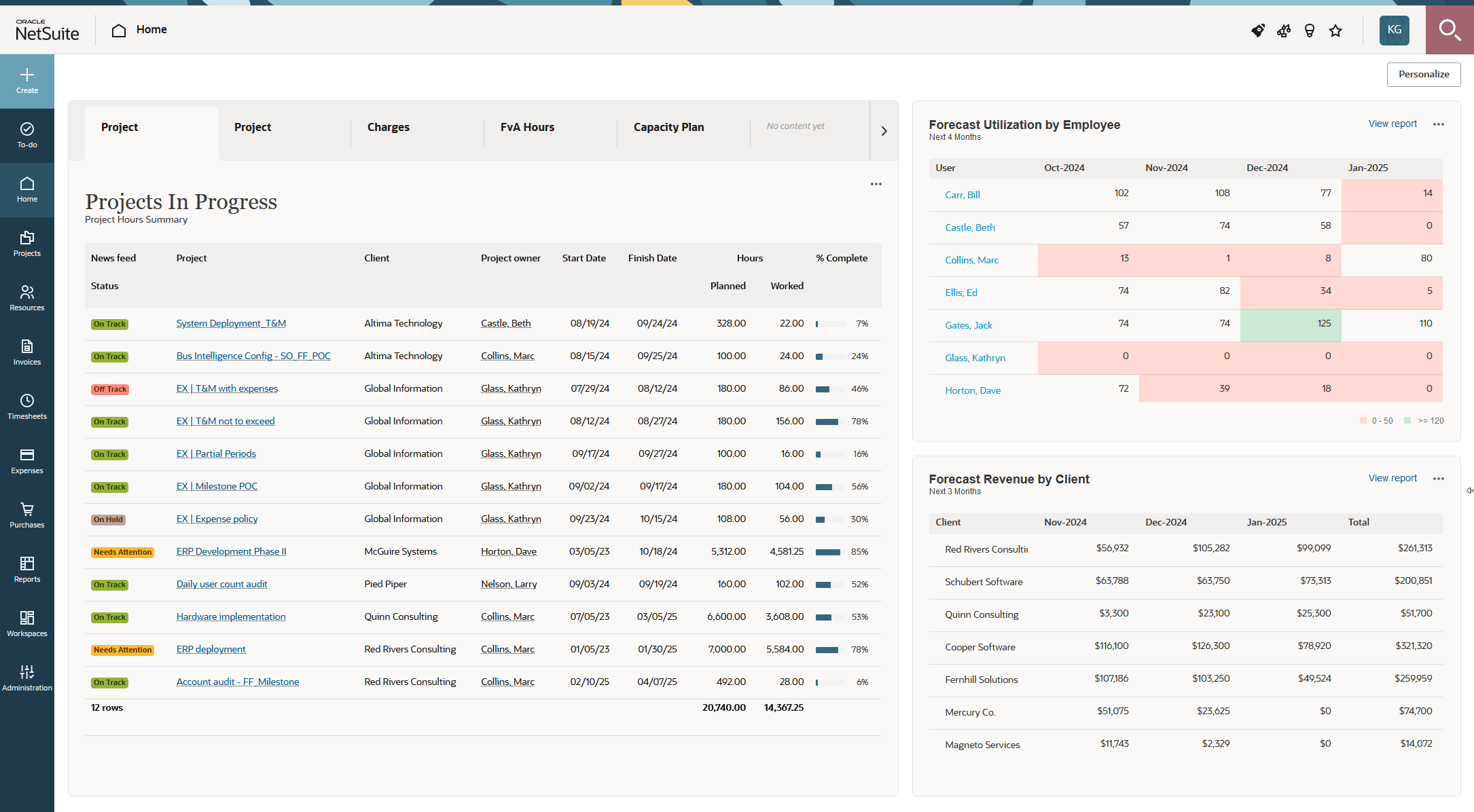
The next-generation homepage is an improved version of the Classic Homepage standard feature using the Oracle Redwood experience. Aside from the new look and feel, it rebuilds the homepage from the ground up to guide you to your most urgent and important work and let you get key insight into the performance of your projects or the business as a whole. It lets you add up to 12 sections of information -lists, reports and charts- most relevant to you and your role across three content regions on the same page. This collection, called a dashboard, provides a visual workspace that gives users instant, uninterrupted access to accurate information. Lists show real-time data, reports and charts are refreshed automatically at regular interval, and can be refreshed on demand to show the most up to date information. On your homepage, you can see the data you need to make informed decisions, edit records, or take follow-up actions. Account administrators can save a standard homepage setup for a role or for the whole company, and share it with you and other users. You can then personalize your homepage, and rearrange or update content as your business needs evolve.
The next-generation homepage is an optional feature. To enable the feature in your company's account, contact SuiteProjects Pro Support.
When enabled for your company's account, the next-generation homepage is available in addition to the classic homepage. Account administrators control who can view the classic version by role permission when the next-generation version is enabled. For more information, see Next-Generation Homepage and Dashboards Setup.
The to-do list introduced in SuiteProjects Pro 2024.2 includes all workflow tasks from the Reminders portlet on the classic homepage, and some workflow tasks from the My status portlet. Workflow tasks in the My status portlet for which you cannot take direct action are not included in the to-do list. For more information about the to-do list, see To-do list.
The larger of the three content regions (primary region) shows sections of information as tabs that you can explore one by one. The smaller (secondary) content regions let you view two additional sections of information that are always visible on your homepage, on the right of, or below the primary region.
The next-generation homepage supports three types of content:
-
List - You can show the most important information from a list on your homepage.
-
Report - You can show data from one of your reports on your homepage.
-
Chart - You can use data visualization to quickly interpret and compare your report data.
Account administrators can copy the next-generation homepage setup from one user to other users using the bulk employee change wizard. For more information, see Next-Generation Homepage and Dashboards Setup.
You can personalize the next-generation homepage, and add, reorganize and change the content in each region to suit your own business needs. For more information, see Getting Started with the Next-Generation Homepage and Dashboards.