Reading the Program Subtab - Example 1
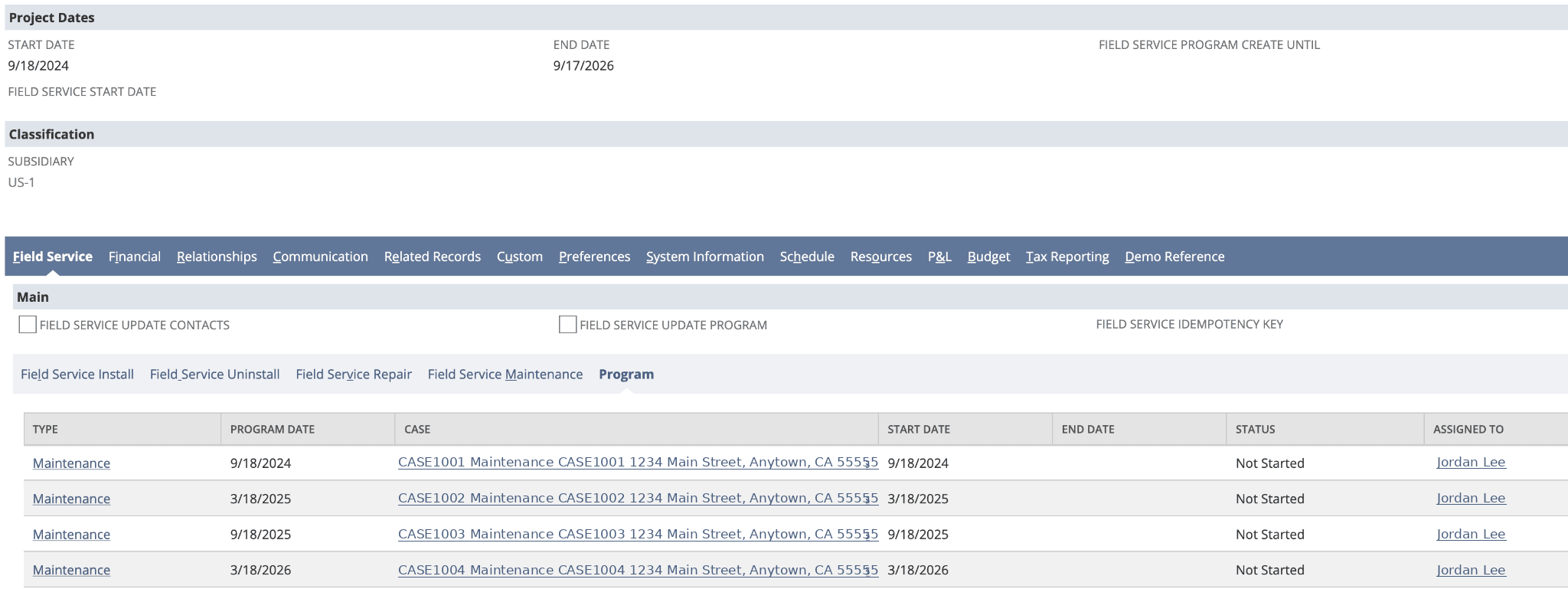
In NetSuite, the Program subtab on the Project record page displays the calculated Program that's generated based on the values set on the Project. This includes any Cases that have already been created.
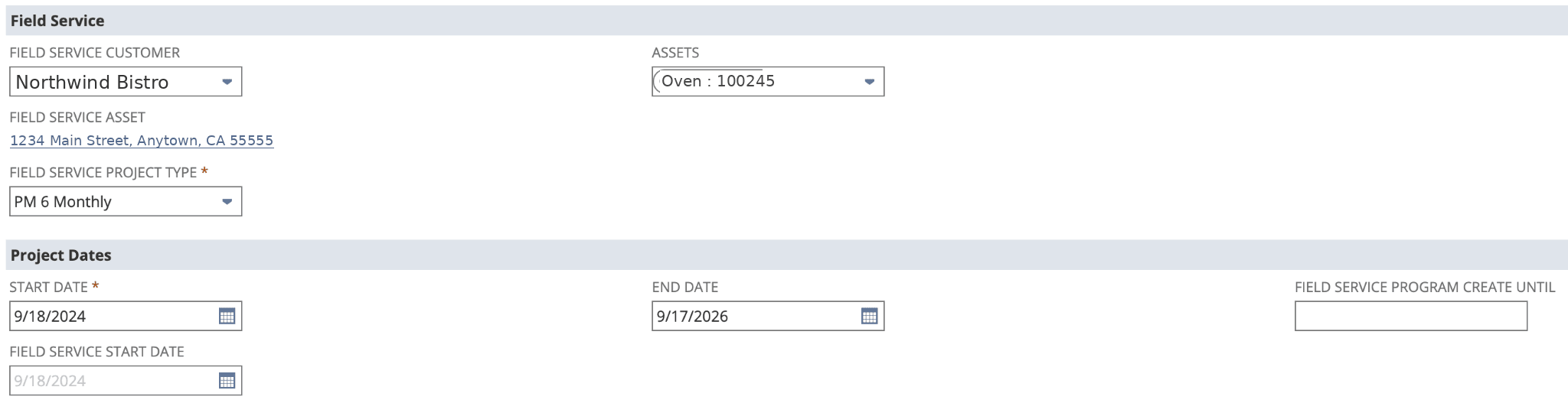
This example shows a Type of "PM 6 Monthly" (Field Service Project Type ID 12) with a start date of September 18, 2024 and an end date of September, 17 2026. The FSM configuration is set to create maintenance cases (Field Service Case Type ID 6) every six months.
          },{
    "//": "PM 6 Monthly",
    "project": [12],
    "case": {
        "type": 6,
        "custevent_nx_case_asset": "${project.custentity_nx_asset}",
        "custevent_nx_assets": "${project.projectassets}",
        "custevent_nx_case_details": "comments"
    },
    "interval": 6,
    "unit": "month",
    "create": true
}{
This is how the Project record appears in NetSuite:
Under the Program subtab, the Program rows show maintenance cases that are created every six months.
The Related Records tab for the same Project displays those same cases as Case records.
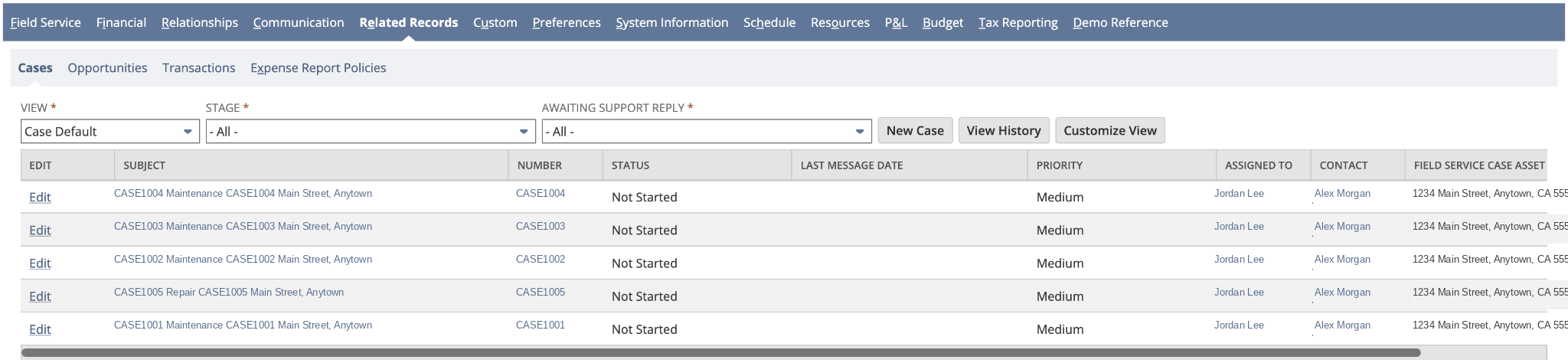
A repair breakdown case was also processed under this Project. However, the repair breakdown case doesn't appear on the Program subtab on the Project record page. The repair breakdown case isn't a maintenance case, so the case isn't included in the Program.