Guided Journey Task Description Displayed in Task Panel Drawer
You can now view the full guided journey task description below the title in the task panel drawer. This description may otherwise be cropped in the compact banner for page level guided journeys if the description is lengthy.
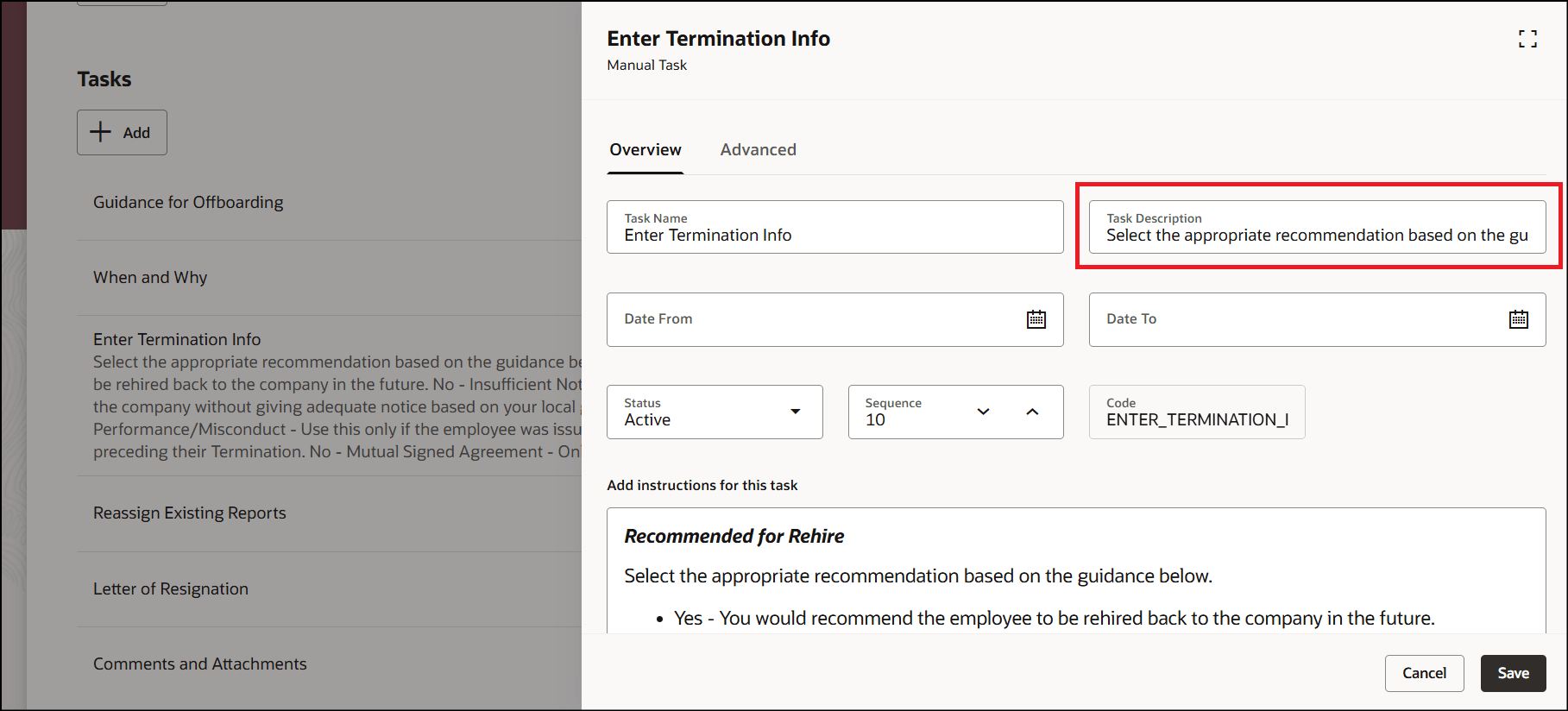
Enter Task Description During Task Configuration
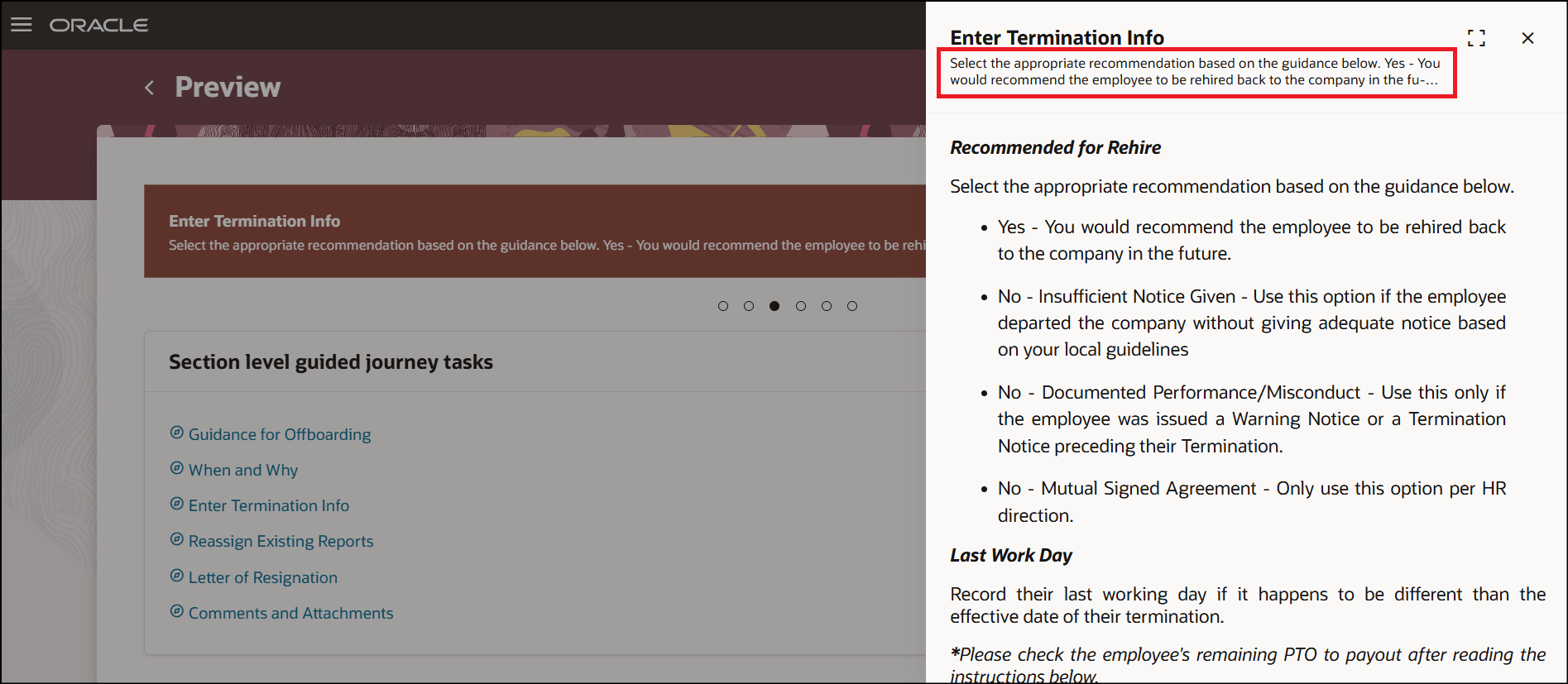
Guided Journey Task Description in Task Panel Drawer
Point the cursor at the end of the description to view the entire description in a tooltip.
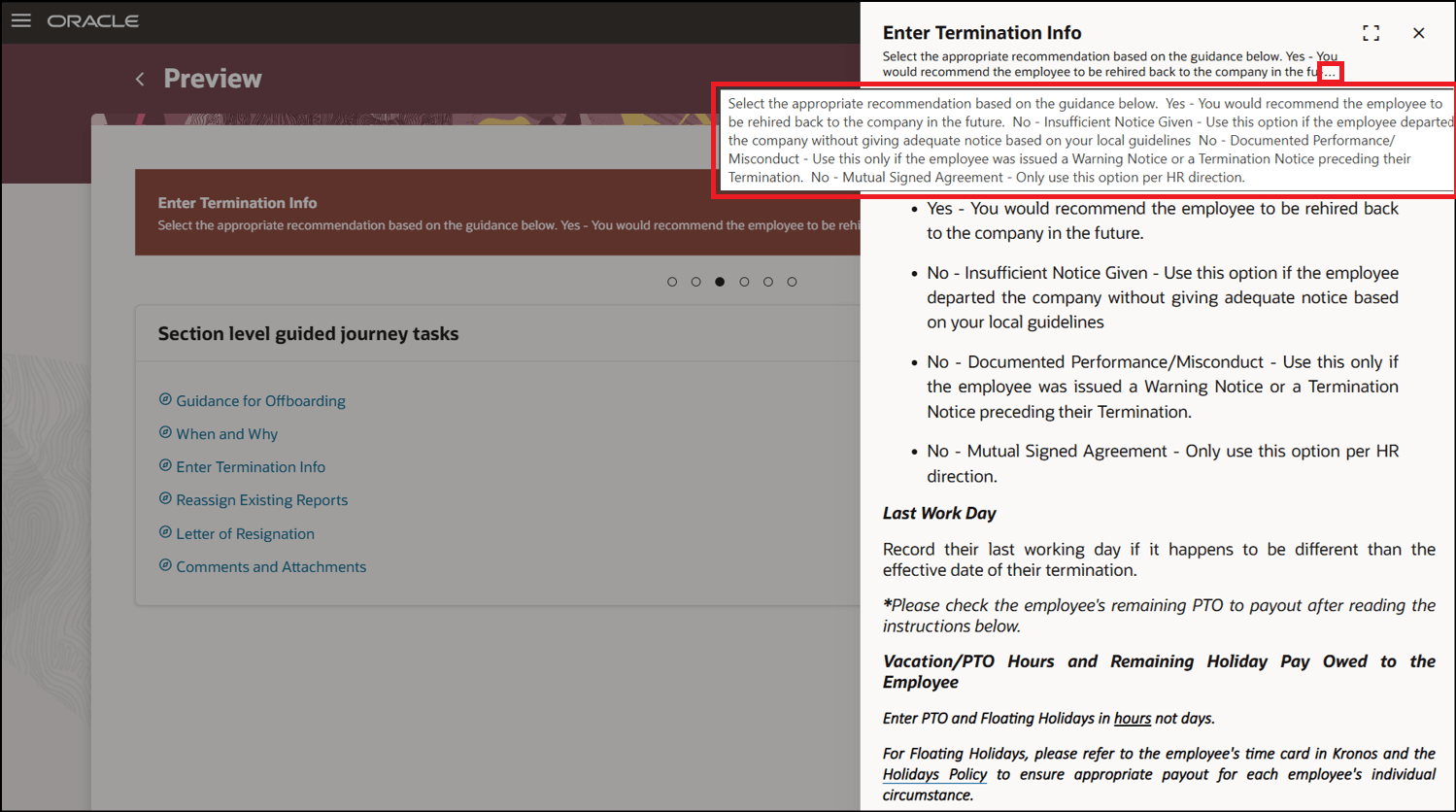
Tooltip to Fully View Guided Journey Task Description
Users have the option to view the complete guided journey task description as the compact banner is now the default at the page level.
Steps to enable and configure
You don't need to do anything to enable this feature.
Tips and considerations
- The task description is available in the task panel drawer along with task instructions, if any.
- The task description is now available in the task panel drawer besides the page banner in case of a page level guided journey.
- It’s recommended that you continue using task notes or instructions if you need formatting capabilities and longer text, instead of task description.
Key resources
For more information, refer to the Implementing and Using Journeys guide.