Enhancements to Initiatives
Initiatives entity has now additional features that empowers the business users to collaborate more efficiently with the IT stakeholders in their market release. The following features have been introduced in Initiatives :
- Ability to add multiple attachments and view the list of attachments to an Initiative from the user specified folder. The scope of this attachment lives in the Launch application. Example - Documents related to the offer design.
- Ability to view the publish history across all lifecycle states and destinations in an initiative for tracking the publish actions. This helps you view the historic publish process details.
- Ability to configure alerts and notifications to selected recipients for Initiative events based on life cycle status changes , it is customer configurable example like initiative assignment, approval requested, Initiative publish status changes etc. Notifications will be sent out to the configured recipients when the initiative event occurs.
- Ability to add approvers for all offers in one go through initiatives. You would now be able to add or manage the approvers for seeking approvals on product offerings through initiatives. When you seek approval , the approvers will be notified for seeking offer approval for that initiative if approval is enabled. The existing capability of overriding offer approval still exists.
The following figure shows the ability to add attachments
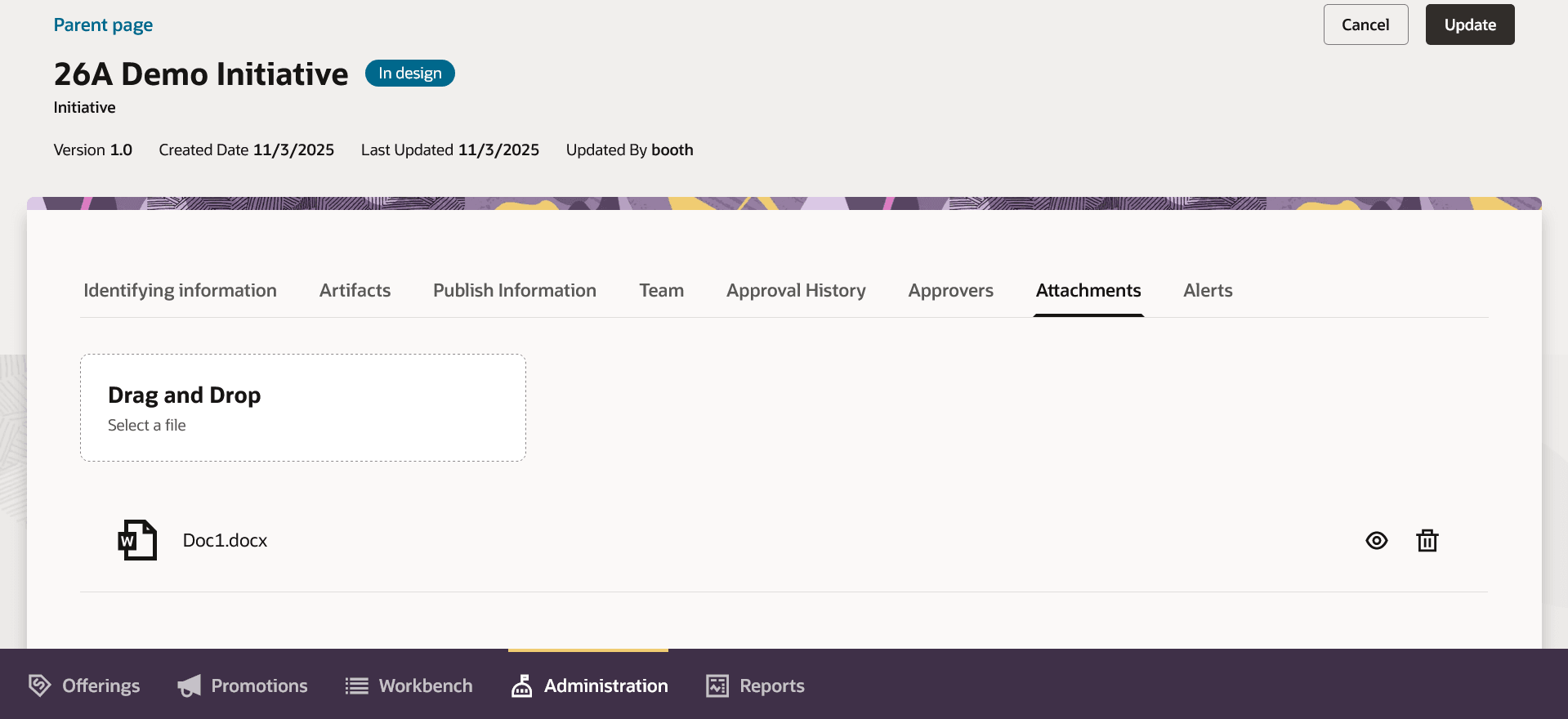
Attachments on initiatives
The following figure shows the publish history
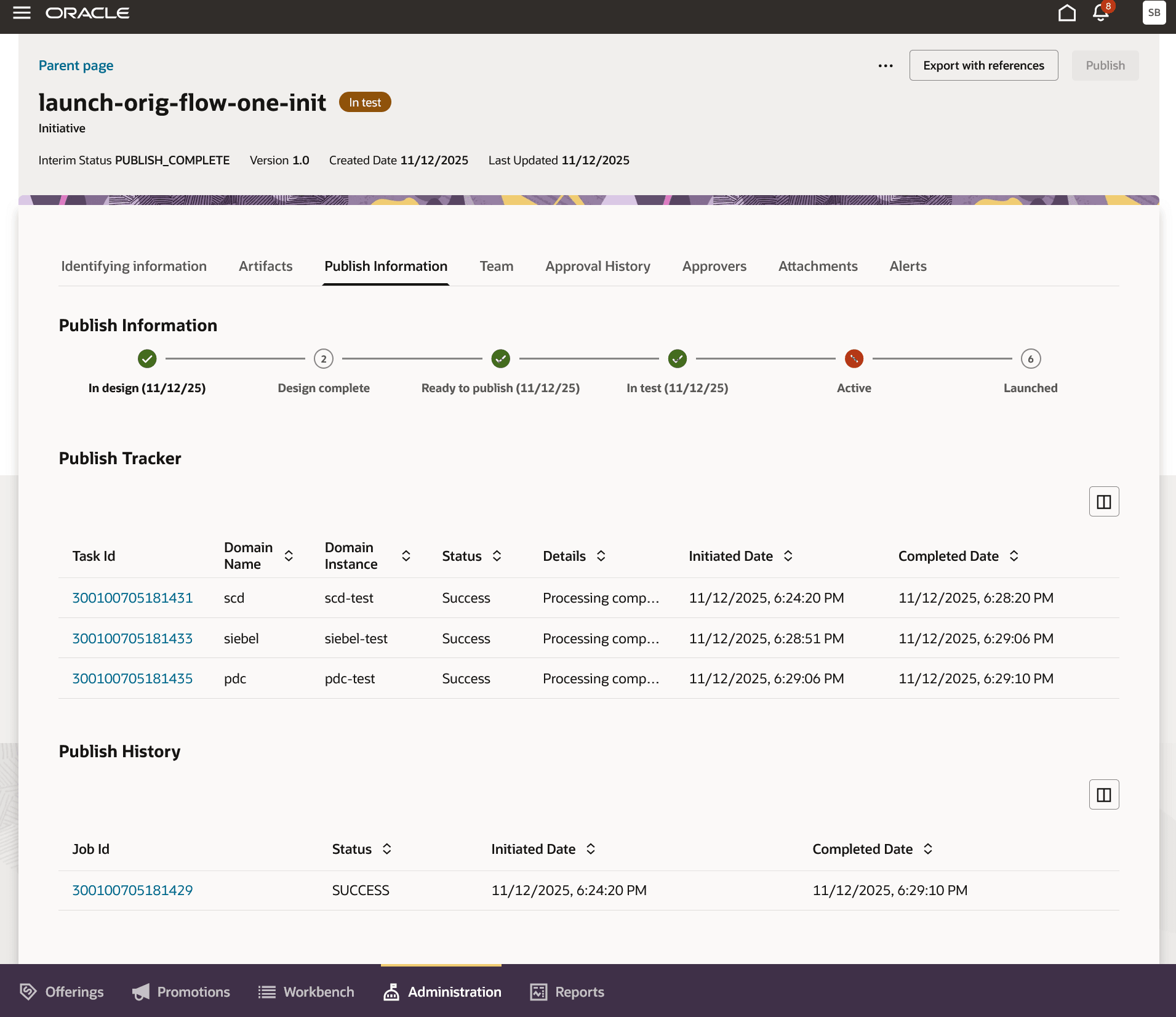
Publish history
The following figure shows the alert configurations on life cycle status changes
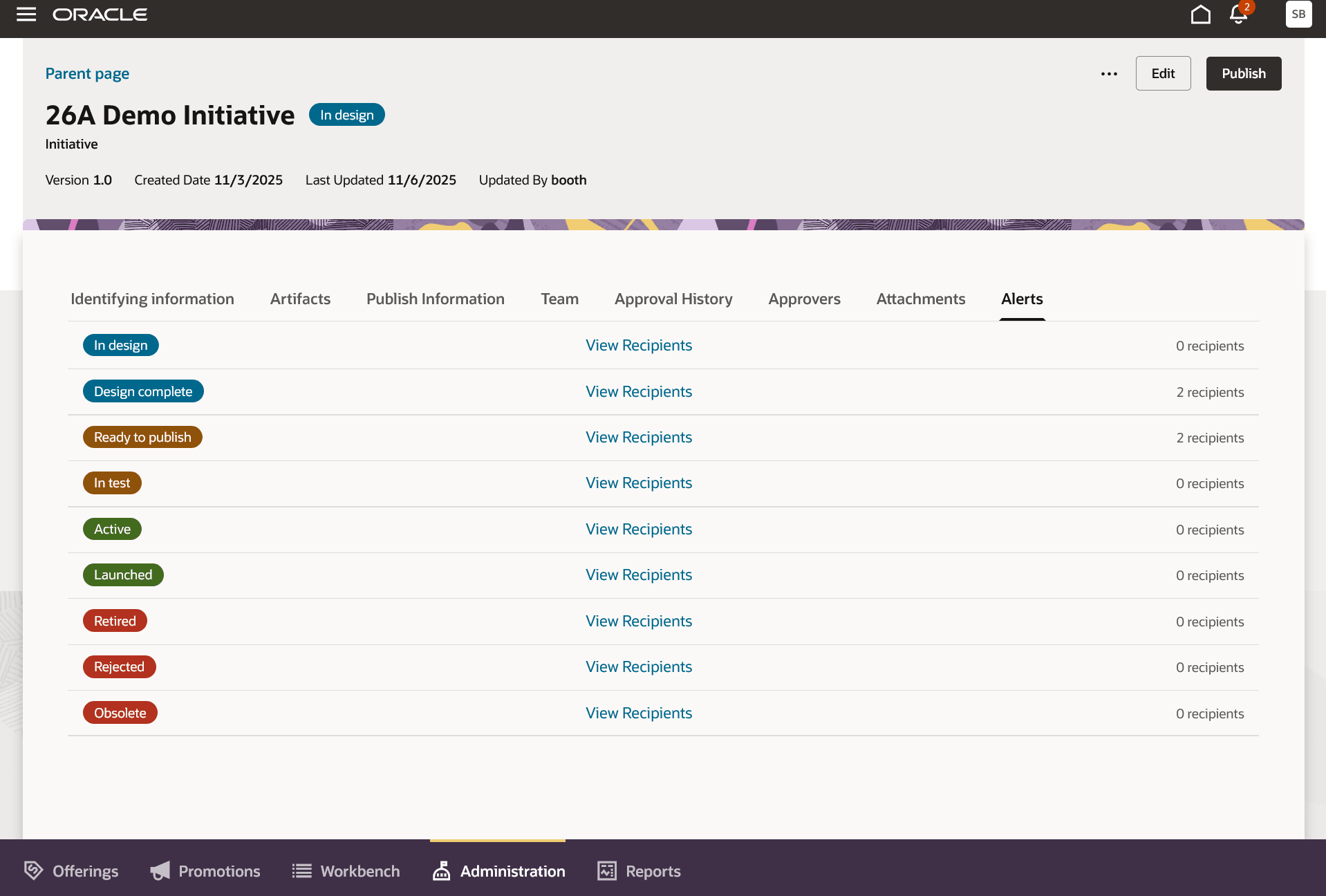
Alert configuration in initiatives
The following figure shows the ability to add approvers at the initiative level
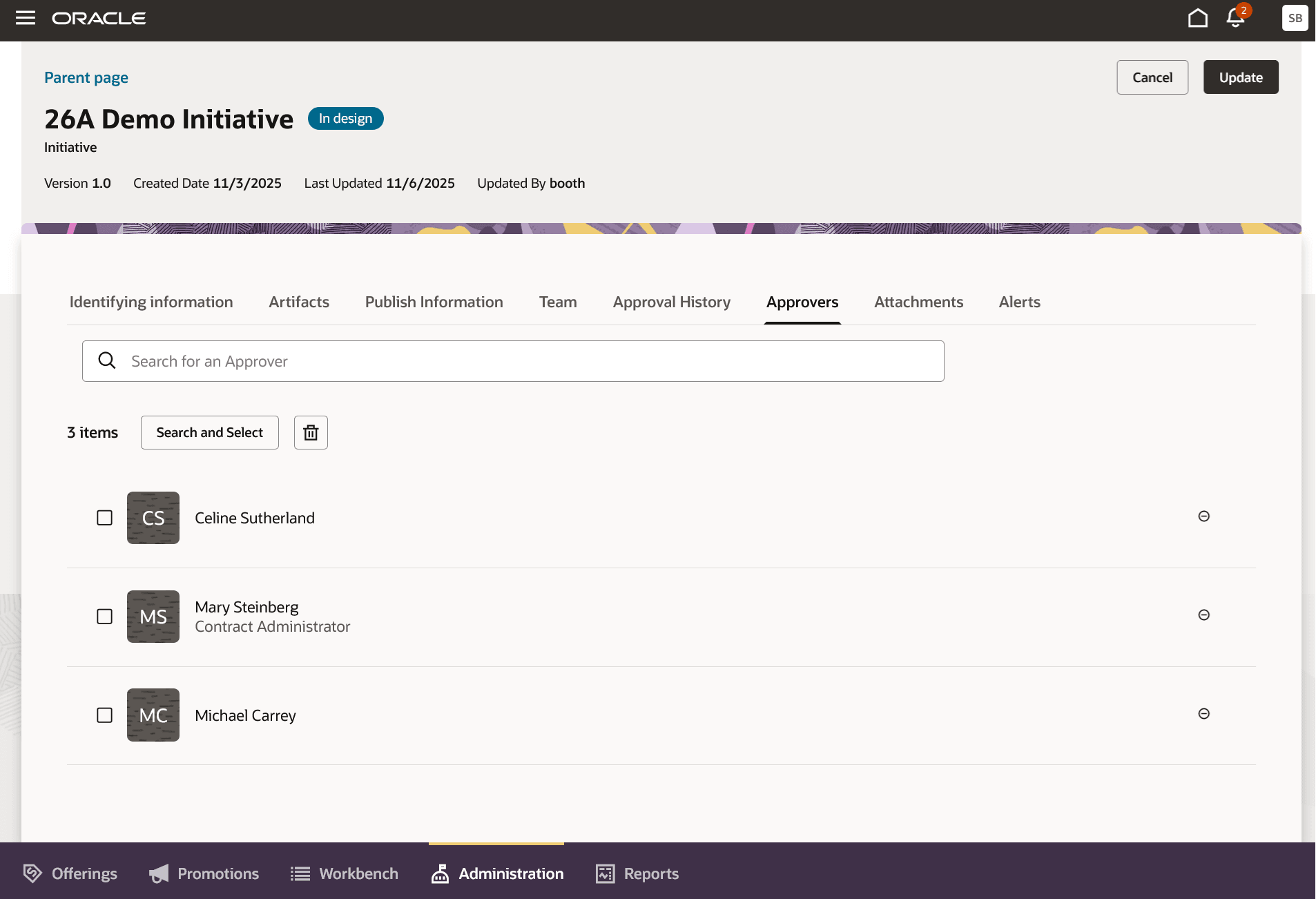
Approvers configuration in initiatives
This features delivers business value by empowering Business and IT folks to collaborate through the End-to-End market release process starting with requirements to validation to commercial availability.
Steps to Enable and Configure
You don't need to do anything to enable this feature.
Access Requirements
- Communications Catalog Administrator