Ability to Hide the Key Column in the Strategic Modeling Account View
When working in the Account View in Strategic Modeling, you can now hide the Key column to simplify the grid display.
To hide or show the Key column, click Hide/Unhide Key on the toolbar.
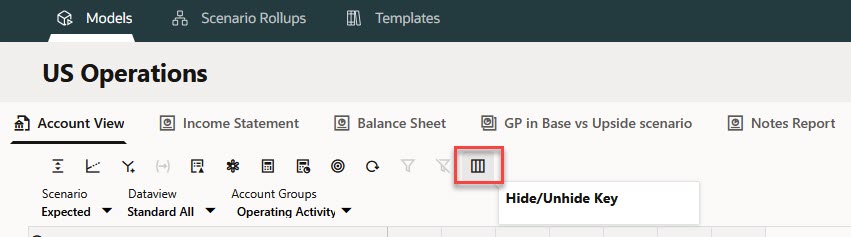
Hide/Unhide Key
By default, the Key column is displayed.
Business Benefit: Hiding the Key column provides a cleaner, more streamlined Account View that more closely aligns with the familiar look and feel of Planning forms, providing a more consistent user experience across Planning and Strategic Modeling.
Key resources
- Working in the Account View in Working with Planning