Partner Contribution Draw Reversal
Reverse partner contribution draws for distributions using a new action from the Joint Venture Distributions work area.
A new action has been added to the Joint Venture Distributions work area, enabling users to reverse the partner contribution draws from distributions.
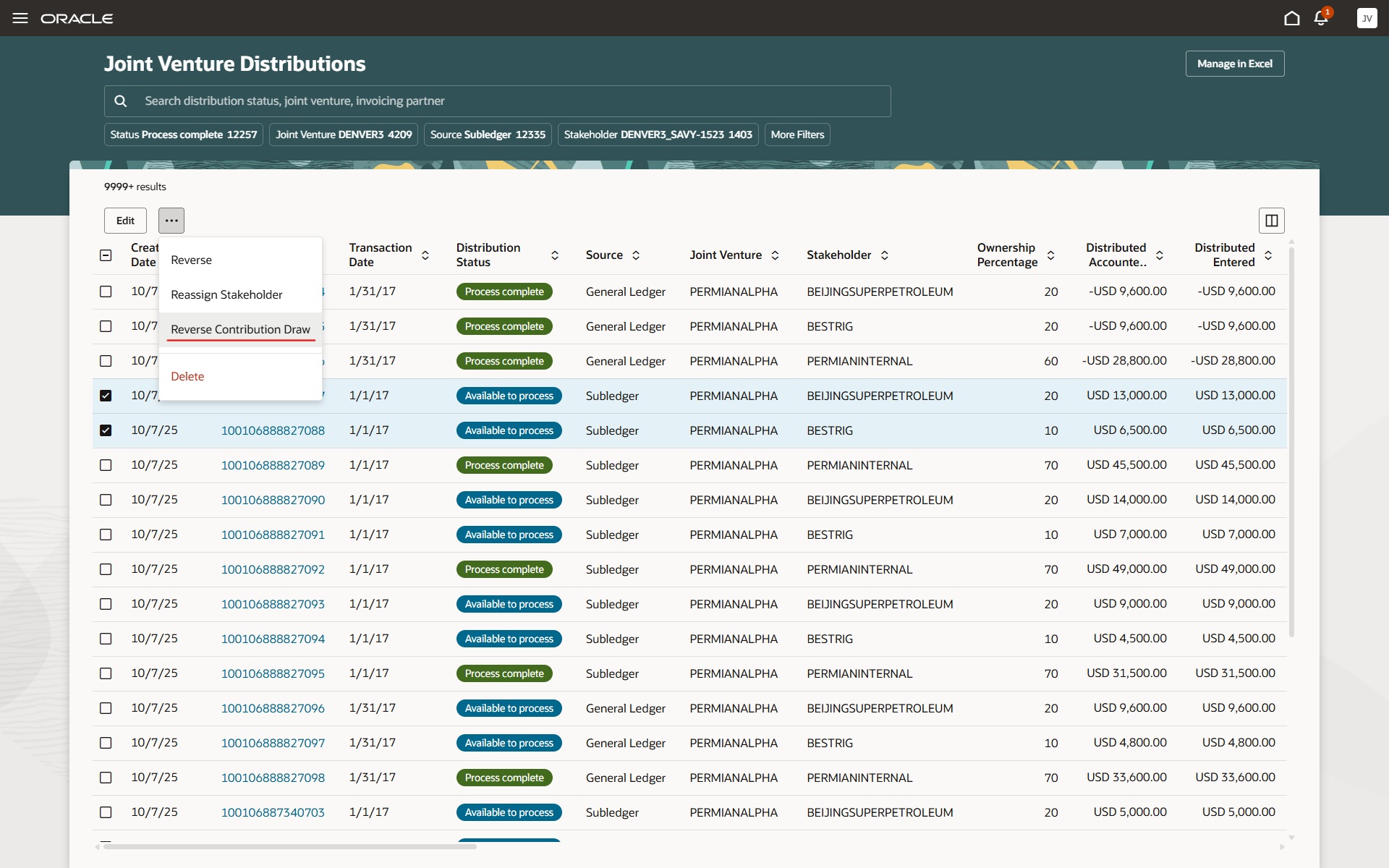
Joint Venture Distributions Work Area
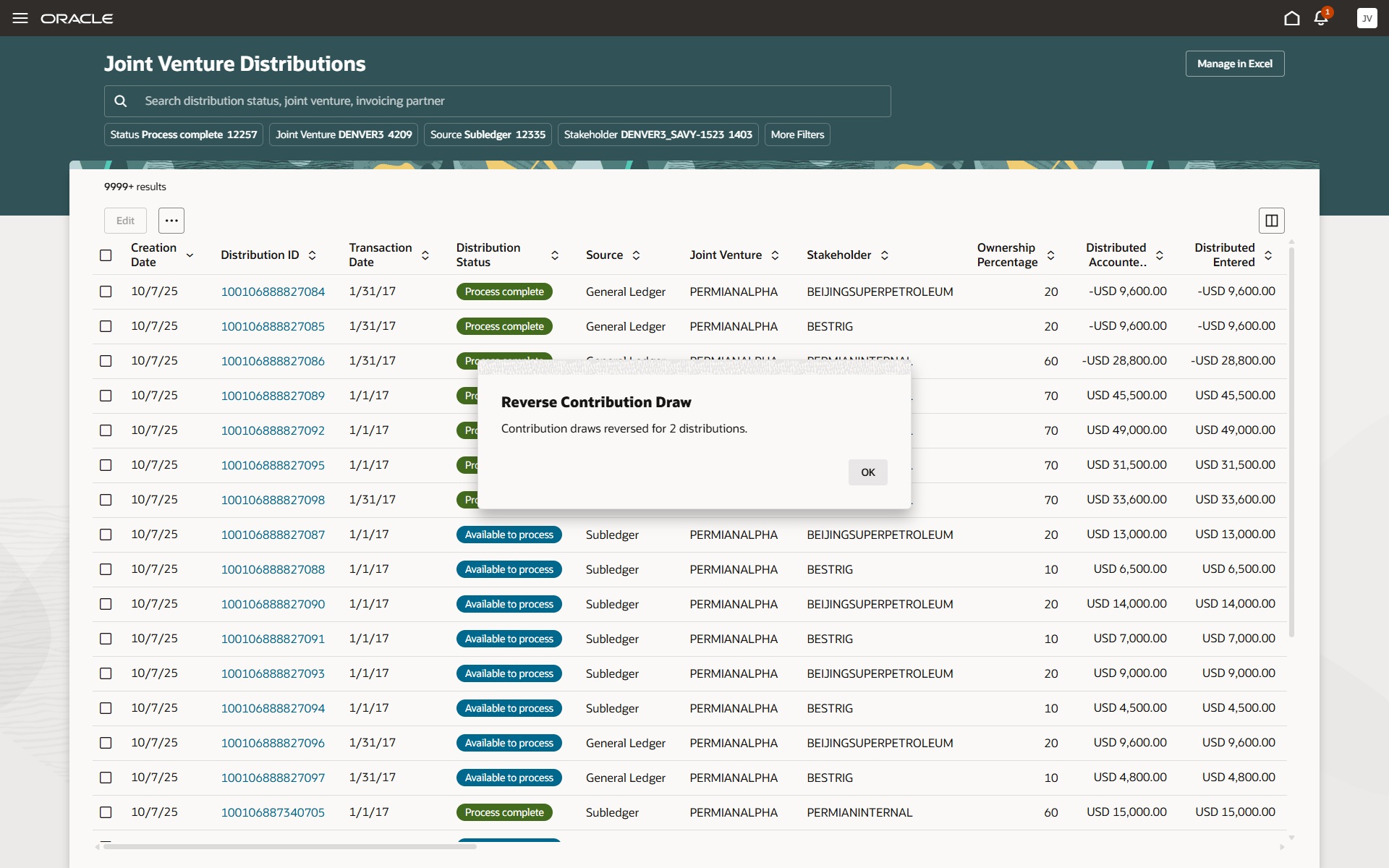
Joint Venture Distributions Work Area Reverse Contribution Draw Confirmation Message
Business Benefit:
Joint venture accountants no longer need to run a scheduled process to reverse partner contribution draws for distributions.
Steps to enable and configure
You don't need to do anything to enable this feature.
Tips and considerations
You can reverse a partner contribution draw only if the distribution has already drawn from a partner contribution and its status is Available to Process or On Hold. If the distribution hasn’t drawn from a partner contribution or doesn’t meet these status conditions, it won’t qualify for a partner contribution draw reversal.
Perform these steps to reverse a partner contribution draw in the Joint Venture Distributions work area:
- Select the distributions you want to reverse the draw.
- Click the More Actions menu and select Reverse Contribution Draw.
- In the window, click Reverse to confirm the reversal.
When you perform the Reverse Contribution Draw action, the application:
- Adds the drawn amount back to the partner contribution.
- Removes the partner contribution ID from the selected joint venture distributions.
Key resources
For more information, refer to:
- Implementing Joint Venture Management guide
- Using Joint Venture Management guide.
Access requirements
- The privileges required for access is Manage Partner Contributions and Assign and Draw Partner Contributions, which is included as part of the Joint Venture Accountant role.