Calculation Calendar for Secondary Representation
Generate lease amortization schedules and accounting entries for the secondary representation using a calculation calendar that is different from the primary representation. For example, configure a 4-4-5 calendar for the primary representation and a monthly calendar for the secondary representation to align with statutory or managerial reporting needs. Lease expenses and income are generated in accordance with the calculation calendars specified for each representation.
To create leases with the separate calculation calendars by representation:
- Create a lease for property or equipment and select the primary and secondary accounting classification.
- Create assets and add payments.
- Validate the lease and generate schedules.
- Use the Schedules tab to review the amortization schedules calculated using the respective calculation calendars for the primary and secondary representations.
- Approve and activate the lease.
- Run the Process Lease Accruals program to create the accrual transaction and recognize the expense or revenue according to the schedule.
- Complete the below parameters according to your requirements to identify the leases and accounting periods to process accruals for both primary and secondary representations:
- Business Unit: Mandatory. Select a Business Unit.
- Lease Number: Optional. Select a Lease Number to process accruals for a specific lease.
- Period: Optional. Select Period to process accruals till the selected period end date or leave blank to process accruals till the system date.
- Accrual Date: Optional. Enter Accrual Date to process accruals till the Accrual Date.
The following screenshots describe viewing the lease amortization schedules by representation for expense and revenue leases:
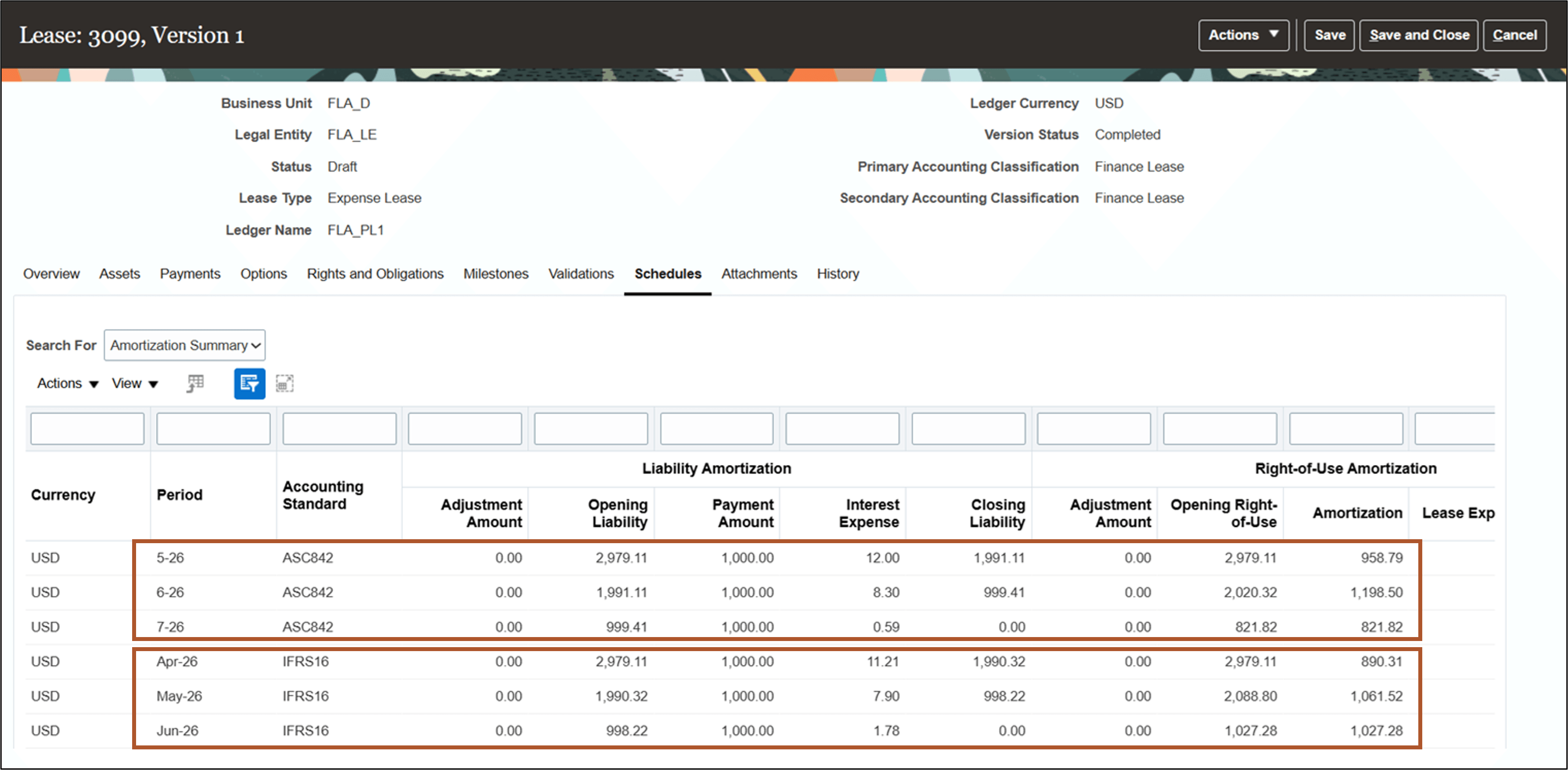
Expense Lease Schedules - Amortization Summary
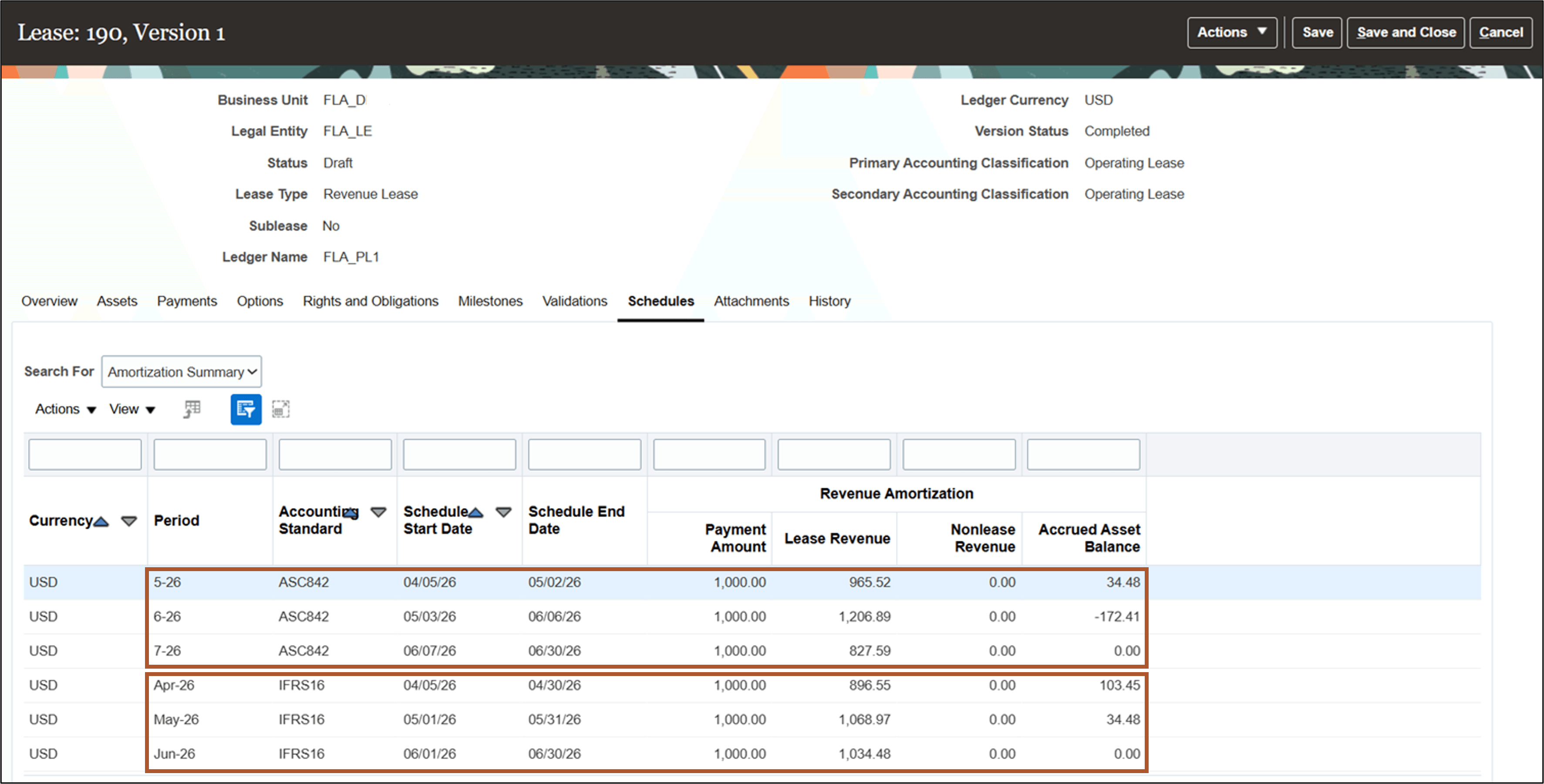
Revenue Lease Schedules - Amortization Summary
The following screenshots describe the lease accruals process for expense and revenue leases:
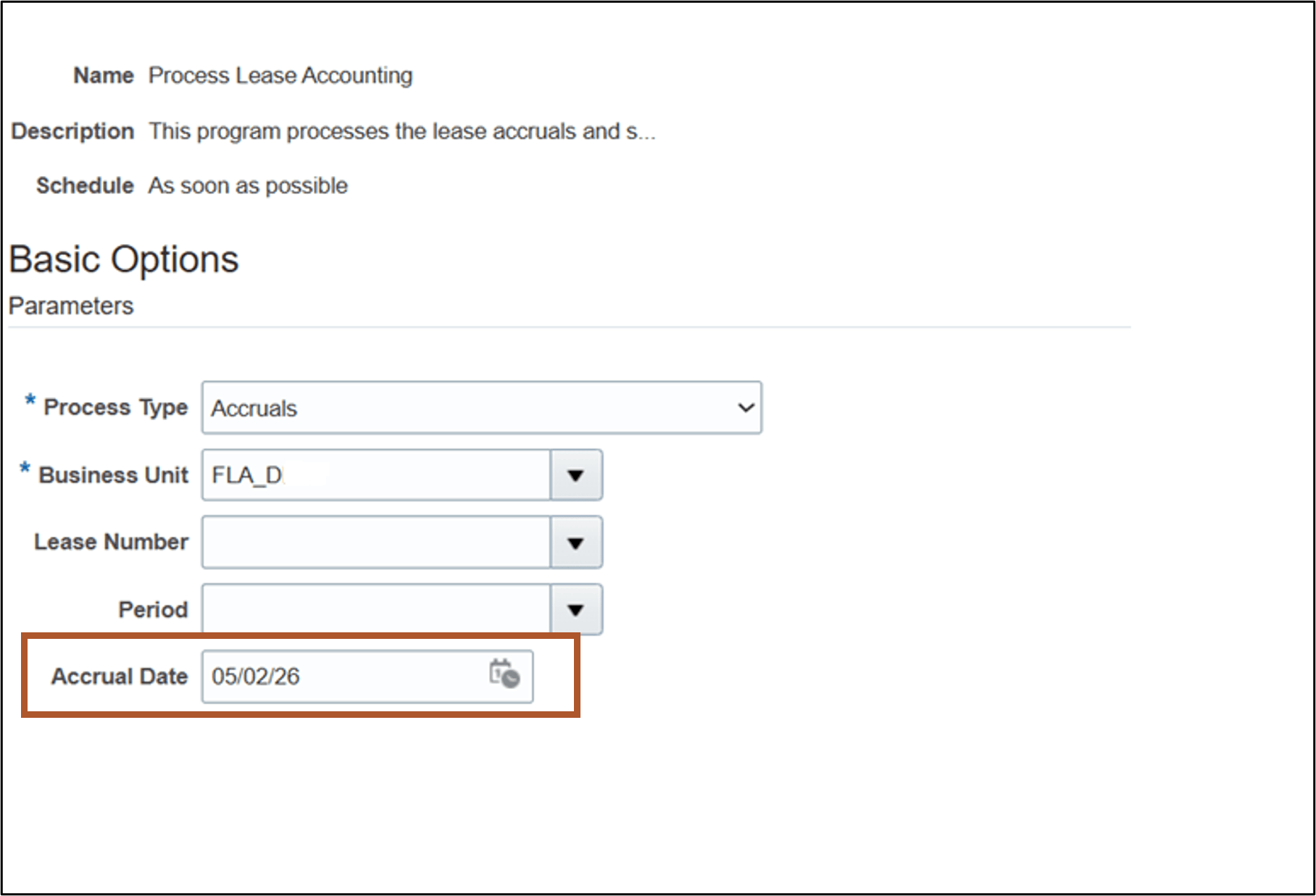
Process Expense Lease Accruals
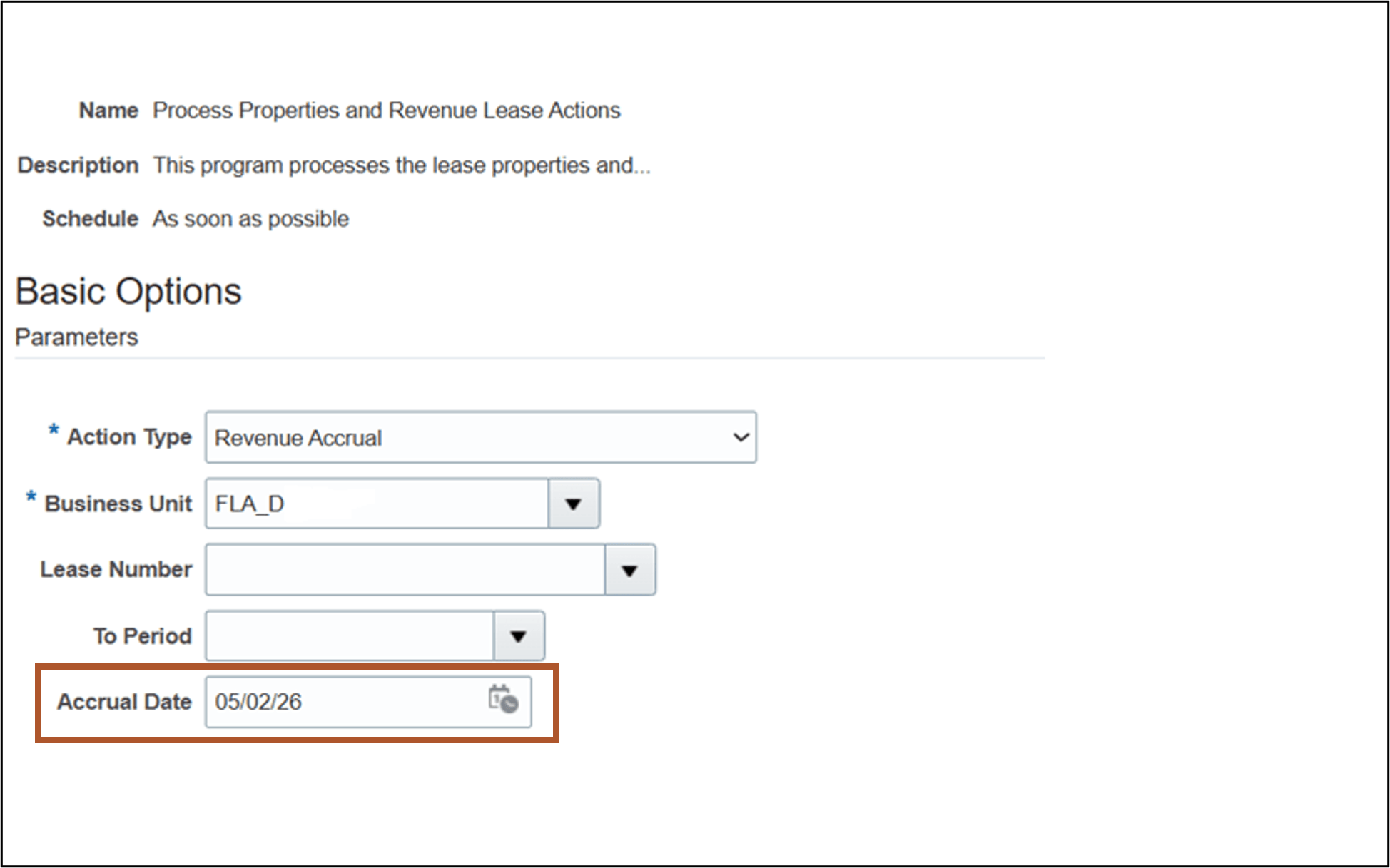
Process Accruals for Property Revenue Leases
Business benefits include:
- Aligns secondary representation lease accounting with local or statutory reporting requirements, enhancing compliance and auditability.
- Enables organizations to accurately record and report leases in multiple reporting frameworks, reducing manual adjustments and potential errors.
- Improves operational efficiency by automating the calculation and accounting processes based on the selected calculation calendars.
Here's the demo of these capabilities:
Steps to enable and configure
Complete these settings in Manage Lease Accounting Configuration:
- Navigate to the Create or Edit System Options page.
- Select the Primary and Secondary Accounting Standards and Ledgers.
- Select the Interest Calculation Method as Daily Compound Interest and the Amortization Calculation Frequency as Daily Amortization.
- Select the Calculation Calendar for the primary representation.
- Enter the Override Secondary Calculation Calendar to use a different calculation calendar for the secondary representation.
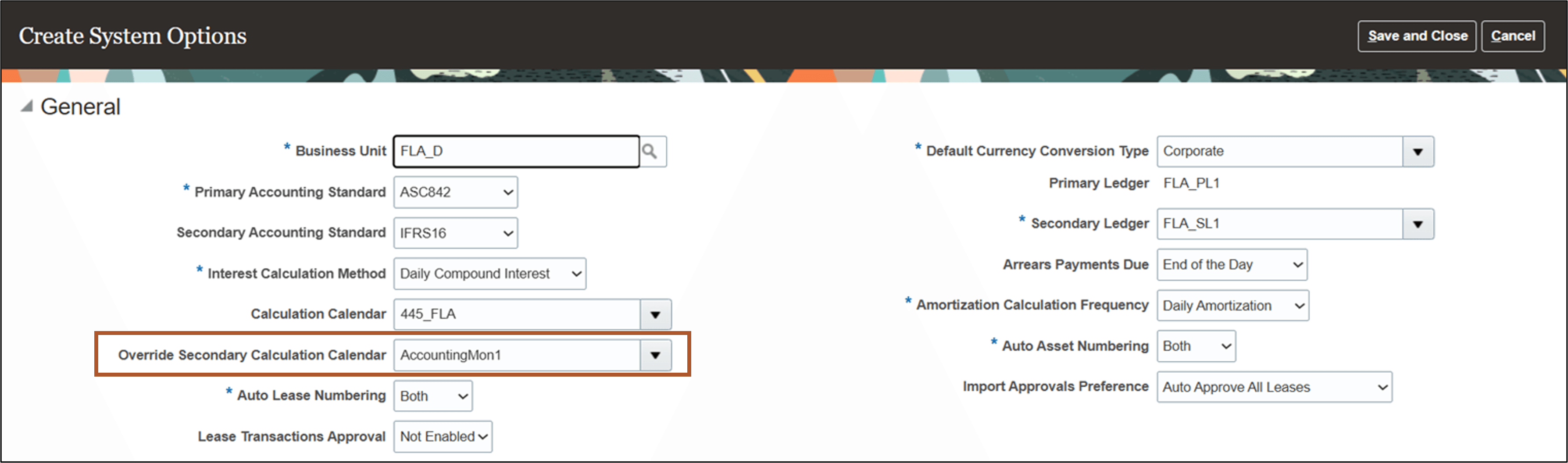
System Options page
Tips and considerations
The Override Secondary Calculation Calendar system option is enabled for update only for those business units that do not have any active leases.
Key resources
Based on Idea 823304 from the Lease Accounting Idea Lab on Oracle Cloud Customer Connect.
Access requirements
No new access requirements.