Lease Migration Balances by Representation
Capture separate right-of-use asset and accumulated amortization balances for both primary and secondary representations when importing midlife expense leases. Record either gross or net right-of-use asset balances and their corresponding accumulated amortization for each representation during the migration of lease portfolios.
To create expense leases with separate migration balances by representation:
- Create an expense lease for property or equipment.
- Update lease details to enable the Migrated Lease option and select the Right-of-Use Basis as Net or Gross.
- Create an asset and add a payment.
- Update the accounting details on the payment and enter the migration balances:
- Enter Primary and Secondary Net Right-of-Use if the Right-of-Use Basis is Net.
- Enter Primary and Secondary Gross Right-of-Use and Accumulated Amortization amounts if the Right-of-Use Basis is Gross.
The following screenshots describe the process of creating a migrated expense lease with right-of-use assets and accumulated amortization balances by representation:
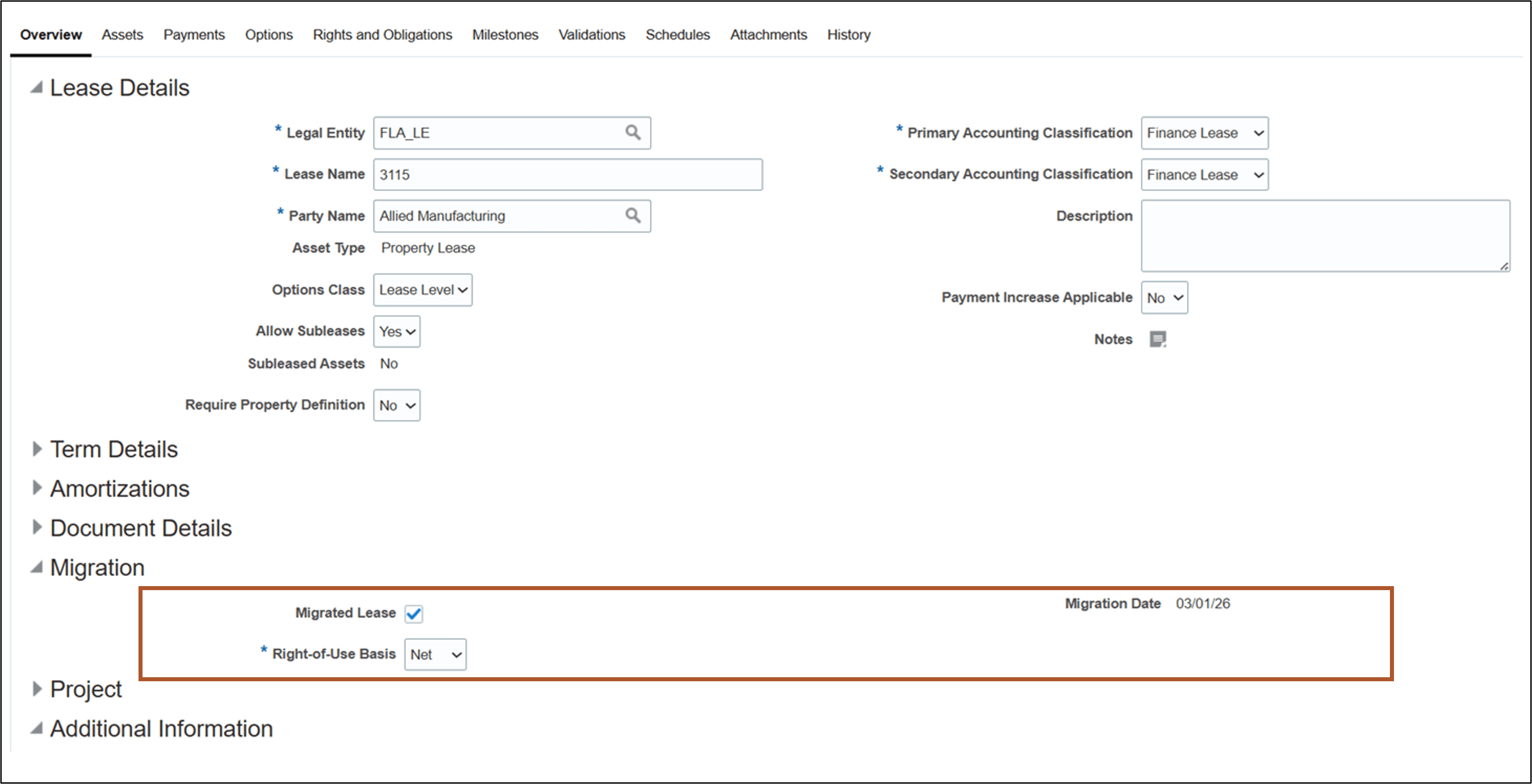
Lease Details page - Migrated Lease with Net Right-of-Use Basis
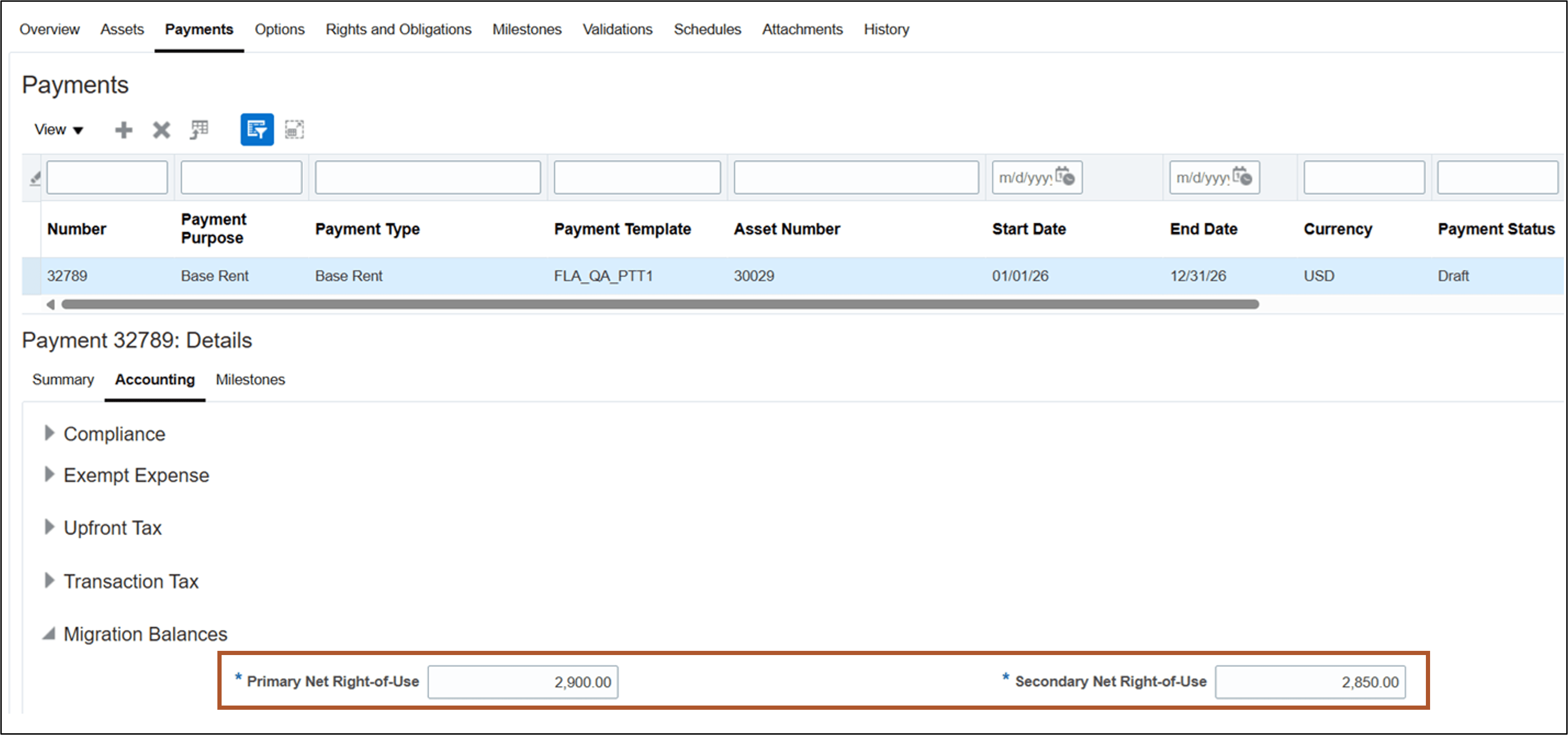
Update Payments page - Net Right-of-Use Migration Balances
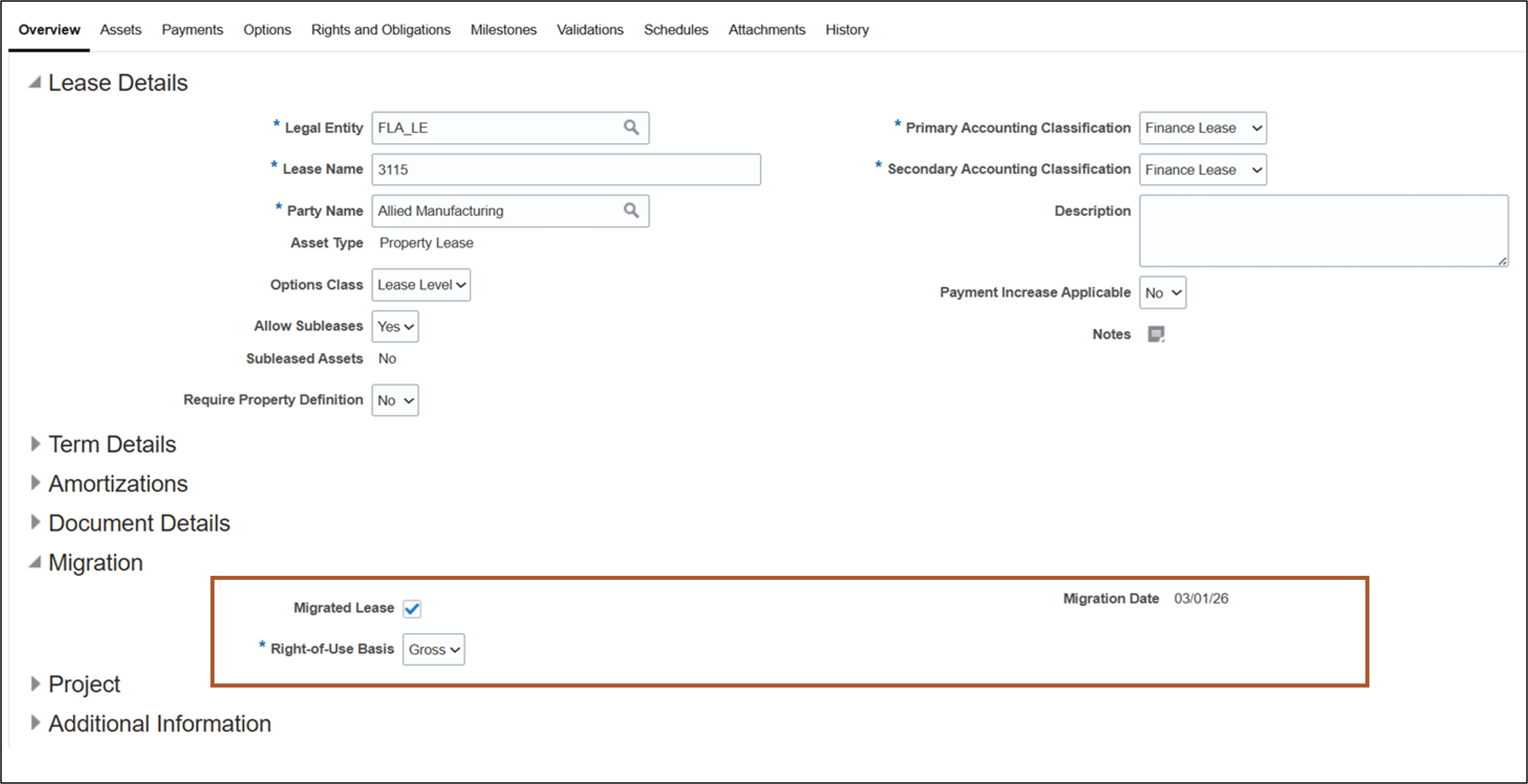
Lease Details page with Gross Right-of-Use Basis
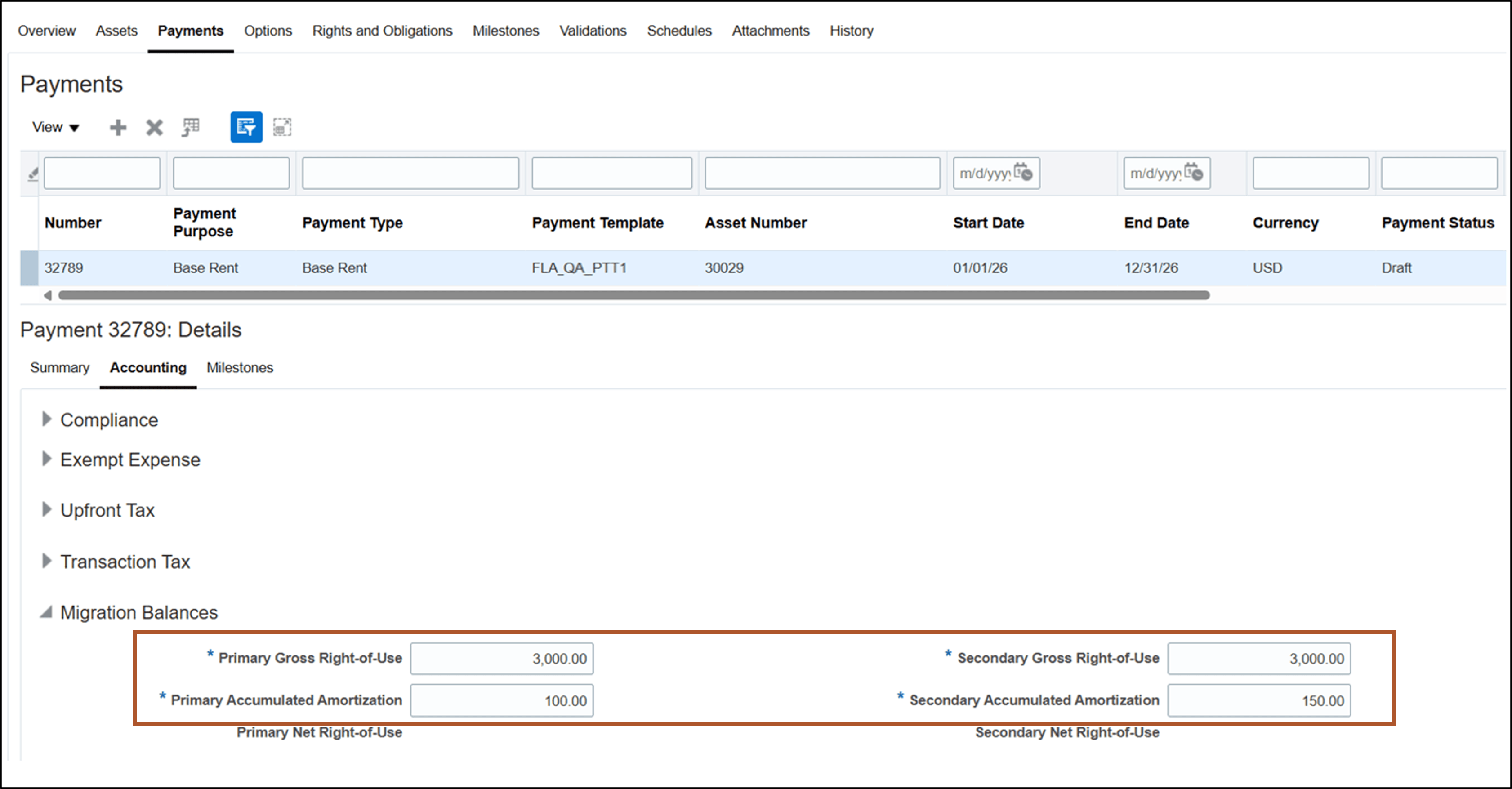
Update Payments page - Gross Right-of-Use Migration Balances
Capture separate accrued asset balances for both primary and secondary representations when importing midlife revenue leases.
To create revenue leases with separate migration balances by representation:
- Create a revenue lease for property.
- Update lease details to enable the Migrated Lease option and enter the Migration Date.
- Create an asset and add a payment.
- Update the accounting details on the payment and enter the Primary and Secondary Accrued Asset balances.
The following screenshots describe the process of creating a migrated revenue lease with accrued asset balances by representation:
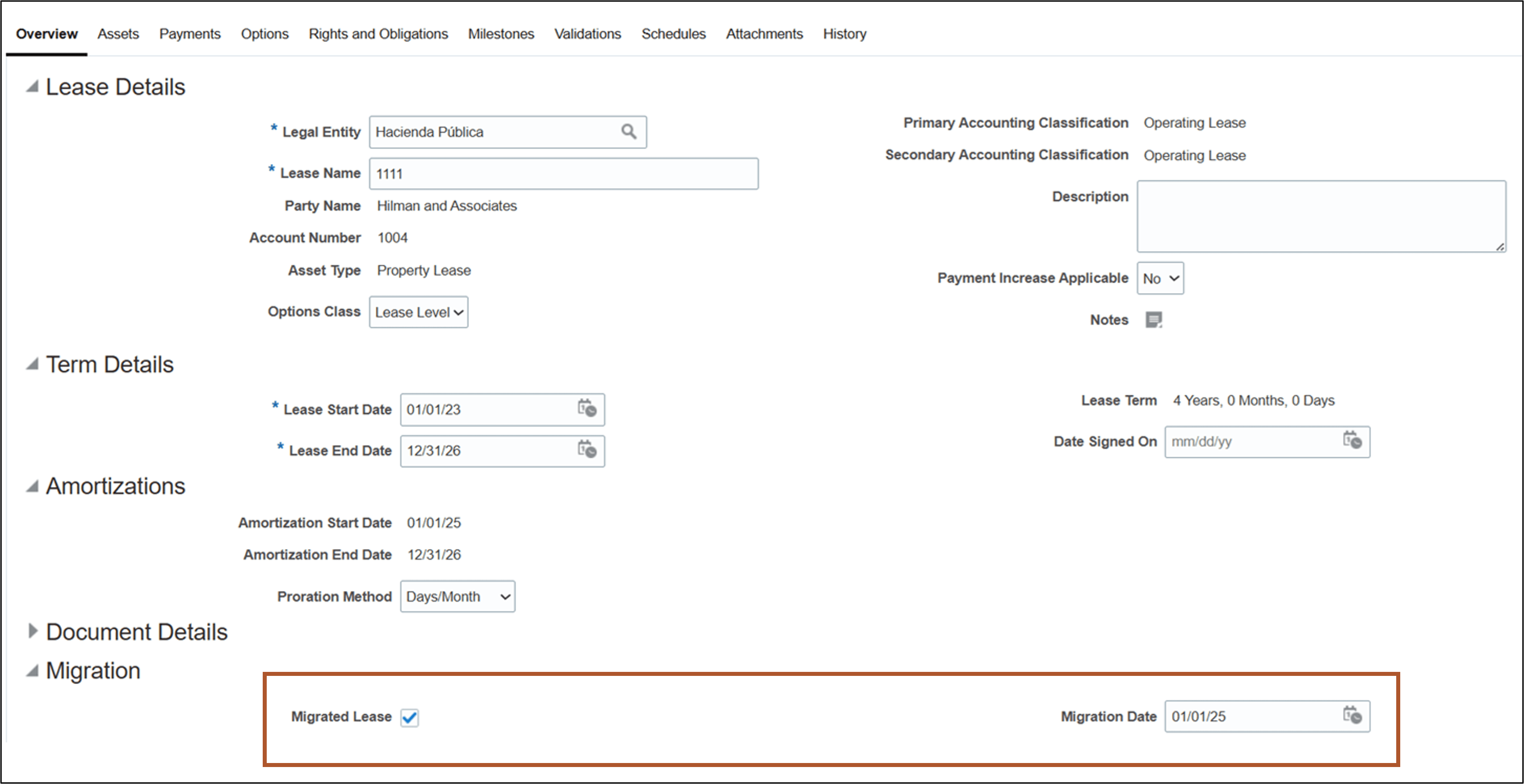
Update Revenue Lease Details Page
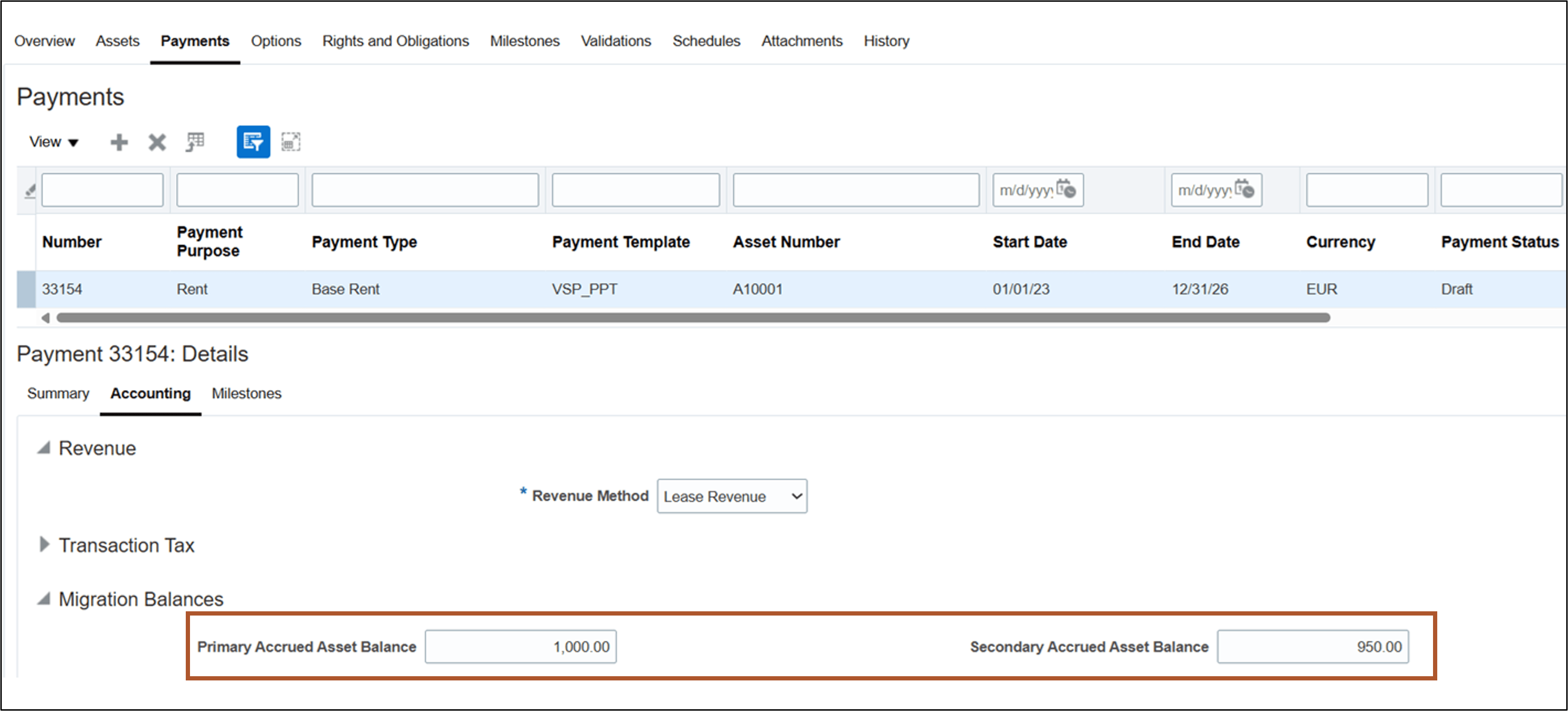
Update Payments Page - Accrued Asset Migration Balances
Business benefits include:
- Simplifies compliance with lease accounting standards by accurately reporting right-of-use assets, accumulated amortization, and accrued asset balances by representation.
- Increases operational efficiency through automated accounting when migrating existing lease portfolios, reducing manual adjustments and risk of errors.
Steps to enable and configure
You don't need to do anything to enable this feature.
Key resources
Based on Idea 853339 from the Lease Accounting Idea Lab on Oracle Cloud Customer Connect.
Access requirements
No new access requirements.