Lease Impairments by Representation
Record lease impairments by capturing impairment percentages and recoverable values separately for primary and secondary representations. Lease administrators can create impairment transactions to write down the right-of-use asset balances for each representation, supporting compliance with varying regulatory or reporting requirements across different jurisdictions.
To impair leased assets with separate impairment details by representation:
- Search and select the expense lease to impair.
- Select Impair Lease action and enter the Effective Date.
- Navigate to the Assets tab and select the asset to impair.
- Select the Impairment Type as percentage or amount-based and enter Percentage of Asset Value for Impairment.
- Enter the Primary and Secondary Impairment Percentage for percentage-based impairments.
- Enter the Primary and Secondary Recoverable Value for amount-based impairment.
- Validate the lease, generate schedules, approve, and activate the lease impairment.
The following screenshots describe creating an impairment with separate impairment details by representation:
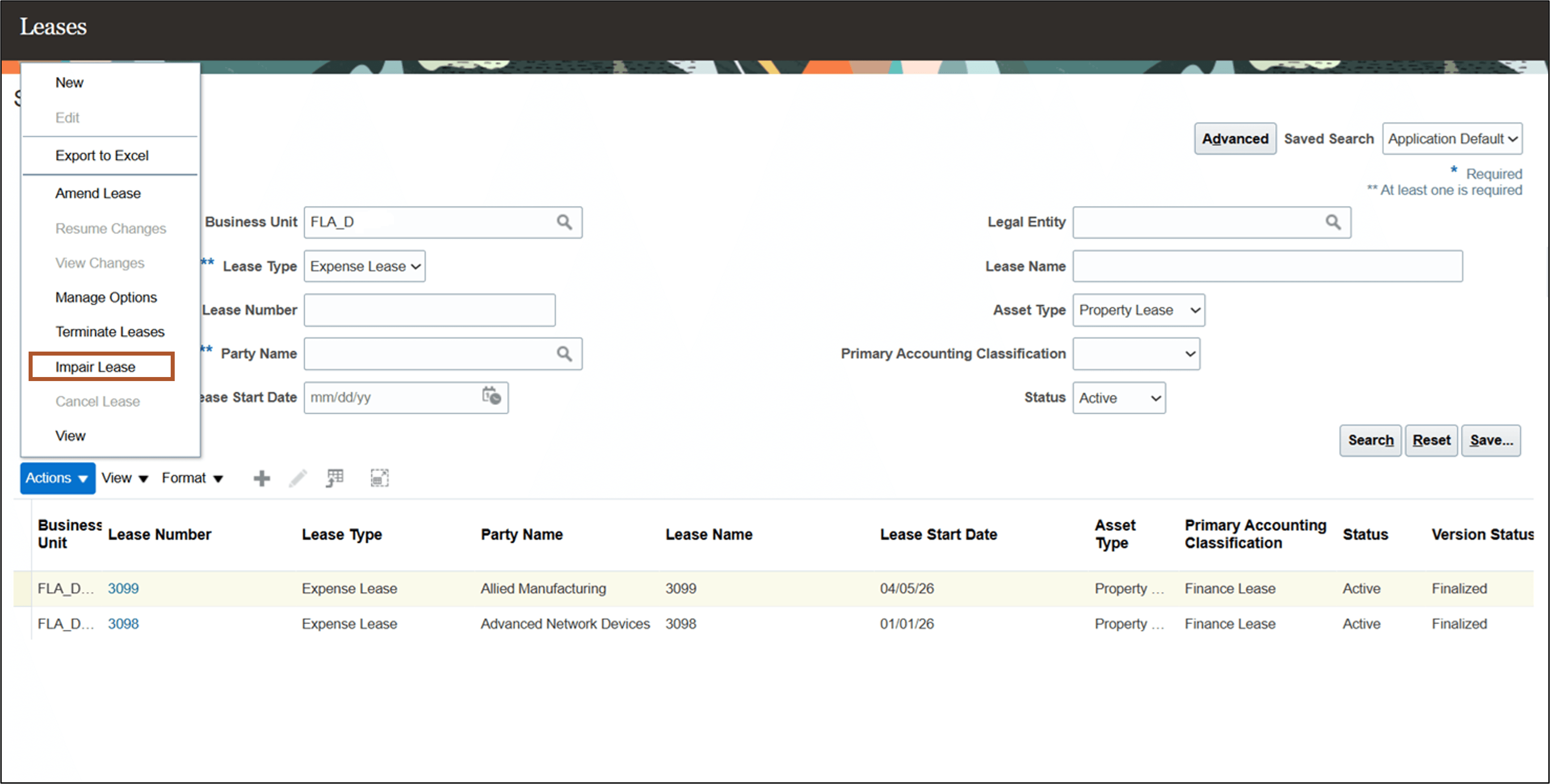
Search Leases page
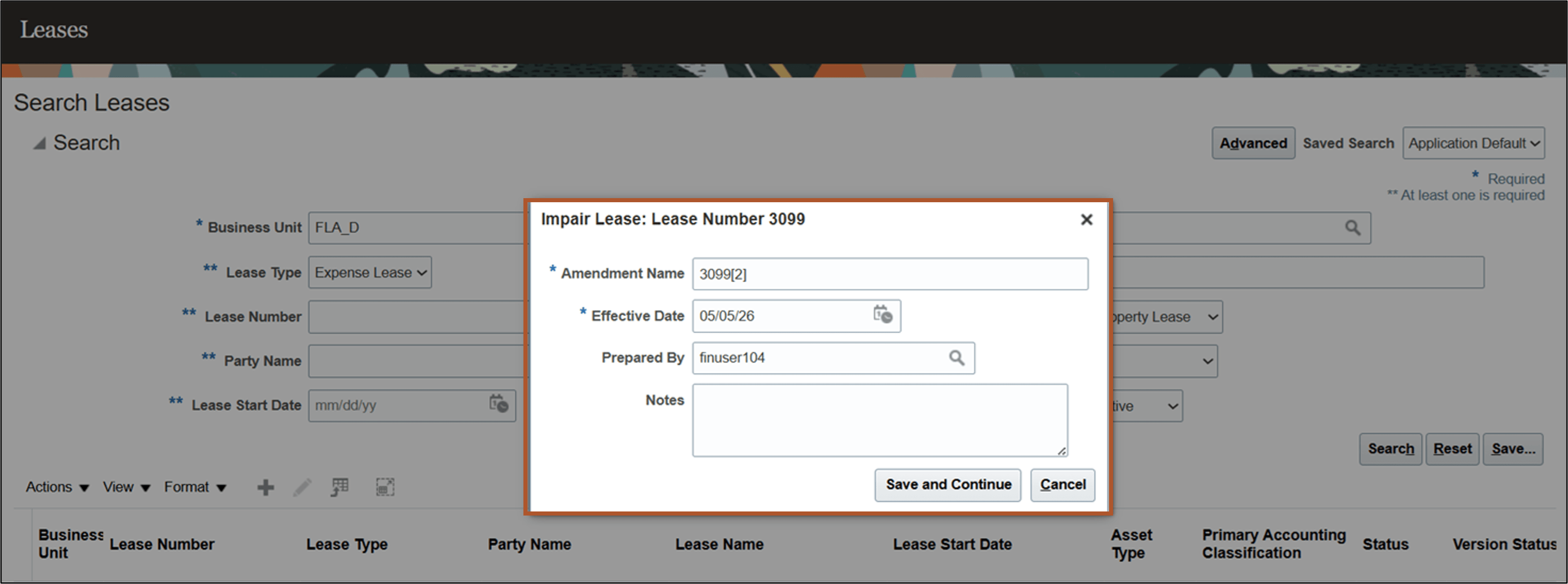
Create Impairment page
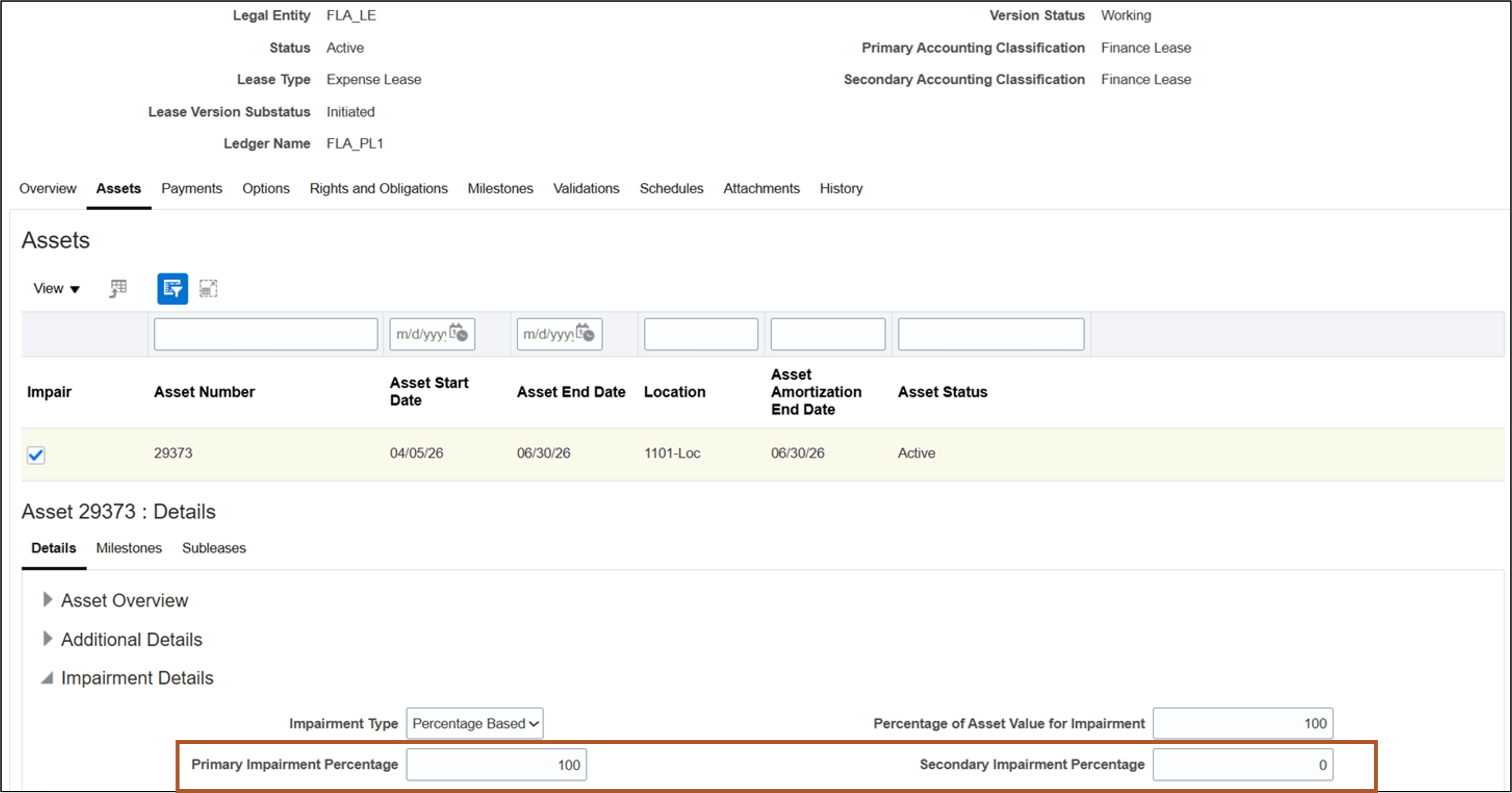
Create Percentage Based Impairment Details
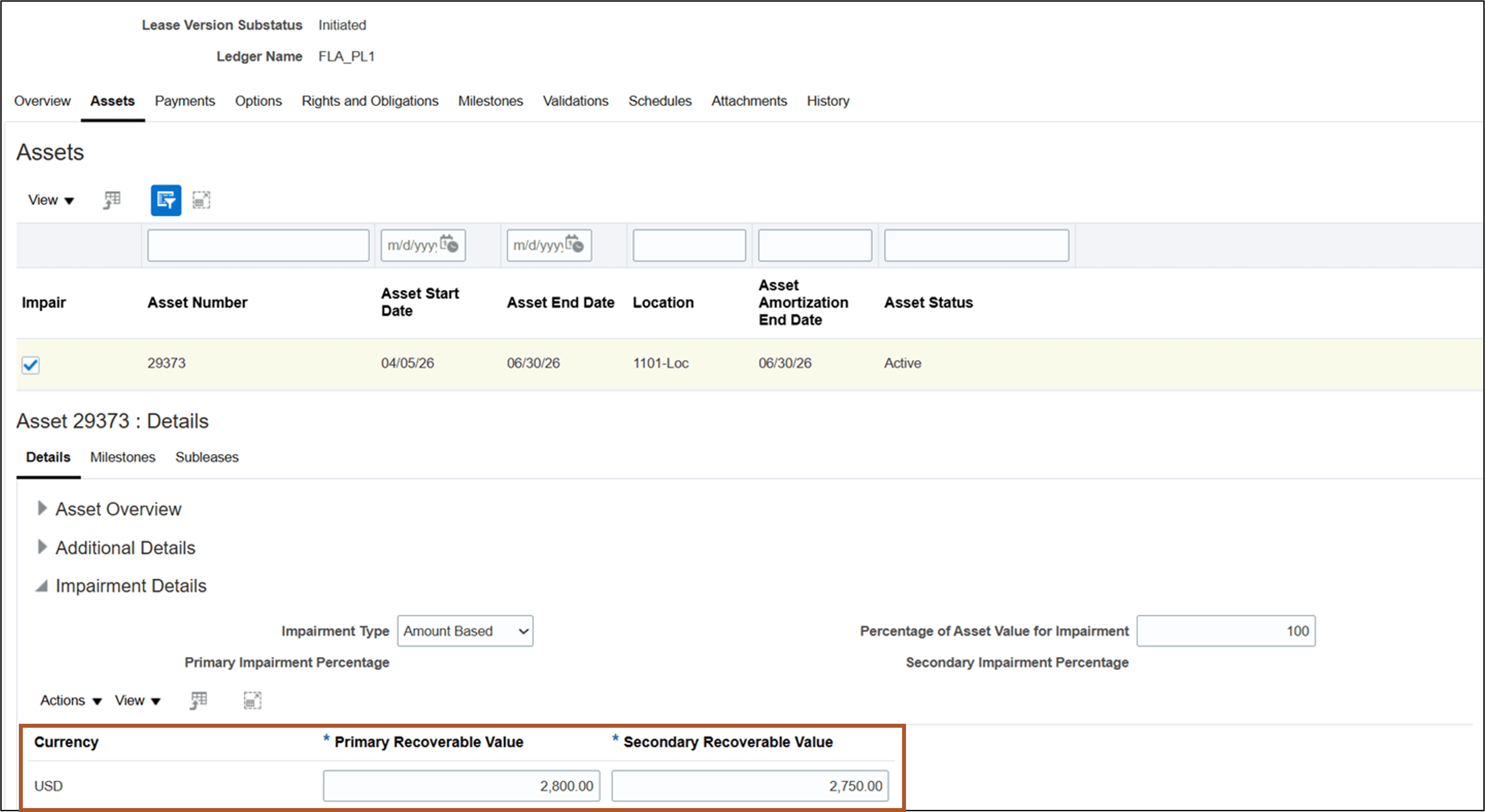
Create Amount Based Impairment Details
Business benefits include:
- Enables multinational organizations to meet distinct impairment reporting requirements in each jurisdiction, ensuring compliance and auditability.
- Streamlines lease administration processes, saving time and reducing manual error in maintaining lease asset valuations.
Steps to enable and configure
You don't need to do anything to enable this feature.
Key resources
Based on Idea 886099 from the Lease Accounting Idea Lab on Oracle Cloud Customer Connect.
Access requirements
No new access requirements.