Retirement Request Assistant
The Retirement Request Assistant streamlines the asset retirement process by submitting and tracking retirement requests through a guided conversational experience.
The following options are presented when you open the assistant:
- Retire My Assets
- Show My Recent Retirement Requests
Retire My Assets
You can initiate a new retirement request directly from the assistant. The guided flow displays the assets currently assigned to the user and then collects the required information needed to process the retirement, such as retirement date, retirement reason, and supporting information. The assistant simplifies the submission process by providing contextual prompts and reducing the need to navigate through multiple application pages.
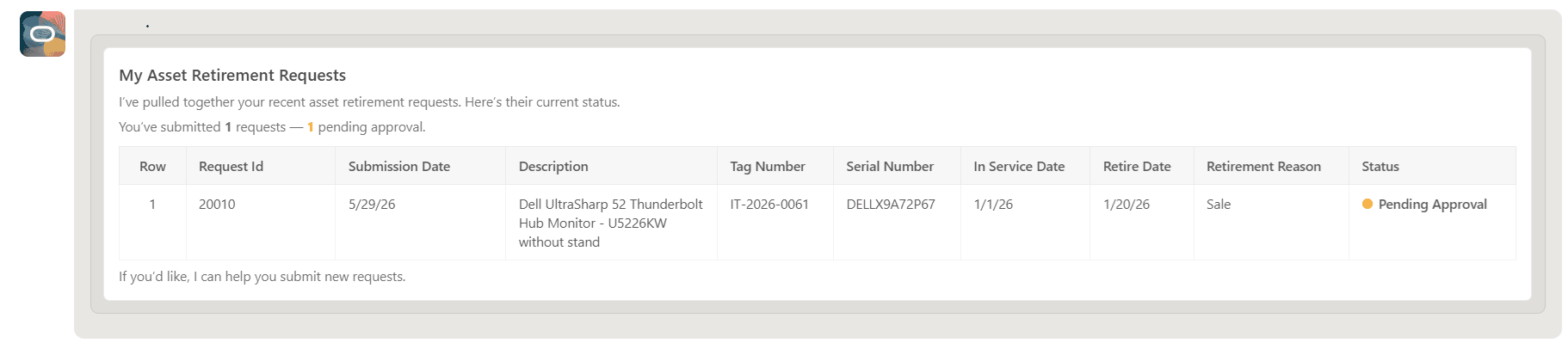
Once submitted, the request is processed by user through the Fixed Asset Retirement Assistant, who reviews the request, updates the details if needed, and posts the retirement transaction.
Show My Recent Retirement Requests
You can review prior retirement requests. The assistant provides visibility into prior requests and their current status, helping users monitor progress, verify submitted information, and reference historical retirement activity without searching through multiple records manually.
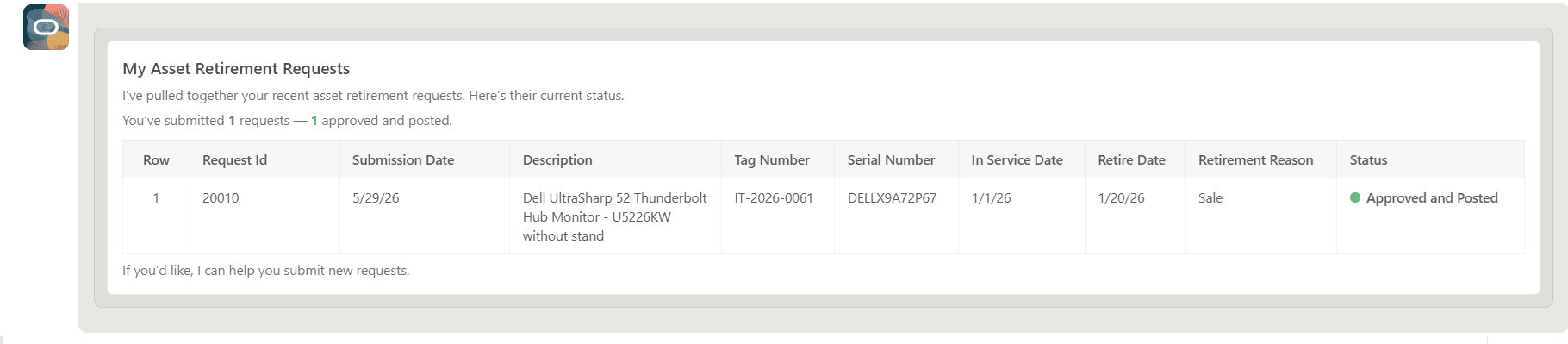
Only the ten most recent retirement submissions are displayed.
These entry-point actions provide a simplified and user-friendly experience that improves efficiency and transparency for fixed asset retirement request management.
Business benefits include:
- Improved user experience through a simple self-service process for submitting and tracking asset retirements.
- Simplifies the retirement request submission process through a guided conversational experience.
- Faster request handling by allowing users to submit retirement requests directly without manual coordination.
- Reduced operational effort by minimizing back-and-forth between users and support or operations teams.
Steps to enable and configure
- Refer to the Access requirements section to set up the required security roles and privileges.
- After the required security roles and privileges are set up, users can access the Retirement Request Assistant from the Explore area on the AI Agents page.
Tips and considerations
- For the best user experience, manually resize the assistant window to full screen.
- Enter Help in the assistant to access the help screen and view user guidance.
- The Retirement Request Assistant does not require data access to any asset book because the assistant only raises a request to retire an asset and does not display accounting information.
- Natural language conversation is English-only.
Key resources
Access requirements
To provide user access to the Retirement Request Assistant, complete these steps:
- Navigate to the Security Console.
- Create a new custom job role with the following details:
- Role Name: Specify a name, for example, Retirement Request Custom Role
- Role Code: Specify a code, for example, RETIREMENT_REQUEST_CUSTOM_ROLE
- Role Category: Financials – Job Roles
- Enable the Enable Permission Groups option
- Navigate to Function Security Policies and add the following privileges:
- Retire Fixed Asset
- Access FSCM Integration Rest Service
- Navigate to Role Hierarchy > Roles and Permission Groups and add the following roles:
- ORA_FA_FIXED_ASSET_RETIREMENT_REQUEST_ASSISTANT_DUTY
- Add the required users to the custom job role, then save and submit the role.