Optional Ship-To Account and Site Through Configurable Contract Line Validations
Specifying ship-to details on contract lines may be unnecessary when billing for projects or professional services, or when ship-to information is not used as a sales tax determinant. Privileged users can effectively make the ship-to account and ship-to site optional by changing the severity from Error to Warning or by disabling the corresponding validations on the Manage Contract Validations setup page. Additionally, ship-to information on the Receivables invoice is optional.
If ship-to details are optional and not entered on contract lines, invoice lines generated for those contract lines will not have ship-to information populated, as highlighted below. Users have the option to update the ship-to account and ship-to site on invoice lines while the invoice is in Draft status:
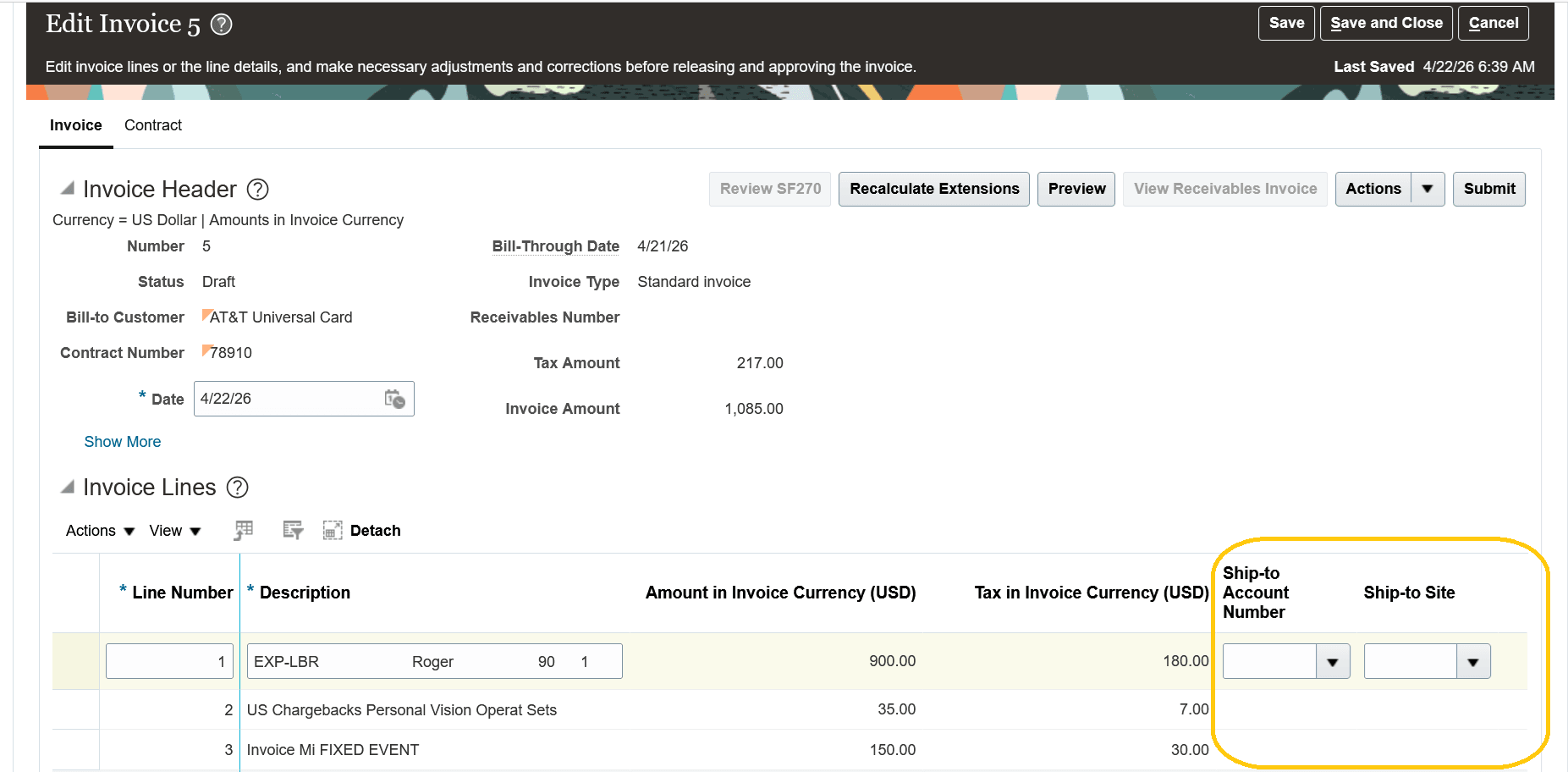
A project contract invoice showing the Ship-to Account Number and Ship-to Site fields as empty but updatable
The main benefit of this feature is to eliminate redundant setup by making ship-to information optional.
Steps to enable and configure
Two new contract line validations have been added to the Manage Contract Validations setup page; one to validate entry of ship-to account, and the other to validate entry of ship-to site. The default behavior remains that these two attributes are mandatory. Users can update the severity of these validations from Error to Warning, or disable them entirely:
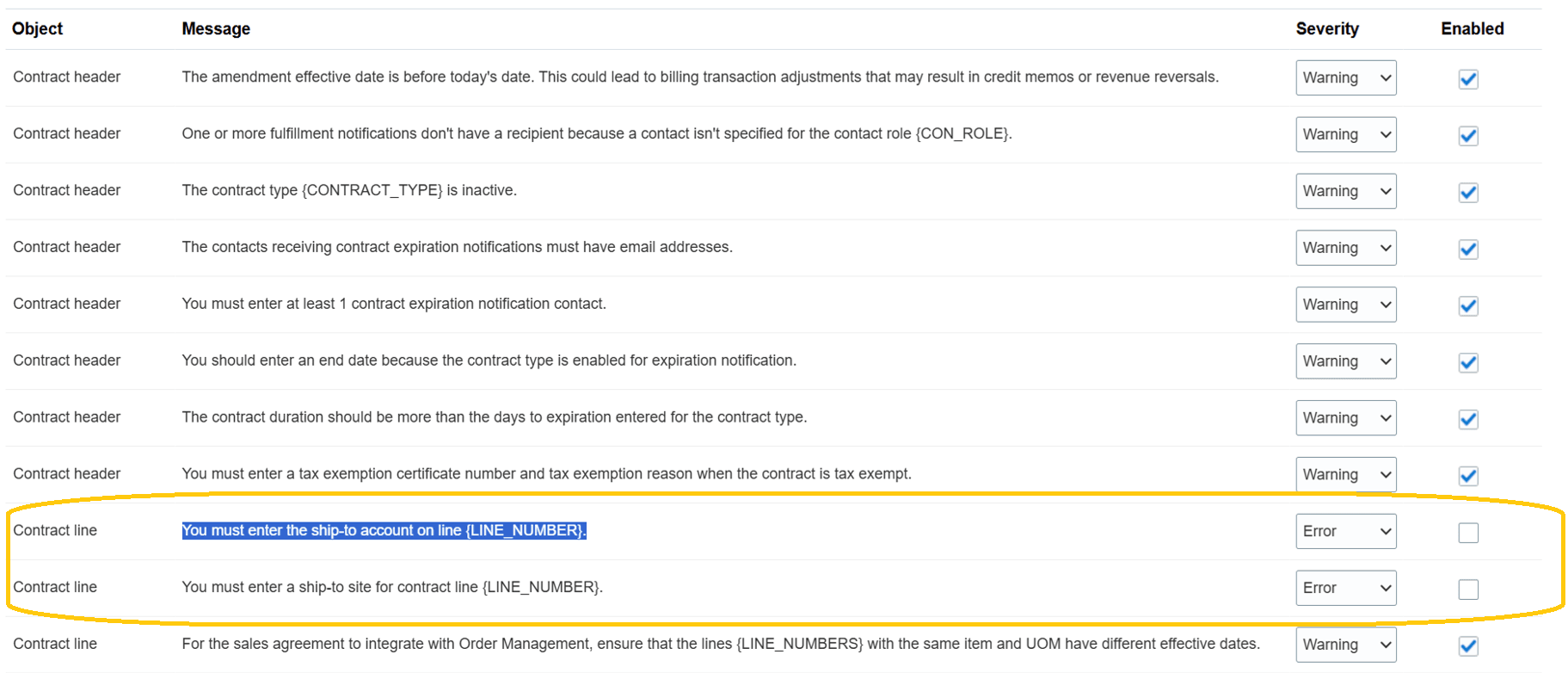
The Manage Contract Validations setup page highlighting the two new contract line validations.
Tips and considerations
- Validations configured using the Manage Contract Validations page are honored when contracts are validated through the user interface, the Contract REST API, and Contract Import Management.
- You must either enable both the ship-to account and ship-to site validations (with severity set to Error or Warning) or disable both validations. Enabling the ship-to account validation while disabling the ship-to site validation can lead to rejection of invoices generated for a contract in Receivables.
- When the ship-to account and ship-to site validations are made optional and ship-to information is not entered on the project contract line, the following invoice line grouping attributes (available in labor and nonlabor invoice formats) become redundant:
- Work Site Address1
- Work Site Address2
- Work Site Address3
- Work Site Address4
- Work Site City
- Work Site Country
- Work Site County
- Work Site Postal Code
- Work Site State
- If you’ve enabled the Credit Hold Prevents Revenue Recognition predefined profile option, revenue will still be recognized for contract lines that do not have ship-to information, regardless of whether the customer is on credit hold. This is because the credit hold check is performed using the contract line’s ship-to information.
Key resources
Refer to this page for more details on the Manage Contract Validations setup.
Access requirements
No new access requirements.