Lease attachments without an amendment
Add supporting documents, such as lease agreement, contract addenda, CAM statements, and insurance certificates, to active leases without creating a nonfinancial amendment. Keep lease documentation complete and up to date without triggering a reapproval cycle when no lease terms are changing.
To add an attachment to an active lease:
- Search for and select an expense or revenue lease in Active status.
- Navigate to the Attachments tab and click Add.
- Select the attachment type and enter the attachment details.
- Click Save.
The following screenshots describe adding an attachment to an active lease:
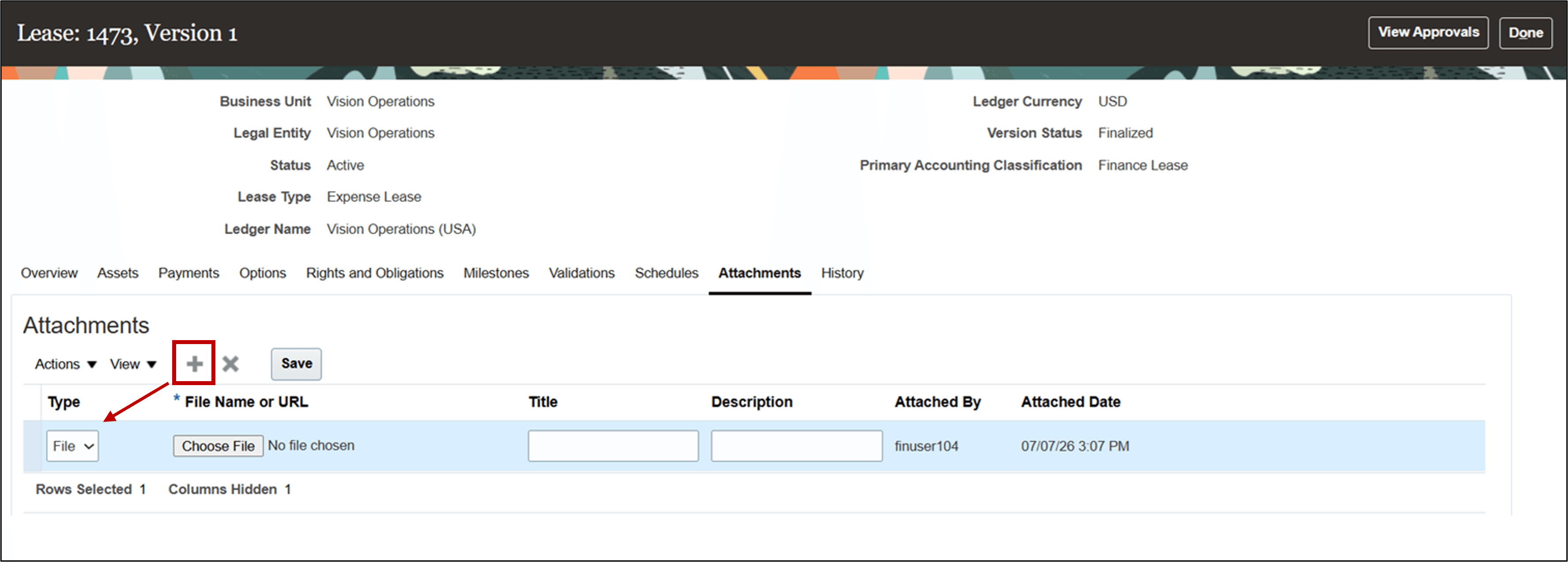
Attachments tab - Add attachment
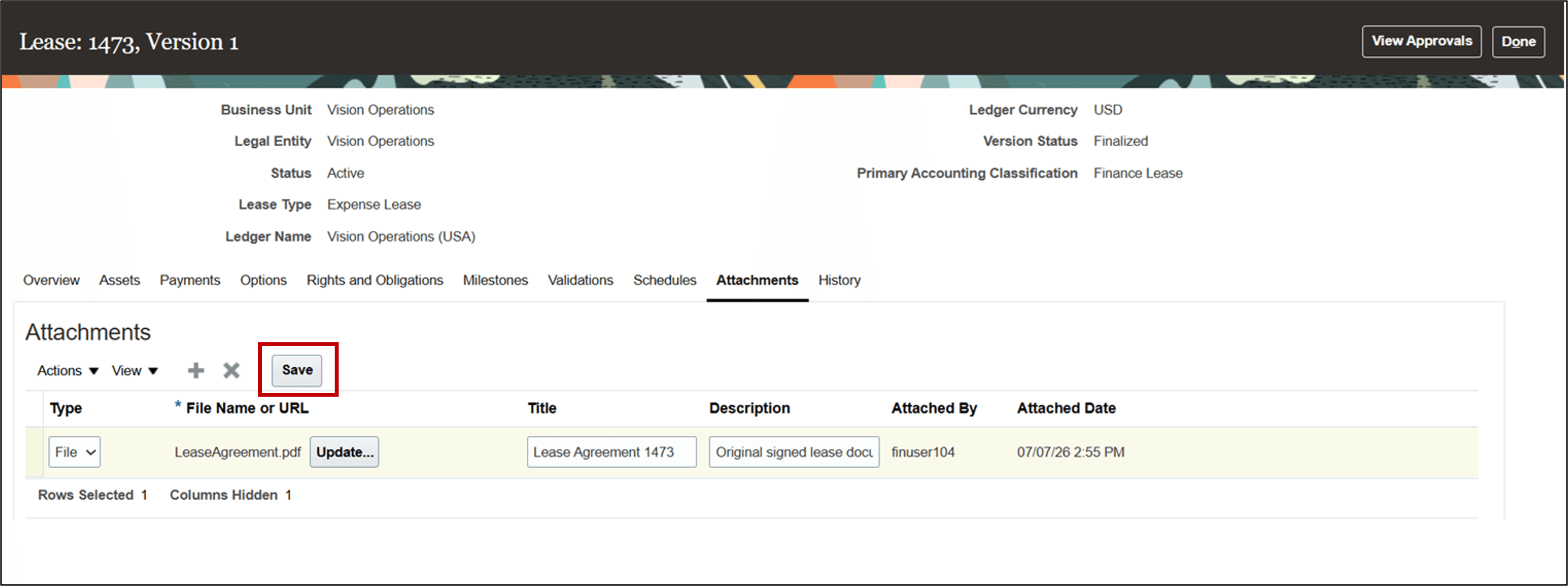
Attachments tab - Save attachment
Business benefits include:
- Reduce administrative effort and cycle time by avoiding unnecessary amendment processing and reapprovals to store supporting documentation.
- Improve auditability by maintaining accurate lease documentation for ongoing operations and compliance needs.
Steps to enable and configure
Use the Opt In UI to enable this feature. For instructions, refer to the Optional Uptake of New Features section of this document.
Offering: Financials No Longer Optional From: Update 27B
Key resources
Based on Idea 711036 from the Lease Accounting Idea Lab on Oracle Cloud Customer Connect.
Access requirements
No new access requirements.