Multiunit assets and amendments for equipment revenue lease contracts
Create equipment revenue lease contracts with multiunit assets.
When creating equipment revenue lease contracts, you can enter the number of units for an asset and define unit-level fair market value, residual amount, carrying amount, serial numbers, and payment amounts. The application calculates asset-level and payment-level amounts by multiplying the unit amounts by the number of units. When a payment is associated with an asset, the payment displays the asset units and uses unit payment amounts to calculate the total payment amount. Lease schedules, lease detail reports, and approval notifications reflect the asset units.
Multiunit assets
The following screenshots describe the process of creating multiunit assets:
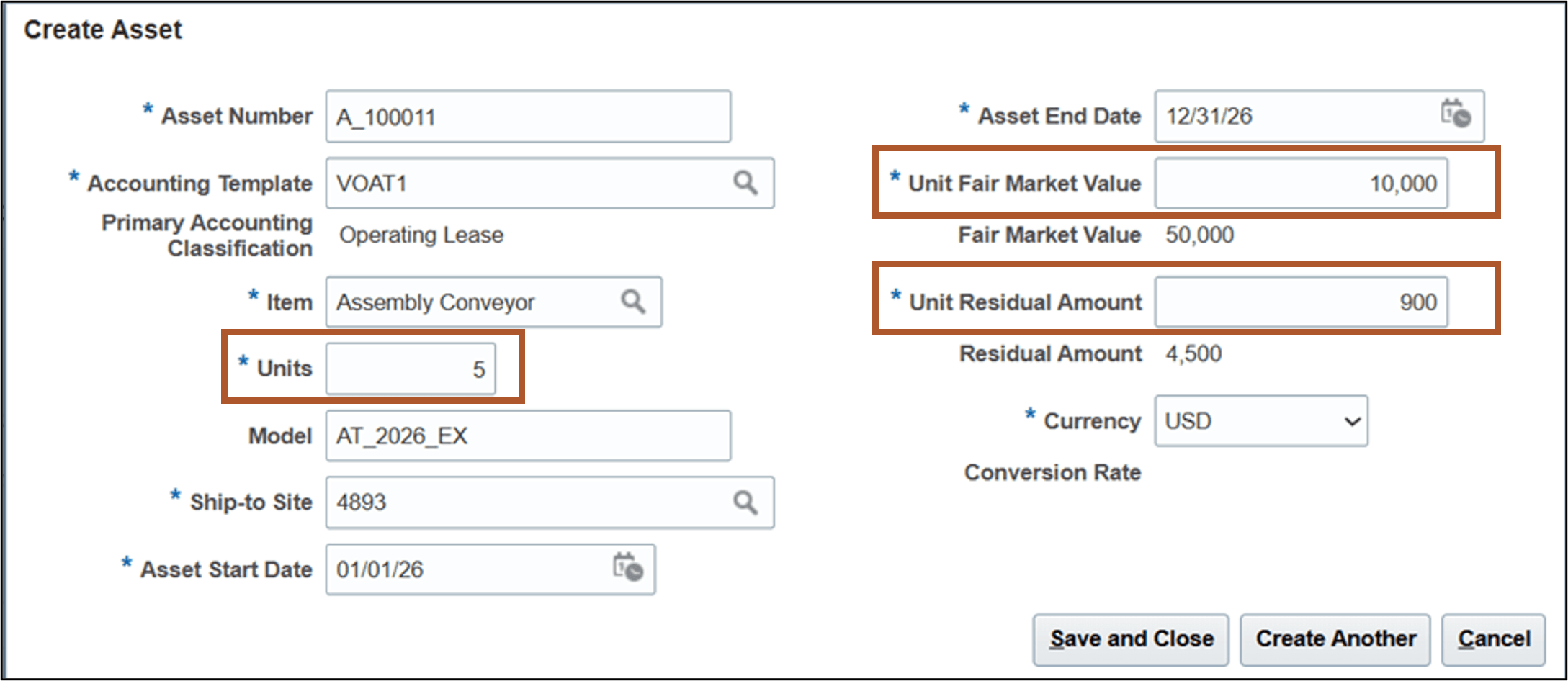
Create Asset page
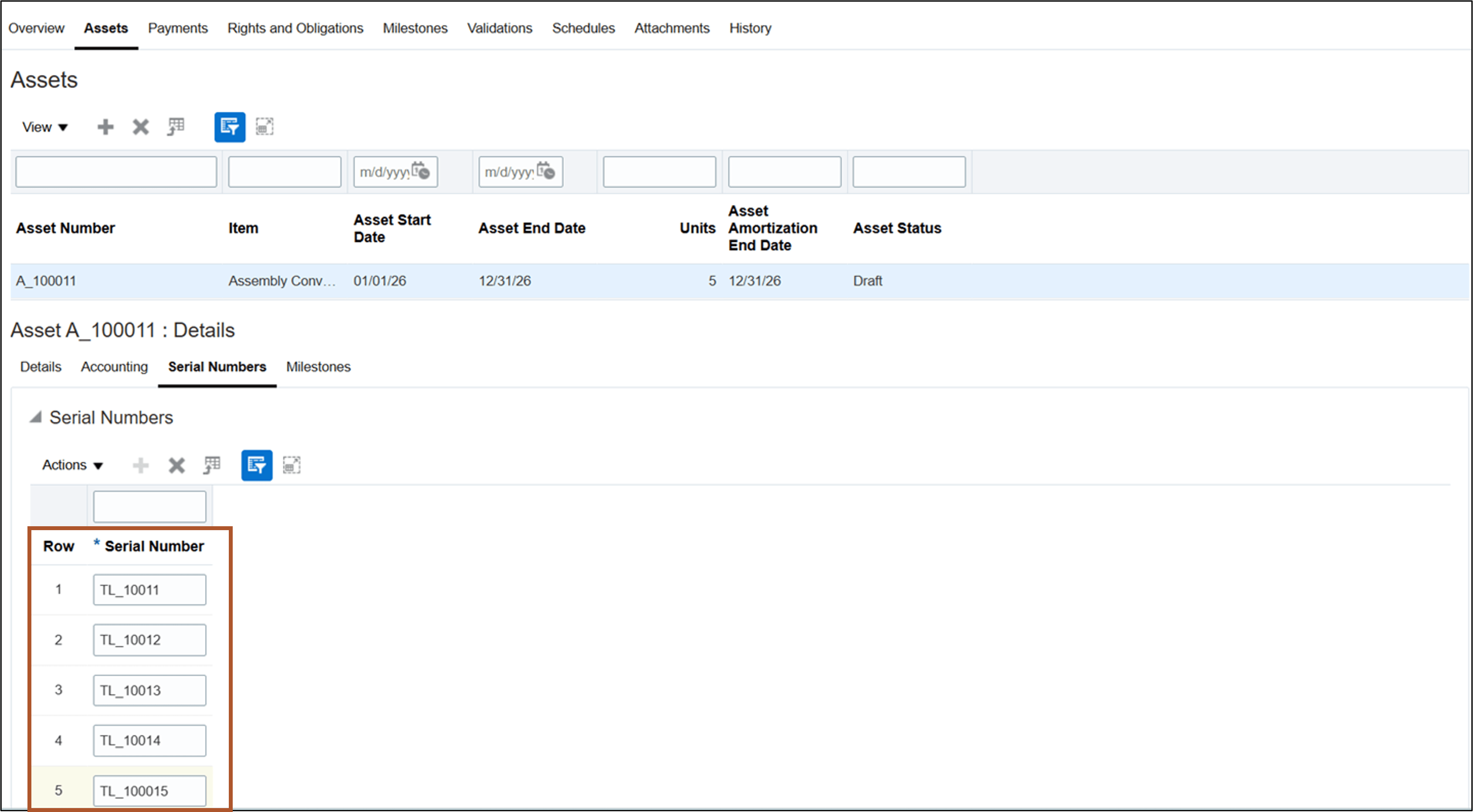
Update Asset Details - Serial Numbers page
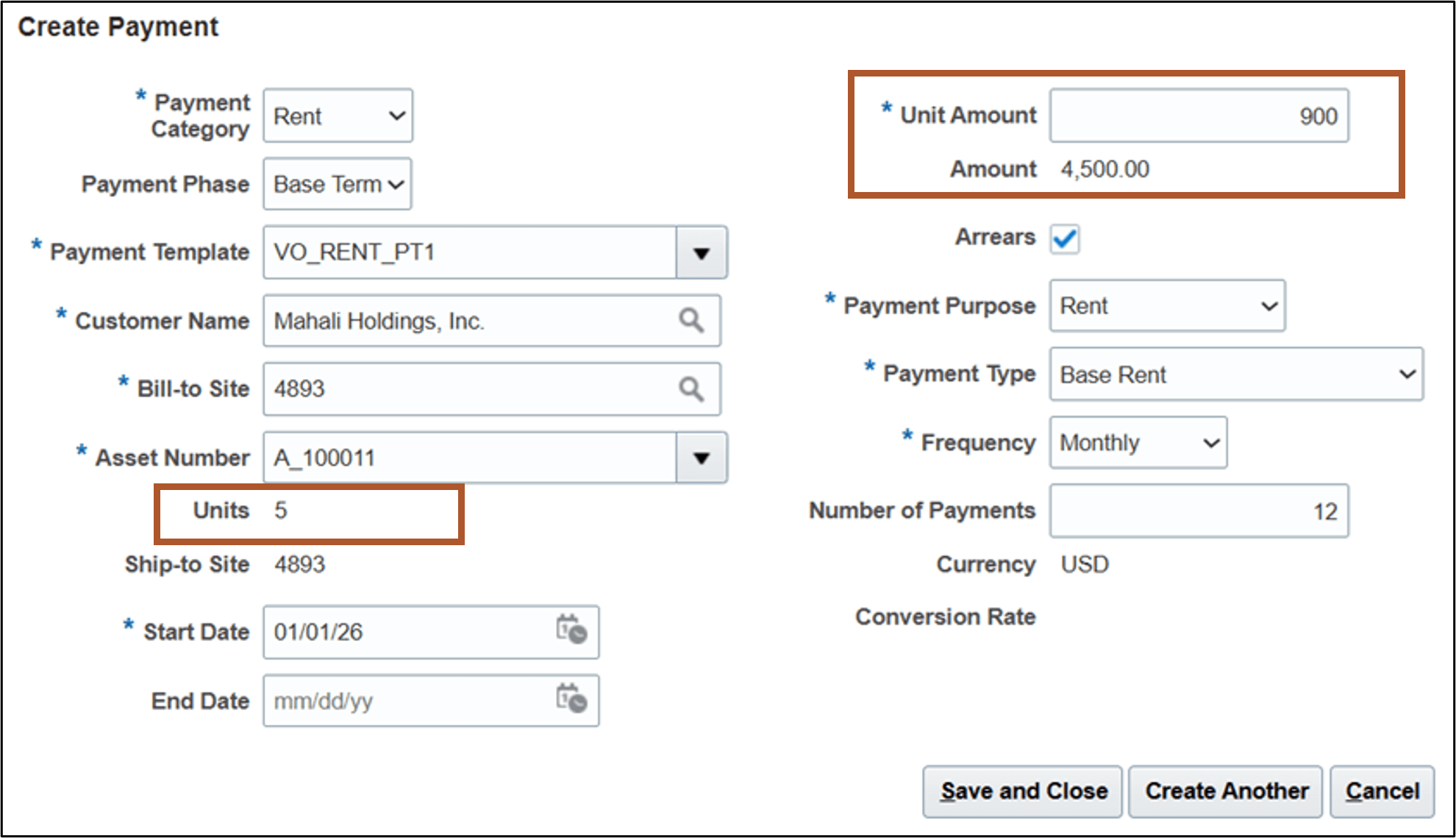
Create Payment page
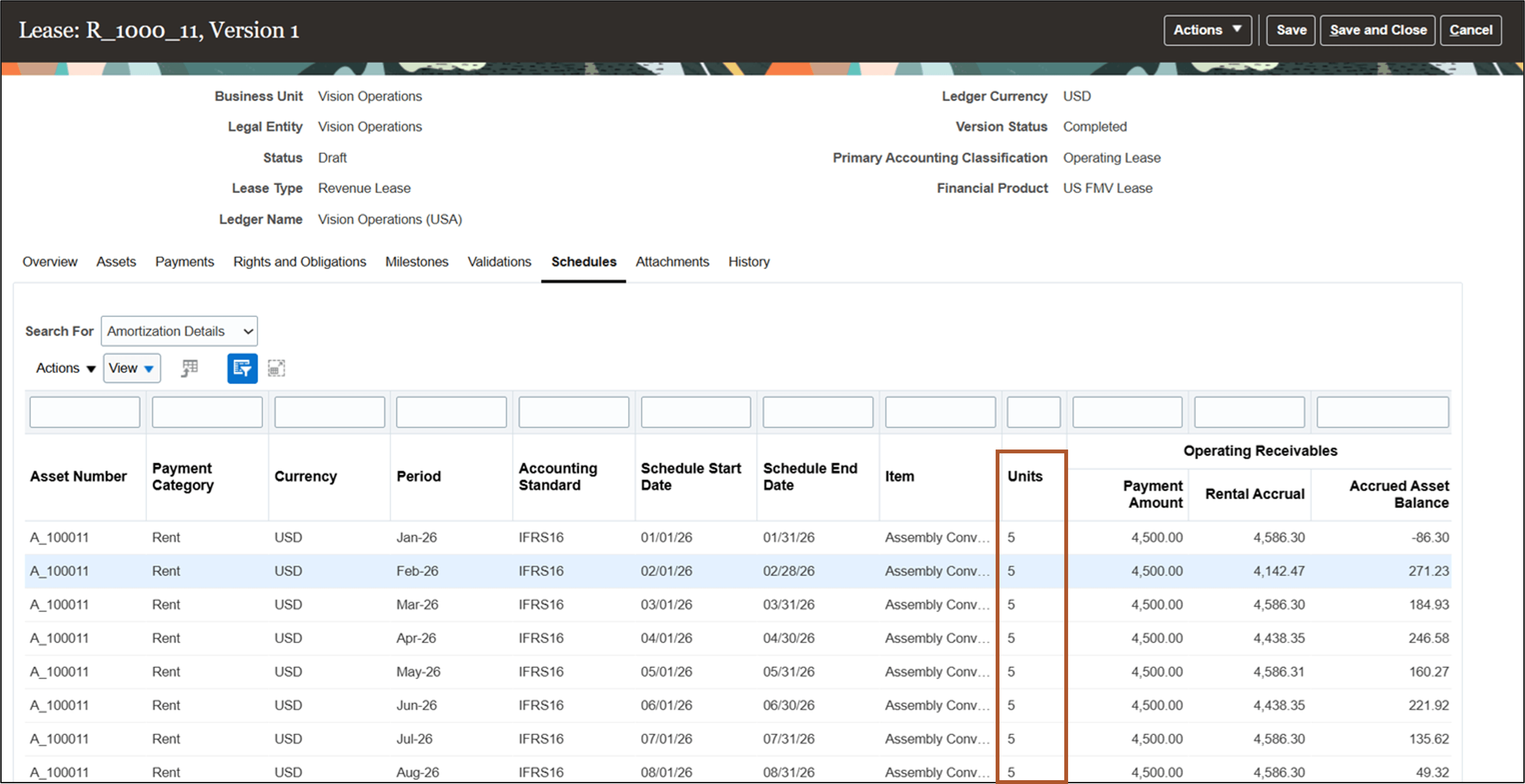
Schedules tab
Lease amendments
Amend lease contracts to update key terms, such as assets, payment amounts, or contract duration. Contract amendments create a new contract version, adjust accounted transactions and balances as required, and maintain an audit trail of changes. Update nonfinancial contract attributes without adjusting accounted transactions and balances.
To create and process a lease amendment:
- From the Actions menu, select Amend Lease.
- In the amendment details window, select the amendment subtype:
- Financial Edit for changes that affect accounting, billing, revenue recognition, or any financial impact.
- Nonfinancial Edit for changes that don’t affect payments, revenue recognition, or require any accounting adjustment.
- For a financial amendment, enter the Amendment Commencement Date.
- Navigate to the Assets tab and update the applicable asset details. To update Units, Unit Fair Market Value, or Unit Carrying Amount, the amendment commencement date must be the same as the asset start date.
- Navigate to the Payments tab and update the applicable payment details.
- Validate the lease amendment.
- For financial amendments, generate schedules.
- Review the asset and payment modification summaries and amortization schedules.
- Approve and activate the lease amendment.
The following screenshots describe amending an equipment revenue lease:
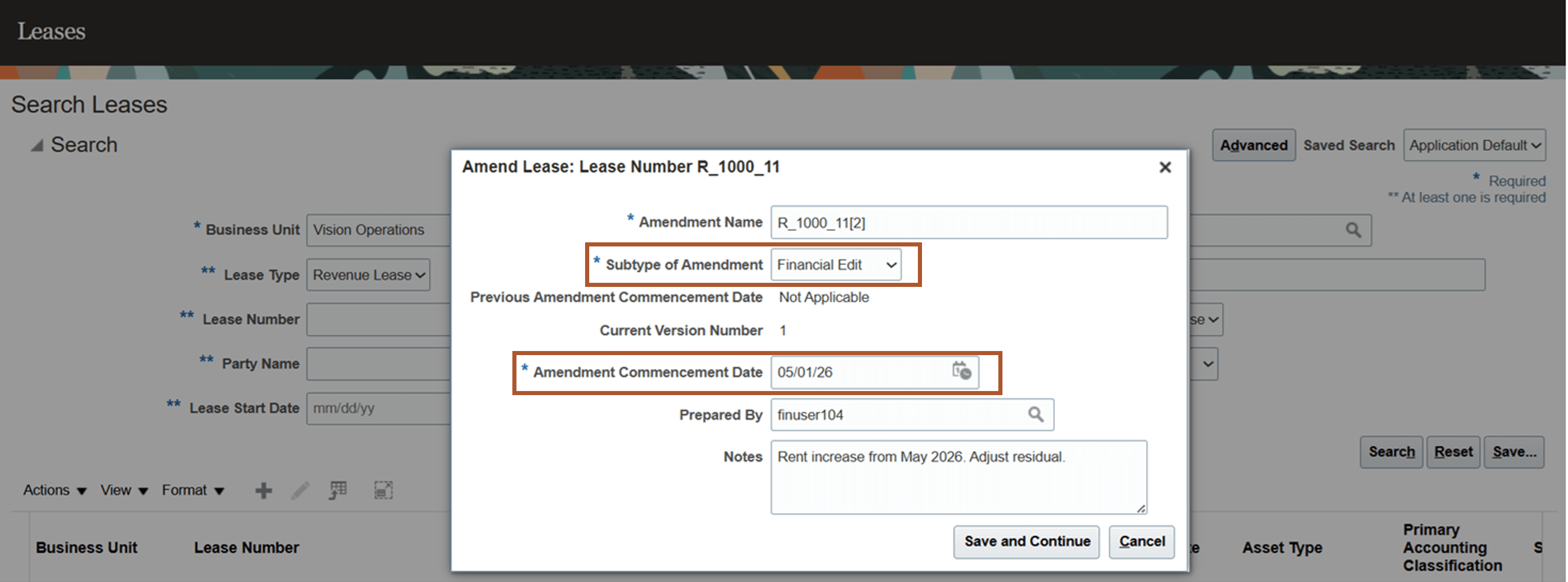
Create Amendment page
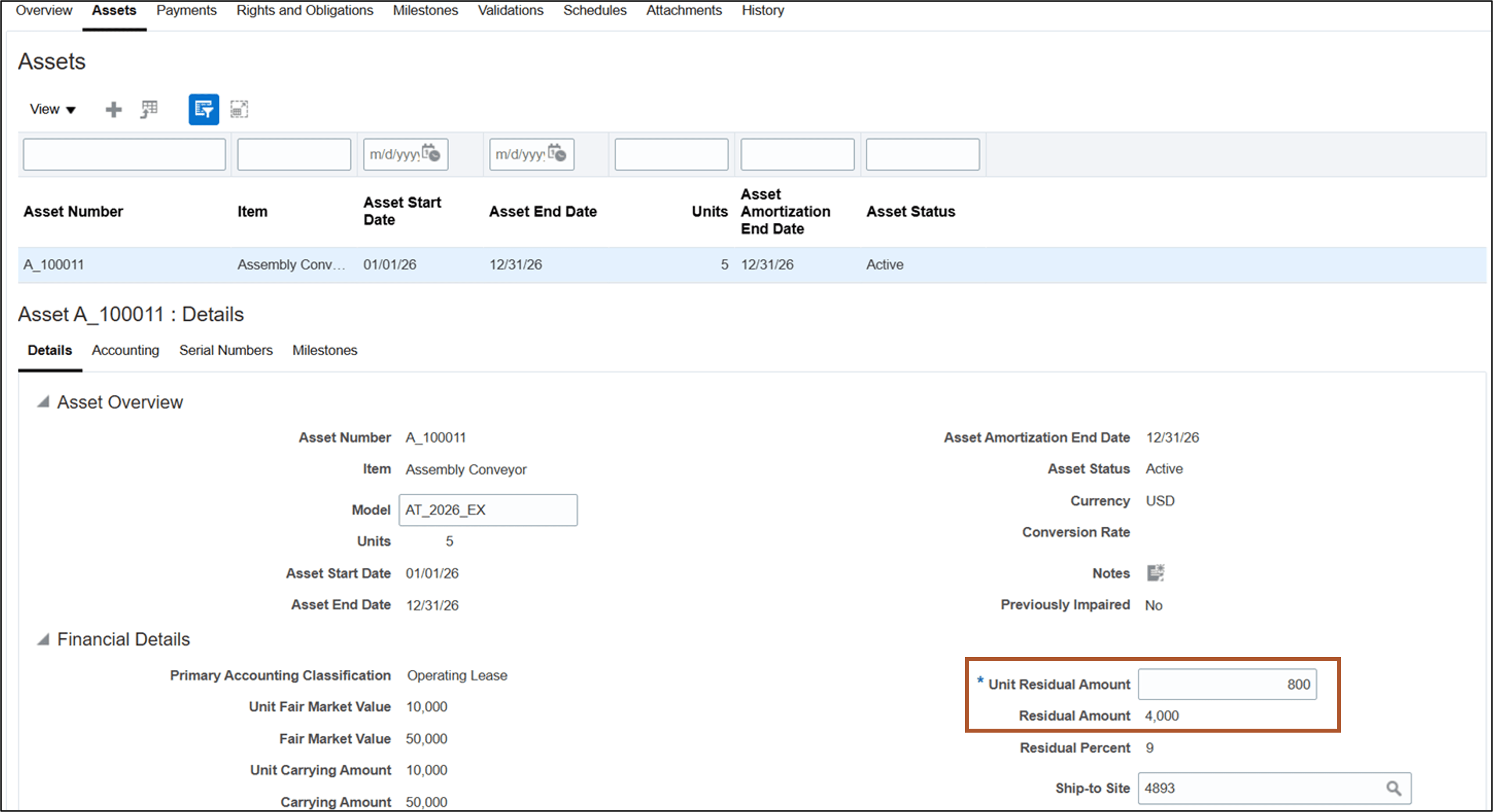
Update Asset page
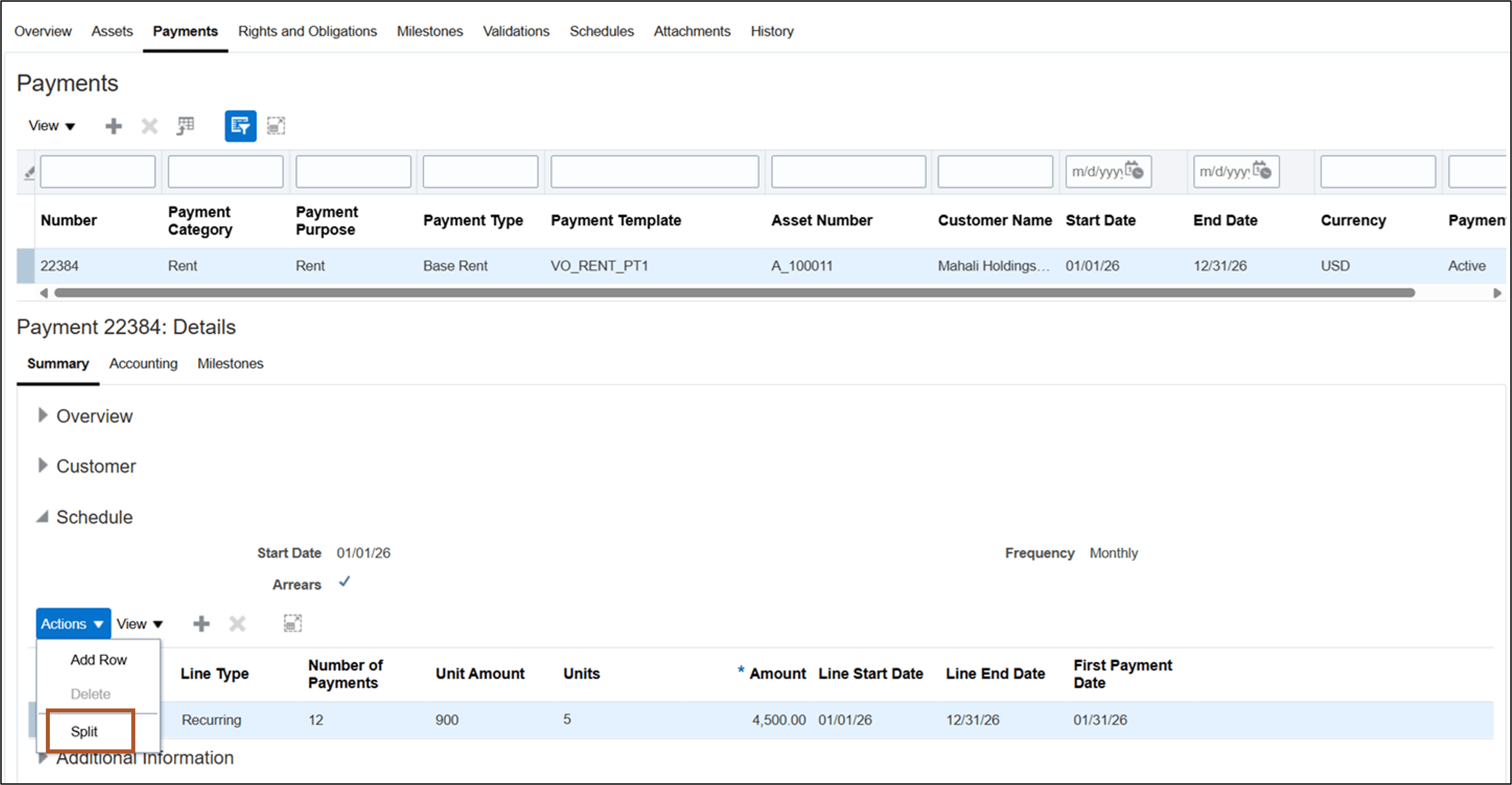
Update Payment page
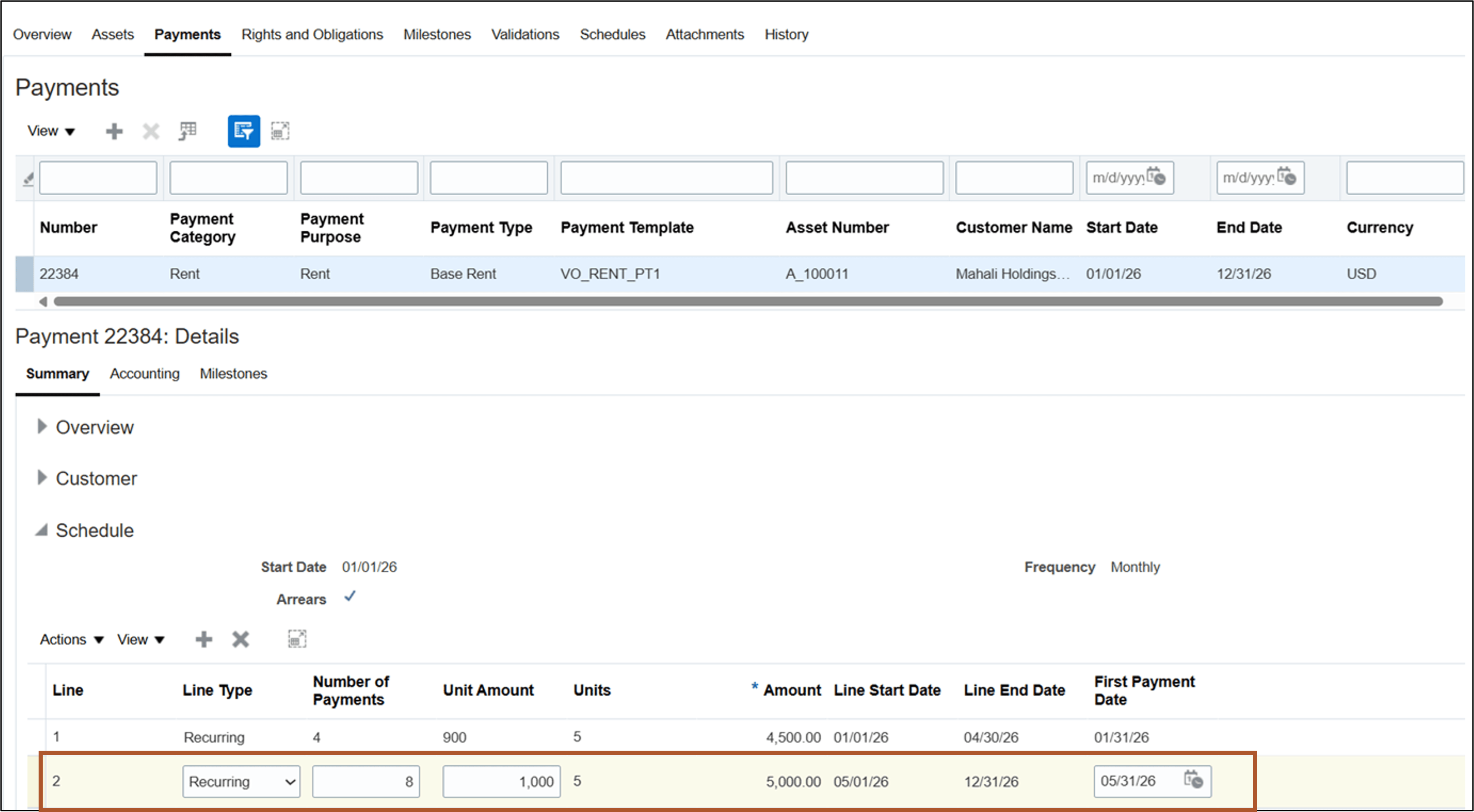
Update Payment page
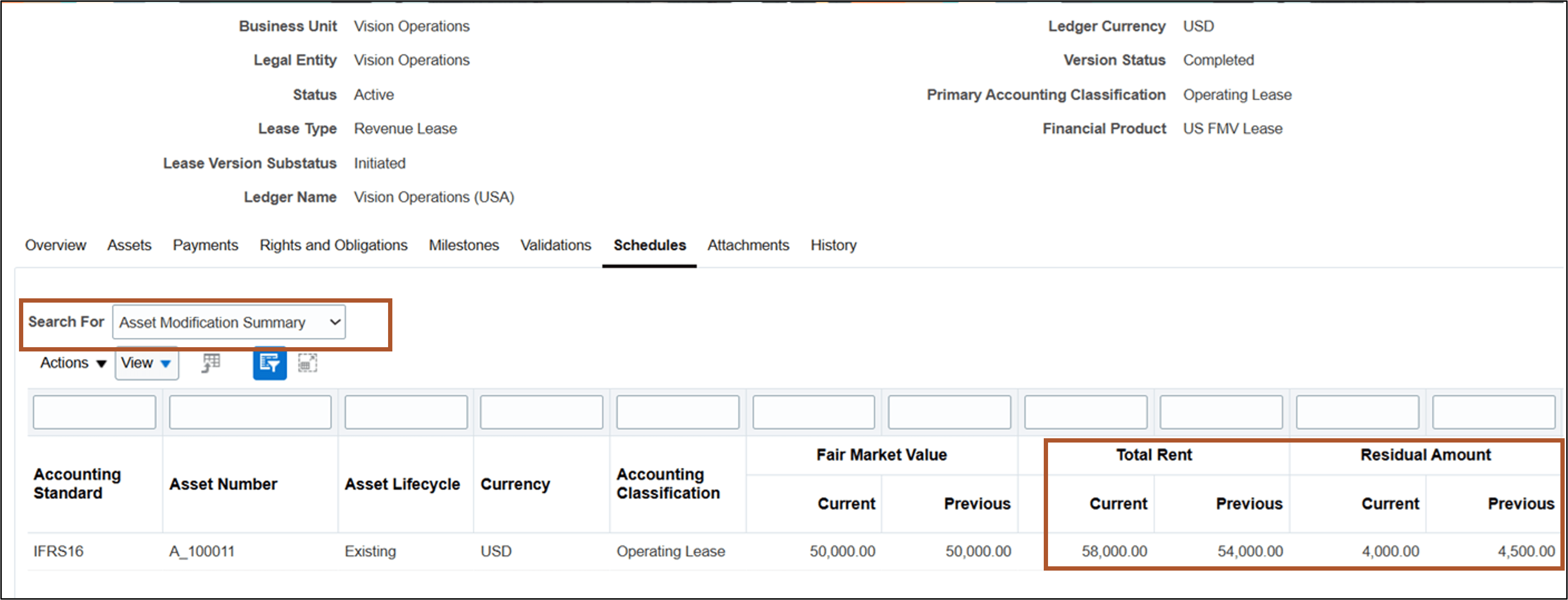
Schedules tab - Asset Modification Summary
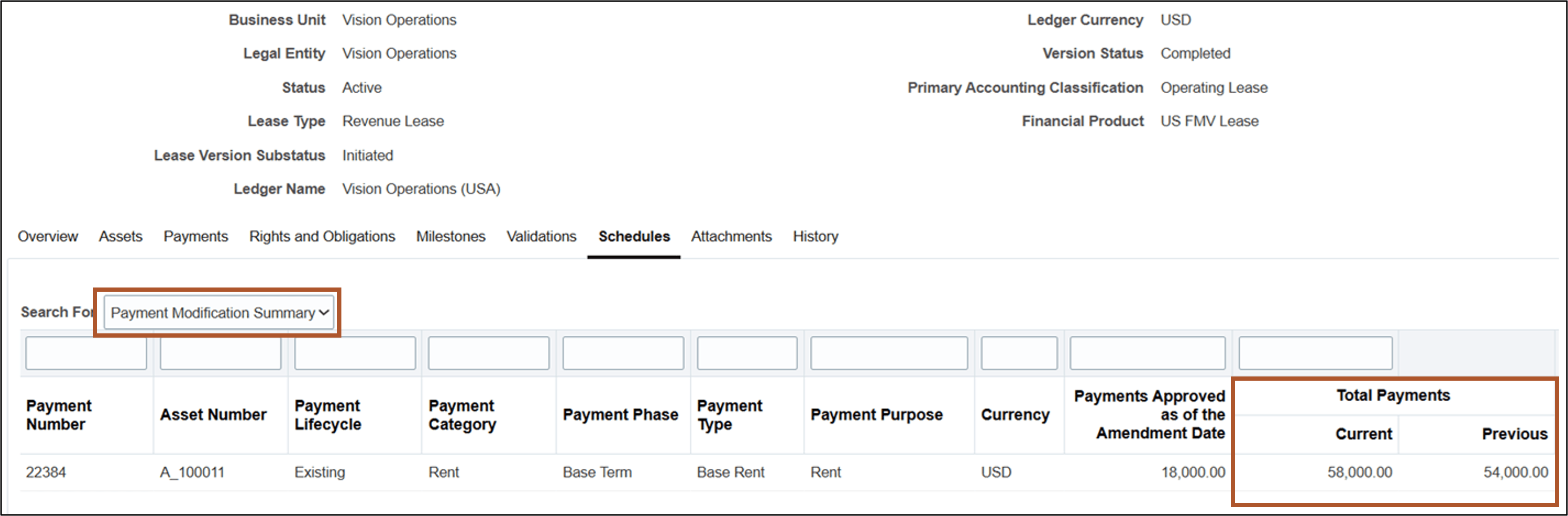
Schedules tab - Payment Modification Summary
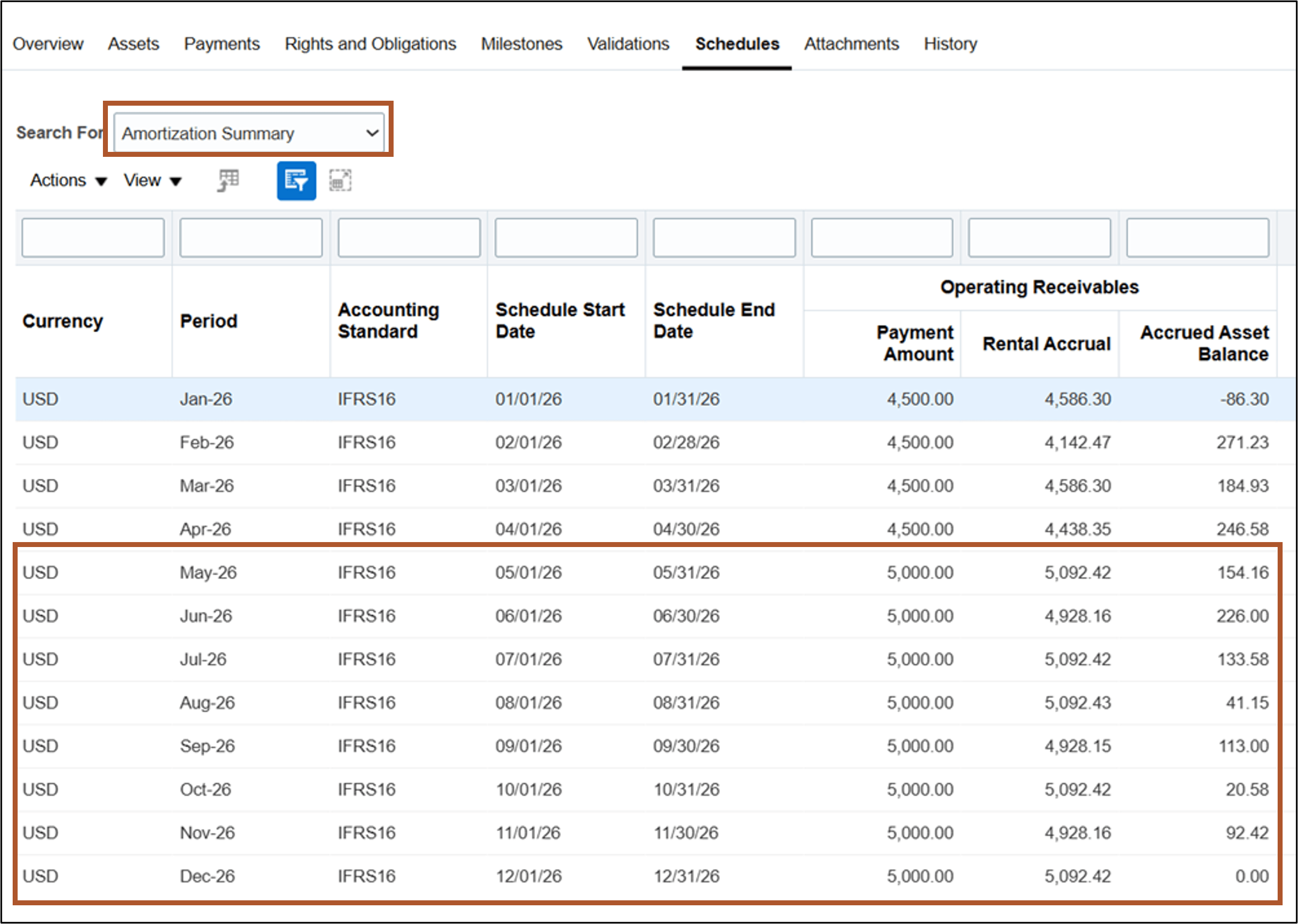
Schedules tab - Amortization Summary
Business benefits include:
- Improve operational efficiency with multiunit assets and streamlined equipment revenue lease amendments.
- Improve controls with a complete audit history of lease amendments and access to prior lease versions.
- Automate accounting for adjustments to billing and accruals.
Steps to enable and configure
Use the Opt In UI to enable this feature. For instructions, refer to the Optional Uptake of New Features section of this document.
Offering: Financials No Longer Optional From: Update 27B
If you plan to adopt this feature, then you must log an SR with Oracle Support to get a code.
Access requirements
No new access requirements.