Equipment revenue lease import
Use the Equipment Revenue Lease Import process to simplify both lease conversions and new lease creation. The Equipment Revenue Lease Import process removes or reduces the need for manual intervention during the lease creation process. Import a batch of leases directly into the desired status: Draft, Validated, Complete, or Booked.
To import equipment revenue leases:
- Select Import Equipment Revenue Leases from the side-panel.
- In the Action Type parameter, select Import Equipment Revenue Leases.
- In the Subaction Type parameter, select New Leases.
- Complete the remaining parameters according to your requirements and submit the process.
The following screenshots describe the process of importing equipment revenue leases:
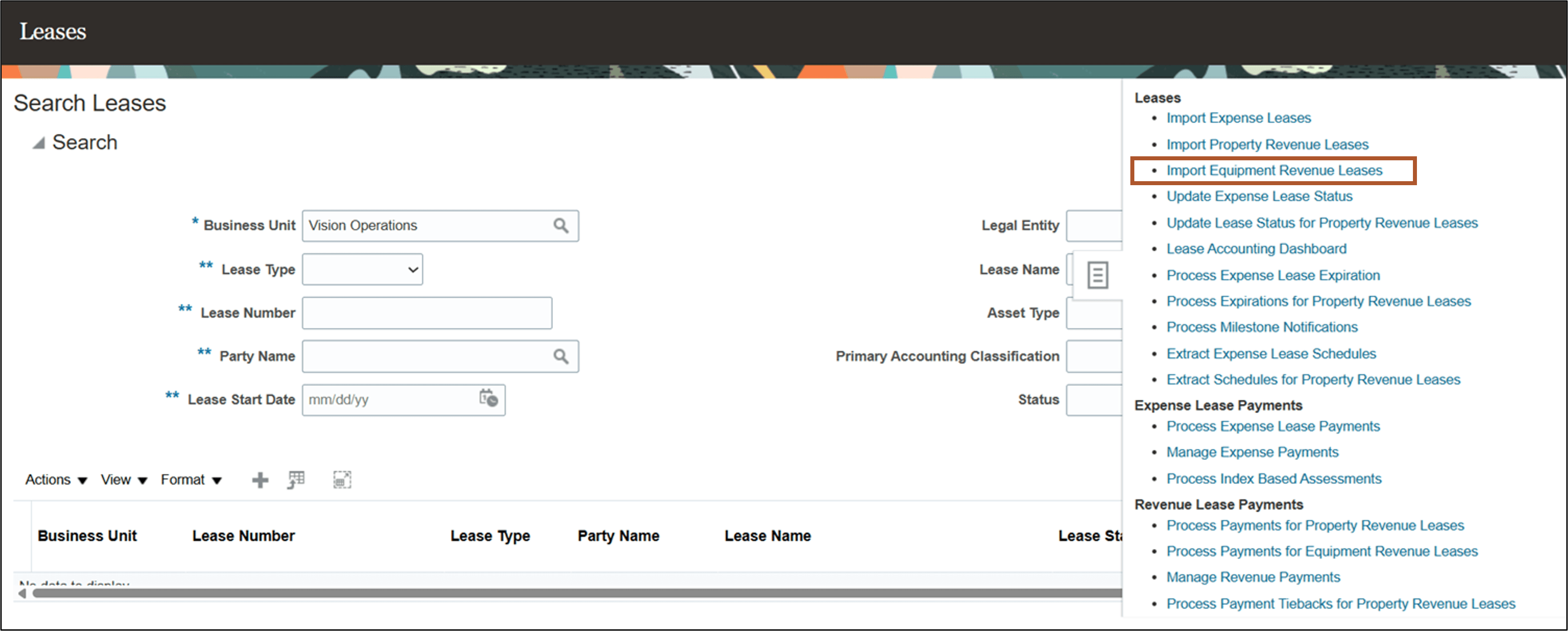
Search Leases Page - Tasks pane
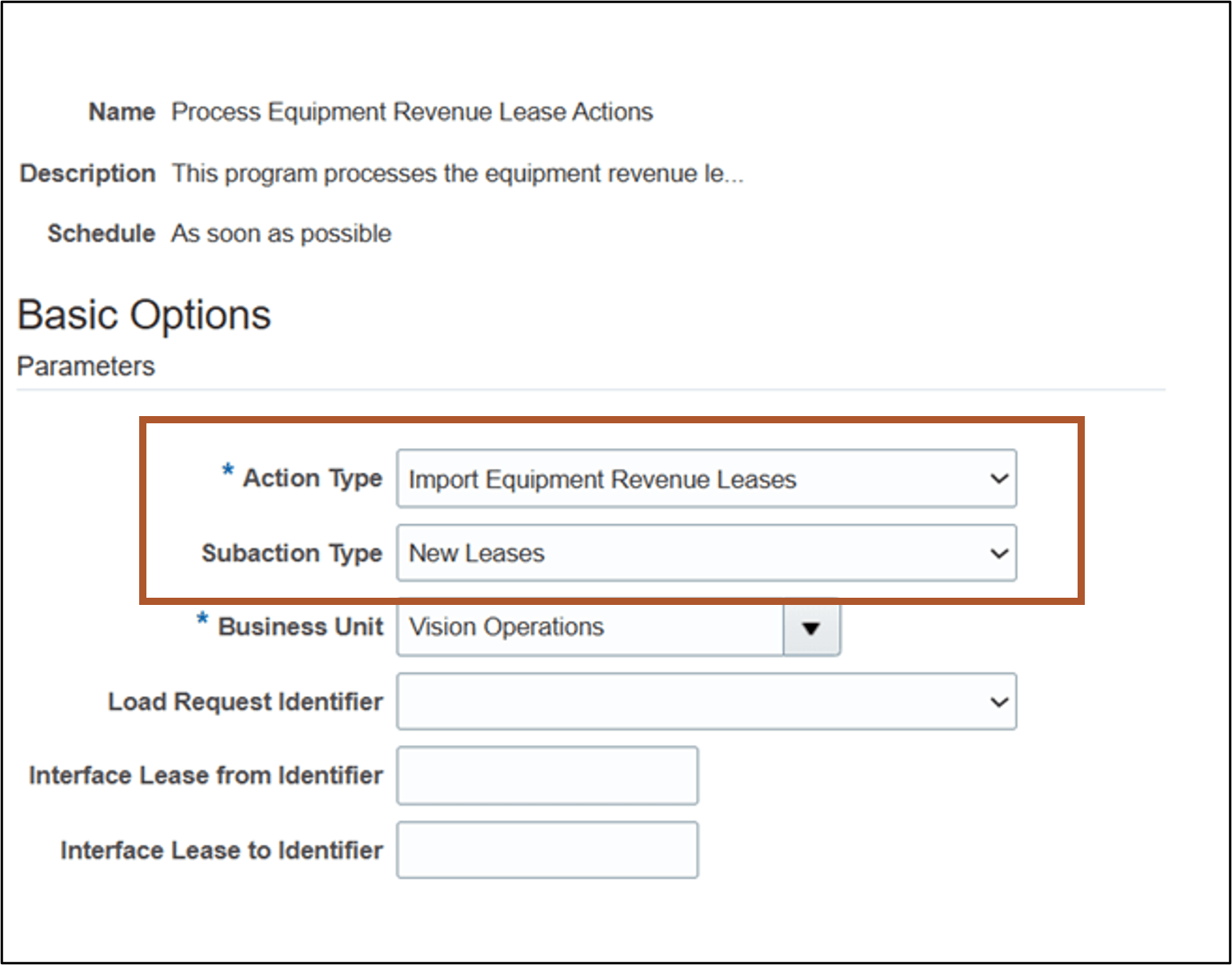
Import Equipment Revenue Leases page
Business benefits include:
- Improve operational efficiency by reducing manual lease data entry and minimizing potential errors.
- Accelerate business processes by integrating lease data from origination systems.
- Speed up implementation by supporting efficient migration of existing lease portfolios to the system.
Steps to enable and configure
Use the Opt In UI to enable this feature. For instructions, refer to the Optional Uptake of New Features section of this document.
Offering: Financials No Longer Optional From: Update 27B
If you plan to adopt this feature, then you must log an SR with Oracle Support to get a code.
Access requirements
No new access requirements.