Leases with nonstandard payment schedules
Capture expense lease contracts with payment due dates that do not align with the regular lease term, supporting payments scheduled outside the standard lease period. Lease liability is calculated by discounting each payment from its specific due date to the lease commencement date. Interest expense is allocated using the effective interest method through the final payment period, while the right-of-use asset is amortized between asset start and end dates.
To create expense leases with flexible payment due dates:
- Create an expense lease for property or equipment.
- Create an asset and add a payment.
- In the Create Payment page, select Standard or Flexible for Payment Due Dates and enter the First Payment Date.
- Use Standard when all payment due dates fall within their associated payment periods.
- Use Flexible when payment due dates can fall outside their associated payment periods, including prepayments and deferred payments.
- Validate the lease, generate schedules, submit it for approval, and activate the lease.
- Alternatively, use the Expense Lease Import utility to import new lease contracts with flexible payment due dates.
The following screenshots describe the process of creating an expense lease with flexible payment due dates:
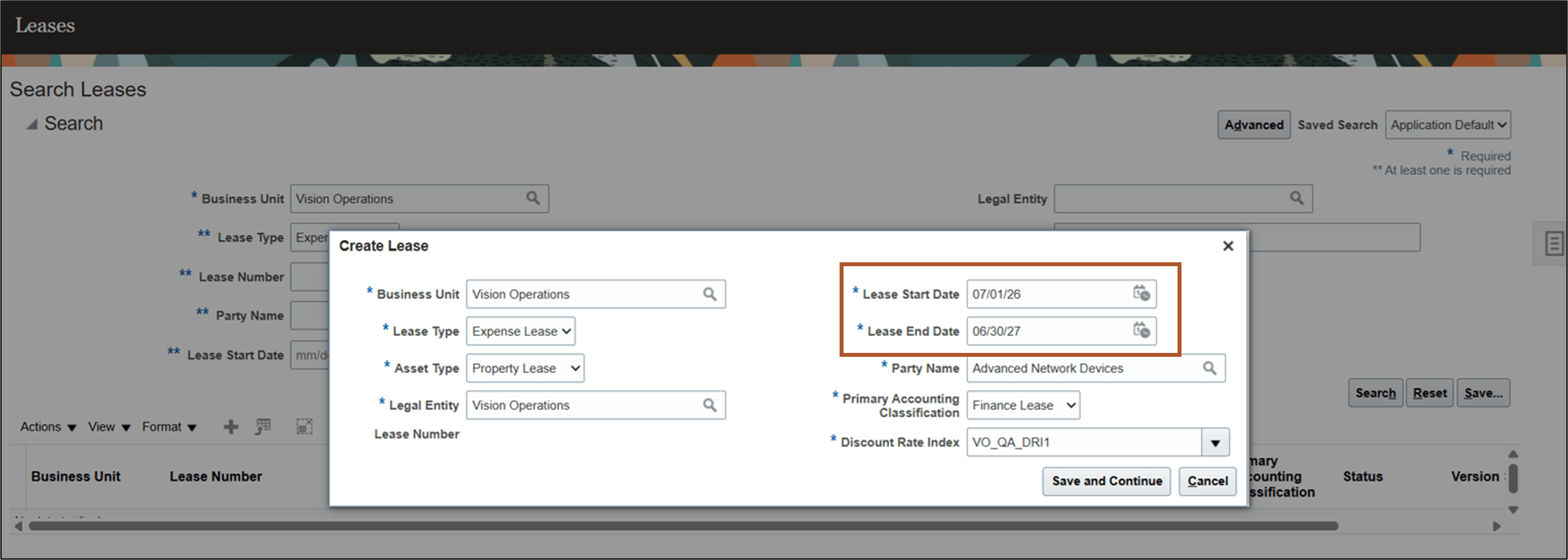
Create Lease page
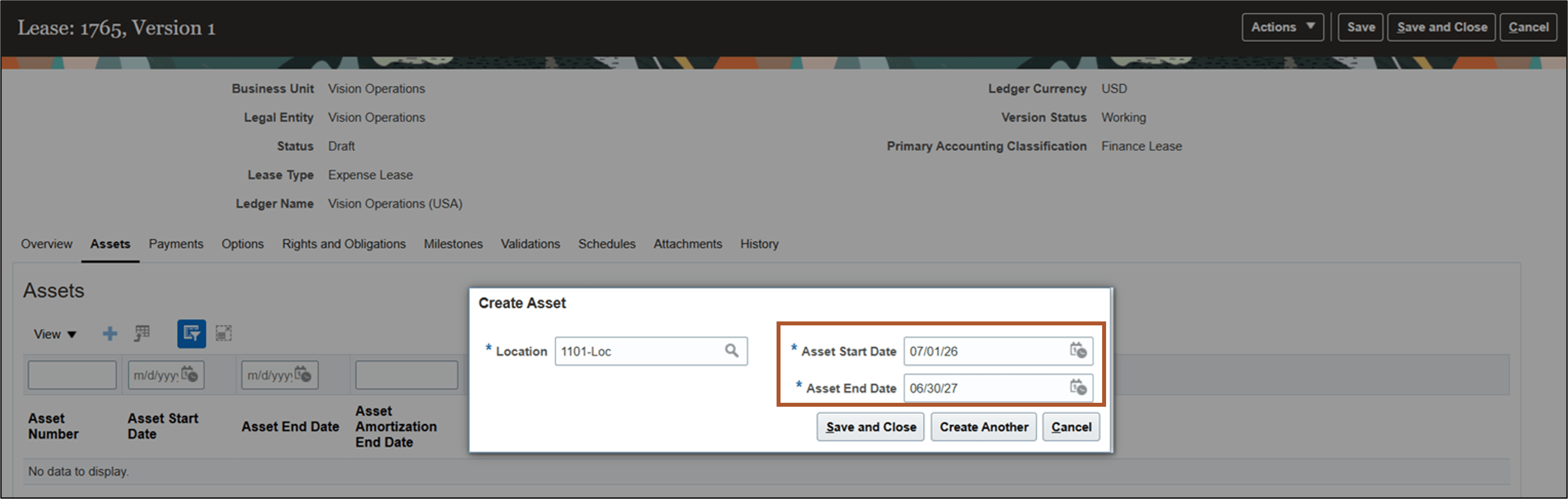
Create Asset page
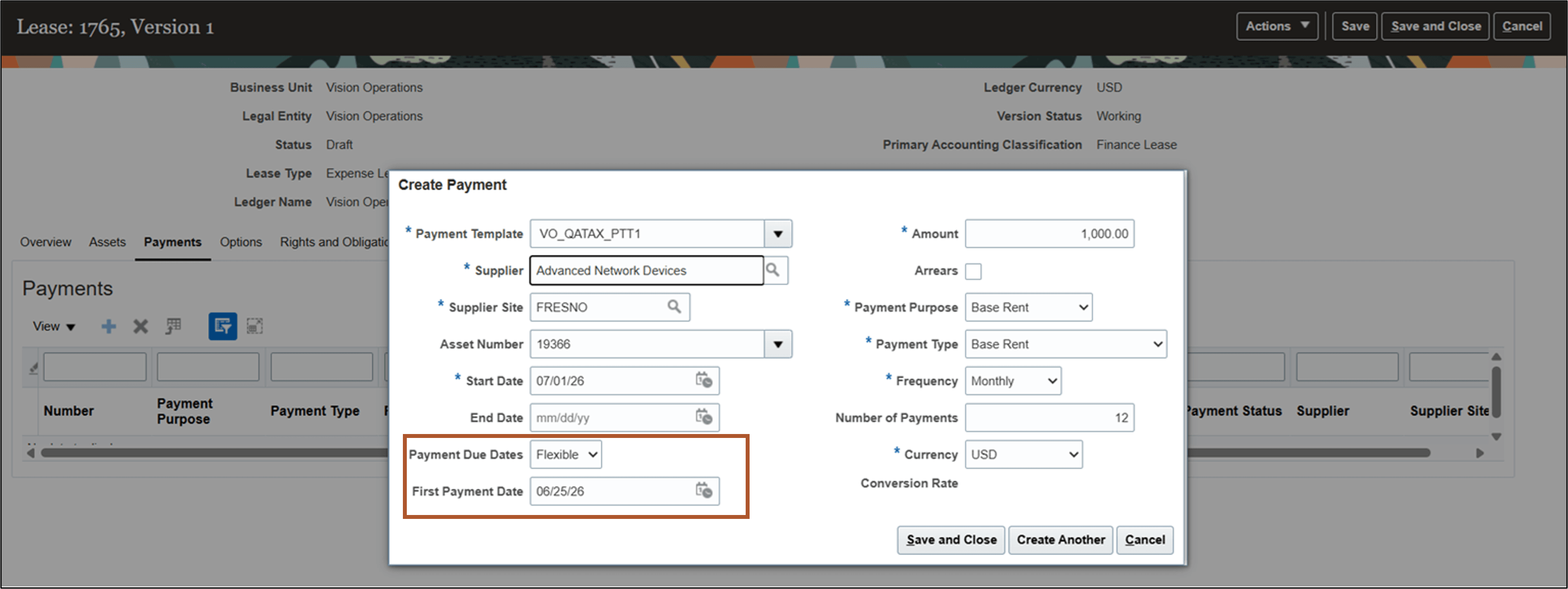
Create Payment page
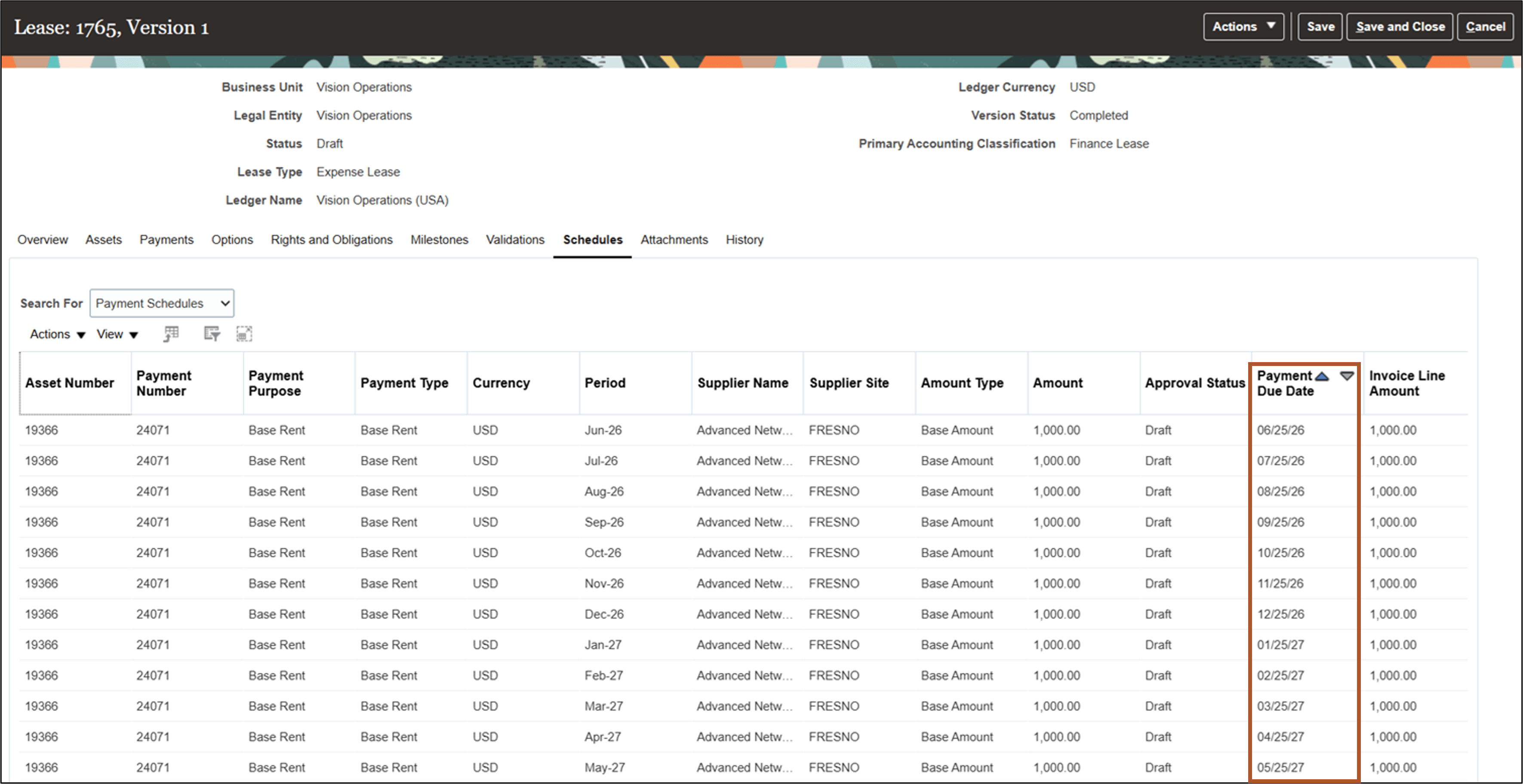
Schedules tab - Payment Schedules
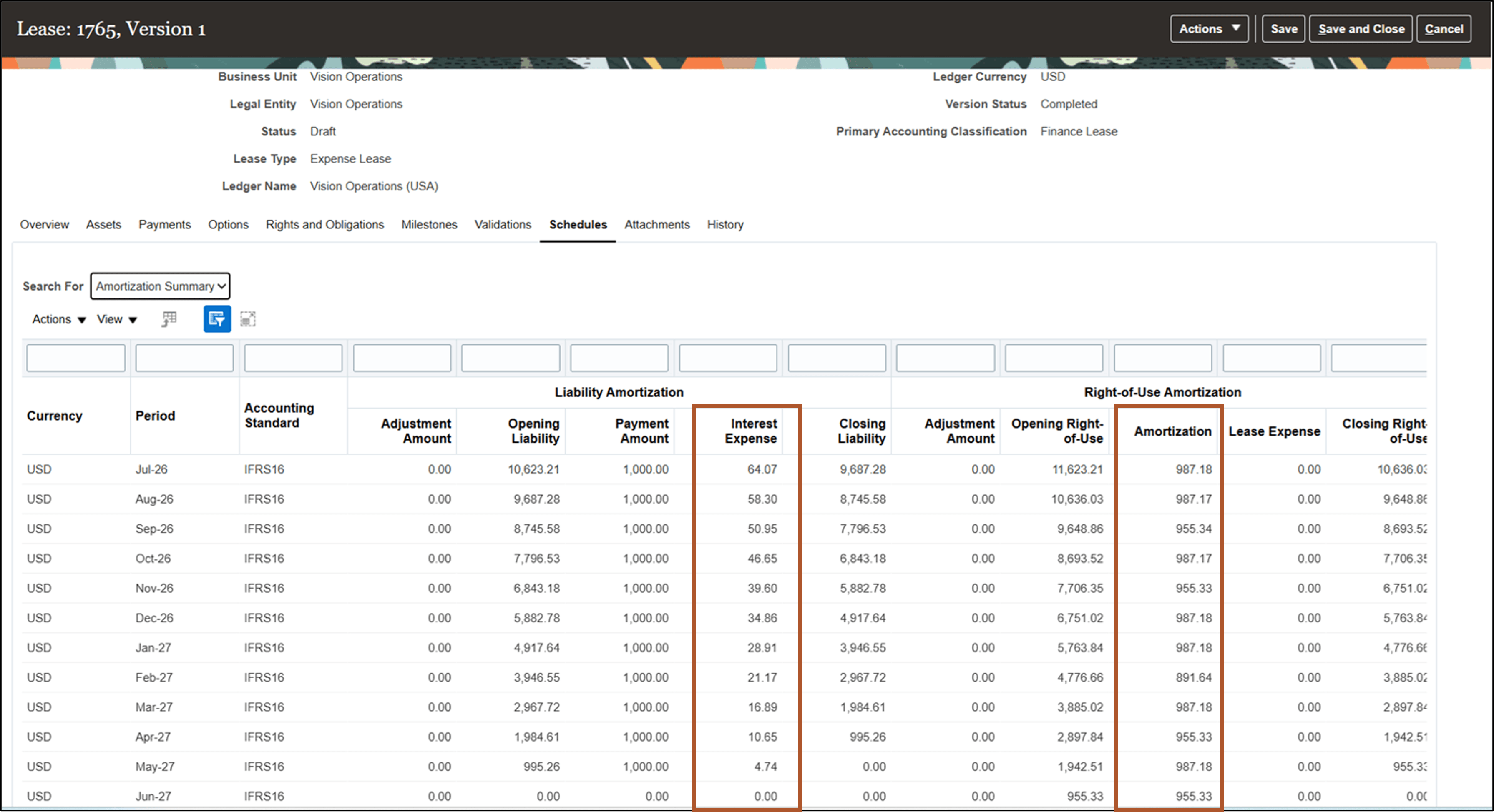
Schedules tab - Amortization Schedules
Business benefits include:
- Supports compliance with accounting standards for leases featuring varied payment schedules by automating accurate liability and asset calculations.
- Provides flexibility to manage complex lease agreements, helping reduce manual adjustments and audit risk by reflecting real-world payment arrangements directly in the system.
Steps to enable and configure
Use the Opt In UI to enable this feature. For instructions, refer to the Optional Uptake of New Features section of this document.
Offering: Financials No Longer Optional From: Update 27B
Perform the following configuration steps after you opt in to the feature:
- Navigate to the Create or Update System Options page.
- In the Expense Leases section, set Flexible Payment Due Dates to Yes.
- Save the changes.
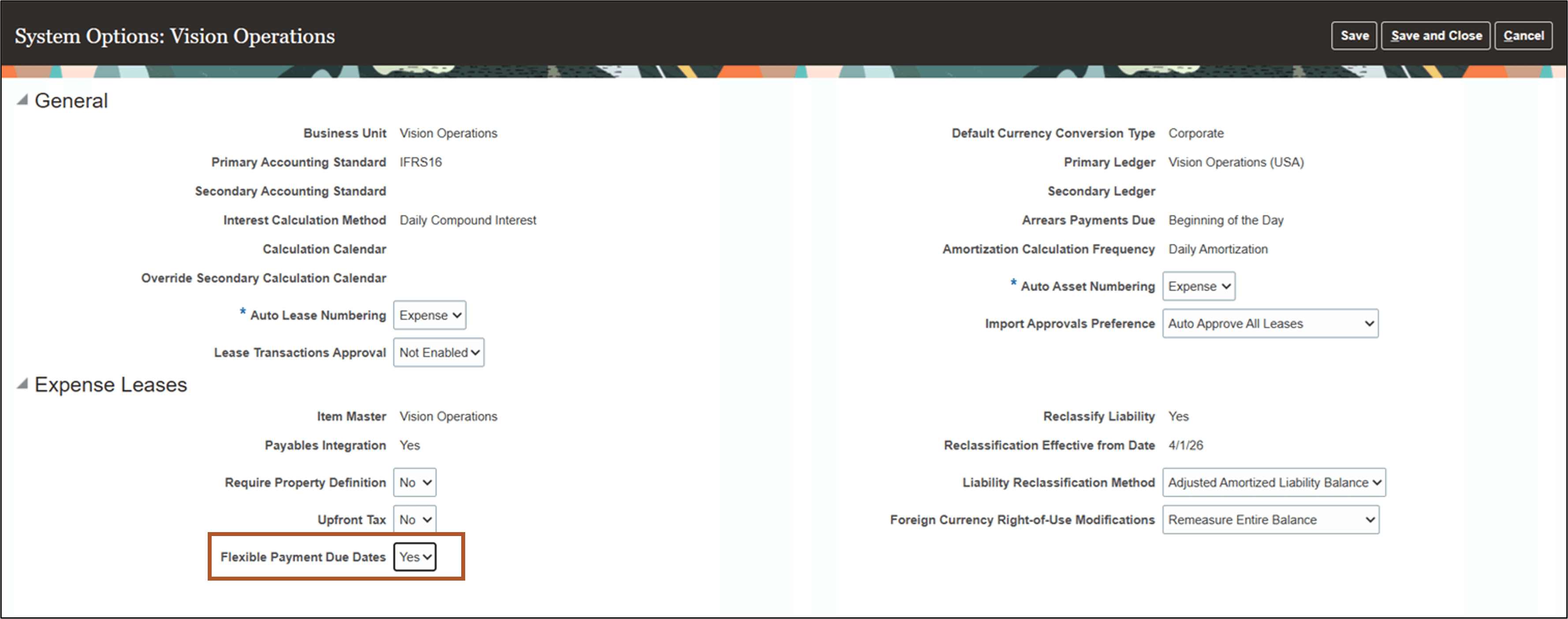
System Options page
For prepayment scenarios where the payment due dates fall before the lease amortization start date, perform the following configuration steps:
- Configure the following new Journal Line Rules:
Journal Line Rules
| Event Class | Journal Line Rule | Accounting Class | Line Type |
|---|---|---|---|
| Lease Booking | Lease Booking Prepaid Expense Right-of-Use | Asset | Dr |
| Lease Booking | Lease Booking Prepaid Expense | Asset | Cr |
| Lease Booking | Lease Booking Prepaid Expense Reserve | Liability | Cr |
| Lease Payment Approval | Lease Prepayment Payables Clearing | Clearing | Cr |
| Lease Payment Approval | Lease Prepayment Expense | Asset | Dr |
- Navigate to the Create or Update Expense Lease Payment Templates page.
- Define the Prepaid Expense distribution account.
- Save the payment template.
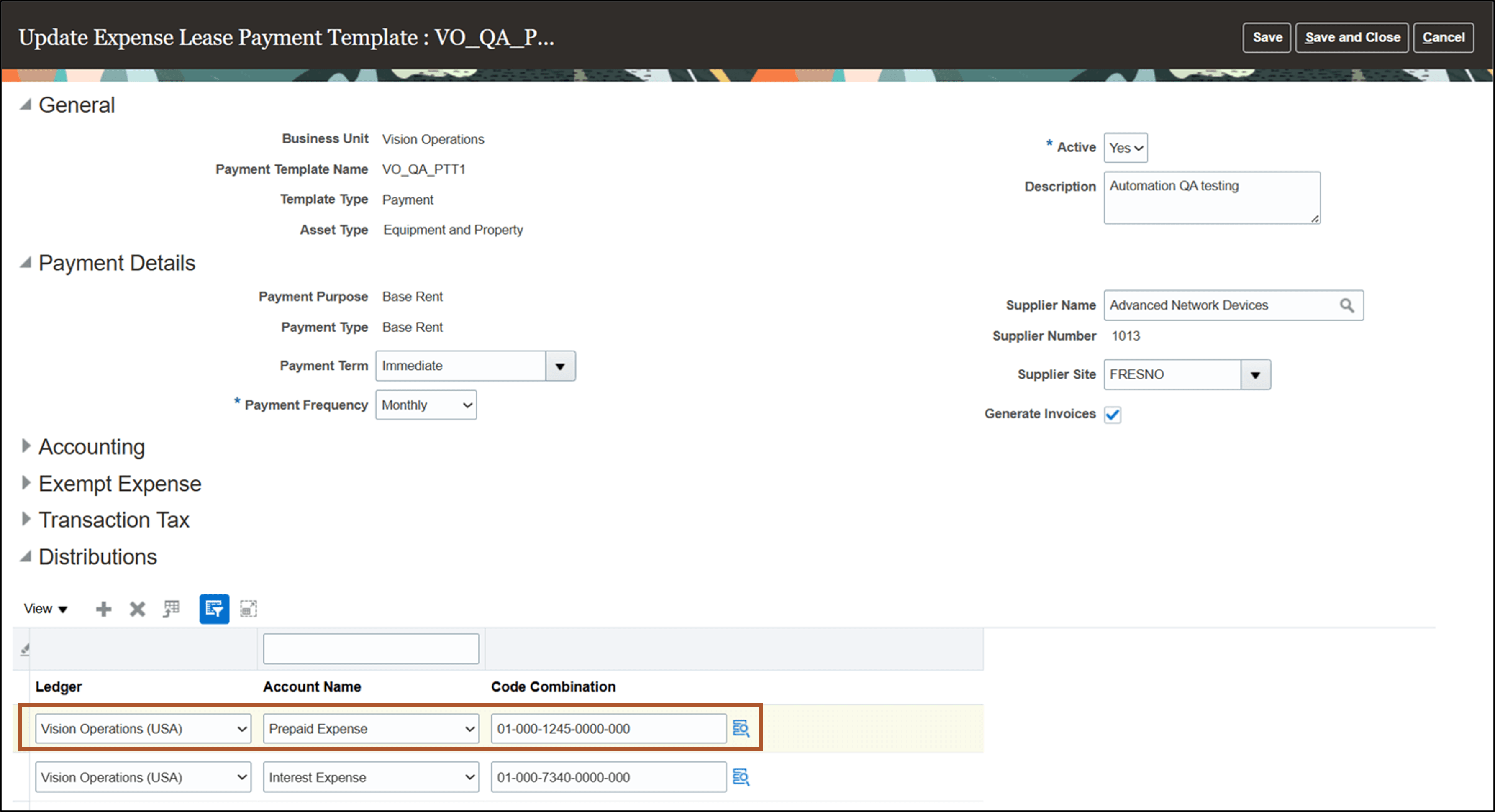
Expense Lease Payment Templates page
Key resources
Based on Ideas 888024, 883721, and 880258 from the Lease Accounting Idea Lab on Oracle Cloud Customer Connect.
Access requirements
No new access requirements.