Capital Expenditure Planning Analyst
The Capital Expenditure Planning Analyst supports capital expenditure planning through a guided conversational experience. It analyzes historical spending and forecasts future capital expenditure across selected periods and dimensions, enabling informed financial decisions without requiring manual spreadsheet analysis.
When you open the Analyst, the following options are available:
- Analyze historical CapEx for a book
- Estimate future CapEx for a book
Analyze historical CapEx for a Book
You can analyze historical capital expenditure for an asset book across prior fiscal years. By default, the analysis includes the previous two fiscal years. You can further refine the analysis by fiscal year, category, and location.
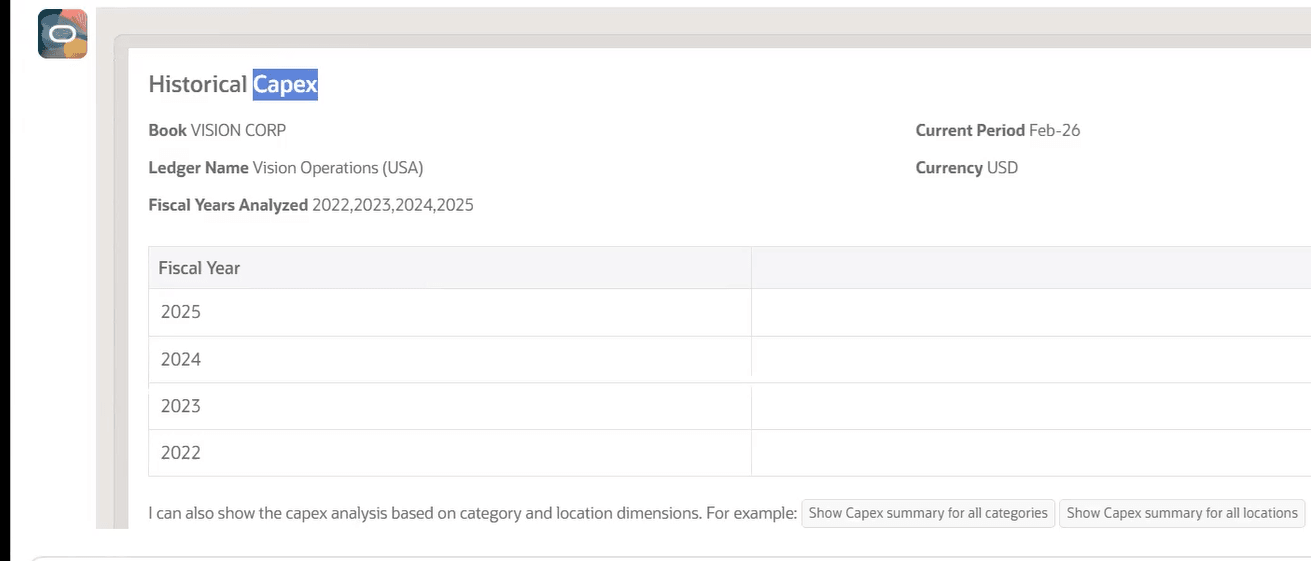
Historical capital expenditure provides visibility into the acquisition cost incurred for assets in previous years. Total capital expenditure includes the cost of asset additions and adjustments.
Estimate future CapEx a book
You can estimate future capital expenditure for an asset book using the simple average growth rate method. The forecast is based on historical capital expenditure trends.
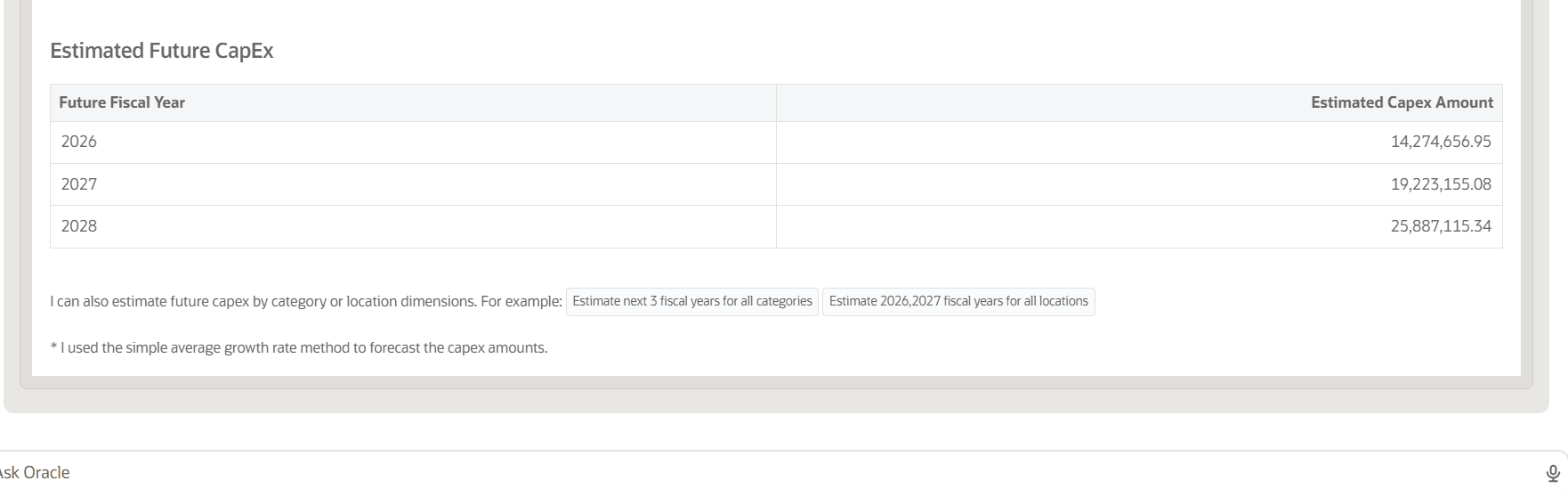
The growth rate for each period is calculated as follows:
- (Current Period Capital Expenditure - Previous Period Capital Expenditure)/Previous Period Capital Expenditure
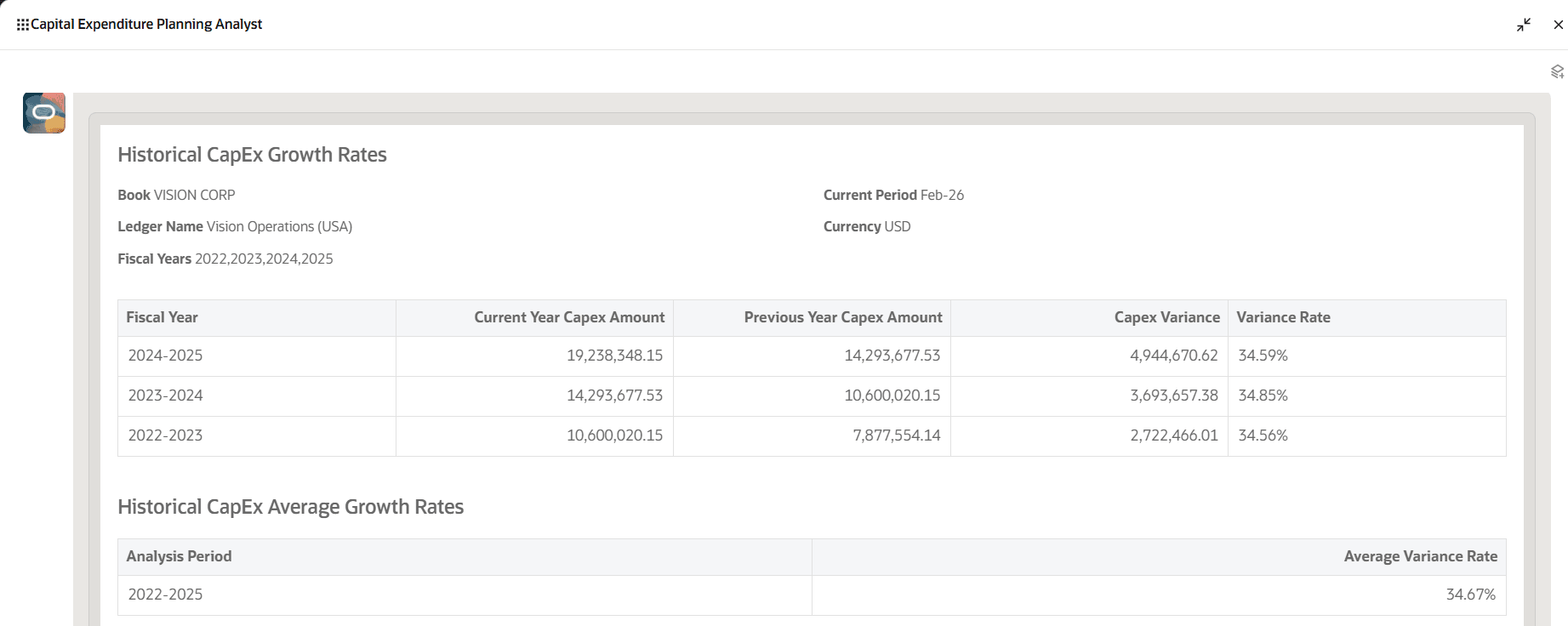
The average growth rate is calculated from the historical period growth rates. The future capital expenditure estimate is then calculated as follows:
- Estimated Future Capital Expenditure = Latest Period Capital Expenditure x (1+ Average Growth Rate)
Business benefits include:
- Improves capital planning by forecasting future expenditure from historical spending trends.
- Reduces manual spreadsheet analysis through guided historical and forecast analysis.
- Provides visibility into asset additions and adjustments that contribute to total capital expenditure.
- Supports more informed budgeting and investment decisions across asset books, categories, and locations.
- Improves forecast consistency by applying a standard simple average growth-rate method.
- Helps to anticipate funding requirements and allocate capital more effectively.
Steps to enable and configure
- Refer to the Access requirements section to set up the required security roles and privileges.
- After the required security roles and privileges are set up, users can access the Capital Expenditure Planning Analyst from the Explore area on the AI Agents page.
Tips and considerations
- For the best user experience, manually resize the analyst window to full screen.
- Enter Help in the analyst to access the help screen and view user guidance.
- The assistant does not support displaying alternate ledger currencies.
- Interact with the Analyst through the recommended guided prompts.
- Although projections can be generated for additional years, it is recommended to estimate capital expenditure for the years specified in the guided prompts.
- Natural language conversation is English-only.
Key resources
Explore AI Agents for Oracle Fusion Cloud Applications
How do I use AI Agent Studio?
Access requirements
The Capital Expenditure Planning Analyst requires a role that grants access to, an agent that analyzes fixed asset purchases from past fiscal years and estimates capital expenditure for future fiscal years.
To provide user access to the Capital Expenditure Planning Analyst, complete these steps:
- Go to the Security Console.
- Create a new custom job role with the following details:
- Role Name: Specify a name, for example, Capex Planning Custom Role
- Role Code: Specify a code, for example, CAPEX_AGENT_CUSTOM_ROLE
- Role Category: Financials – Job Roles
- Enable the Enable Permission Groups option.
- Go to Role Hierarchy > Roles and Permission Groups and add the following roles:
- FIXED_ASSET_CAPITAL_EXPENDITURE_PLANNING_ANALYST
- Add the required users to the custom job role, then save and submit the role.