Cash Processing Agent for bank statement reconciliation
Cash Processing Agent for bank statement reconciliation helps cash managers streamline reconciliation and exception handling through an insight-driven conversational experience. It provides visibility into unreconciled statement lines, transactions, and reconciliation exceptions due to timing differences and data mismatches. Users can review insight, ask natural language questions, receive actionable recommendations for reconciliation, and take follow-up actions such as approving automatic reconciliation or performing one-time reconciliation. The agent improves reconciliation accuracy, reduces manual effort, and helps users resolve exceptions faster. The following sections describe how the agent delivers these business outcomes.
Overview
The Cash Processing Agent helps cash managers and reconciliation analysts investigate bank statement activity through an insights-driven conversational experience. Users can start from an operational insight or ask a natural language question to review unreconciled statement lines, transactions, reconciliation exceptions, and recommended matching logic.
- Provides a centralized starting point where users can review bank statement reconciliation insights, begin with a natural-language question, and move into the appropriate reconciliation flow.
- The Bank Statement Reconciliation context covers unreconciled statement lines, unreconciled transactions, exception analysis, matching-rule recommendations, one-time reconciliation, and approved automatic reconciliation.
- Enables users to interact through Ask Oracle by selecting predefined prompt suggestions or by entering natural-language questions for frequent reconciliation inquiries.
- Provides summarized reconciliation results with bank account, statement, statement line, transaction, reconciliation status, and reference details.
- Help users move from reconciliation risk awareness to review and follow-up action without manually switching among multiple Cash Management pages.
You can open the Cash Processing Agent from Navigator > ERP Agents > Cash Processing Agent. Within the Cash Processing Agent, users can access the assistant experiences available to them based on their assigned access, including Bank Reconciliation.
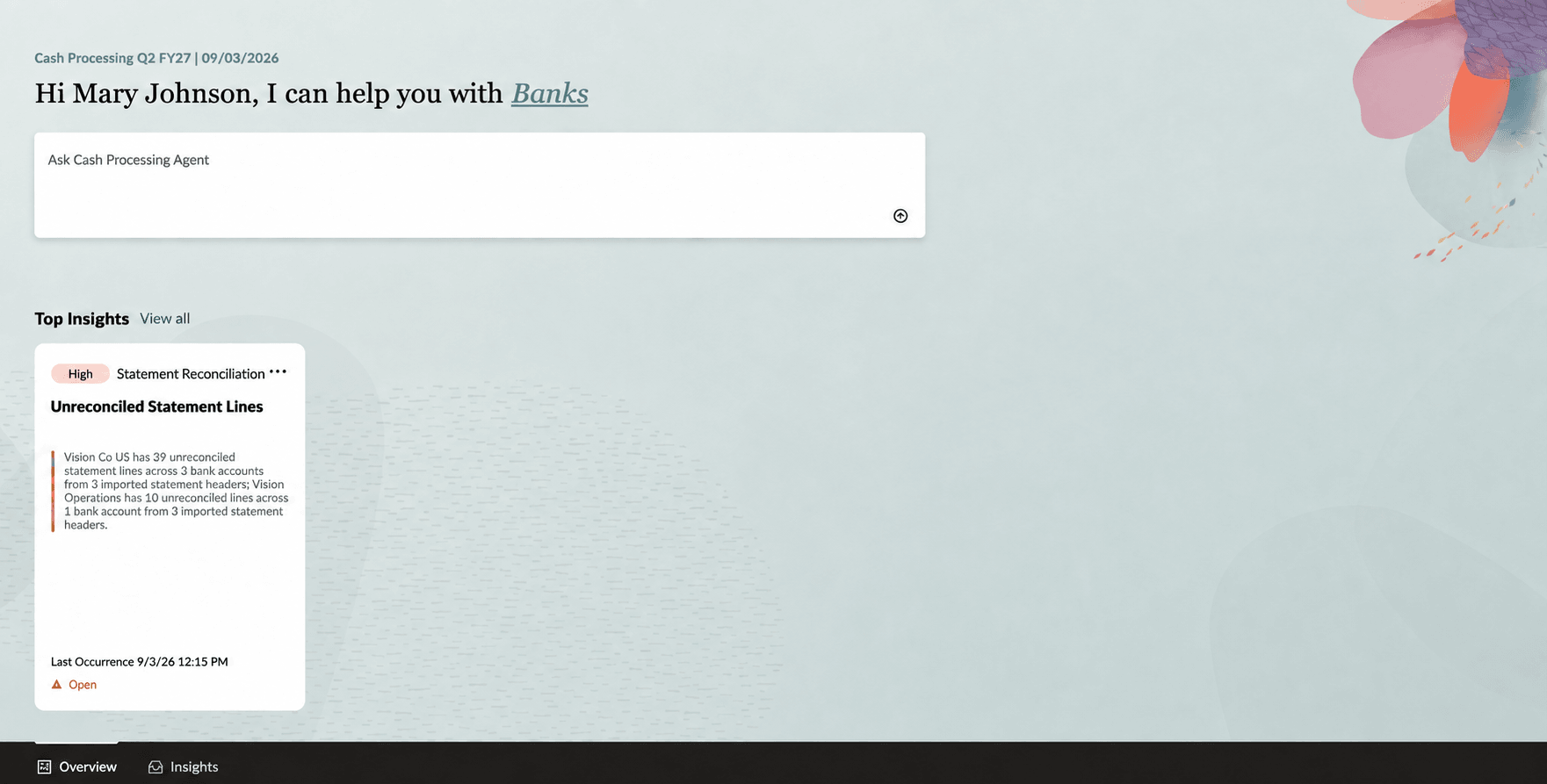
Insight
Bank statement reconciliation
The Cash Processing Agent supports bank statement reconciliation by helping users review the latest available bank statement activity and focus on the statement lines and transactions that require attention. Users can ask questions such as:
- Show the reconciliation summary for a bank account
- Show unreconciled statement lines for a bank account.
- Show unreconciled transactions for a bank account.
The agent responds with statement-line details, transaction references, reconciliation status, exception reasons, and recommendations for the matching groups.
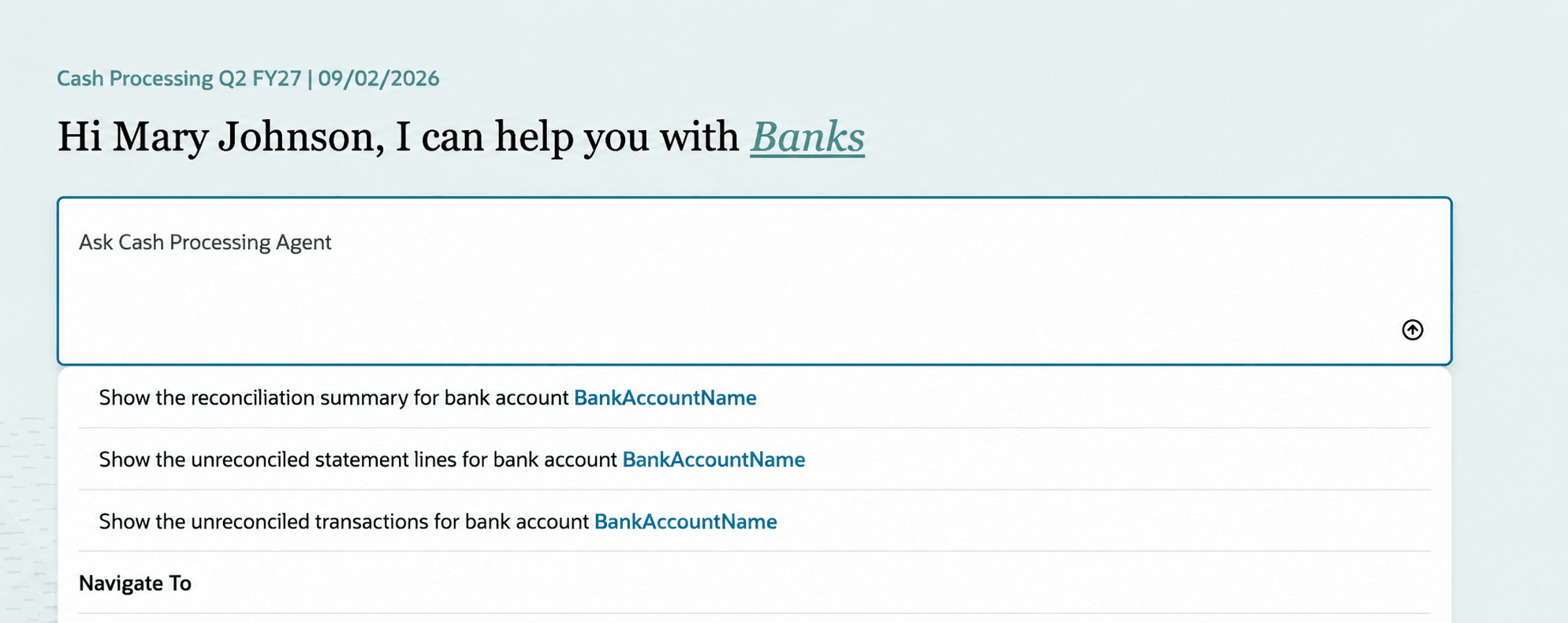
Seeded prompts
Reconciliation actions
For an identified bank account or statement, users can review match patterns and suggested matching rules and then choose the reconciliation action that best fits the review outcome.
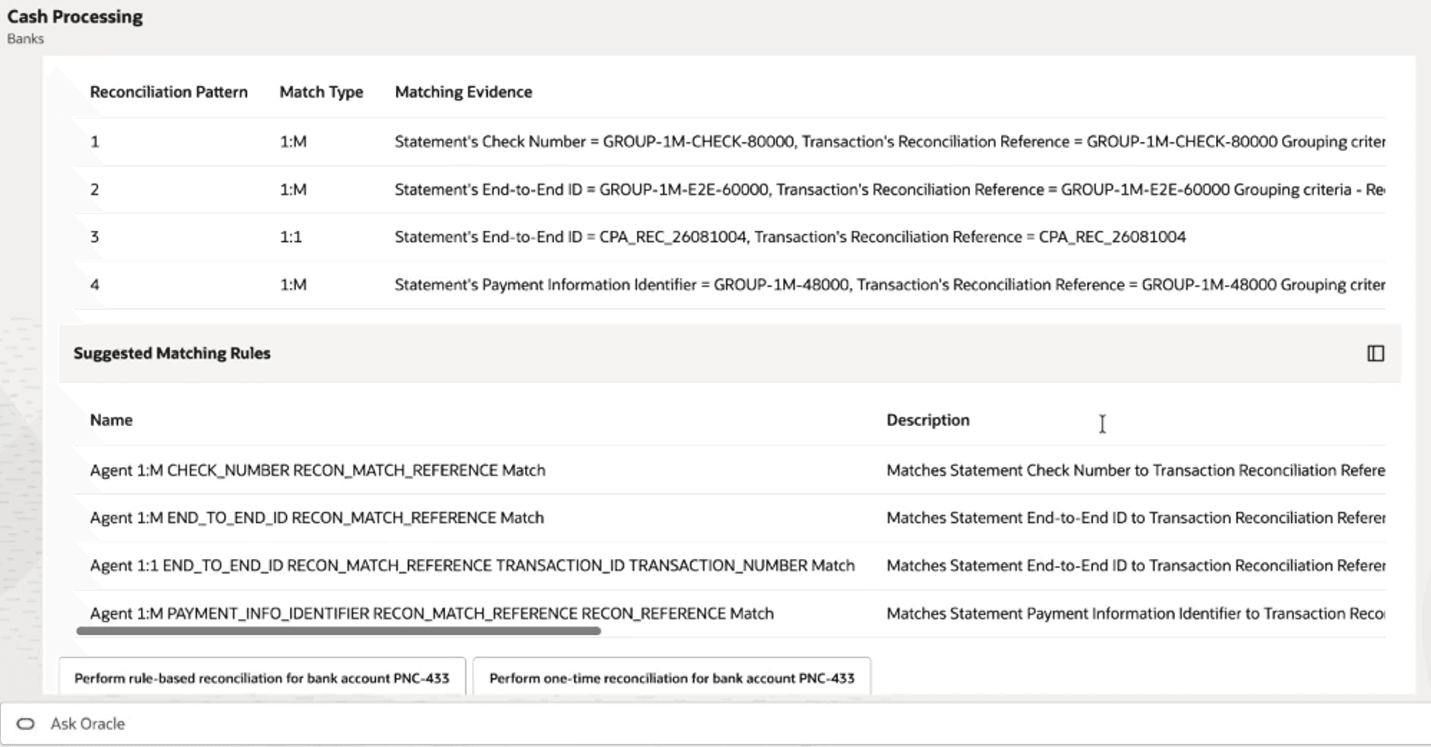
Matching patterns and suggested matching rules
Users can approve automatic reconciliation, allowing the agent to reconcile identified groups and create matching rules for the next reconciliation run, or perform a one-time reconciliation for the selected statement activity.
Business benefits include:
- Improves reconciliation visibility by bringing insights, statement-line details, exception analysis, and suggested rules into one experience.
- Reduces manual investigation effort by highlighting high-priority accounts, ambiguous exceptions, and the reference fields that support potential matches.
- Supports more consistent resolution decisions by recommending tolerance and matching rules based on observed reconciliation patterns.
- Accelerates follow-up actions by allowing users to move from investigation to one-time reconciliation in the same conversational flow.
- Maintains controlled processing through existing Cash Management security, data access, validations, and audit requirements.
Steps to enable and configure
- The Cash Processing Agent for bank statement reconciliation is enabled by default. Refer to the Access requirements section for the required security configuration.
- Ensure the prior day bank statements are processed and automatic reconciliation process is run for the reconciliation exceptions visibility.
Tips and considerations
- Review suggested matching rules before using them for reconciliation because the appropriate rule depends on the underlying transaction and statement data.
- Refresh or rerun inquiries when bank statements or transaction data change before submitting a reconciliation action.
Key resources
- Oracle Help Center: Using Cash Management
- Oracle Help Center: Implementing Cash Management
- Oracle Help Center: AI Agent Studio: Setup and Access Guide
- Oracle Help Center: Security Reference for Financials: Cash Management roles, duties, and privileges
- Oracle Help Center: REST API documentation for Cash Management
- Oracle Help Center: Cash Processing Agent for Cash Positioning and Improved Liquidity
Access requirements
The Cash Processing Agent for bank statement reconciliation is secured through assistant duty roles inherited by the Bank Statement Reconciliation Assistant Duty role.
Oracle provided predefined job role:
| Predefined Job Role | Role Code | Description |
|---|---|---|
| Cash Manager | ORA_CE_CASH_MANAGER | Protects and develops the liquid assets of a company maximizing their use and return to the organization, including managing company funds, overseeing the allocation of cash balances, reviewing forecasted balances, and examining any shortages or overages. |
Assistant duty role:
| Assistant Duty Role | Role Code | Description |
|---|---|---|
| Bank Statement Reconciliation Assistant | ORA_CE_BANK_STATEMENT_RECONCILIATION_ASSISTANT_DUTY | Allows users to review automatic reconciliation exceptions, evaluate matching recommendations, and perform reconciliation. |