Learning Creation Assistant AI Agent
You can now create learning content with help from the Learning Creation Assistant AI agent by providing a content title and a source URL to the new learning creation assistant.Now on the Learning Catalog page, you can select Create > Learning with Ask Oracle. When prompted, specify the type of learning to generate and the source URL to reference.
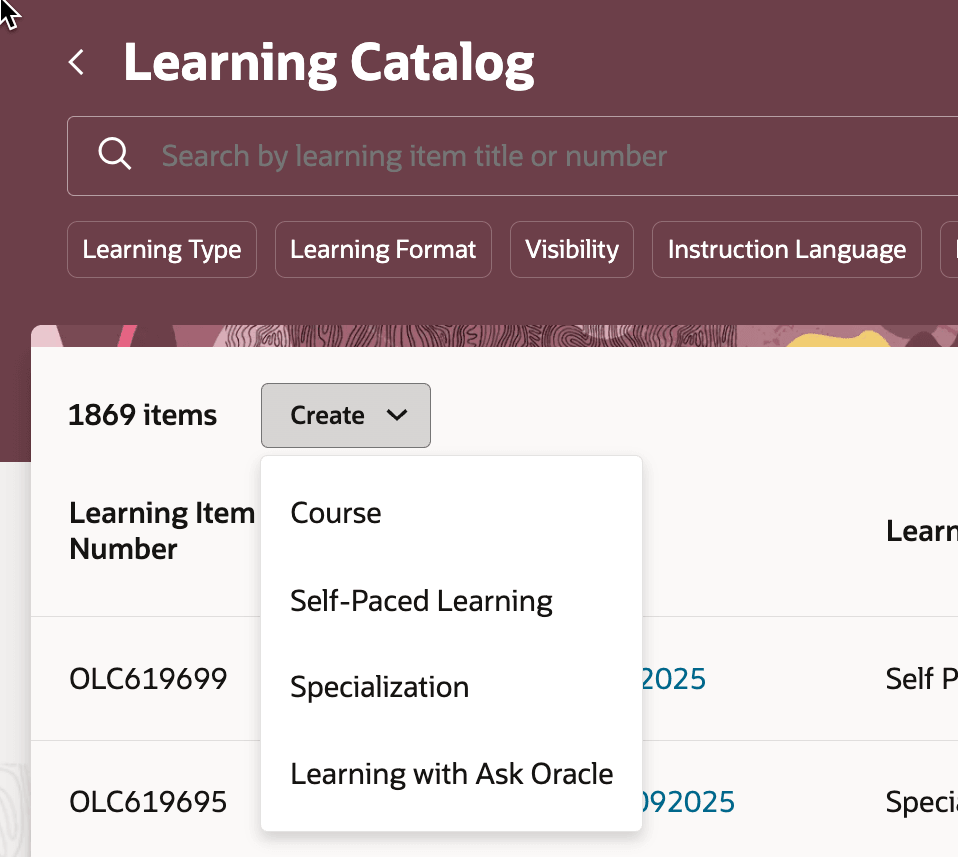
Learning Catalog Page Showing the Create > Learning with Ask Oracle Menu Option
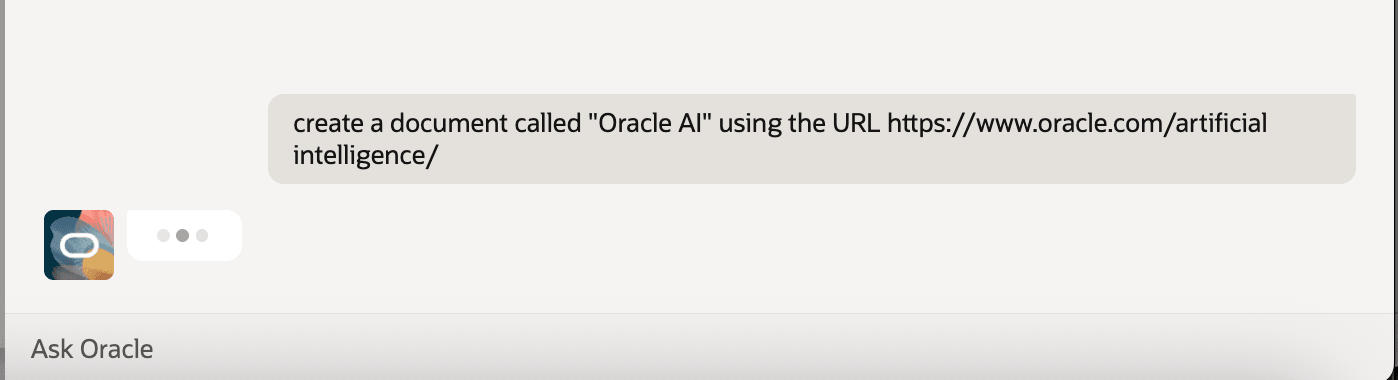
Learning Creation Assistant with Instructions About the Learning to Create
Learning Creation Assistant summarizes your inputs and presents key details about the draft self-paced learning it generated. It also gives you direct links to the draft learning so you can easily review it and refine when appropriate. When you're ready, you activate the learning so that it appears in the learning catalog.
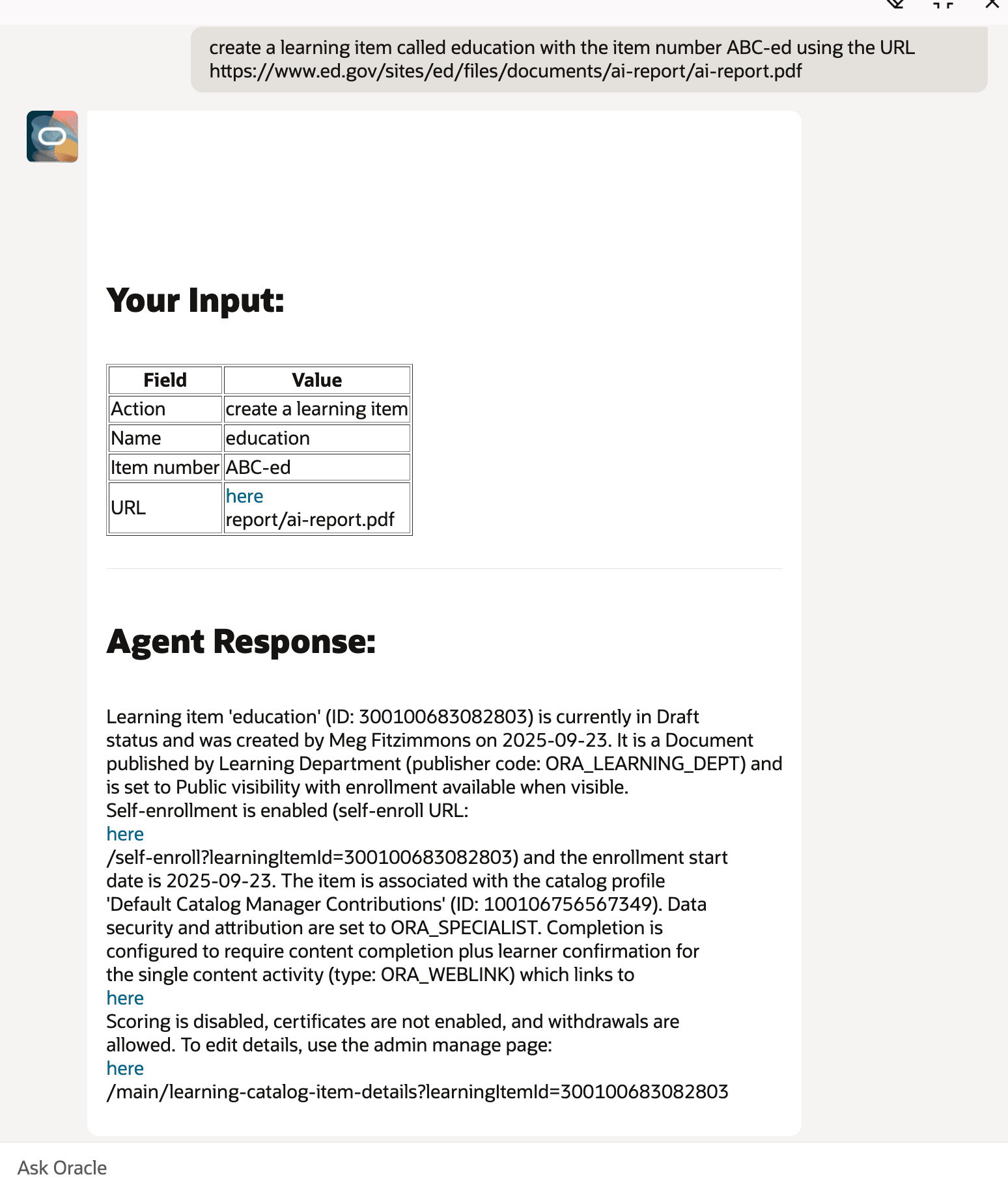
Draft Self-Paced Learning Created by Learning Creation Assistant
Examples
- Create content called Oracle AI using the URL https://www.oracle.com/artificial-intelligence/
- Create a private learning called What is agentic RAG? using https://www.youtube.com/watch?v=0z9_MhcYvcY with cover art https://i.ytimg.com/vi/0z9_MhcYvcY/hq720.jpg?sqp=-oaymwEnCNAFEJQDSFryq4qpAxkIARUAAIhCGAHYAQHiAQoIGBACGAY4AUAB&rs=AOn4CLCbyNvytbeHn73b222zOcuHIBamyg and learning item number ORCL_123
- Create a course called Workplace Safety with video URL www.example.video.mp4 and cover art URL www.example.image.jpg.
- Create learning with additional attributes by specifying the attribute and value as delimited text, such as:
Name | Data Privacy and Compliance Fundamentals; Catalog Code | ORCL-PRIV-2024-11; Category | Data Security & Compliance; Summary | Self-paced course for understanding regulatory data privacy requirements and Oracle compliance solutions.; Description | Covers GDPR, CCPA, and other global regulations, with interactive Oracle Cloud compliance scenarios and data protection best practices.; Locale | English; URL | https://www.oracle.com/learning/data-privacy-compliance.pdf
This enhancement boosts efficiency by automating learning content creation, reducing manual effort and errors. It accelerates development, ensures consistent structure, and frees up time for strategic refinement and stakeholder alignment.
Steps to enable and configure
How do I set up the learning creation assistant for Oracle Learning?
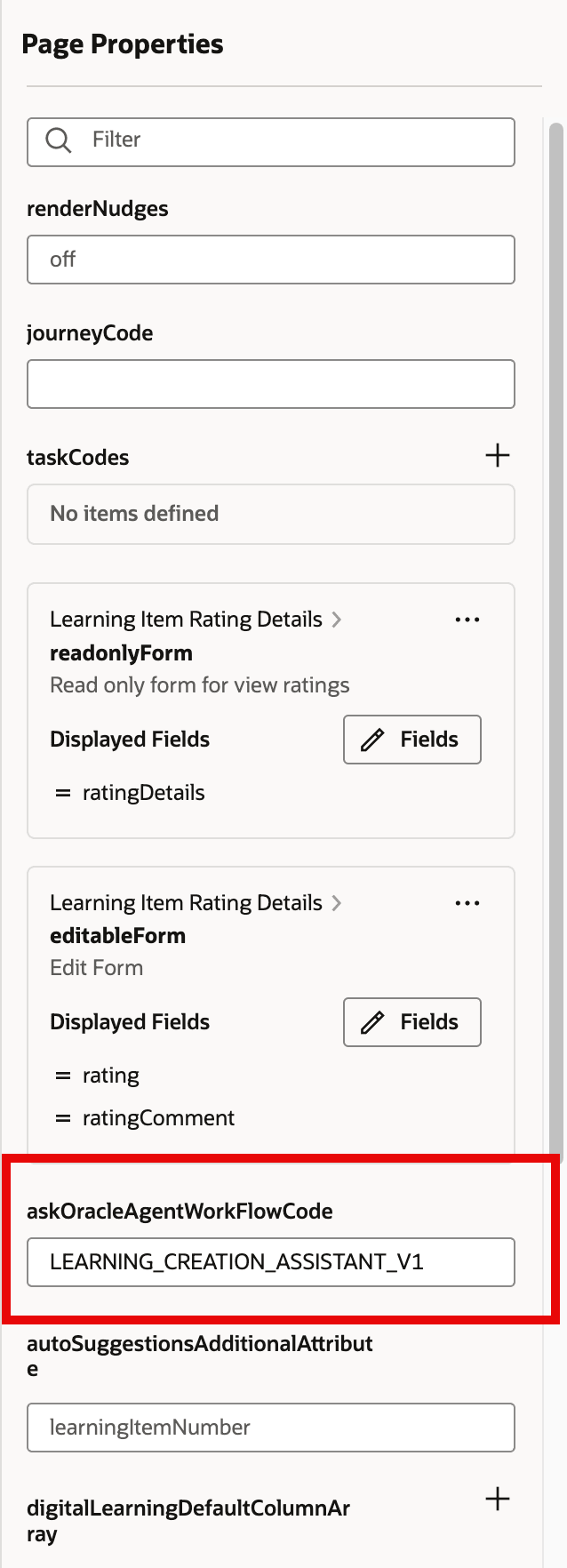
Visual Builder Studio Page Properties with the askOracleAgentWorkFlowCode Field Highlighted
Note: The value you enter in askOracleAgentWorkFlowCode must match the name assigned to your workflow agent instance.
Tips and considerations
In future releases, the agent will be enhanced to support additional content formats for self-paced learning and other learning types.
Key resources
- For more details about AI Agent Studio, see How do I use AI Agent Studio?
- For more details about Visual Builder Studio, see Extending Redwood Applications for HCM and SCM Using Visual Builder Studio