HR Creates Check-Ins
As an HR Specialist, you can create bulk check-in documents for employees in your organization.
Create Check-Ins for Group of Employees
Using the Create Check-Ins menu button on the Mass Actions Processes for Check-In Documents page, you can create check-ins for employees by specifying check-in details, manager type, employee population, and adding general discussion topics to the agenda.
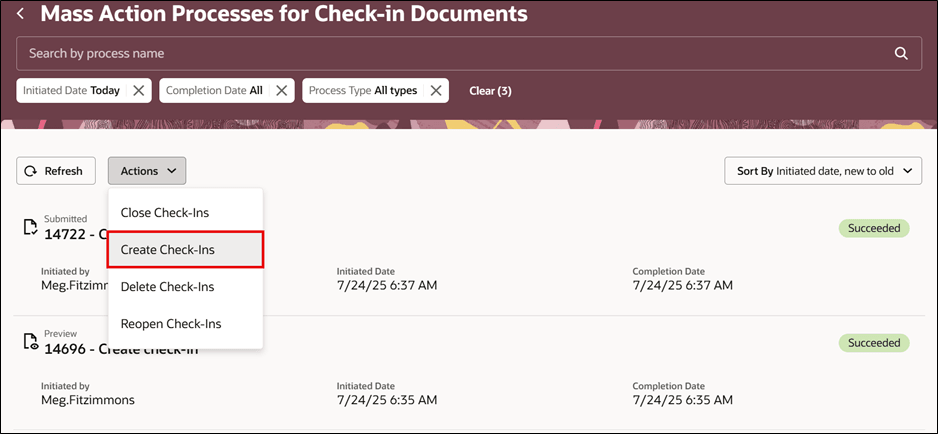
Mass Actions Page
You can specify the population type, namely, employee, manager, or department, for creating a check-in.
Note: Check-ins can be created for primary assignments only.
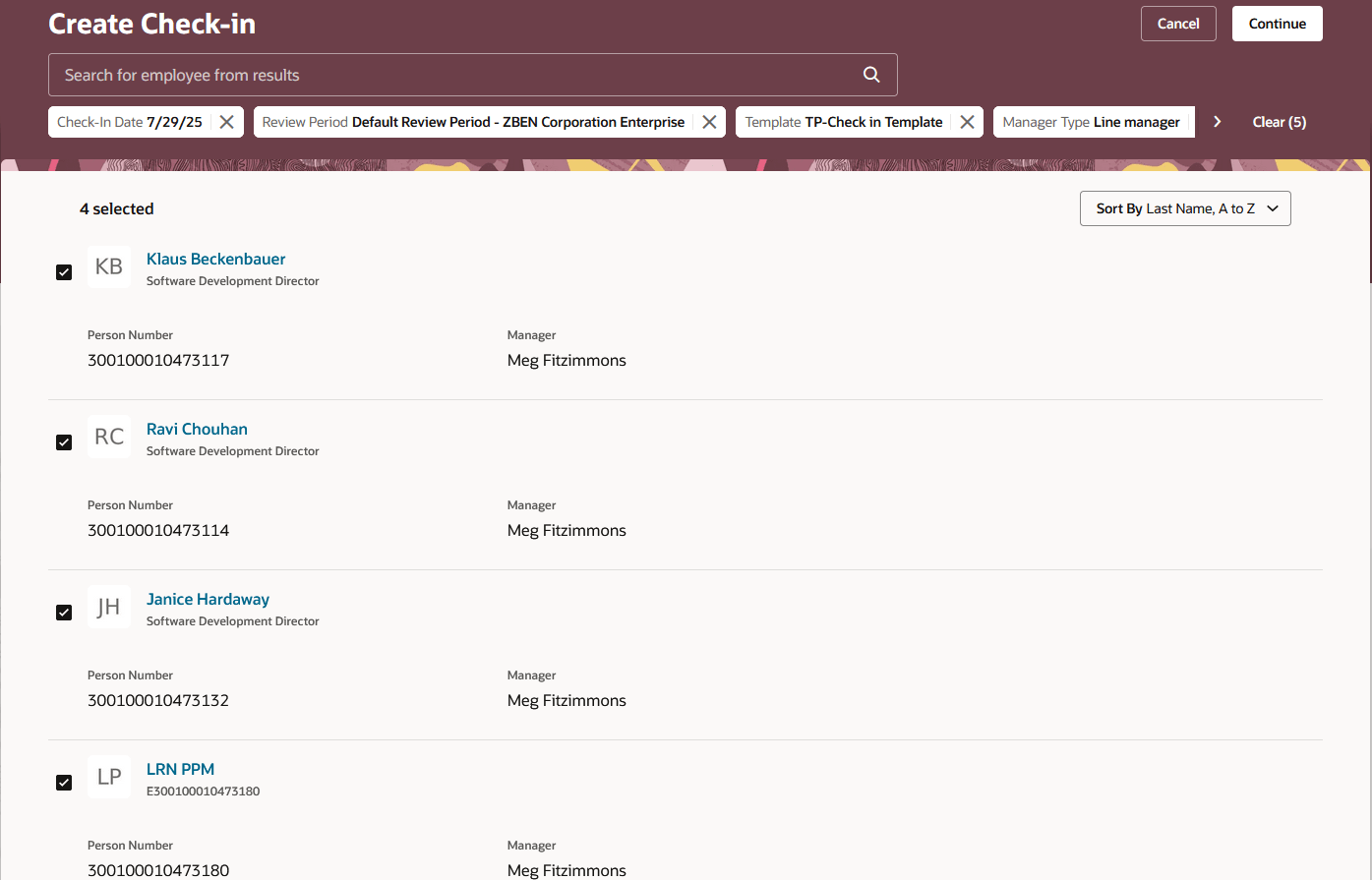
Create Check-Ins Page
Create Check-Ins for Individual or Group of Employees
On the Check-In Documents page, you can create check-ins for a group of employees using these mandatory search criteria: review period, template, check-in date, manager type, and employee. Optionally, you can also include manager or department in the search criteria.
Note: You can select up to 13 employees to create check-ins at a time. For more than 13 employees, create check-ins using the Mass Actions Processes for Check-In Documents page.
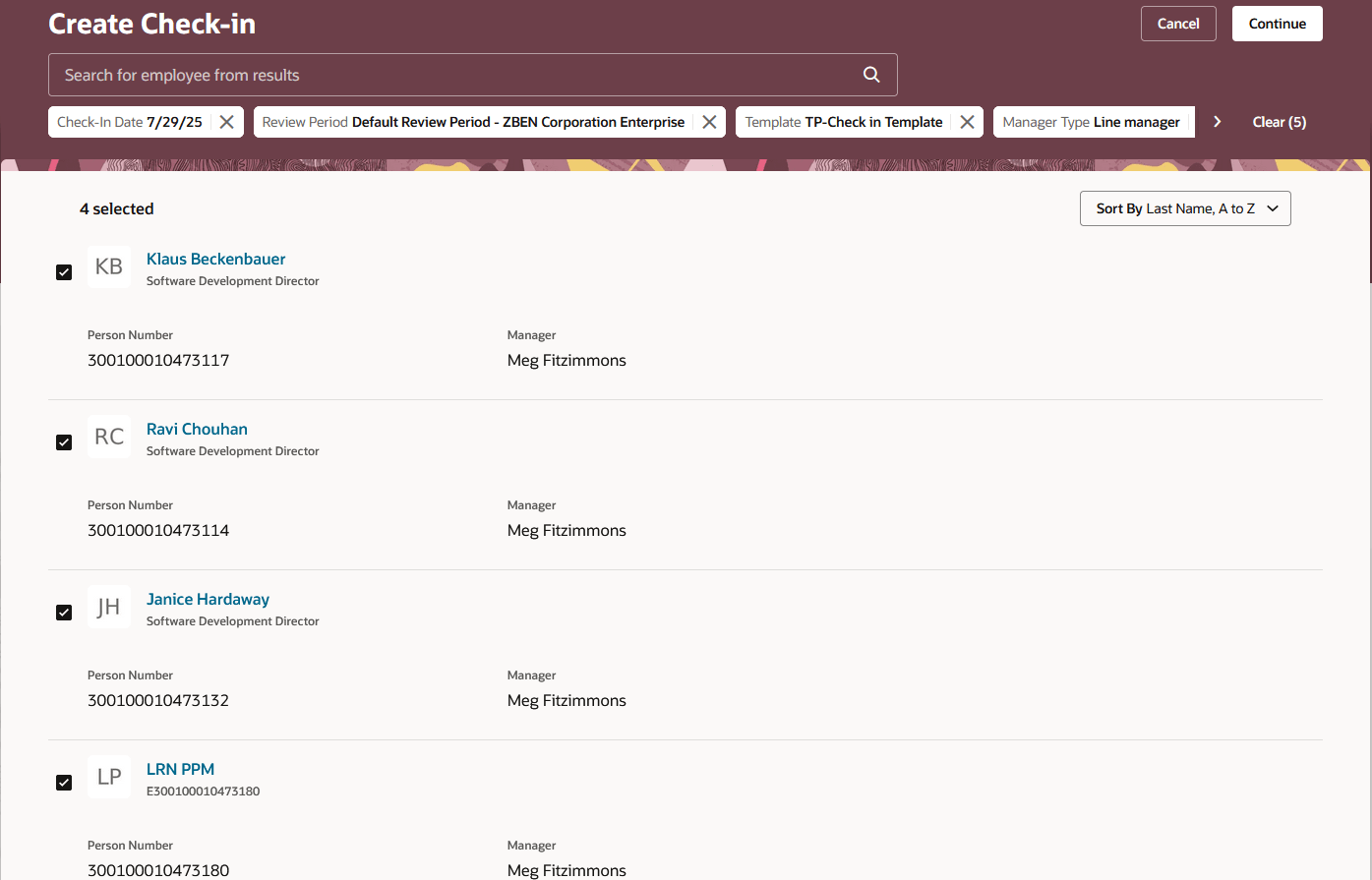
Create Check-In Page
Business Benefit
An HR Specialist creates check-in documents to track performance, enhance engagement, align goals, ensure compliance, support development, and improve managerial effectiveness.
Steps to enable and configure
For details, see: How HR Specialist creates bulk check-in documents?
For details, see: How does a HR Specialist create check-ins for individual or group of employees?
Key resources
Access requirements
If you are using the seeded HR Specialist role (ORA_PER_HUMAN_RESOURCE_SPECIALIST_JOB), both Check-in Documents and Mass Action Process for Check-in Documents administration tasks are available automatically. However, if you are using a custom HR Specialist role, you must explicitly include the following roles:
- ORA_HRA_MANAGE_CHECK_IN_DOCUMENT_BY_HR to access Check-in Documents administration task
- ORA_HRA_PROCESS_MASS_ACTIONS_FOR_CHECK_INS to access Mass Action Processes for Check-in Documents administration task