Redwood Enhancement to Get To Know Your Benefits Journey Task
Benefits administrators can now add custom HTML text to the Get To Know Your Benefits journey task by using a new constant named Custom Text for Welcome Region on Enrollment Journey. This enhancement enables the delivery of tailored information, branding info, or links to additional resources to better inform employees. Additionally, the journey task now appears open by default when employees review their tasks. This default behavior ensures the visibility of key information while still allowing employees to close the task if they choose.
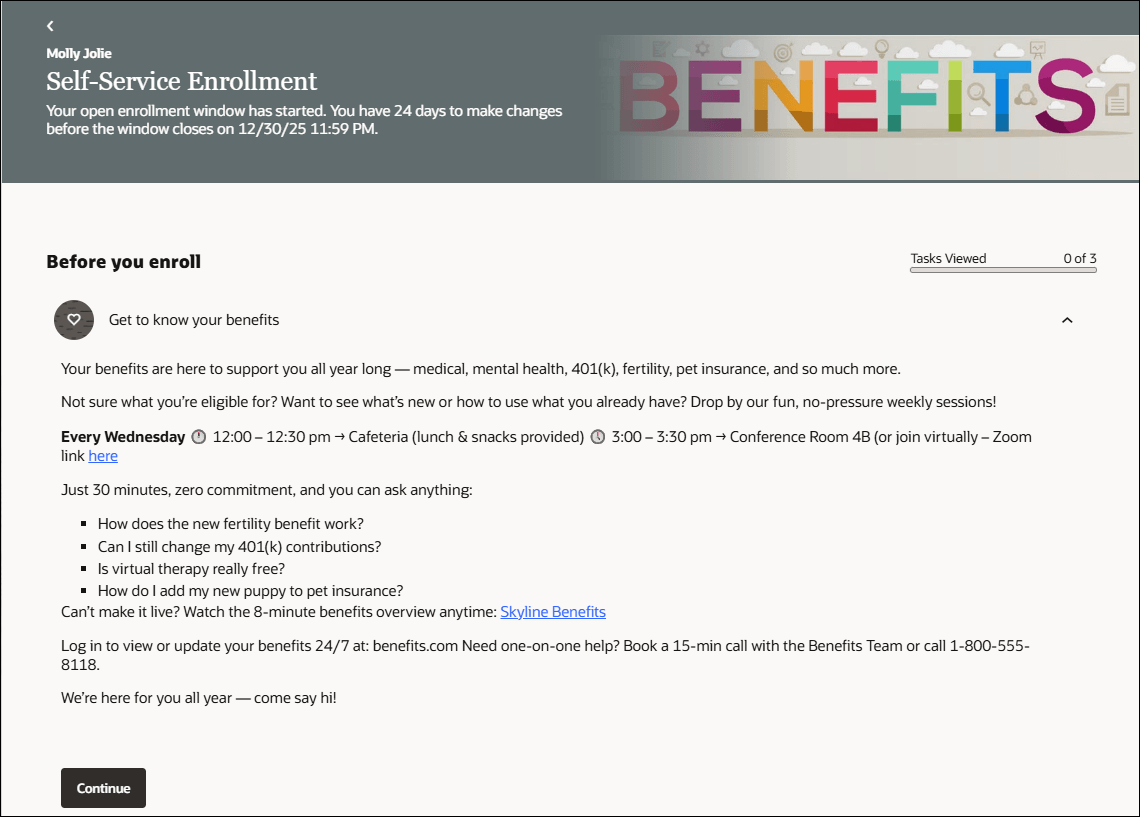
Self-Service Benefits Enrollment Journey Page
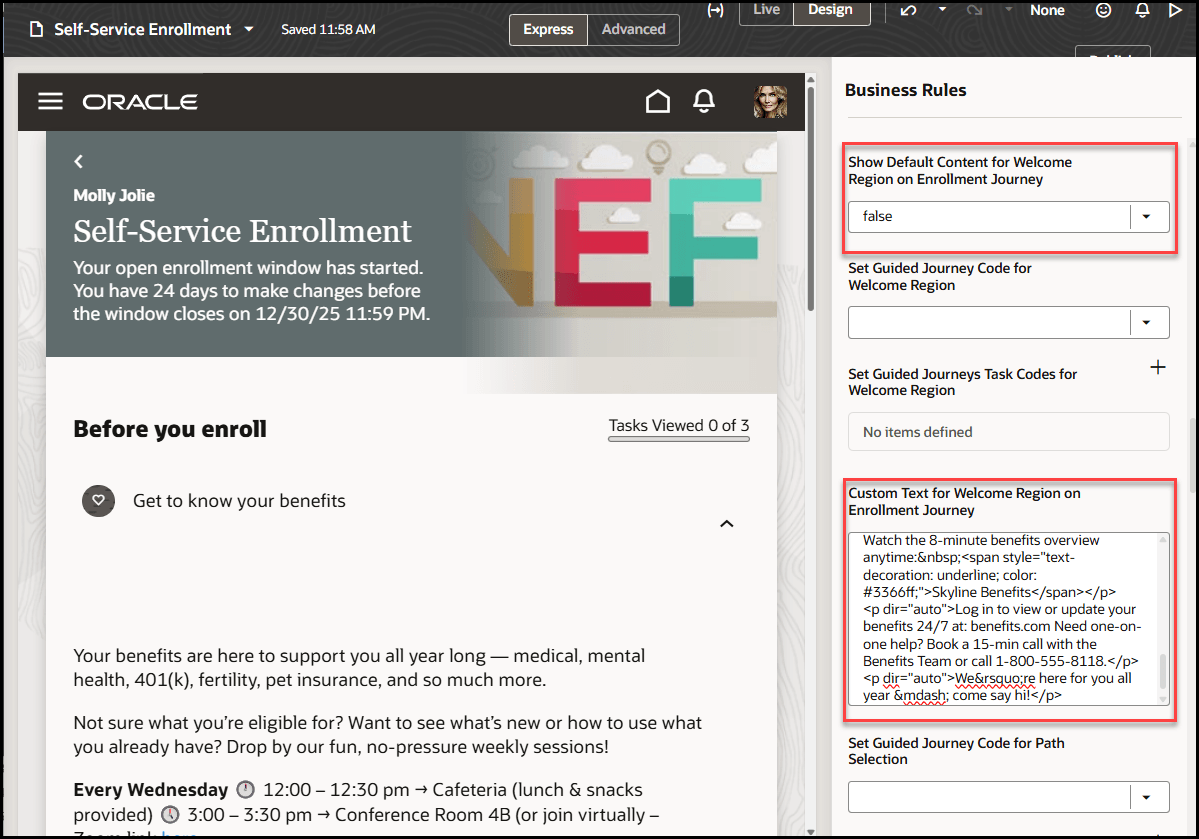
Visual Builder Studio Self-Service Enrollment Journey Setup Page
This enhancement improves communication, supports better decision-making, and enhances employee understanding and engagement with the benefits being offered.
Steps to enable and configure
You need to configure security to use this feature. See the Access Requirements section. For more information, see:
Extending Redwood Applications for HCM and SCM Using Visual Builder Studio
How do I adopt Redwood for Benefits?
Prerequisites for this Feature
How do I enable a profile option?
How do I adopt Redwood for Benefits?
Tips and considerations
- Custom text added in Express mode is compatible with any Advanced mode setup.
- The welcome region on the enrollment journey displays by default. To hide this information, set the constant to false.
Key resources
Extending Oracle Cloud Applications with Visual Builder Studio
Benefits Questions and Answers
Start Here- Learning opportunities to get started with Benefits Redwood Adoption
Access requirements
To use Visual Builder Studio, ensure that your user account is linked to this job role:
- Application Implementation Consultant (ORA_ASM_APPLICATION_IMPLEMENTATION_CONSULTANT_JOB)
- As an administrator, you must have certain privileges to assign the necessary roles:
- These privileges are required for everyone who assigns Oracle Cloud Applications roles to their users:
- Cloud administrator
- Service administrator
- Application administrator
- In Oracle Identity Cloud Service (IDCS), you must have either an Identity Domain Administrator or User Administrator role. You only need these roles if IDCS role synchronization has been turned off and you need to assign the VB Studio IDCS roles manually.
- These privileges are required for everyone who assigns Oracle Cloud Applications roles to their users:
This table shows the mapping between the VB Studio IDCS roles and the Oracle Cloud Application roles:
| Oracle Cloud Application Role | VB Studio IDCS Role |
|---|---|
|
VB Studio administrator (DEVELOPER_ADMINISTRATOR) |
|
VB Studio user (DEVELOPER_USER) |