Redwood Enhancements to Benefits Enrollment Journey Tasks
This enhancement gives more flexibility to the Benefits administrators to do these tasks on the enrollment journey page:
- Hide or rename the optional and required statuses.
- Change the status of a task to optional or required.
- Add custom instructional text to guide employees.
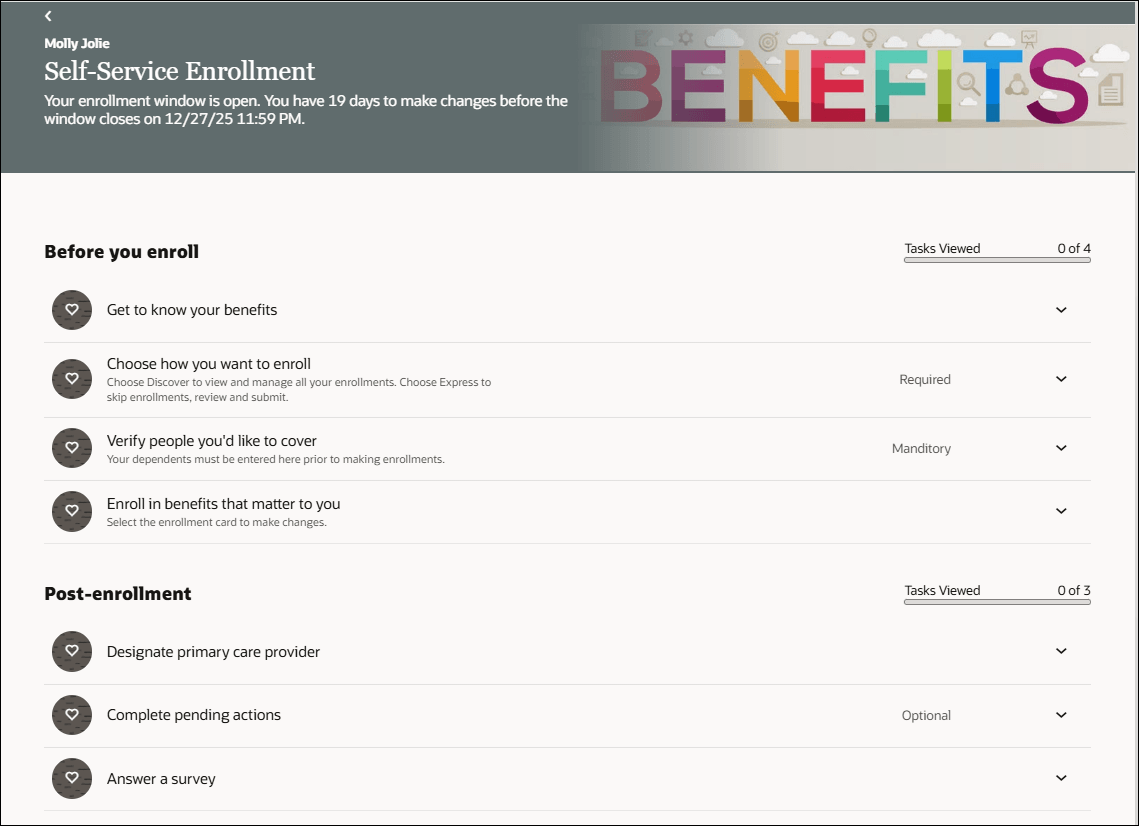
Self-Service Benefits Enrollment Journey Page
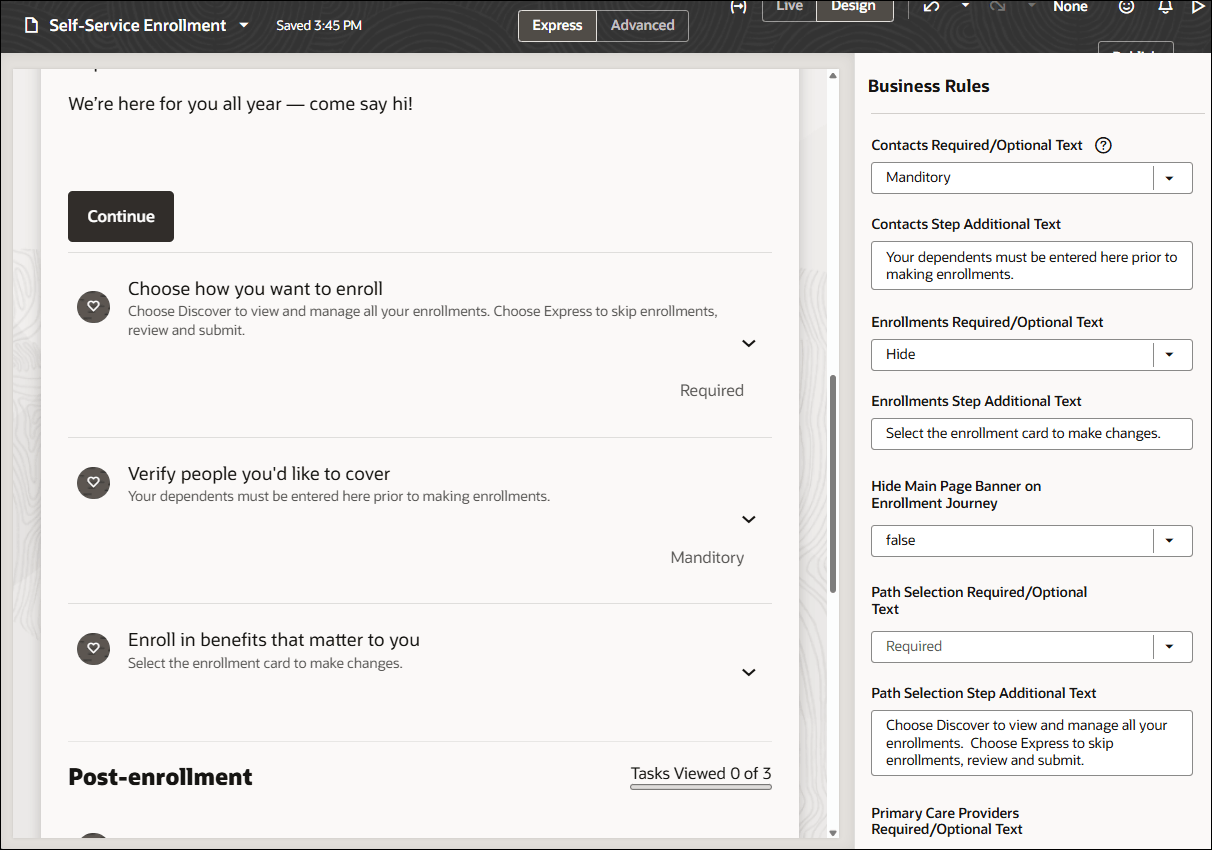
Visual Builder Studio Self-Service Enrollment Journey Setup Page
These enhancements empower benefits administrators to create a more streamlined, intuitive, and user-friendly enrollment experience. By hiding unnecessary badges, customizing task status, and adding clear instructional text, they can reduce employee confusion, improve completion rates, and ensure clearer communication throughout the benefits enrollment process.
Steps to enable and configure
You need to configure security to use this feature. See the Access Requirements section. For more information, see:
Extending Redwood Applications for HCM and SCM Using Visual Builder Studio
How do I adopt Redwood for Benefits?
Prerequisites for this Feature
How do I enable a profile option?
How do I adopt Redwood for Benefits?
Tips and considerations
- The status area displays the first 11 characters. Hover over to see the additional characters.
- No validation is performed on the task status.
- Additional status text is always visible in the journey steps.
Key resources
Extending Oracle Cloud Applications with Visual Builder Studio
Benefits Questions and Answers
Start Here- Learning opportunities to get started with Benefits Redwood Adoption
Access requirements
To use Visual Builder Studio, ensure that your user account is linked to this job role:
- Application Implementation Consultant (ORA_ASM_APPLICATION_IMPLEMENTATION_CONSULTANT_JOB)
- As an administrator, you must have certain privileges to assign the necessary roles:
- These privileges are required for everyone who assigns Oracle Cloud Applications roles to their users:
- Cloud administrator
- Service administrator
- Application administrator
- In Oracle Identity Cloud Service (IDCS), you must have either an Identity Domain Administrator or User Administrator role. You only need these roles if IDCS role synchronization has been turned off and you need to assign the VB Studio IDCS roles manually.
- These privileges are required for everyone who assigns Oracle Cloud Applications roles to their users:
This table shows the mapping between the VB Studio IDCS roles and the Oracle Cloud Application roles:
| Oracle Cloud Application Role | VB Studio IDCS Role |
|---|---|
|
VB Studio administrator (DEVELOPER_ADMINISTRATOR) |
|
VB Studio user (DEVELOPER_USER) |