 Business Rule Changes on Salary Pages
You can now achieve these outcomes using Visual Builder Studio business rules:
- Default a salary basis using the new Proposed Salary Basis Code attribute. Earlier you could default a salary basis using only the Proposed Salary Basis attribute.
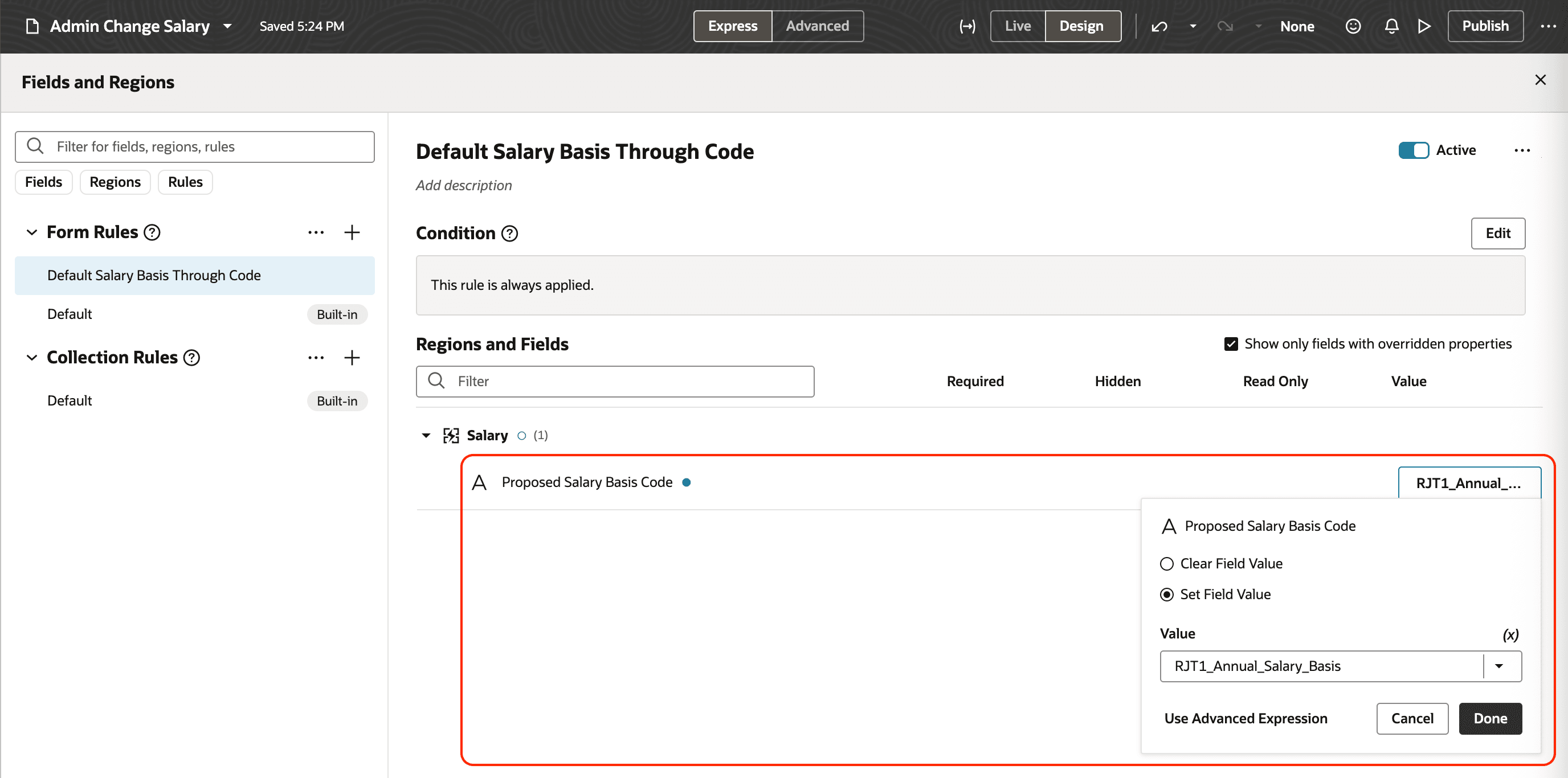
Default Salary Basis Through Code in Visual Builder Studio
- Exclude values from the Salary Basis list while creating or correcting salary using the new Exclude Salary Basis Code attribute.
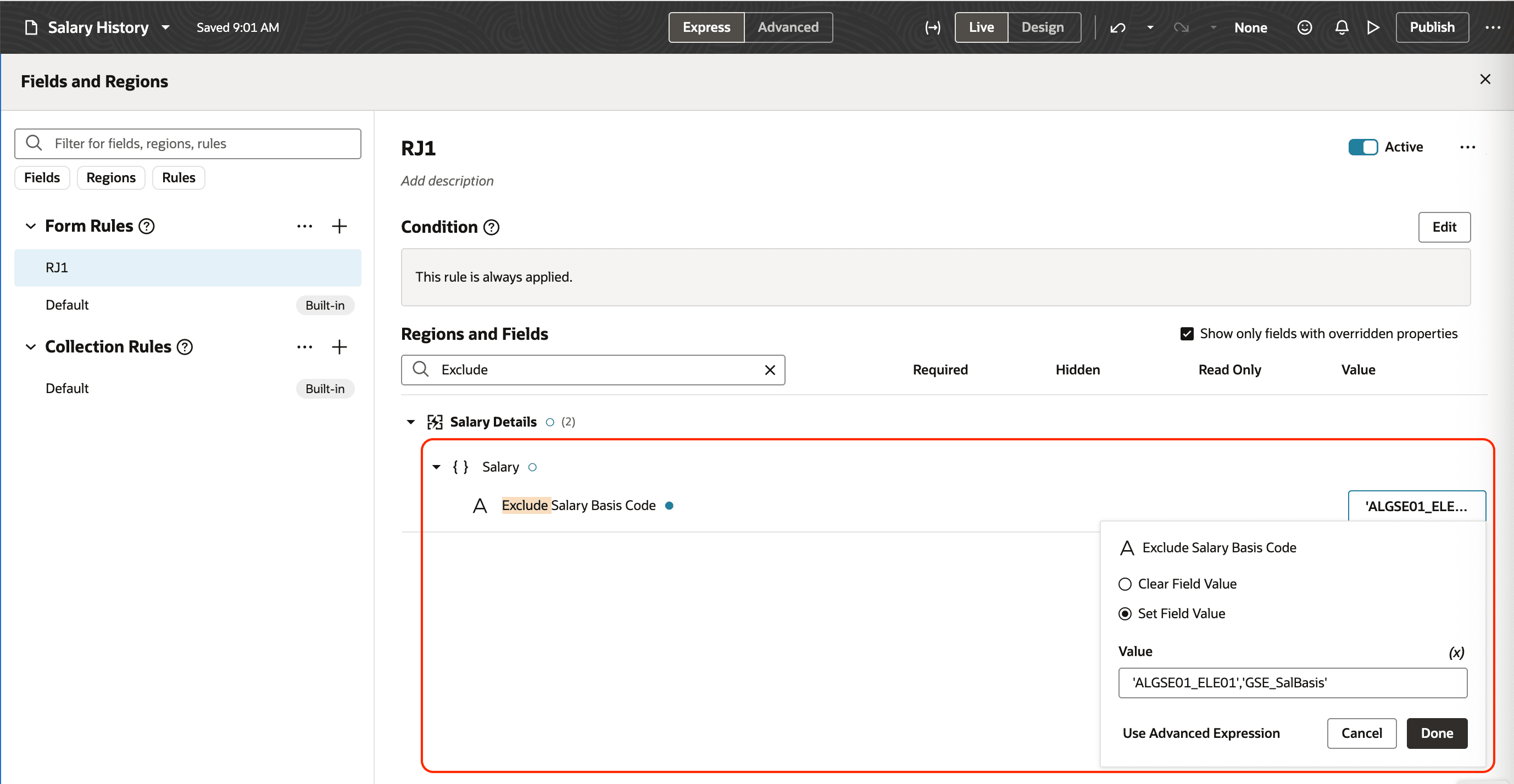
Visual Builder Studio Showing the New Exclude Salary Basis Code Attribute
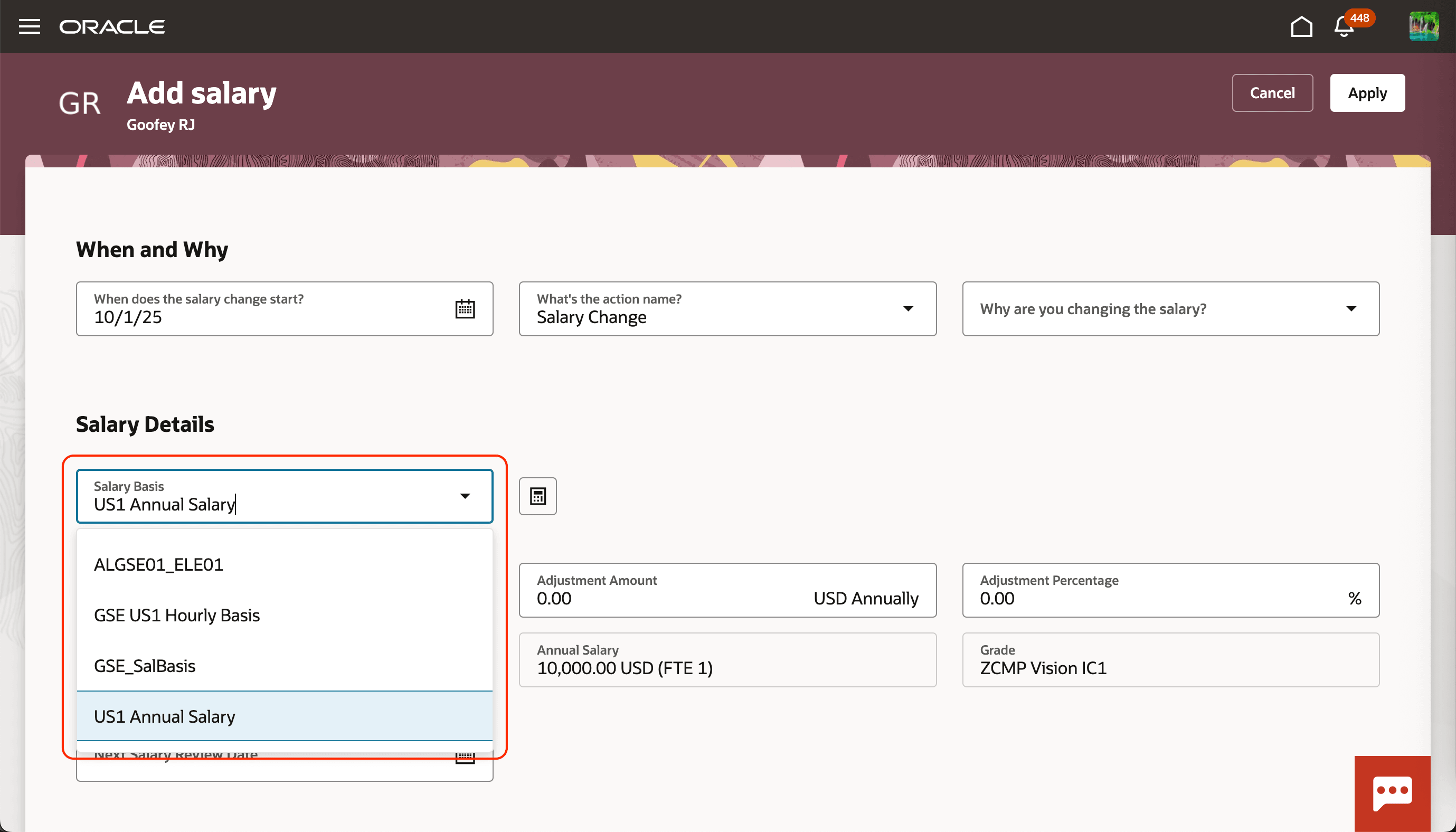
Add Salary Page Showing the Salary Basis List with 4 Values Before the Business Rule
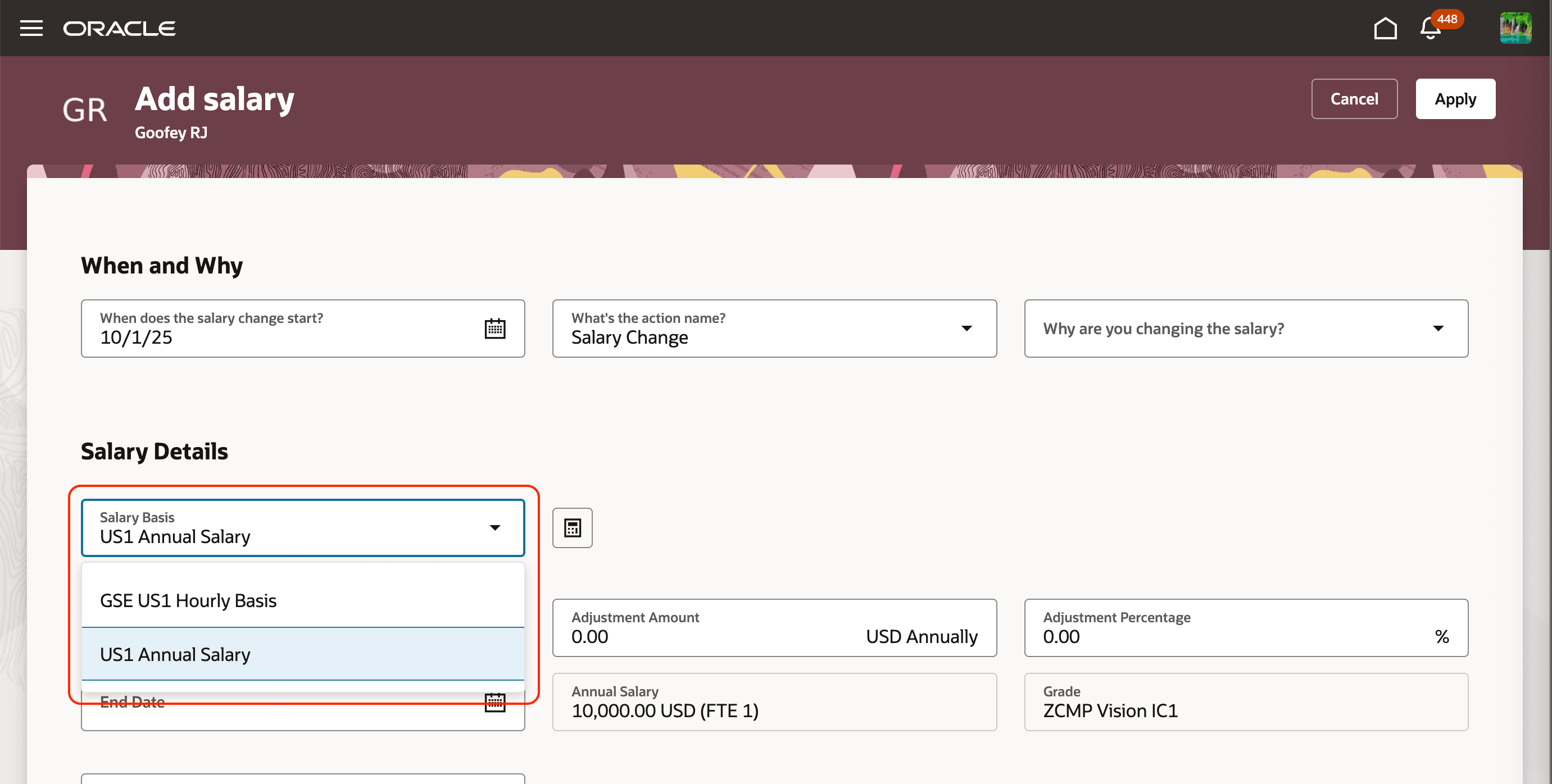
Add Salary Page Not Showing the Excluded Salary Basis Values After the Business Rule
- Exclude values from the Actions and Reasons list using the new Exclude Action Type Code attribute.
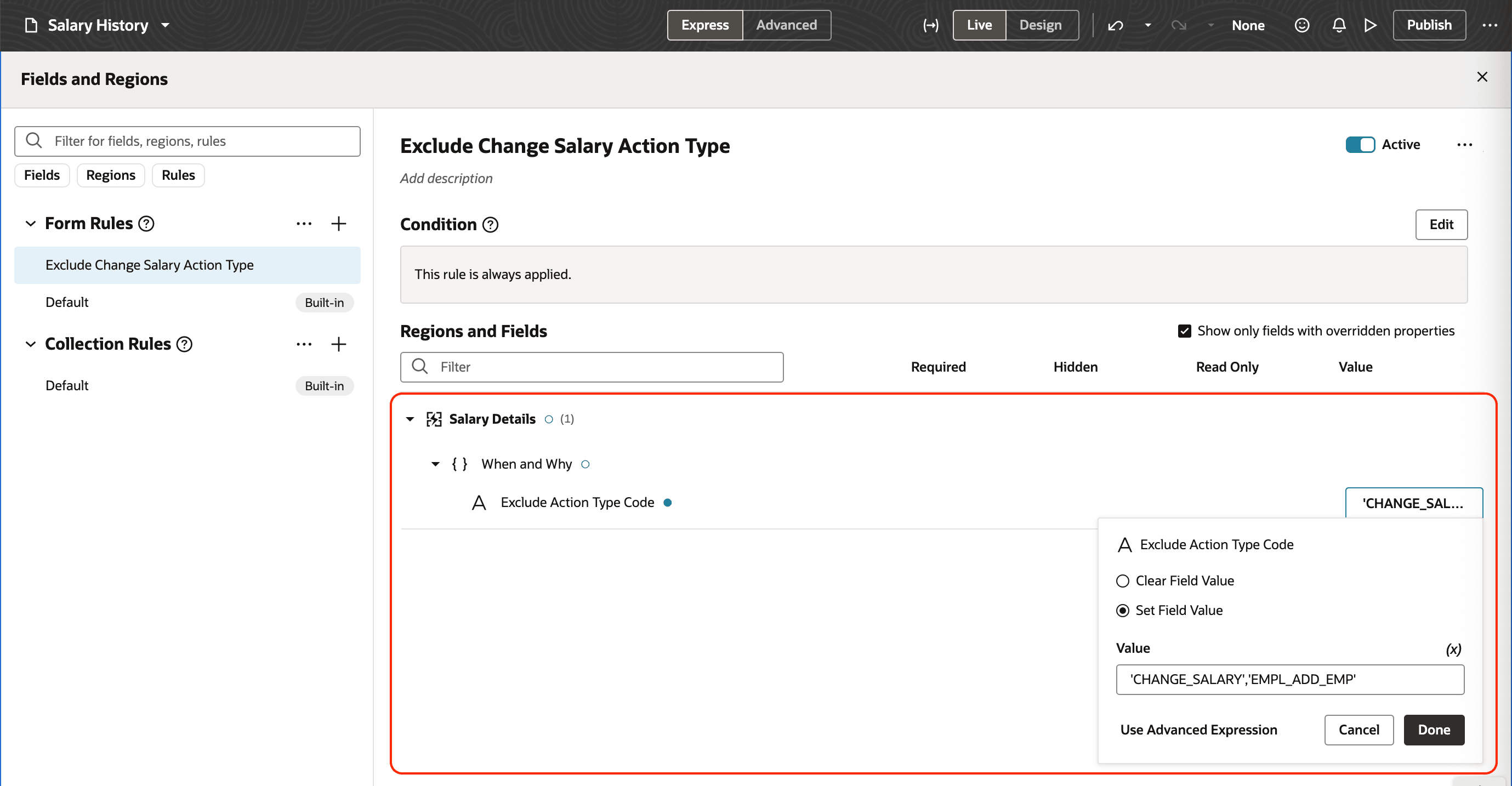
Visual Builder Studio Showing the Exclude Action Type Code Attribute
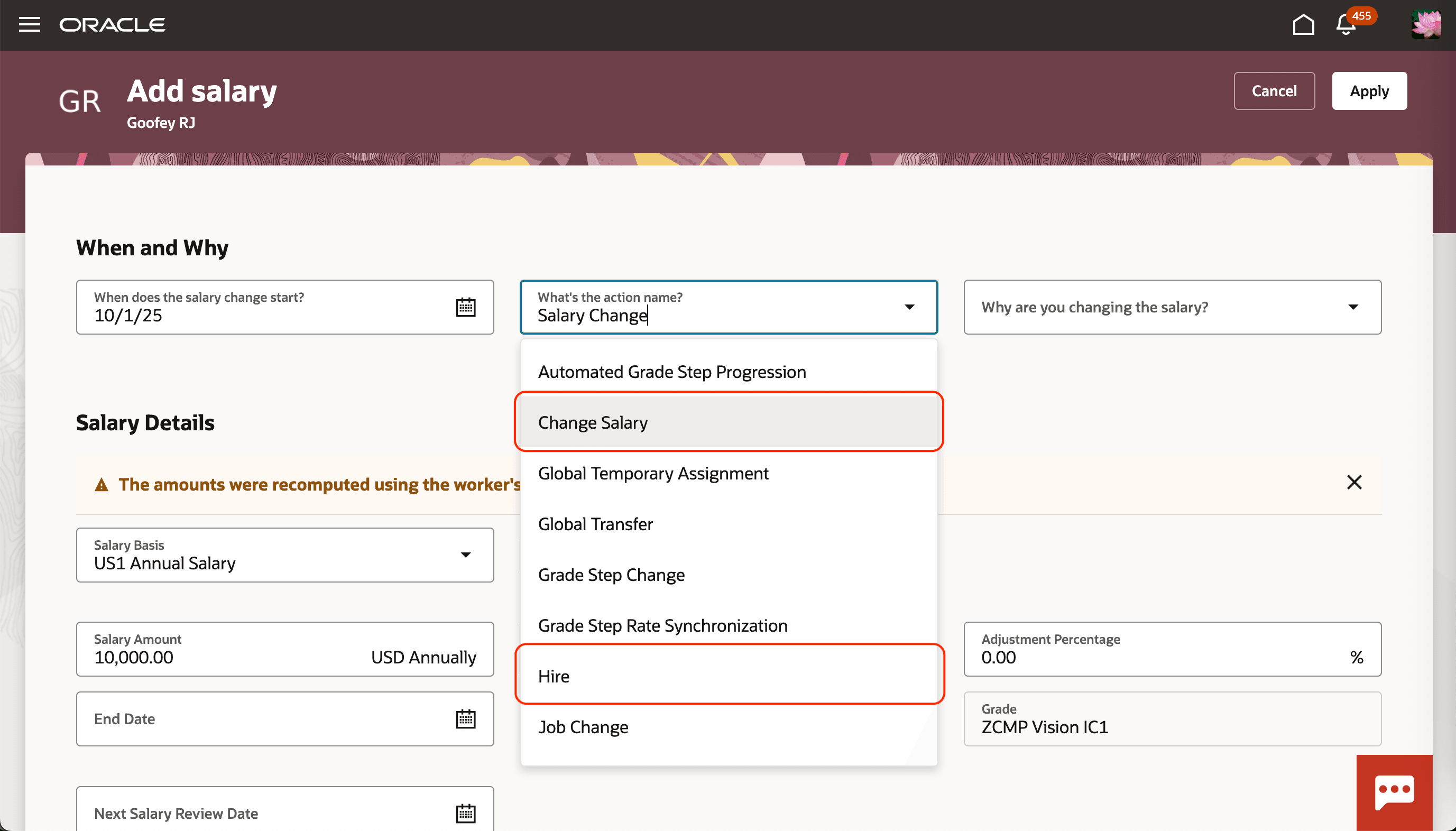
Add Salary Page Showing the What's the Action Name? List that Includes Change Salary and Hire, Before the Business Rule
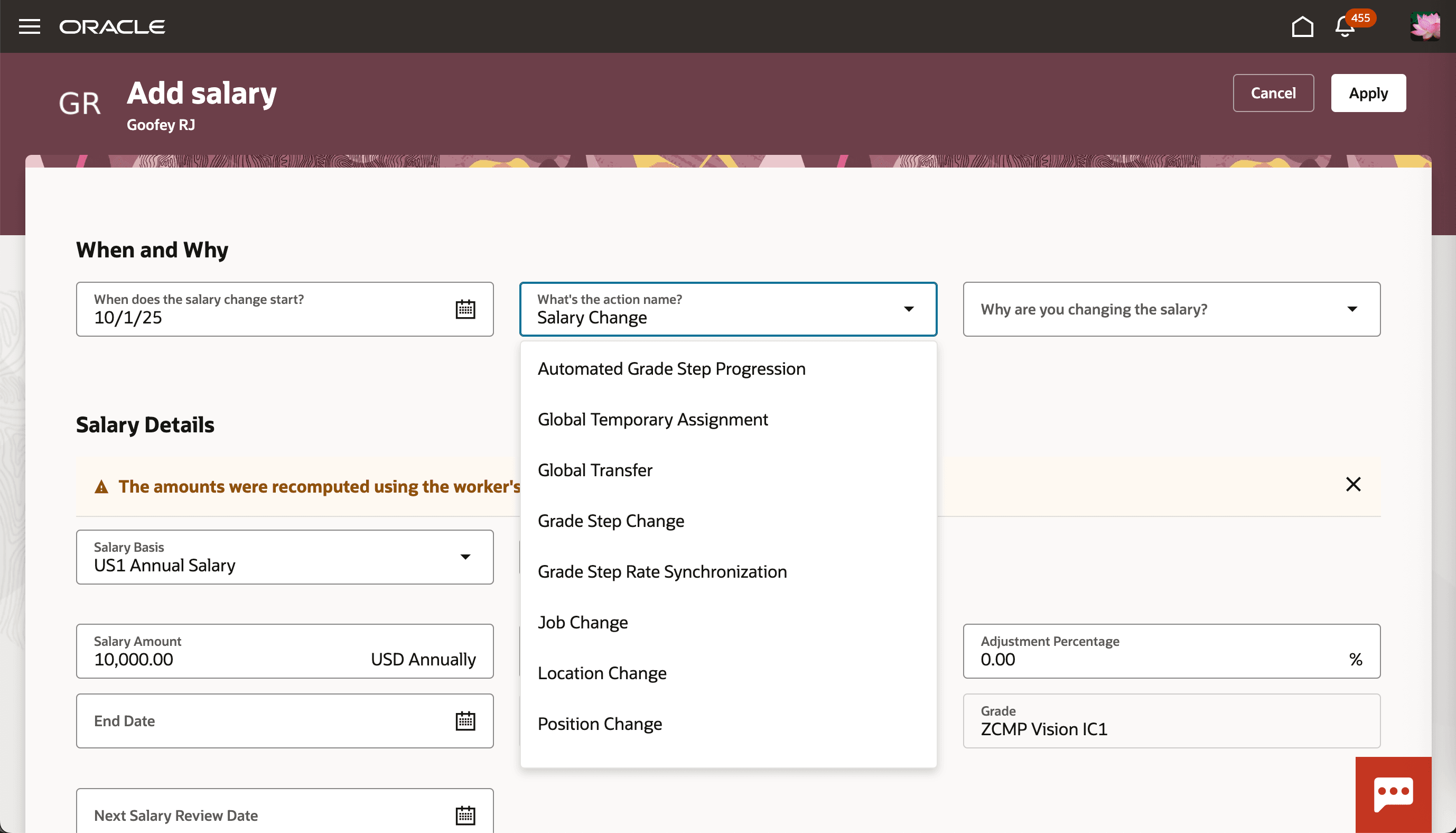
Add Salary Page Showing the What's the Action Name? List Without Change Salary and Hire, After the Business Rule
- Define business rules that can use a new attribute to differentiate between initiator and approver. You can include it in your business rule condition to vary the behavior on the Redwood Admin Change Salary, Line Manager Change Salary, and Salary History pages.
- Restrict the ability to add or remove incremental components or simple components to only certain roles using page constants.
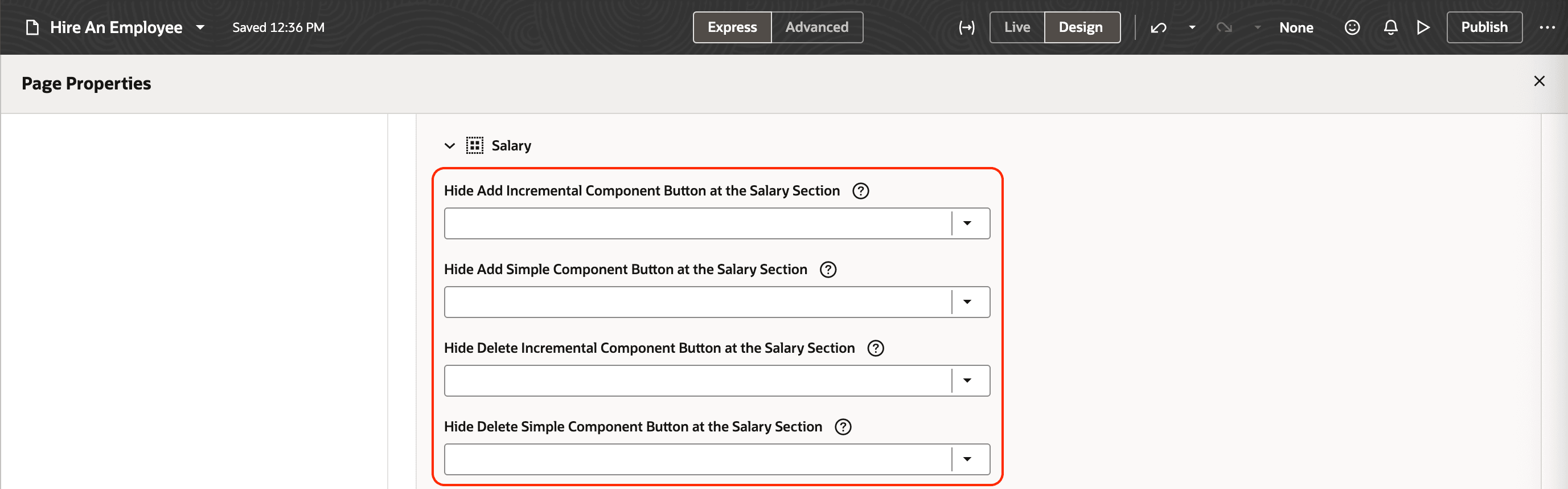
Visual Builder Studio Showing the Page Constants You Can Use to Hide Add and Delete Buttons for Incremental and Simple Components
- Hide the ranges that appear under rate definition names for salaries determined using rates, using a page constant.
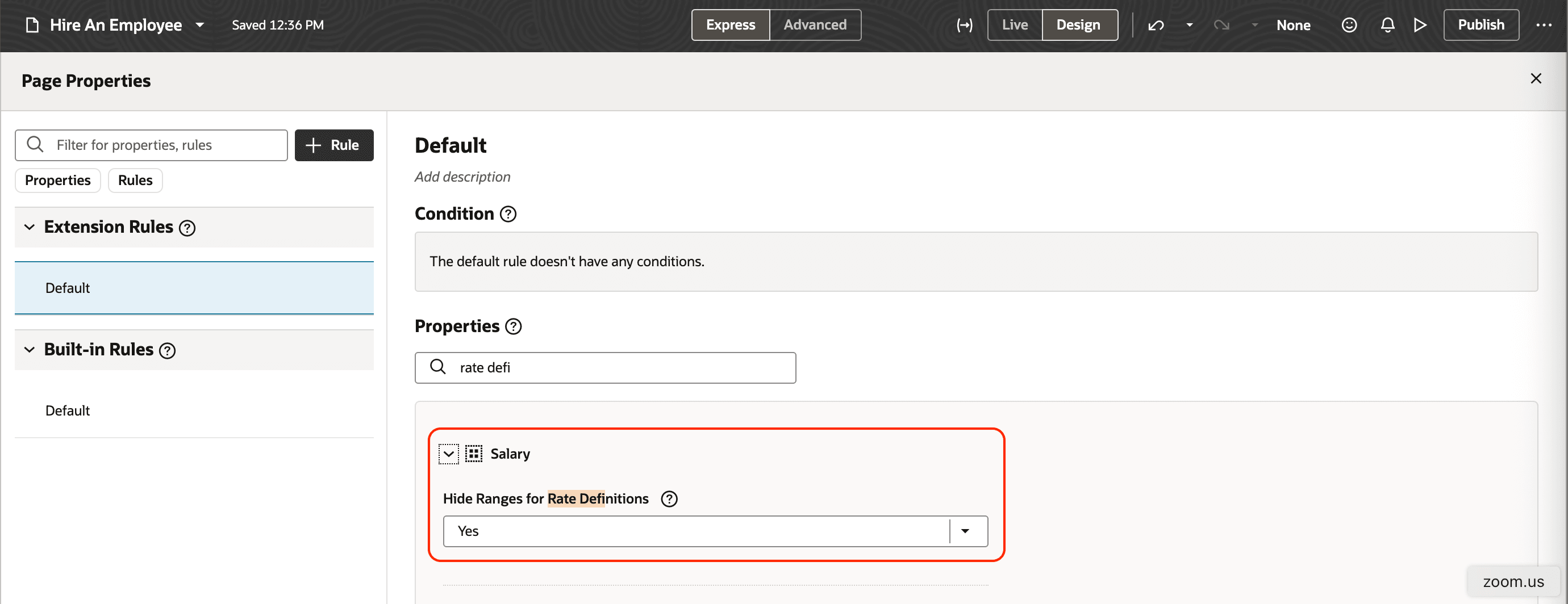
Visual Builder Studio Showing the Page Constants You Can Use to Hide Ranges for Rate Definitions
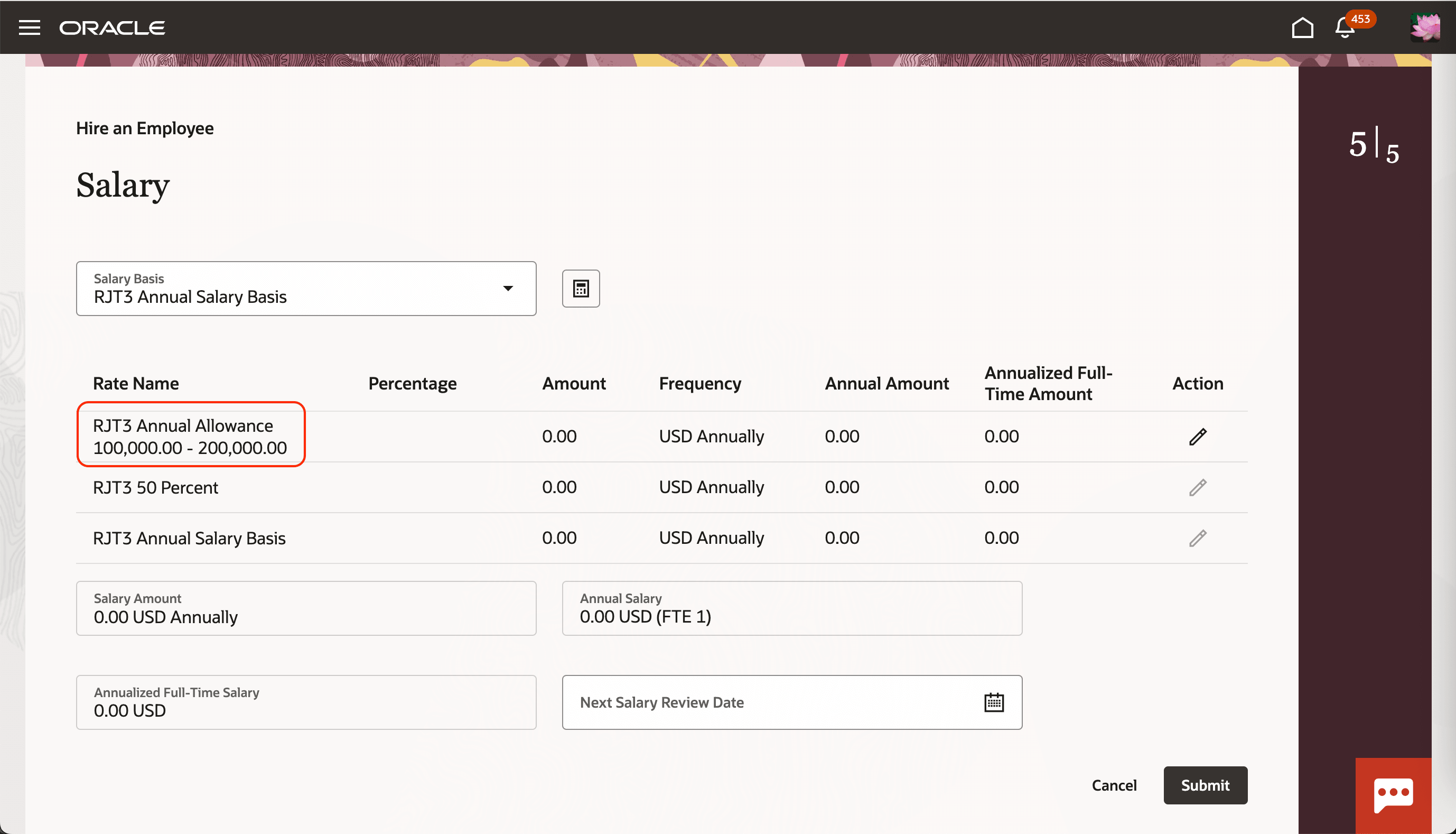
Salary Section on a Hire an Employee Page Showing the Applicable Range under a Rate Definition Name, Before the Page Constant Is Set to Hide the Range
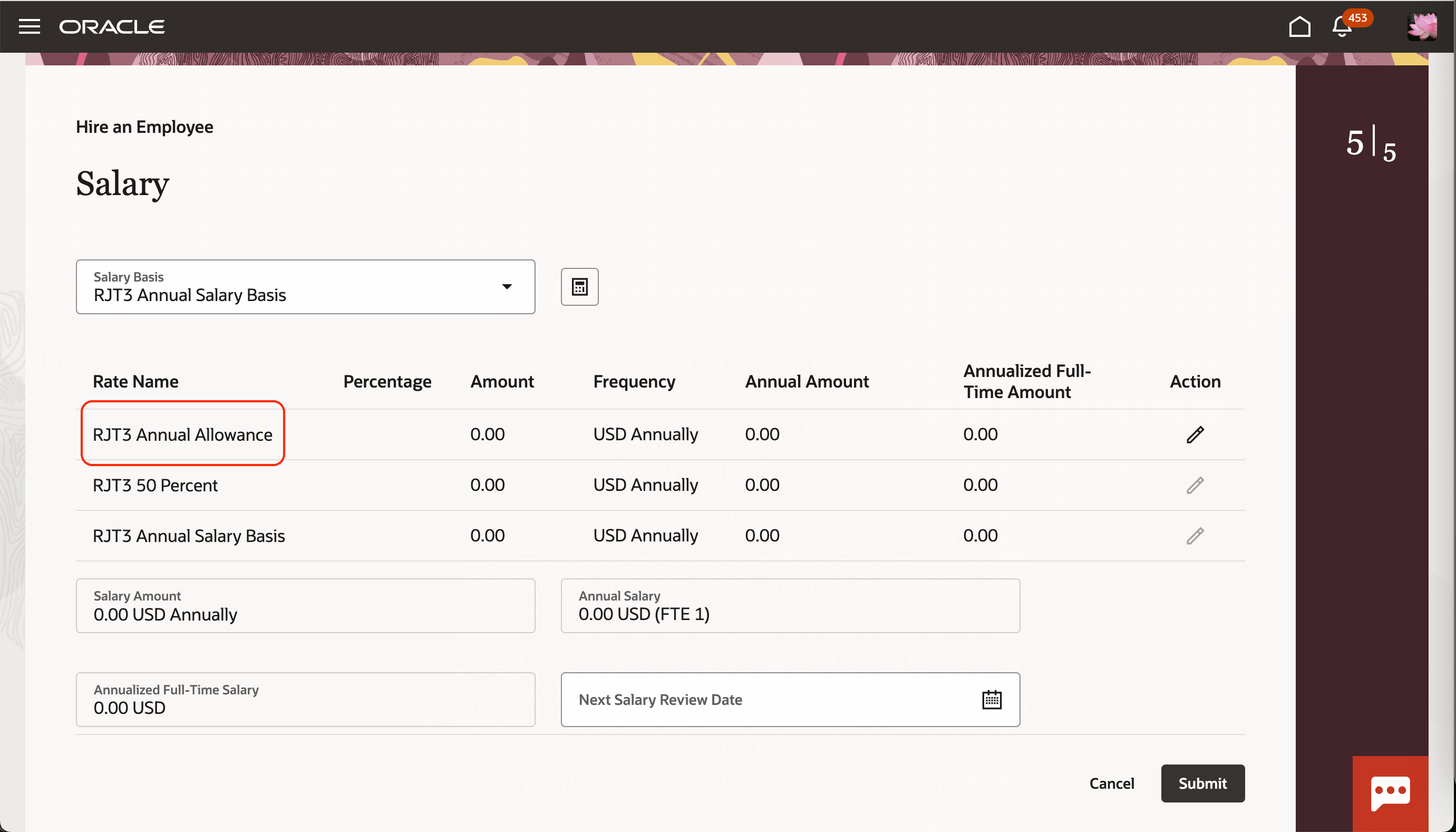
Salary Section on a Hire an Employee Page Without the Applicable Range under a Rate Definition Name, After the Page Constant Is Set to Hide the Range
These enhancements let accelerate your default and validation rule adoption and exclude irrelevant values.
Steps to enable and configure
You don't need to do anything to enable this feature.
Tips and considerations
-
These changes apply to all Redwood salary pages and to salary sections on Global HR and Offer pages, except for the ability to add or remove incremental or simple components for specific roles using page constants, which is not yet available on Offer pages.
-
When both proposed salary basis and proposed salary basis code are configured, the proposed salary basis code takes precedence.
There is no impact to customers who already have Business Rules referencing Proposed Salary Basis—those rules will continue to work as they did.
The key difference is around portability across environments. When a default is set using Proposed Salary Basis, the rule stores the salary basis ID behind the scenes. Because those IDs can differ between instances/environments, customers were required include instance-specific parameters.
Now, customers can use Proposed Salary Basis Code instead of Proposed Salary Basis, which remains consistent across instances. So, for new implementations (and for customers who want migration-safe setup), it’s more efficient to default using Proposed Salary Basis Code rather than the ID-based field.
-
When a salary basis is excluded and you attempt to correct a salary using the excluded value, the salary basis field will be empty.
Key resources
For more details about compensation business rules, see the How do I configure business rules for Redwood salary pages? playbook.
For more details about extending Redwood apps, see these guides:
- Extending HCM Redwood Applications Using Visual Builder Studio
-
Extending Redwood Applications for HCM and SCM Using Visual Builder Studio