 Business Rule Changes in My Compensation
You can now hide sections based on an employee’s current salary and restrict the adjustment percentage to a specified number of decimal places.
Hide Sections Based on Current Salary
Here's the My Compensation page with the default behavior, which shows all sections, even if the current salary is 0.
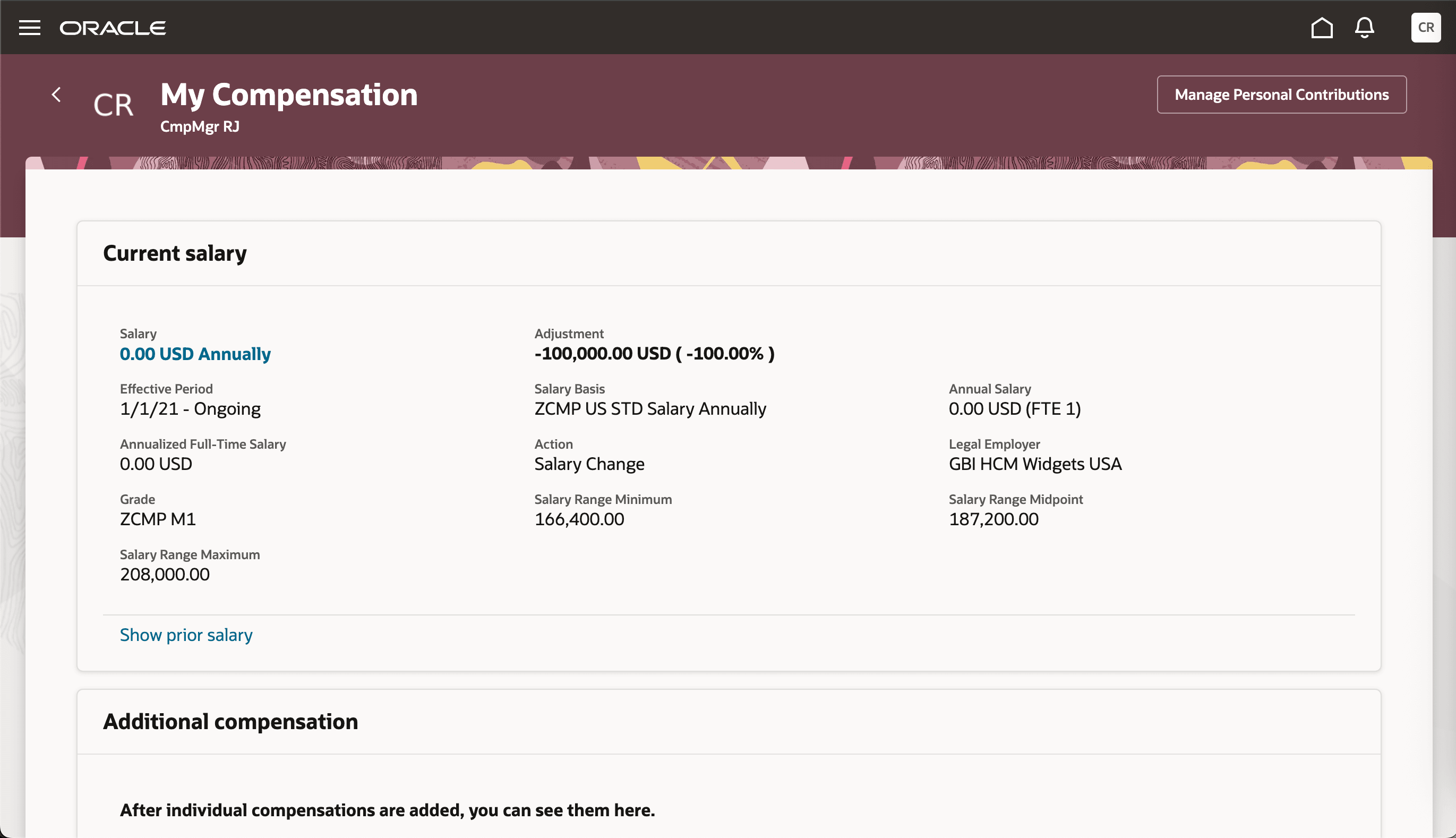
My Compensation Page Showing Default Behavior
Now lets use a business rule to hide the salary and additional compensation sections whenever the current salary is 0.
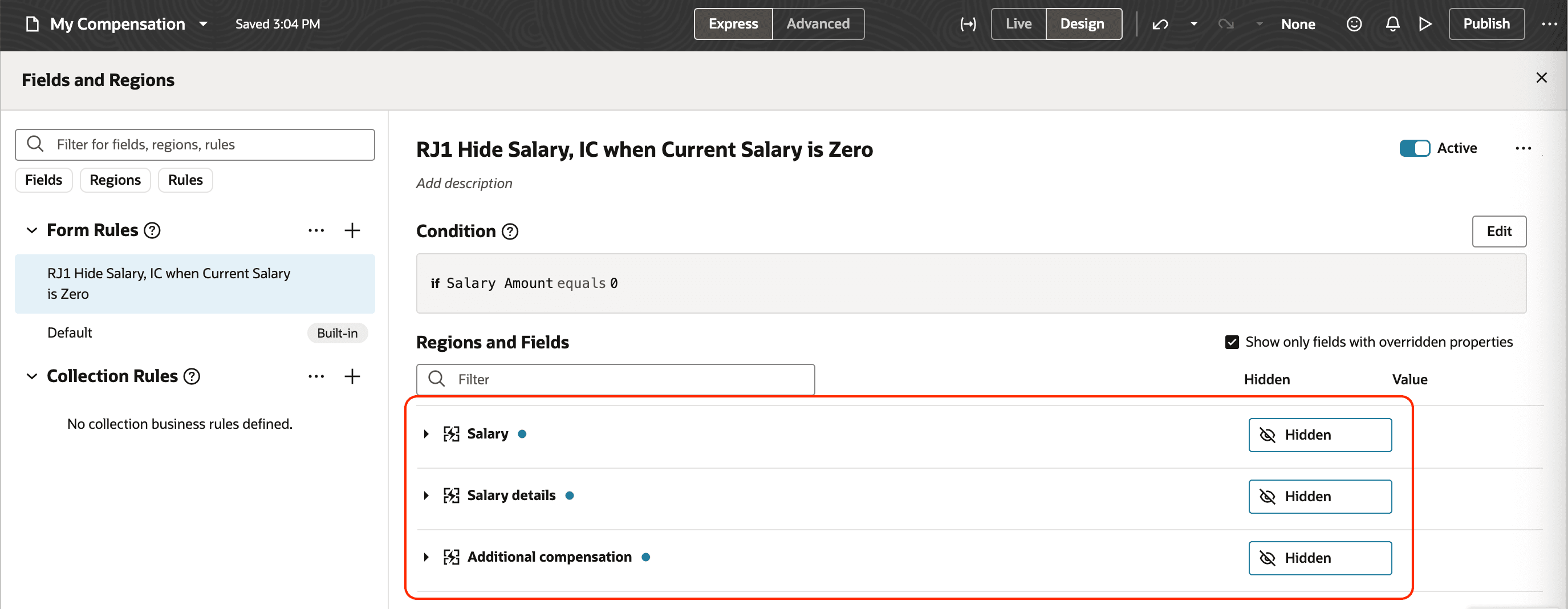
Business Rule Configuration to Hide Sections Whenever the Salary Amount is Zero
You can see how that rule affects the My Compensation page. It doesn't show the Current salary or Additional compensation sections because the current amount is 0.00 USD annually.
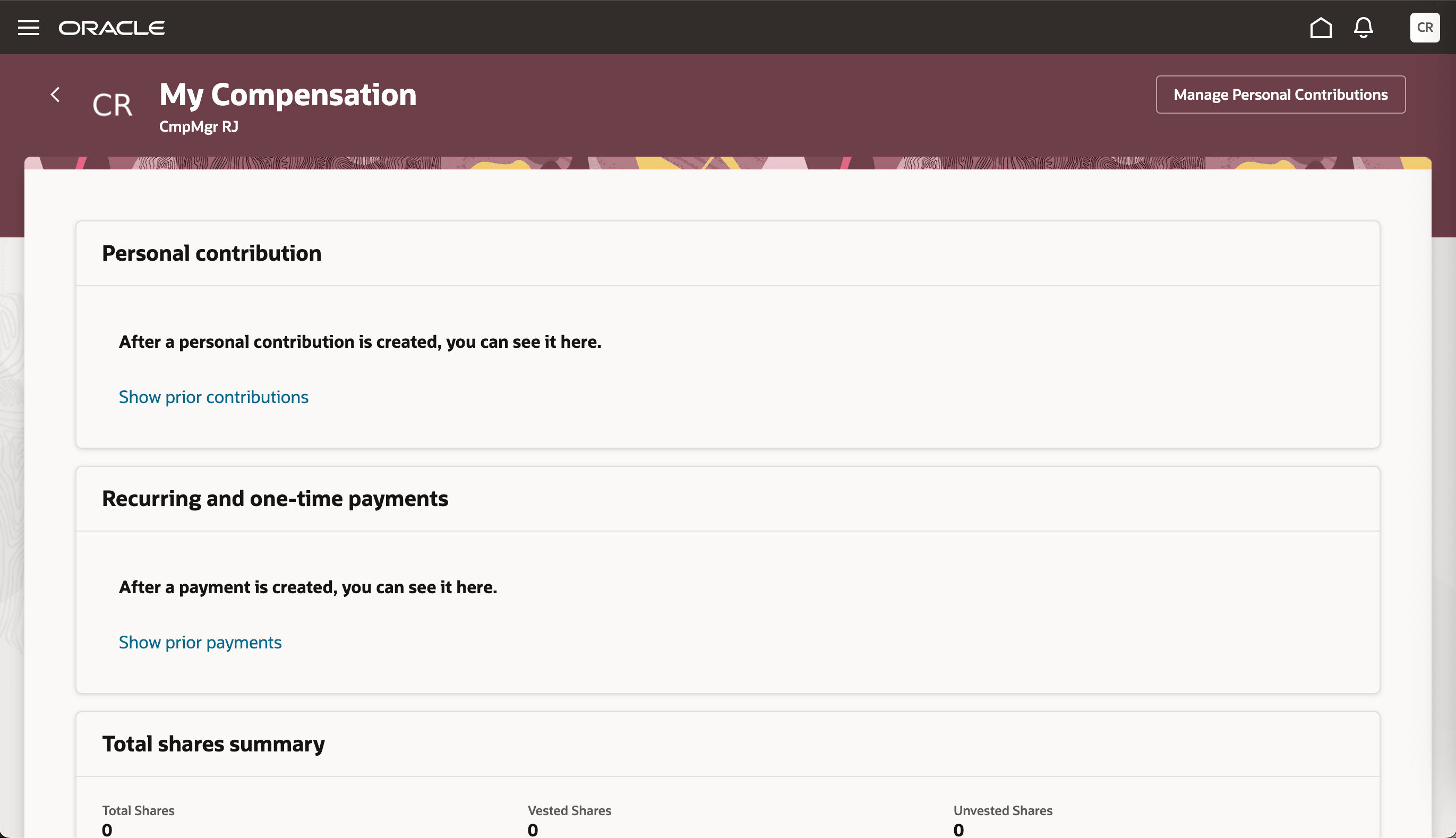
My Compensation Page with the Current Salary Section Hidden
Show 0 Decimals in Adjustment Percentage
Here's the My Compensation page with the default behavior, which shows the Adjustment percentage to two decimal places, +23.96%.
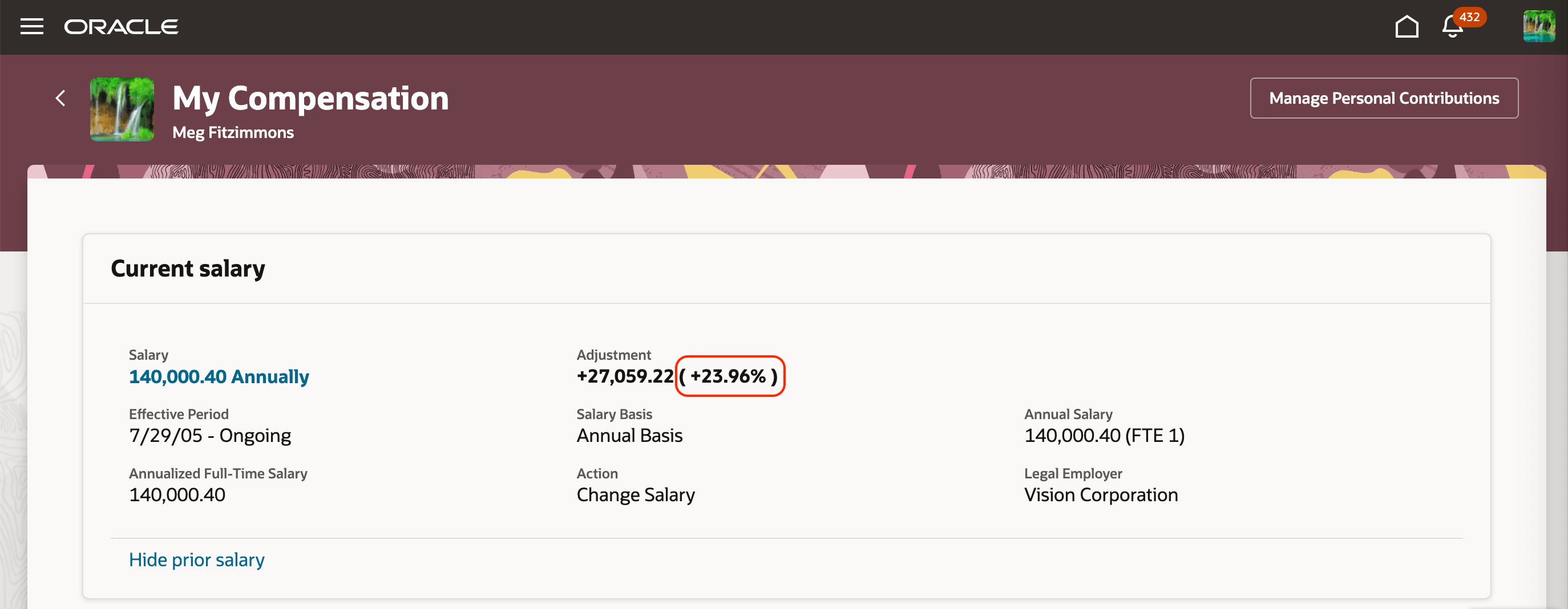
My Compensation Page Showing the Default Adjustment Percentage Behavior
Now lets use a business rule to set the number of decimals to for Adjustment percentage to 0.
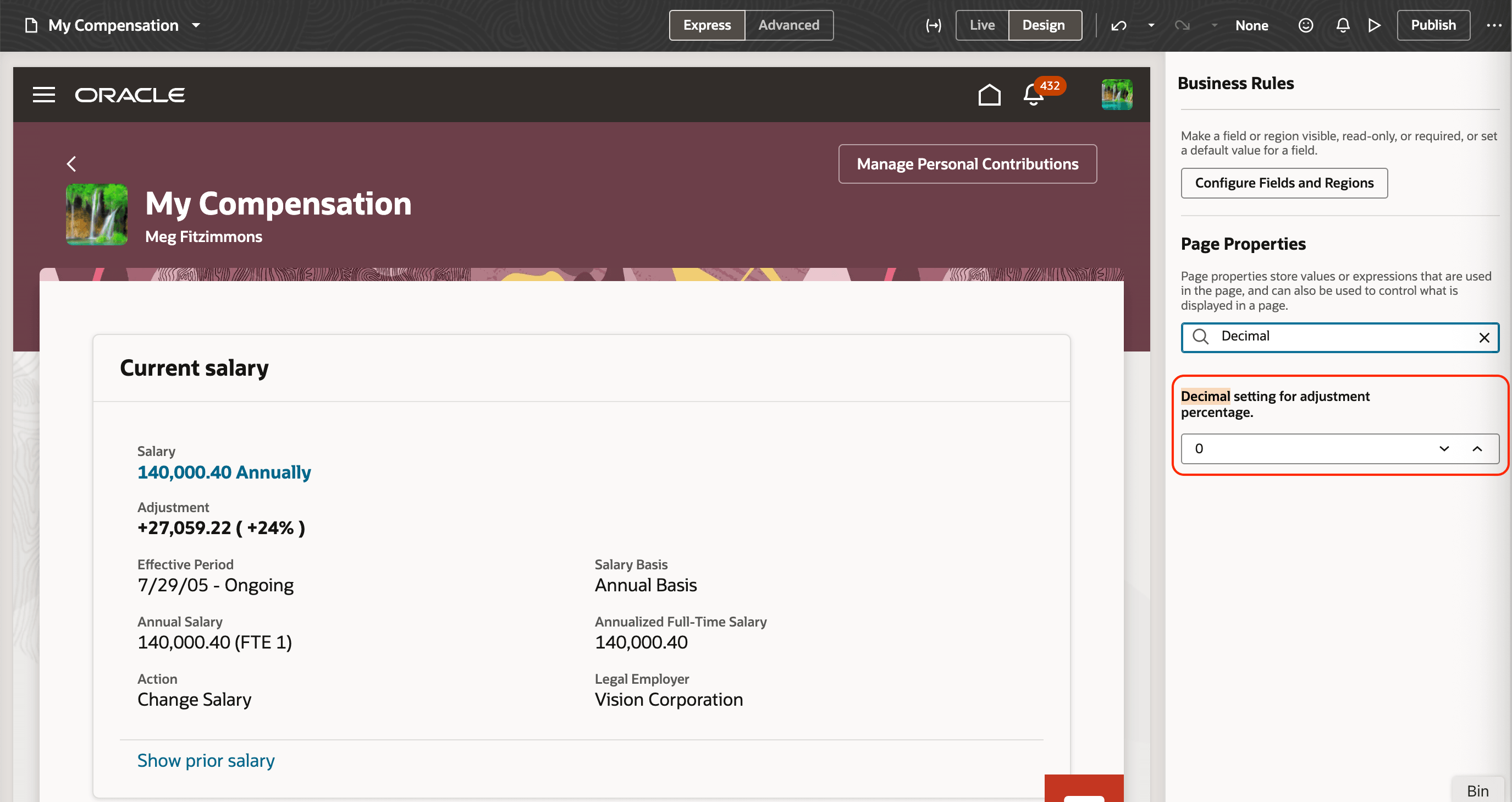
Business Rules Panel Showing the Decimal Setting for Adjustment Percentage as 0
You can see how that rule affects the My Compensation page. The Adjustment percentage is now +24% instead of +23.96%.
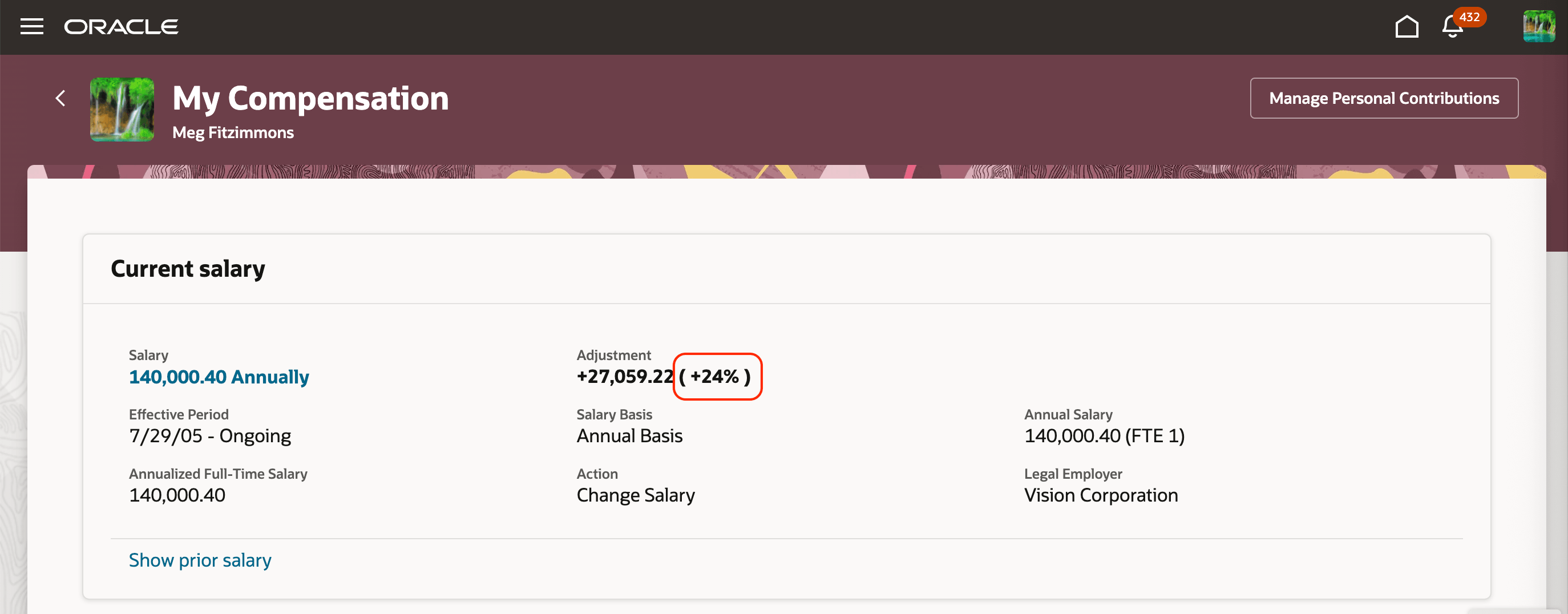
My Compensation Page Showing the Adjustment Percentage with 0 Decimals
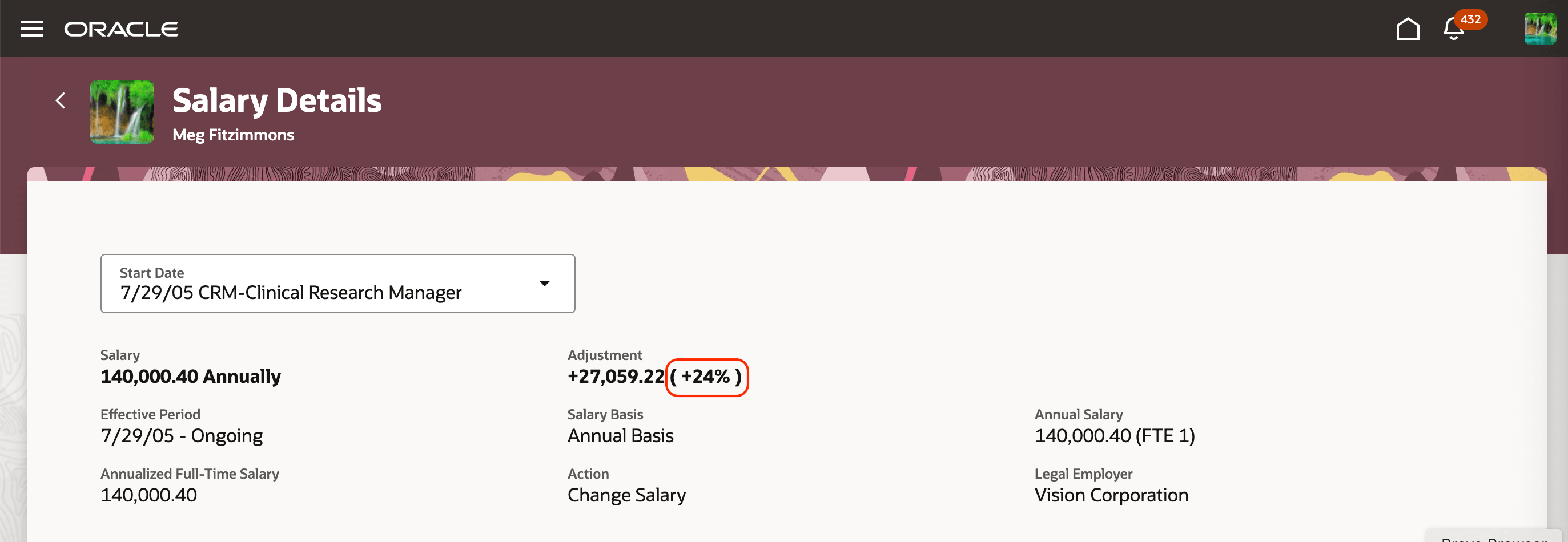
Salary Details Page Showing the Adjustment Percentage with 0 Decimals
These changes give you the flexibility to control what in shows on the page.
Steps to enable and configure
You don't need to do anything to enable this feature.
Key resources
For more information about using business rules with individual compensation and salary, see these playbooks: