 Validate and Calculate on Save in Redwood Individual Compensation Pages
Validations and calculations that previously ran only when you submitted new individual compensation proposals are now also run when you save them.
Calculation Rule Example
Let's review a calculation rule with a fast formula that sets the amount to 1000, 2000, or 3000 USD when the category is 1, 2, or 3, respectively. We associate the rule with a payroll element that we then associate with an individual compensation plan option.
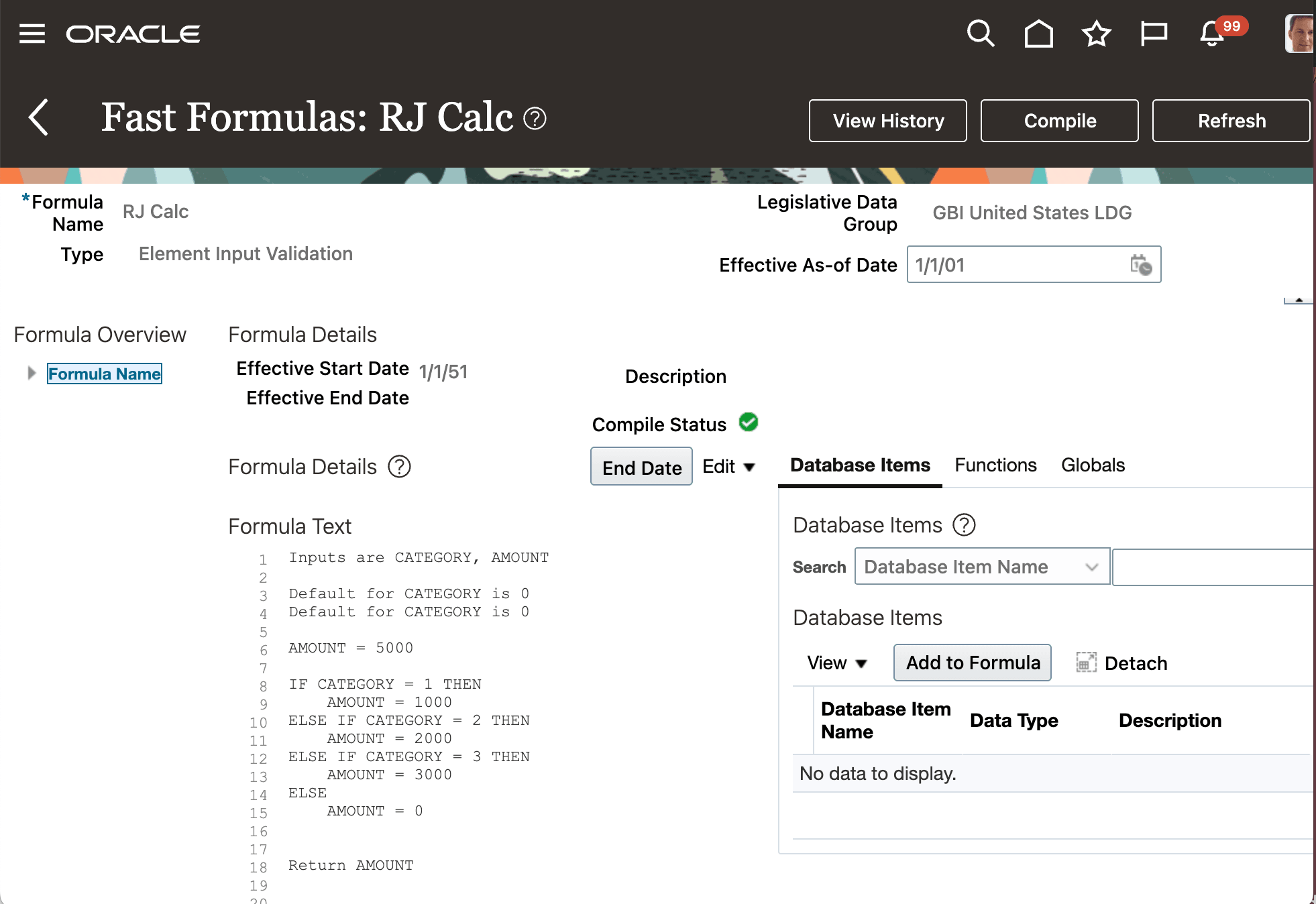
Fast Formula That Assigns an Amount of 1000, 2000, Or 3000 When the Category Is 1, 2, Or 3, Respectively
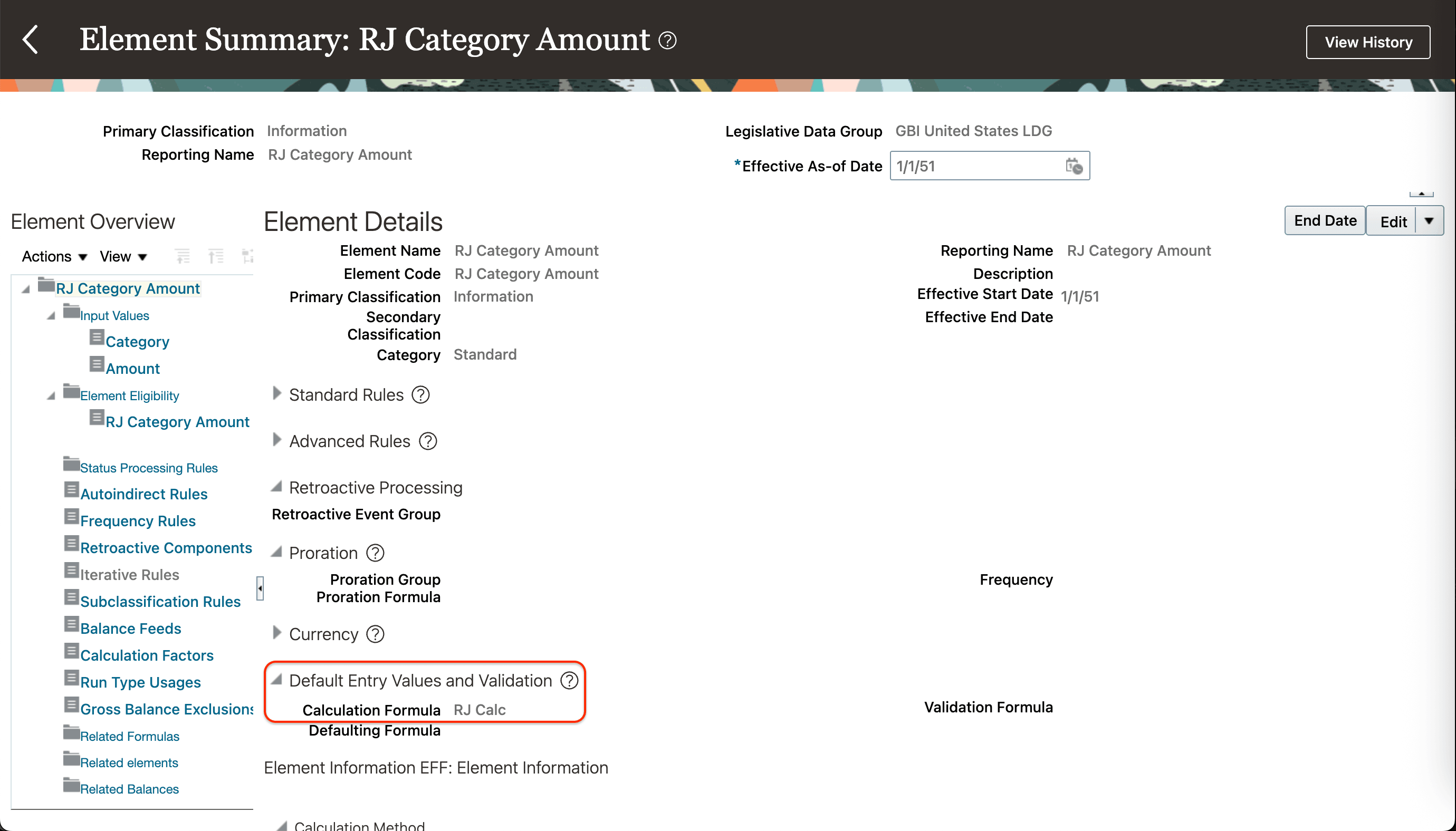
Fast Formula Attached to a Payroll Element
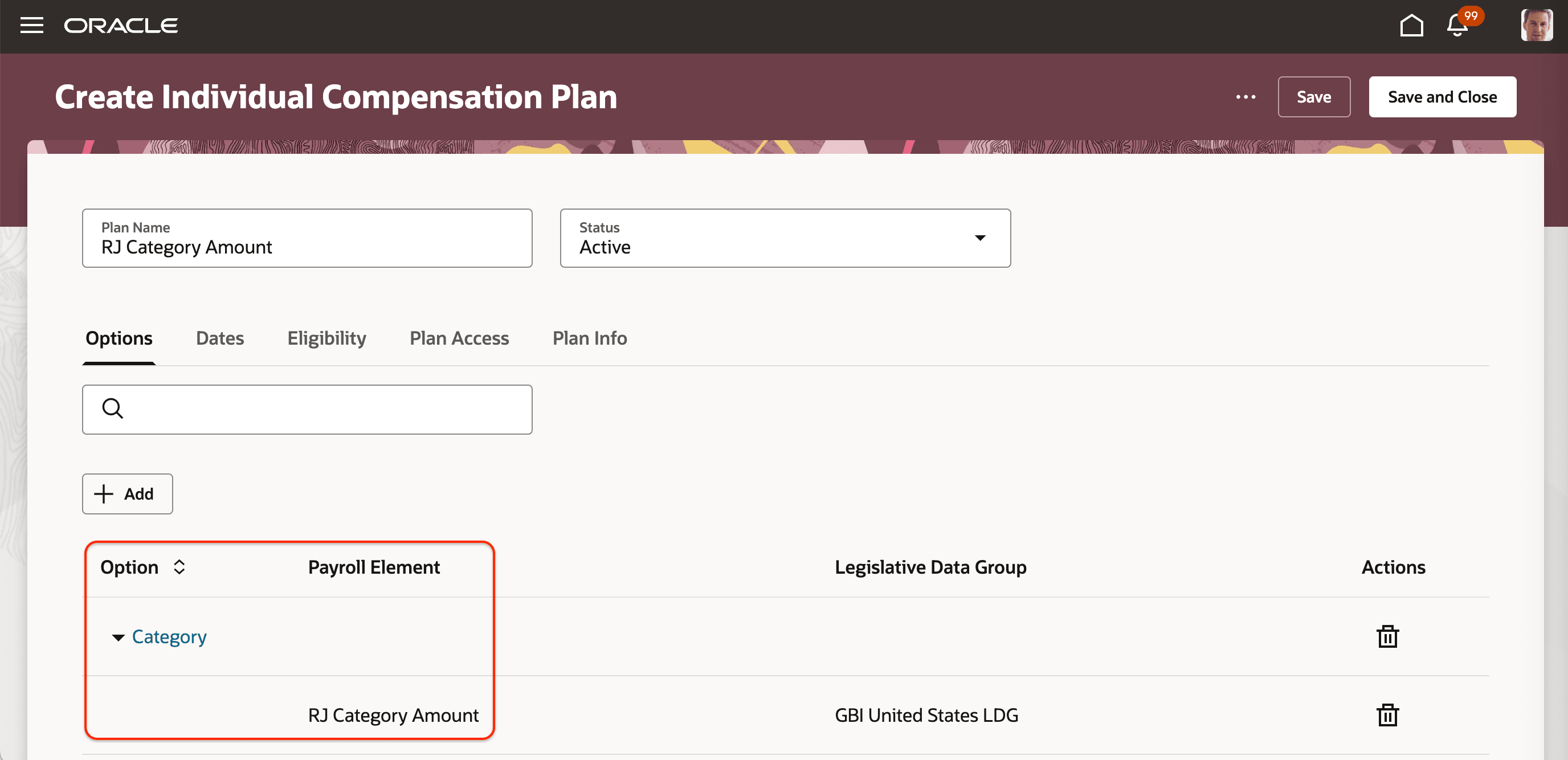
Element Attached to an Individual Compensation Plan
A manager or HR specialist proposes new individual compensation that includes the option with the calculation rule, enters the category, such as 1, and saves the proposal. The associated rule then calculates the proposed amount to be 1,000.00 USD.
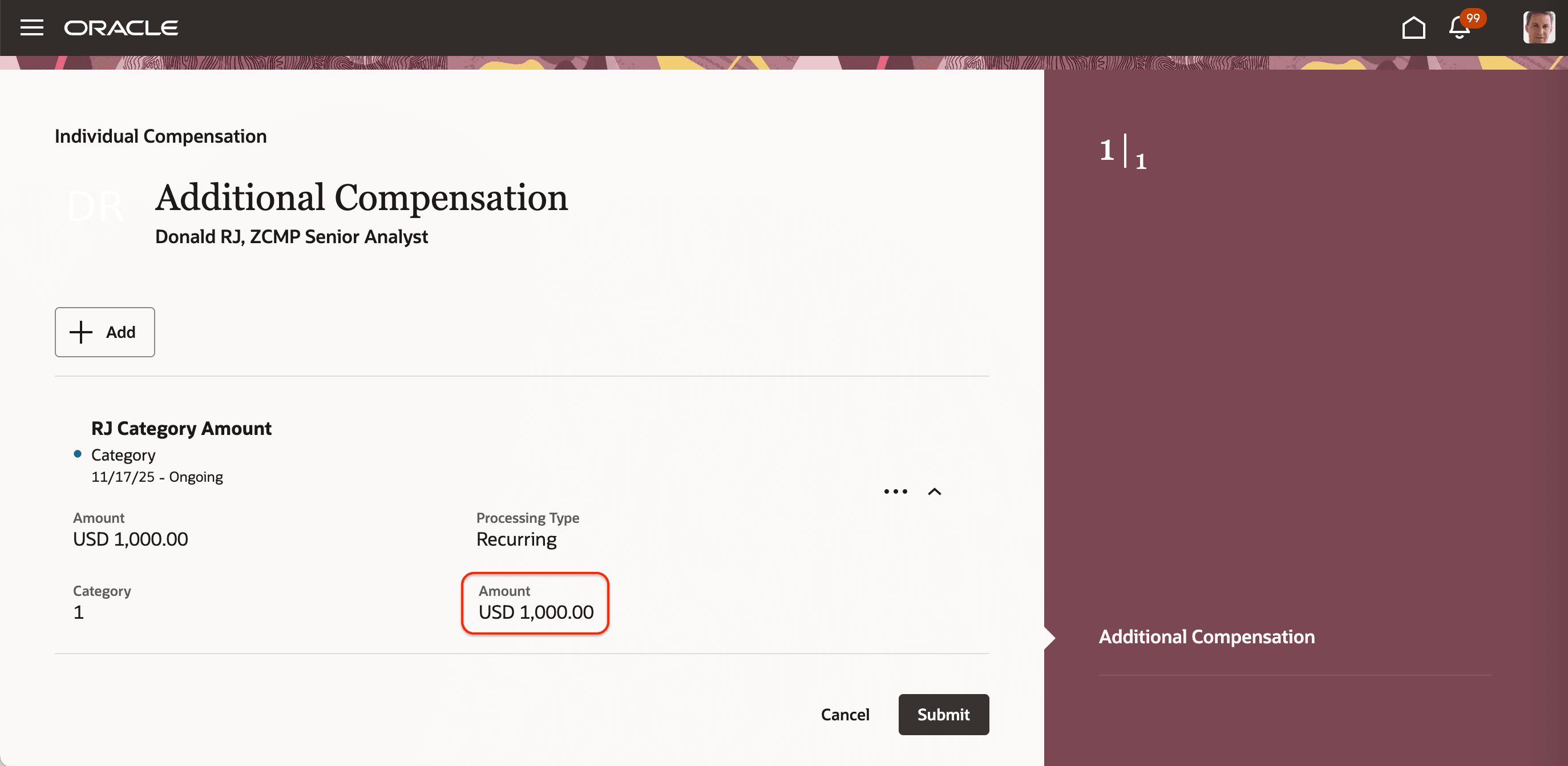
New Proposal Showing the Calculated Amount
Validation Rule Example
Let's review a validation rule with a fast formula that ensures the category is greater than 1. We associate the rule with a payroll element that we then associate with an individual compensation plan option.
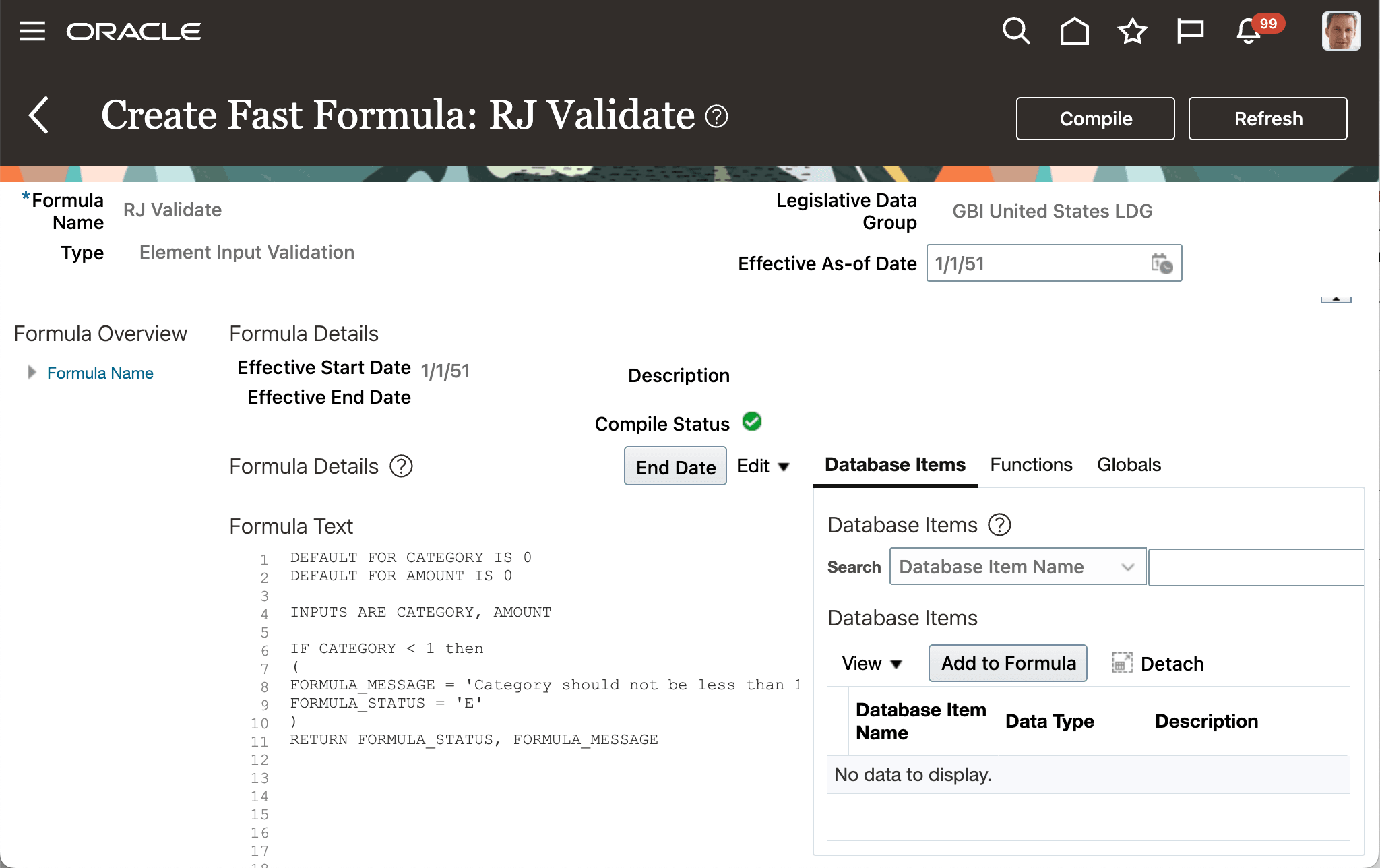
Fast Formula Validating That the Category Is Greater Than 1
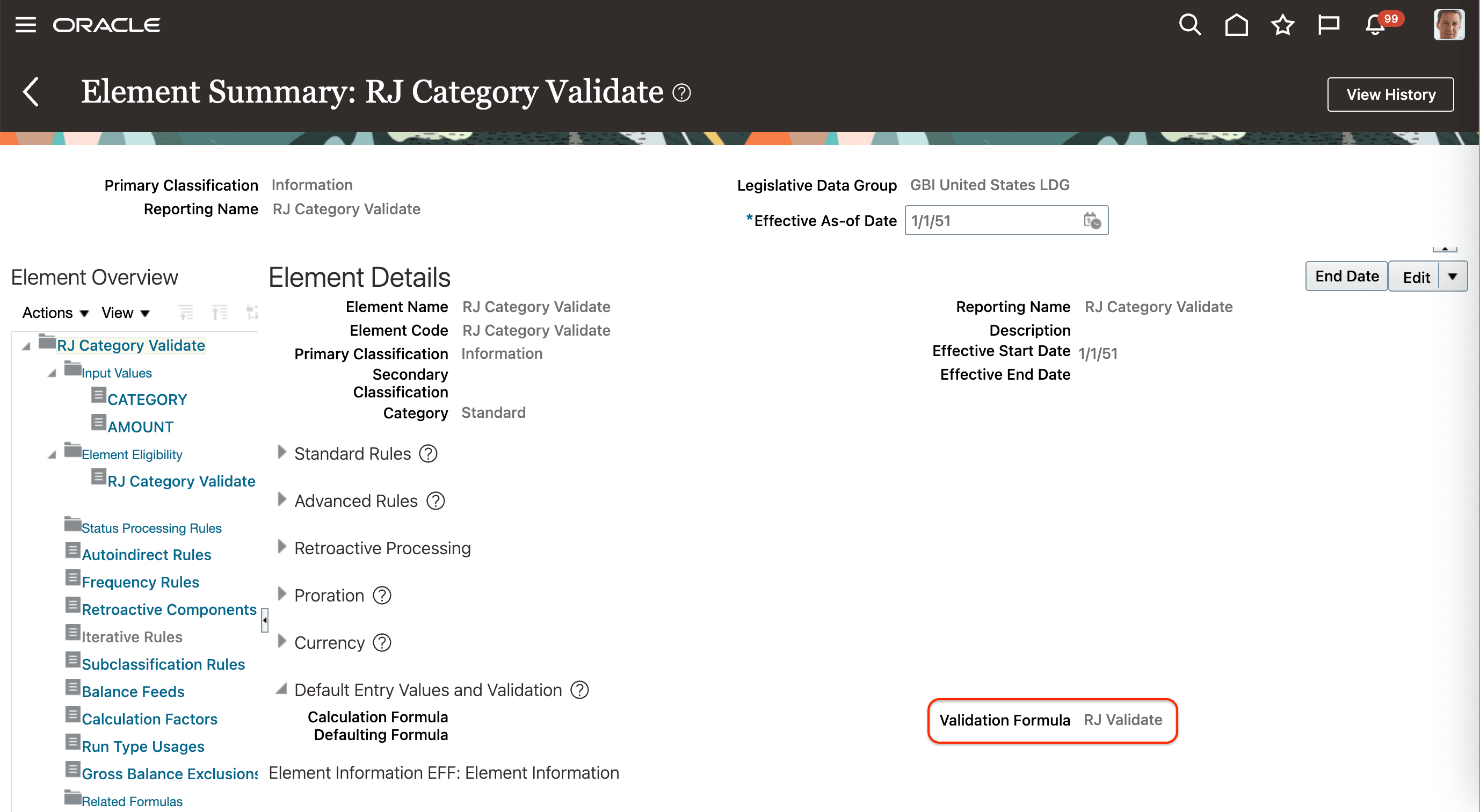
Fast Formula Attached to a Payroll Element
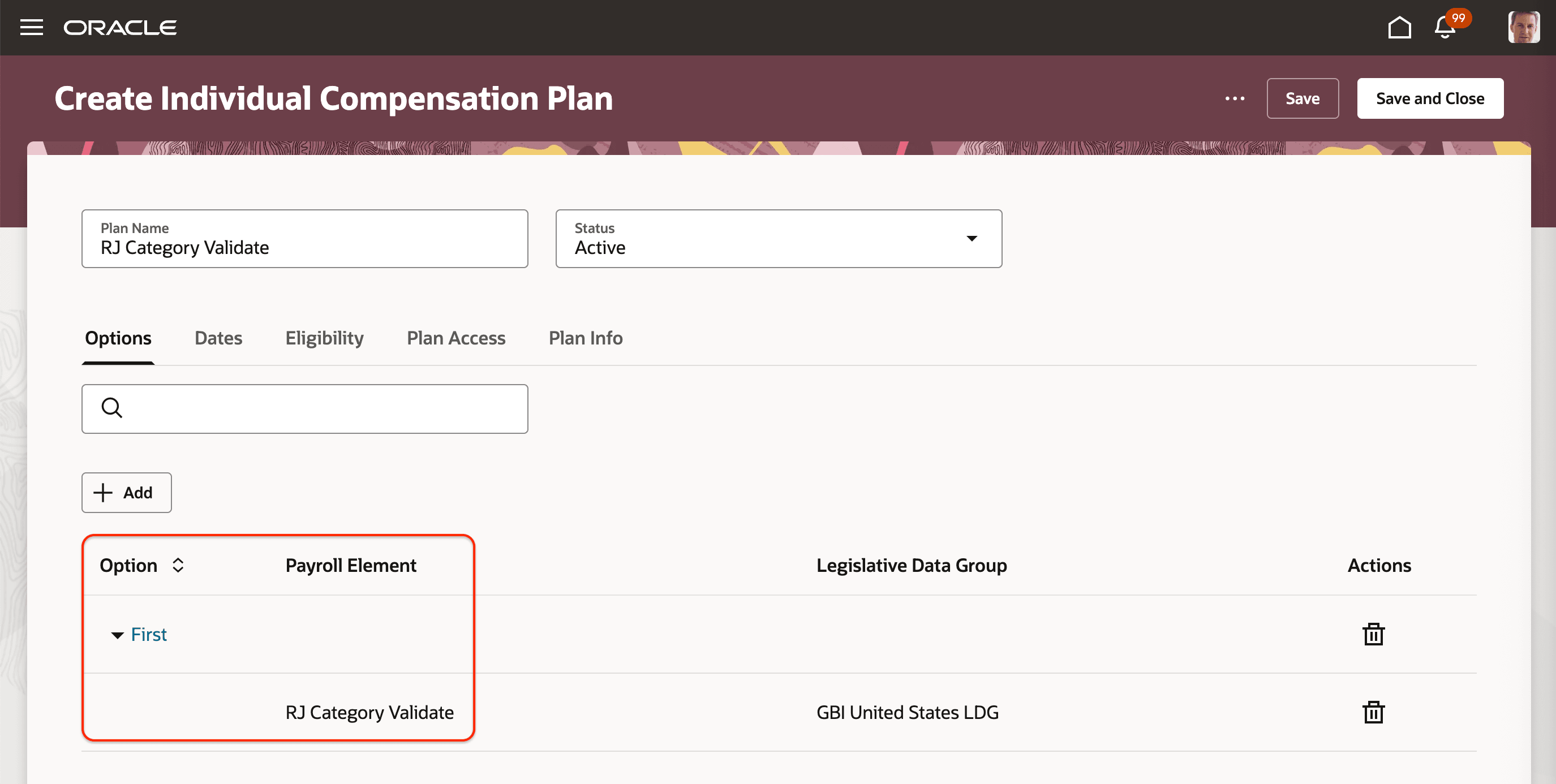
Element Attached to an Individual Compensation Plan
A manager or HR specialist proposes new individual compensation that includes the option with the validation rule, enters the category, such as .3, and saves the proposal. The associated rule then shows an error message because the category isn't greater than 1.
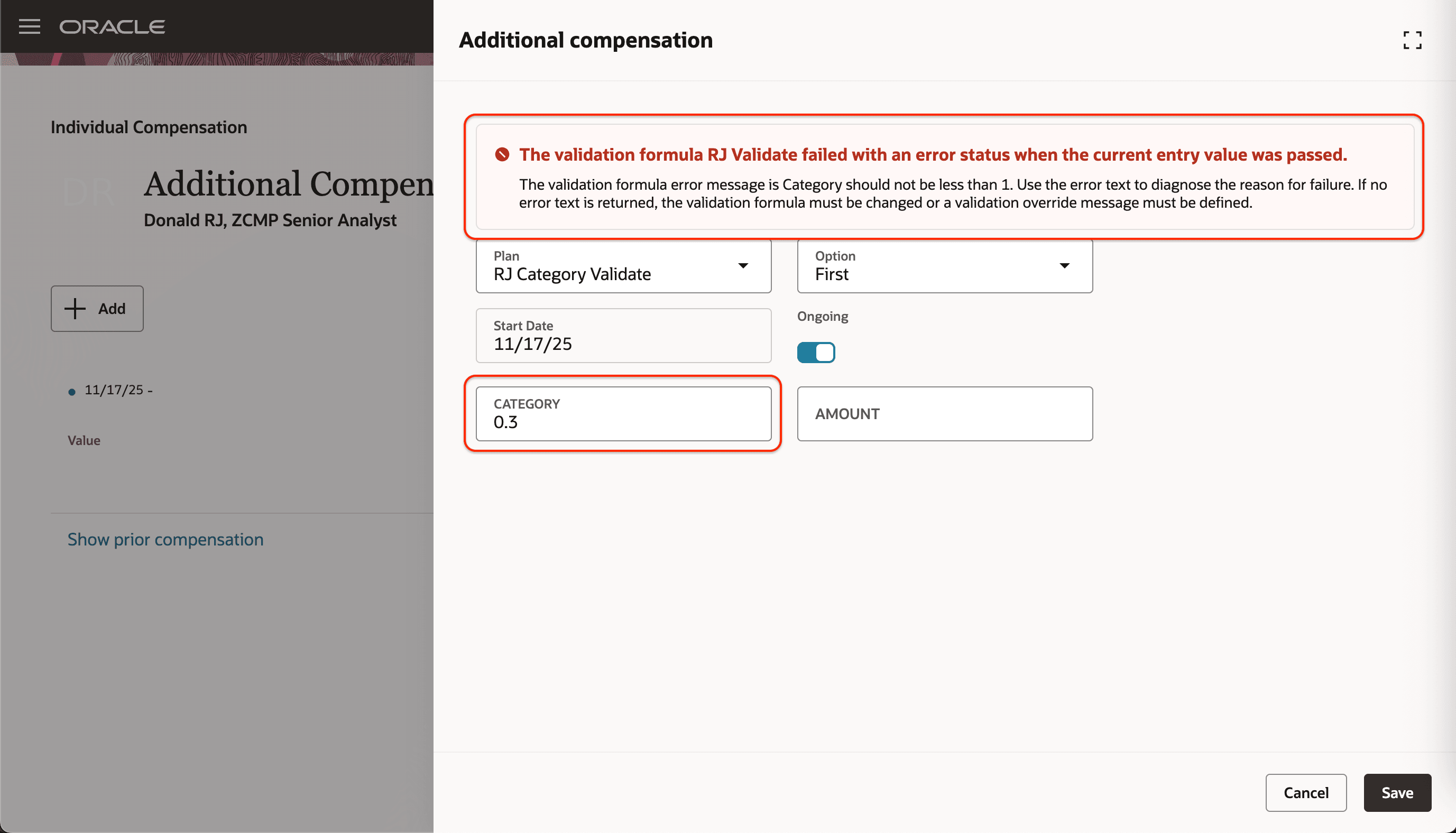
New Proposal Showing the Validation Error Message
General Comparison Between the Current and Previous Release Defaulting and Validation in Create and Update Flows:
These are the comparisons for the element setup that supports defaulting. Create flows include New Hire, Add Pending Worker, and Global Transfer. Update flows include Promote, Change Assignment, and Transfer.
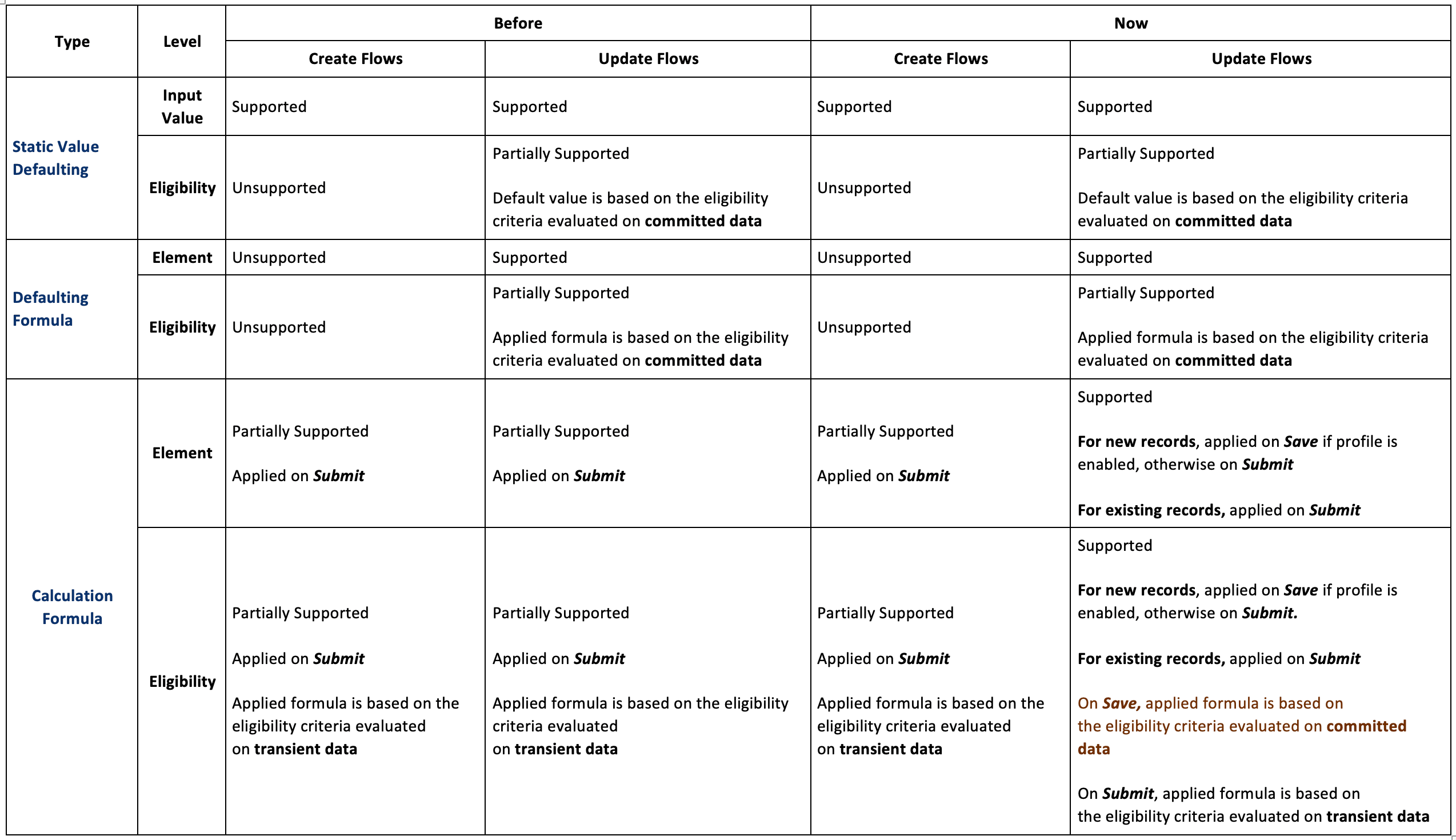
Comparison
There are the comparisons for the element setup that supports validations.
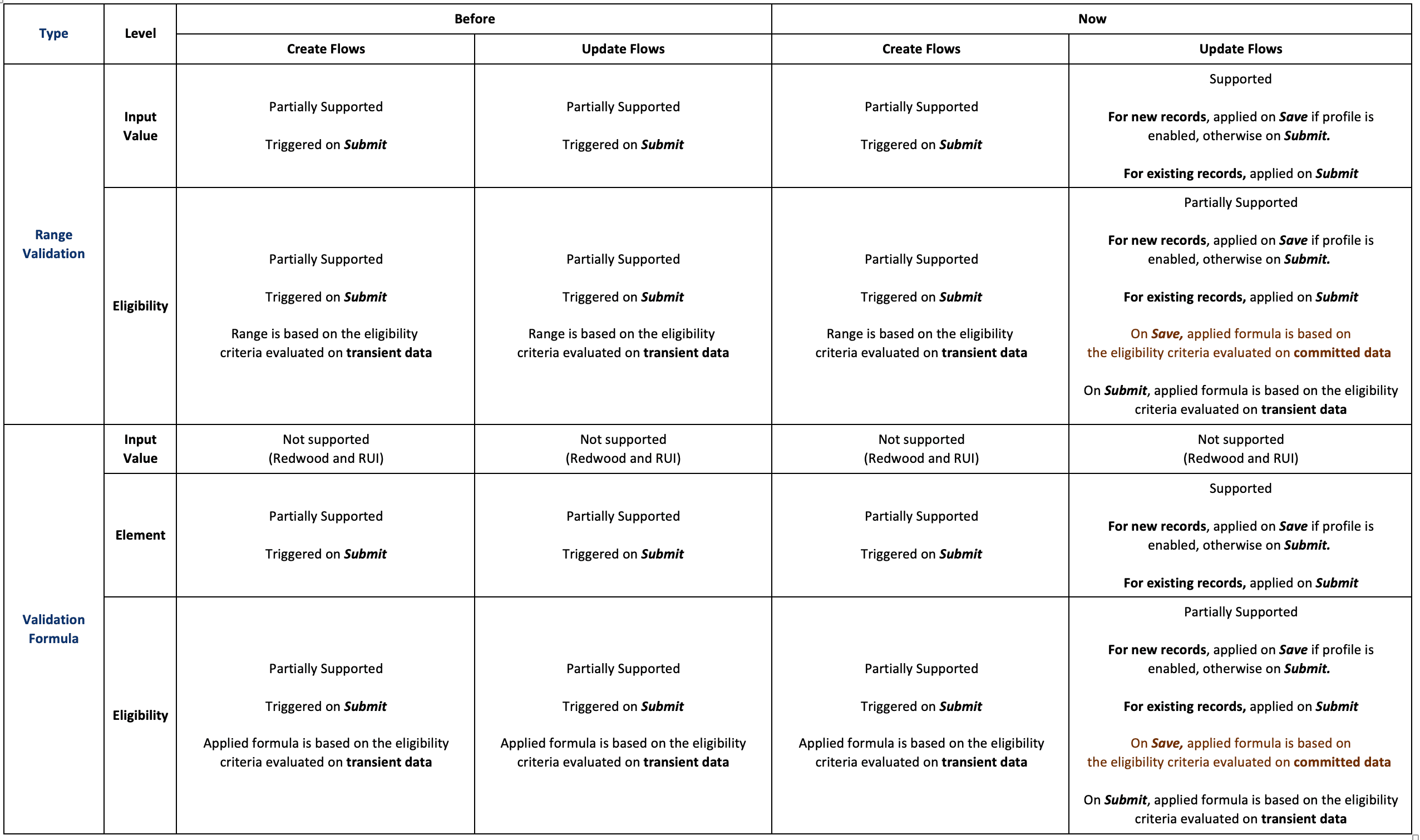
Comparison
These enhancements accelerate your validation and default rule adoption.
Steps to enable and configure
You need to set the site-level value to Yes for the ORA_CMP_VALIDATE_CALCULATE_ICP_ON_SAVE profile option. Go Setup and Maintenance > Tasks panel Search > Manage Administrator Profile Values.
Tips and considerations
- These enhancements applies to new individual compensation allocation proposals. They'll be extended in the future to include edits, such as corrections, end-dating, and date-effective updates.
- Calculations: After you save a new proposal, the calculated input value appears on the main page.
- Validations: Any validation messages appears in the compensation drawer.
-
The following scenarios are not currently supported and are planned for a future release:
- Deleting a committed record and creating a new record with the same effective date
- End-dating a committed record and creating a new record with a start date after the end date