Redwood Experience for Workforce Compensation Approval Worksheet
Enrich the manager experience with the new Workforce Compensation Approval worksheet developed using the Redwood tool set when you enable it along with the Redwood experience. Managers will access the new Approval worksheet from the Approve tab on the Landing Page.
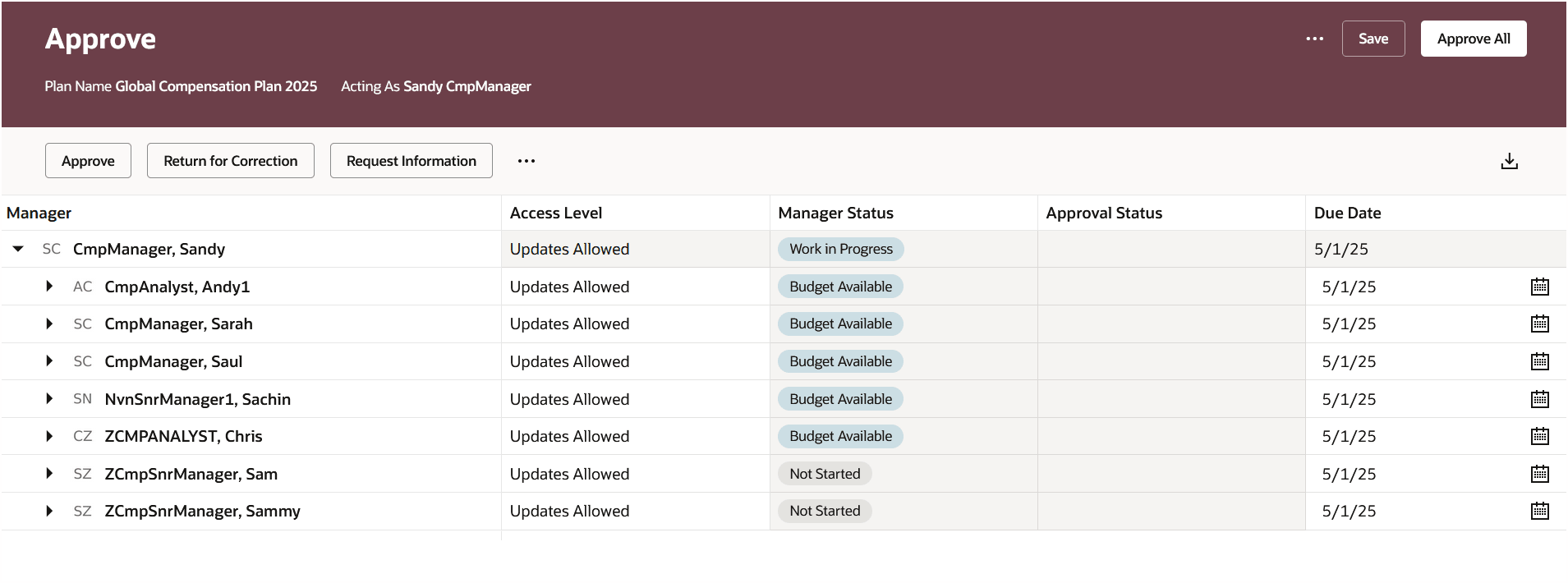
Approval Worksheet
The ability to change access and due dates for all managers is in the overflow menu, along with the ability to view the approval chain:
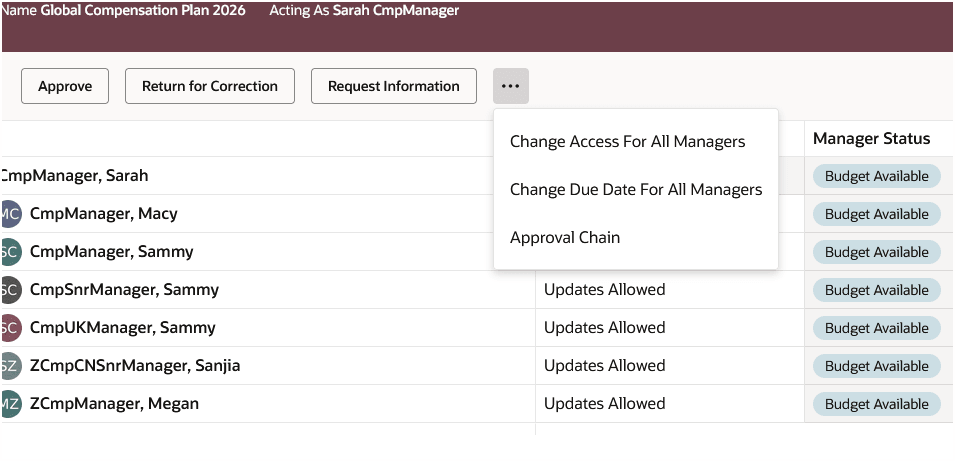
Approval Overflow Menu
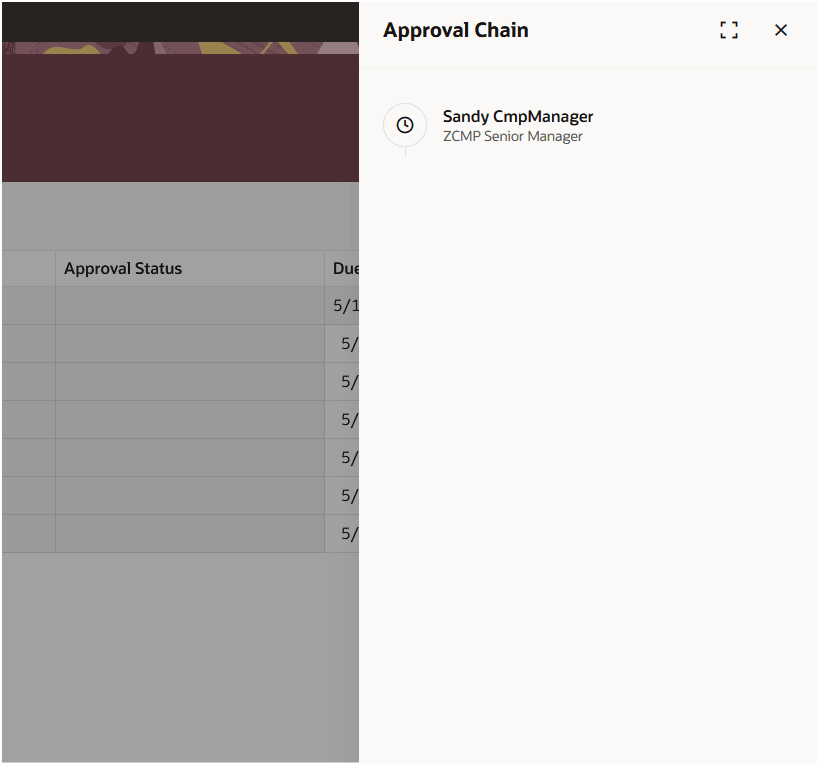
Approval Chain
Action History is available in a panel drawer after selecting the icon in the Approval sheet.
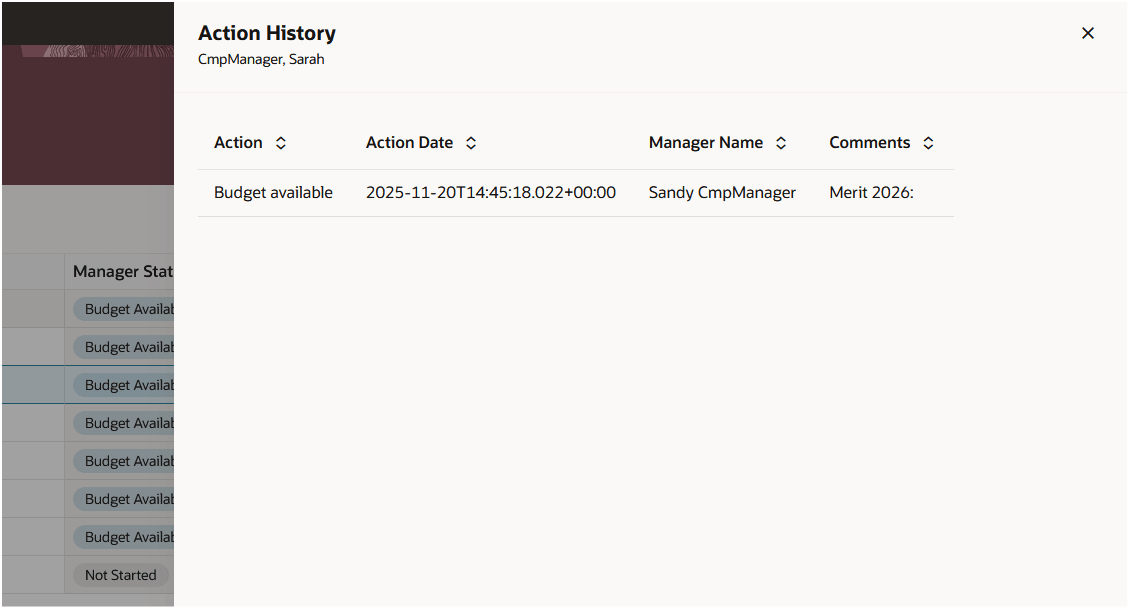
Action History
With this re-created Redwood page, you continue your journey into Oracle Redwood solutions.
Steps to enable and configure
You need to enable all of these profile options to enable the Redwood page.
| Profile Option Code | Profile Option Description | Default Value |
|---|---|---|
| ORA_HCM_VBCS_PWA_ENABLED | Enable VBCS Progressive Web Application User Interface | No |
| ORA_CMP_WORKFORCE_COMPENSATION_REDWOOD_ENABLED | Enable the redwood workforce compensation pages. |
No |
| ORA_CMP_WFC_LANDING_PAGE_REDWOOD_ENABLED | Enable the controlled release of redwood workforce compensation landing page. | No |
| ORA_CMP_WFC_APPROVAL_REDWOOD_ENABLED | No |
To revert to the non-Redwood page, set the site-level profile value to No for this profile option.
To configure a profile option, complete these steps in the Setup and Maintenance work area:
-
Search for and click the Manage Administrator Profile Values task.
-
Search for and select the profile option.
-
Set the Level to Site.
-
In the Profile Value field, select a value.
Tips and considerations
Only the ability to download using the View in Workbook feature is available at this time. The ability to report on or analyze approval data will be part of a future release.