Global Payroll Interface Enhanced With Output Value Transformation
Configure and apply no-code value transformations to convert HCM values extracted in Global Payroll Interface into the formats required by the payroll partner system.
Value Maps are translation rules used in Oracle Payroll Interface to convert Oracle Cloud values (such as lookups, element names, statuses, and codes) into the equivalent values required by the external payroll system.
This enhancement provides a fully configurable infrastructure supporting direct or simple value maps.
Customers who use Global Payroll Interface template to integrate with non-Payroll Connect partners can now convert the standard GPI output xml file to to their consumable format.
With this fully configurable infrastructure you can make the payroll interface solution more robust, flexible and suitable to all types of partners.
Values produced by payroll interfaces generated using Global Payroll Interface template, improve implementation efficiency, accuracy and consistency.
Steps to enable and configure
To configure value transformations follow these steps:
- Generate the payroll interface using Global Payroll Interface template.
- Configure a value map for the payroll interface created in Step 1.
- Navigate to My Client Groups>Data Exchange>Configure Payroll Connect Value Maps.
- This page contains the options to search existing value maps or to create new value map.
- To create a new value map click the + sign or search for existing value maps and enter these values:
-
Search Parameter Description Name Name of the Value Map. Consumer Name of the consumer (payroll partner). Source Template Name of the source template for which the value map is configured. Legislative Data Group (LDG) Name of the Legislative Data Group (LDG).
-
4. Configure value map rules for the required attributes, for example Title. Provide the Internal Value and External Value as required.
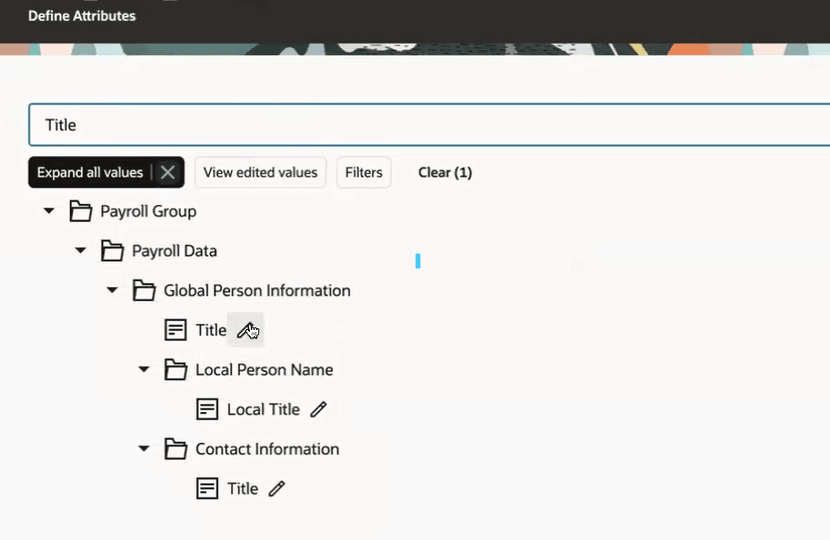
Value Map Rules for attributes
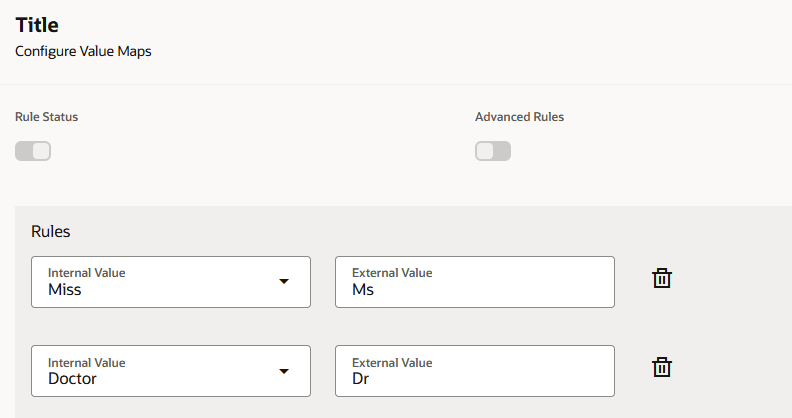
Value Map Rules for Title attribute
5. To get the value transformed output: Navigate to Submit a flow and select Run Payroll Connect Interface with Value Transformation flow. Enter the values for the parameters as shown here:
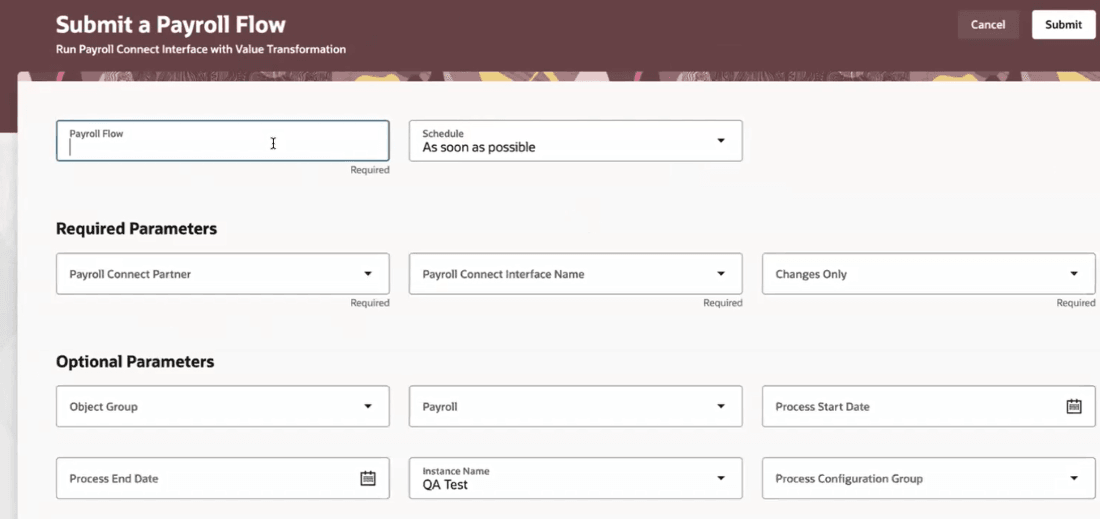
Run Payroll Connect Interface with Value Transformation
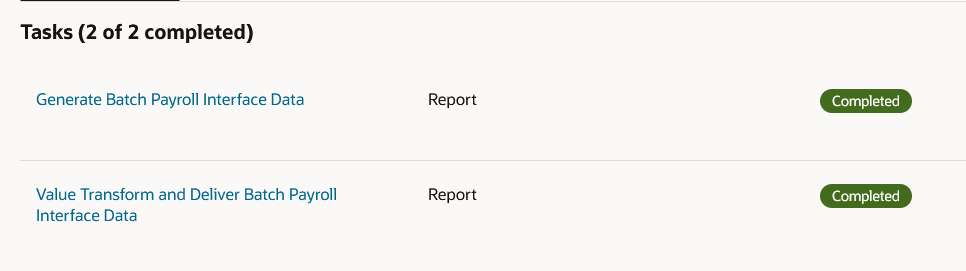
6. This flow has two tasks :
-
- Generate Batch Payroll Interface Data. This task generates the raw output file.
- Value Transform and Deliver Batch Payroll Interface Data: This task applies the value transformation on the raw output file from the above task and gives an xml output file.
-
Tasks in Flow