Ability to Hide Buttons in Redwood Workforce Structure Pages
You can now hide specific buttons within Redwood workforce structure pages by using new page properties. This provides you more flexibility and control over what users see on these pages.
Note: For more information, see the Steps to Enable section of this What’s New.
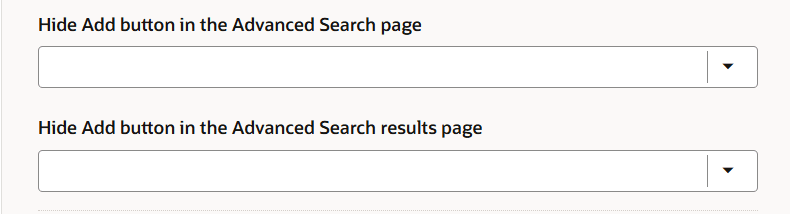
Page properties to hide the buttons on the Jobs search page
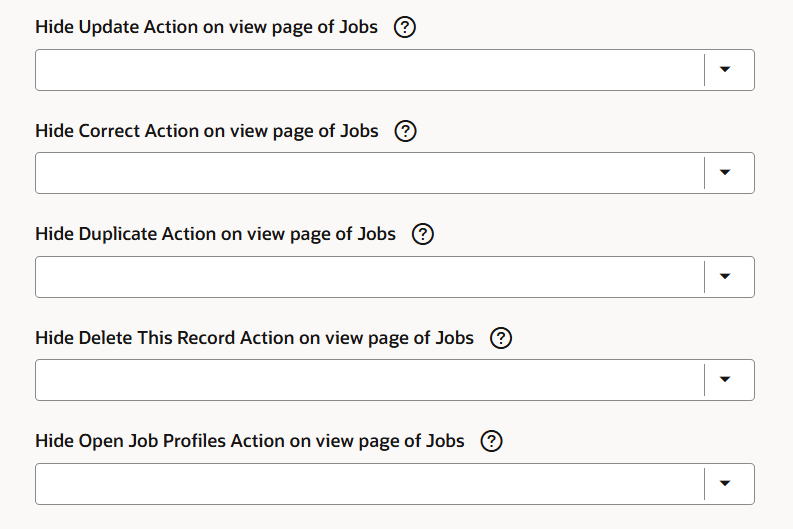
Page properties to hide the buttons on the Jobs view page
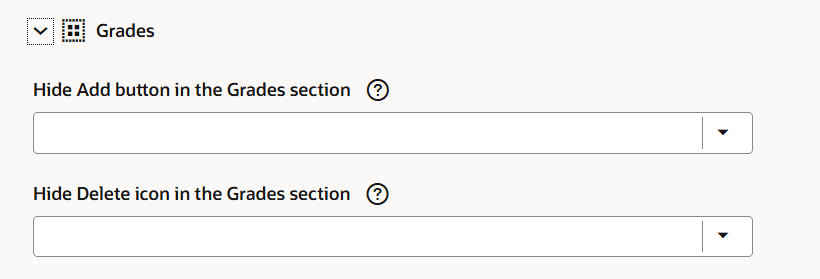
Page properties to hide the buttons in the Valid Grades section of the Jobs Update and Create pages
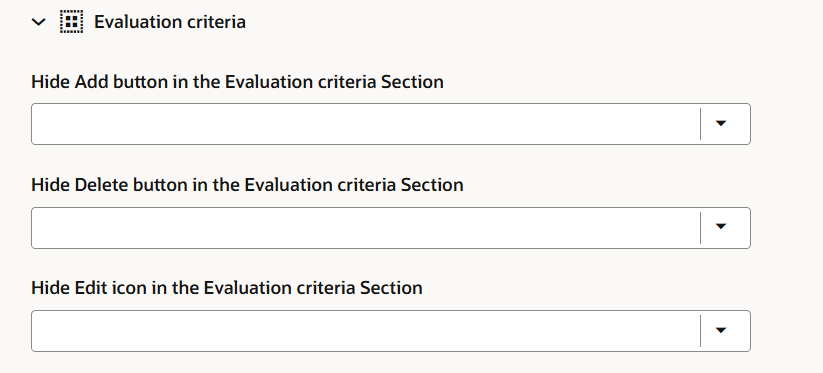
Page properties to hide the buttons in the Evaluation criteria section of the Jobs Update and Create pages
This enhancement allows administrators to streamline the user interface by hiding buttons that aren't relevant, thus reducing confusion for end users and ensuring consistency across the Redwood workforce structures pages.
Steps to enable and configure
For more information, see How do I hide buttons on Redwood workforce structure pages?
For information on controlling buttons and messages using page properties, see this chapter - Working with Page Properties in the Extending Redwood Applications for HCM and SCM Using Visual Builder Studio guide.
Key resources
Here are the topics we recommend on getting started with Express Mode.
- Refer to the following documentation in this order:
- Express Mode in VBS for detailed instructions on using specific Express Mode features.
- Extending Redwood Applications for HCM and SCM Using VB Studio for details on what’s supported by HCM.
- You can refer to the VB Studio documentation "Configure an Oracle Cloud Application" to check the steps to access VB Studio from a Redwood page.
- Extending HCM Redwood Applications Using Visual Builder Studio
- Refer to the Customer Connect forum Visual Builder Studio for HCM