Work Pattern Enhancements
Work pattern creation and maintenance just became more flexible and precise. With one-minute accuracy now always on, you can specify exact start, end, work, and break times in all work patterns, templates, and enterprise shifts. Gone are the older validation settings and 15-minute rounding. For organizations leveraging auto-provisioning, if a worker is eligible for multiple templates, the app doesn't picks one automatically. It now alerts a manager to review and assign the correct template. Eligibility targeting is more streamlined too: Business Units are now available for use as a condition in template assignment.
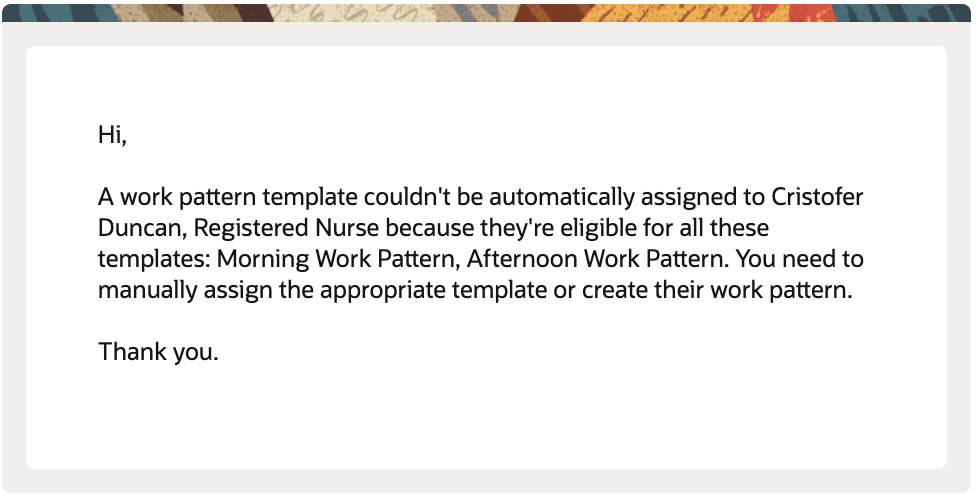
Notification Sent to Managers When Template Can't Be Assigned
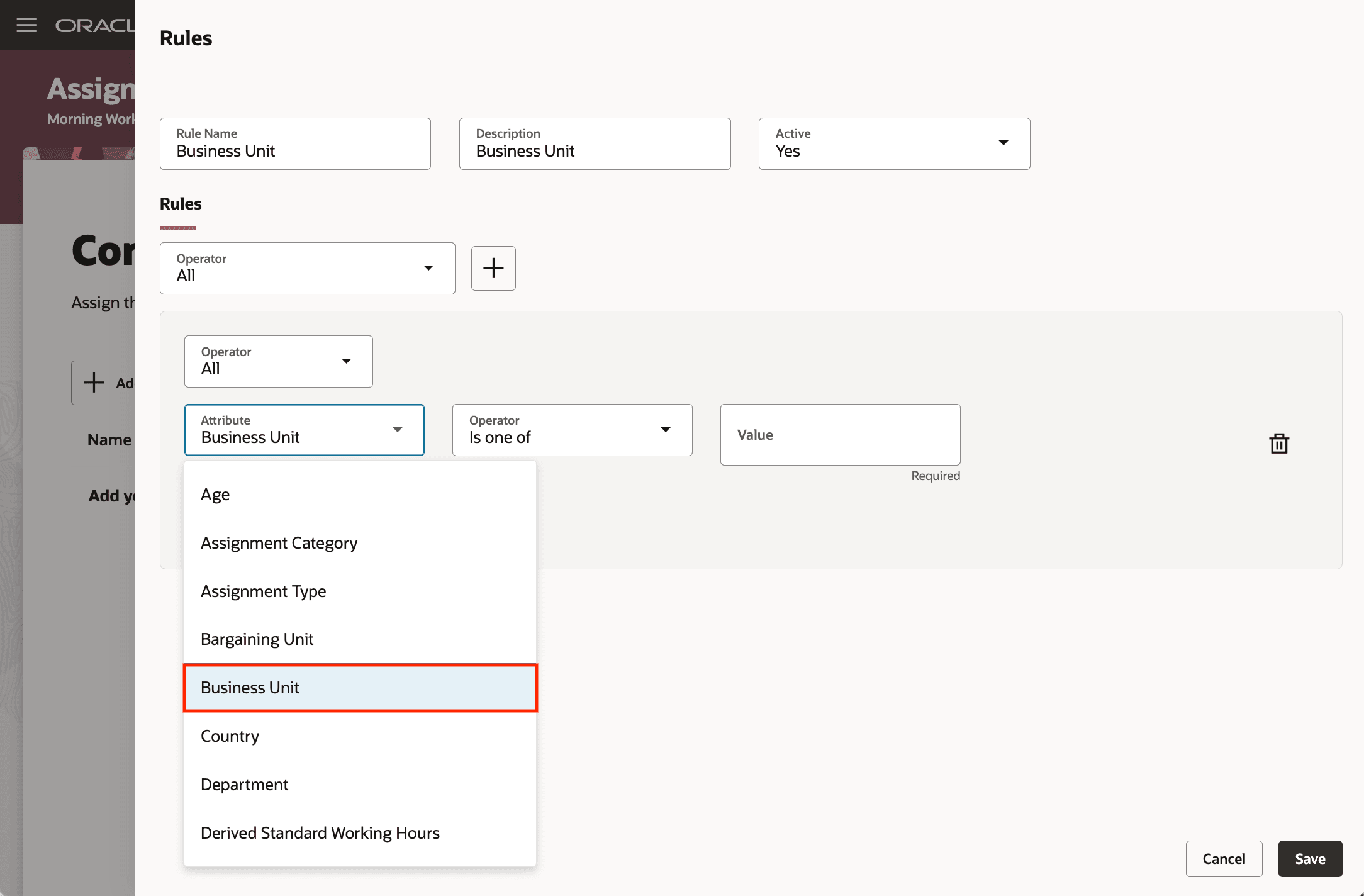
Work Pattern Template Assignment Using Business Unit
This enhancement gives you uncompromising accuracy for shift and break modeling, removes the complexity of managing validation settings, notifies managers when hands-on involvement is truly needed, and makes it easier for large groups or varied locations to receive the most relevant work schedule.
Steps to enable and configure
No setup is required for minute-level entries because they're enabled by default.
- In Tools > Alerts Composer, review the delivered HTS Work Pattern Template Not Assigned notification and confirm recipients, subject, and message content.
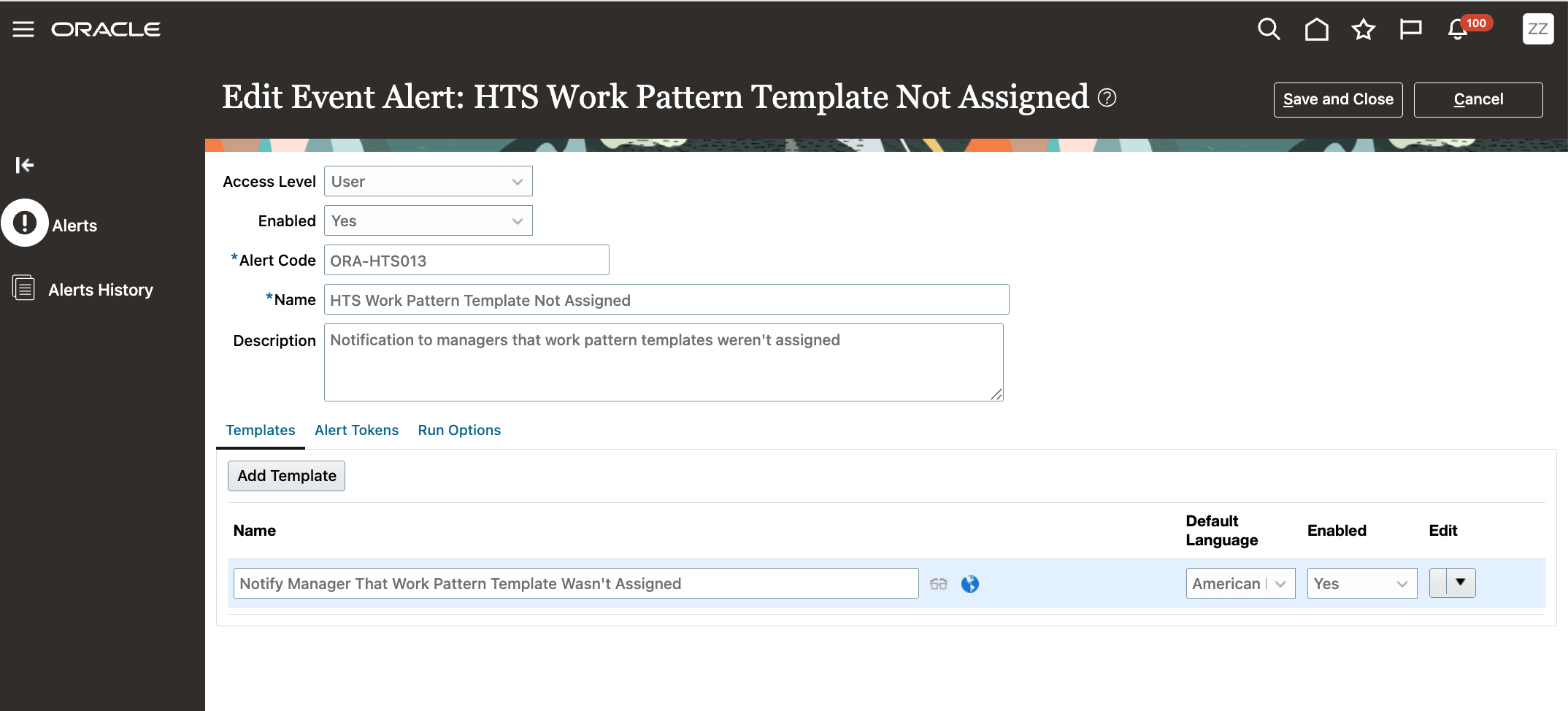
Delivered Alert HTS Work Pattern Template Not Assigned
- Make sure that the Process Events process is scheduled as part of your post-hire and assignment-change so eligibility is identified and notifications are sent.
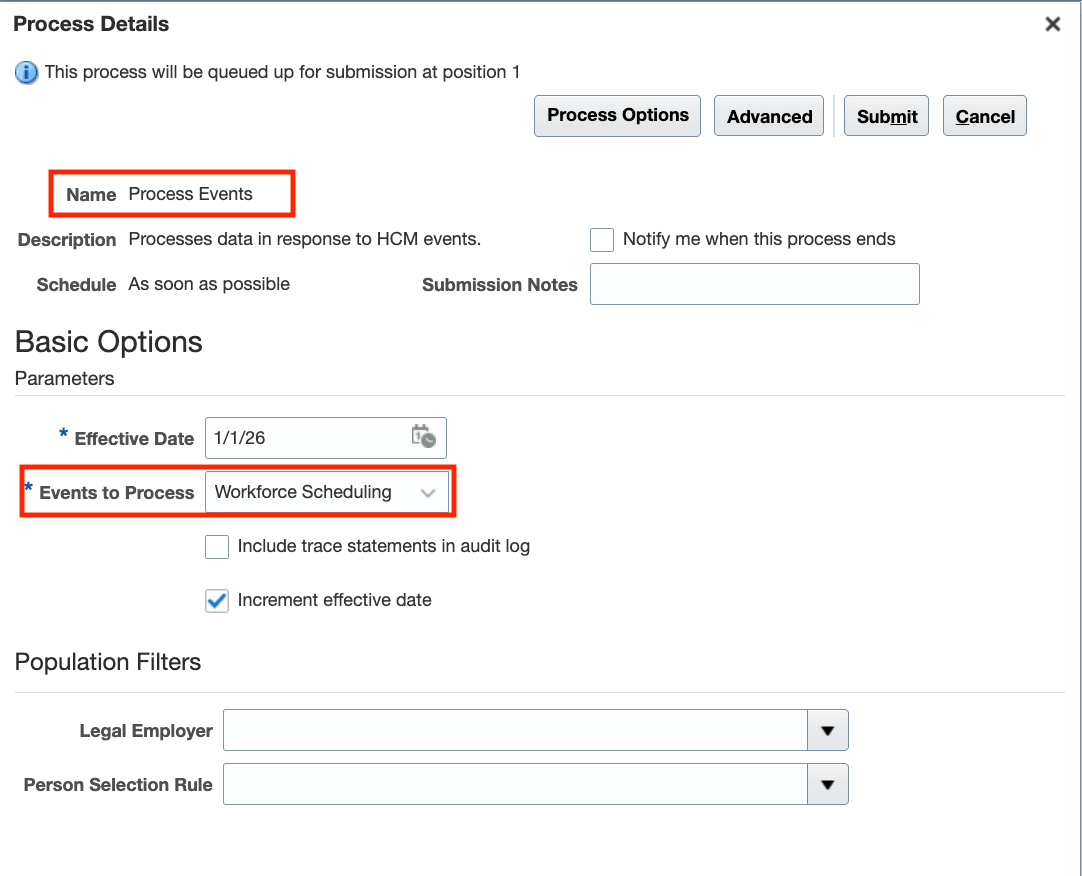
Process Events Scheduled Process
- In applicable work pattern templates, add conditions using the Business Unit attribute to scope eligibility. Go to My Client Groups > Workforce Scheduling > Work Pattern Templates.
Tips and considerations
Minute-level validation is no longer optional—there's no profile options. Plan processes and integrations accordingly.
Key resources
For more information about work pattern minute-level precision, see the related 25B What's New Work Pattern Enhancements