Manage Journeys with AI Assistance
The Journeys Assistant is your AI-powered digital assistant to manage, track, and respond to queries related to journeys and journey tasks, providing users with quick and intelligent support.
Powered by Oracle’s AI Agent framework and advanced large language models (LLMs), the Journeys Assistant interprets your natural language questions and responds with clear, actionable answers tailored to your organization’s policies.
With the Journeys Assistant, you can make use of these capabilities:
-
Search for journey related information from the Team Journeys or Organization Journeys tabs. For example, you can search for the following information:
-
Open, completed, or overdue journeys.
-
The number of employee tasks or your tasks.
-
All journeys for a person.
-
Tasks in a specific journey.
-
Onboarding journeys for your team.
-
Tasks for an employee in an onboarding journey.
-
Specific journey for a person.
-
Tasks pending in a specific journey.
-
Employee tasks due today for onboarding journey.
-
Employee tasks due in 3 days for onboarding journey.
-
Overdue onboarding journeys for my direct reports.
-
-
Navigate using a deep link to the pages where they can view and update their journey information.
Here's some benefits of using the Journeys Assistant instead of the UI:
- Provides access to relevant resources through a Retrieval-Augmented Generation (RAG) tool.
- Uses LLMs for natural-language understanding which includes summarizing journey or task status, identifying overdue or upcoming tasks, and quickly aggregating information across teams or individuals.
- Returns concise summaries with deep links to the exact UI pages, removes the learning curve for new or infrequent users, minimizes training, and manual filtering.
- Helps managers and HR teams tracking journey progress to quickly find information tailored to their roles, reporting structure, teams, and organizational context.
In this example, we created an AI Agent named Journeys Assistant from the preconfigured template. The employee has asked a series of questions about overdue onboarding journeys for their direct reports, display of all open journeys in their team, and the completed onboarding journeys. In response to each question, the agent responds with relevant details and includes a link to the page where the employee can view and edit the information.
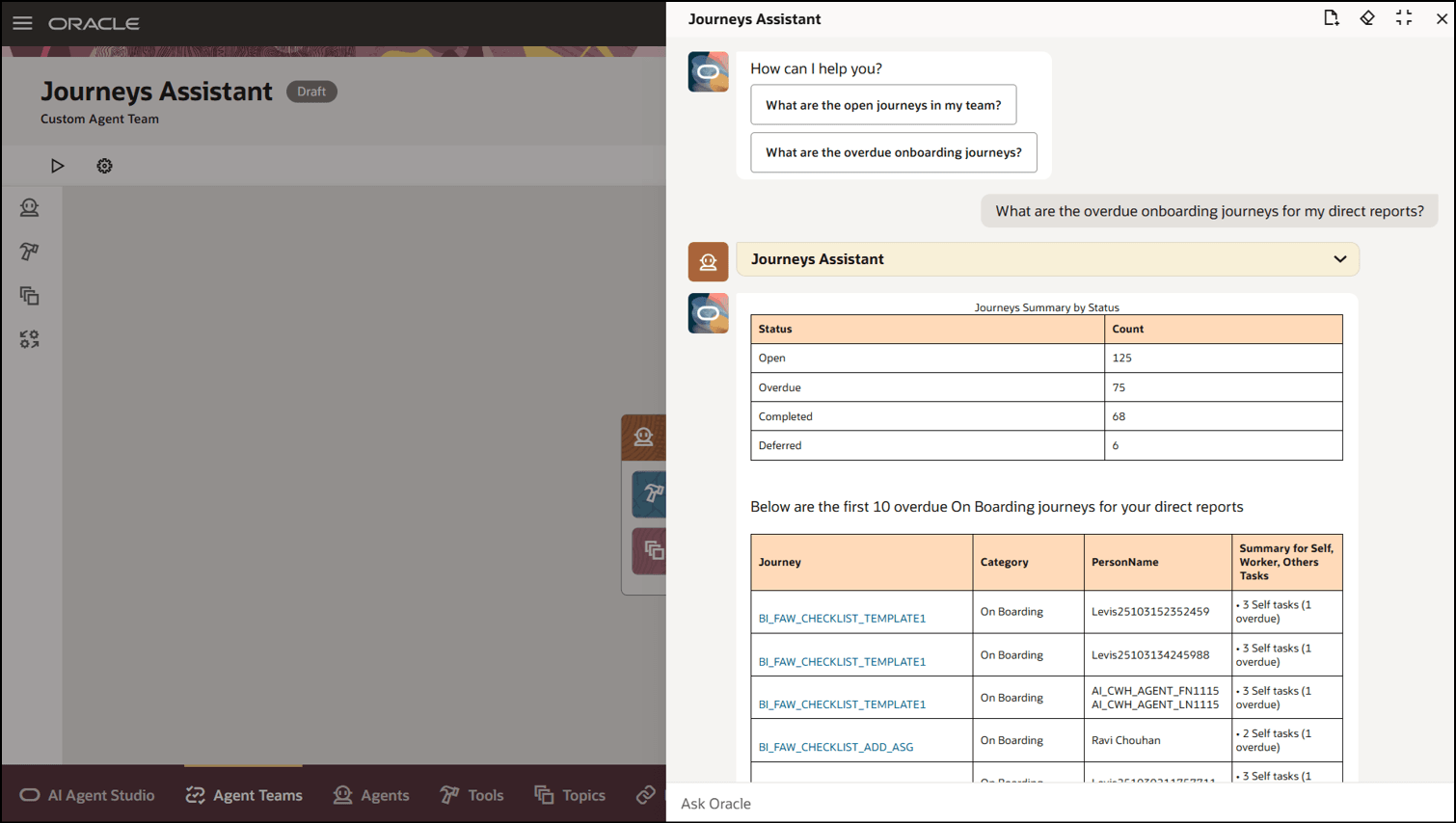
Prompt to Display Overdue Onboarding Journeys for Direct Reports
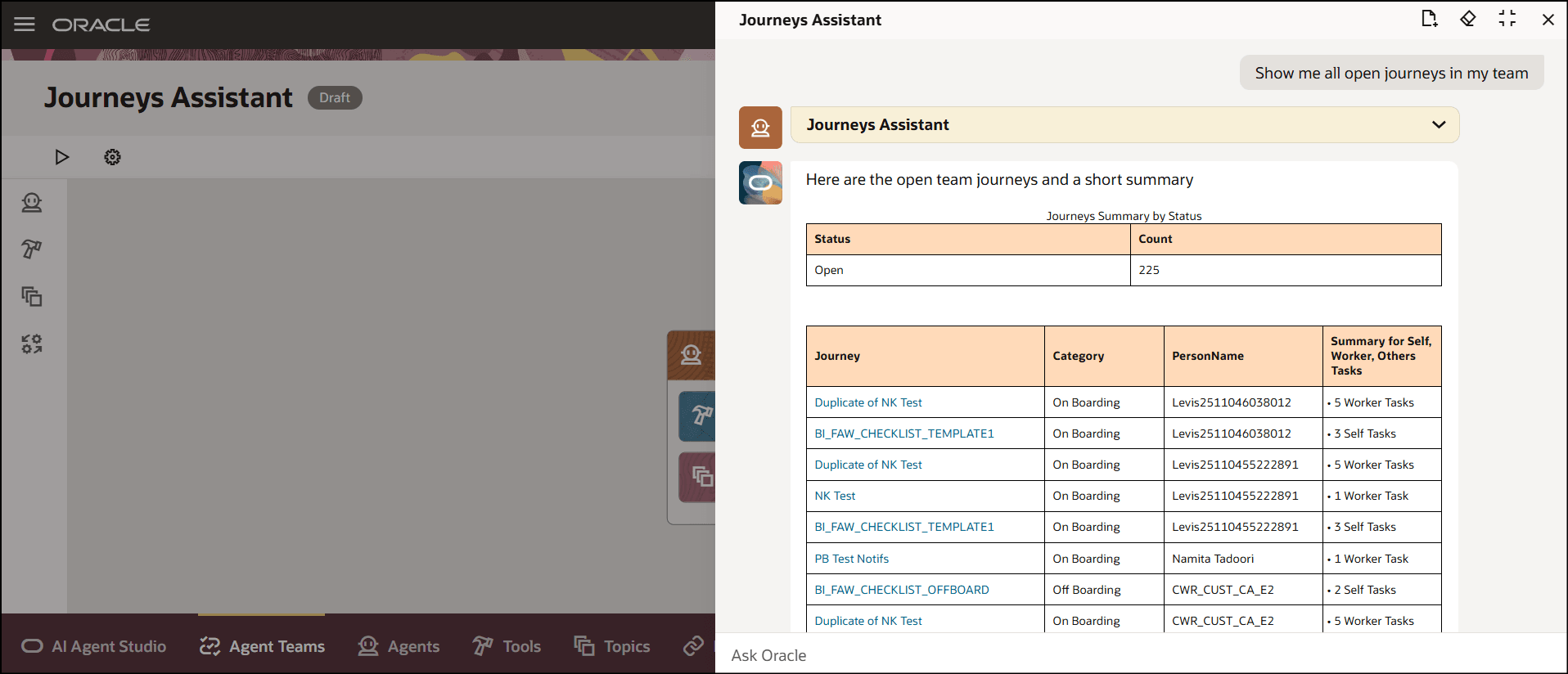
Prompt to Display All Open Journeys for My Team
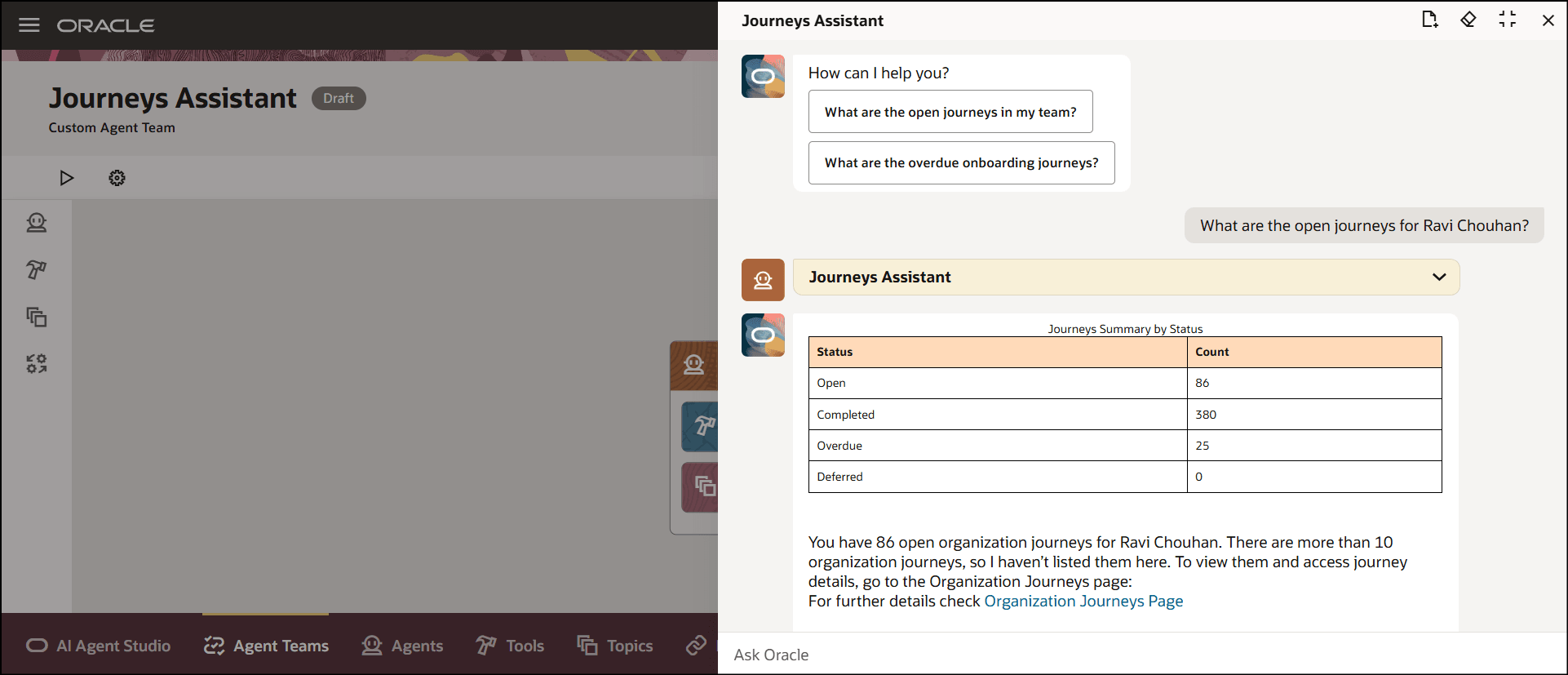
Prompt to Display Open Journeys for a Person
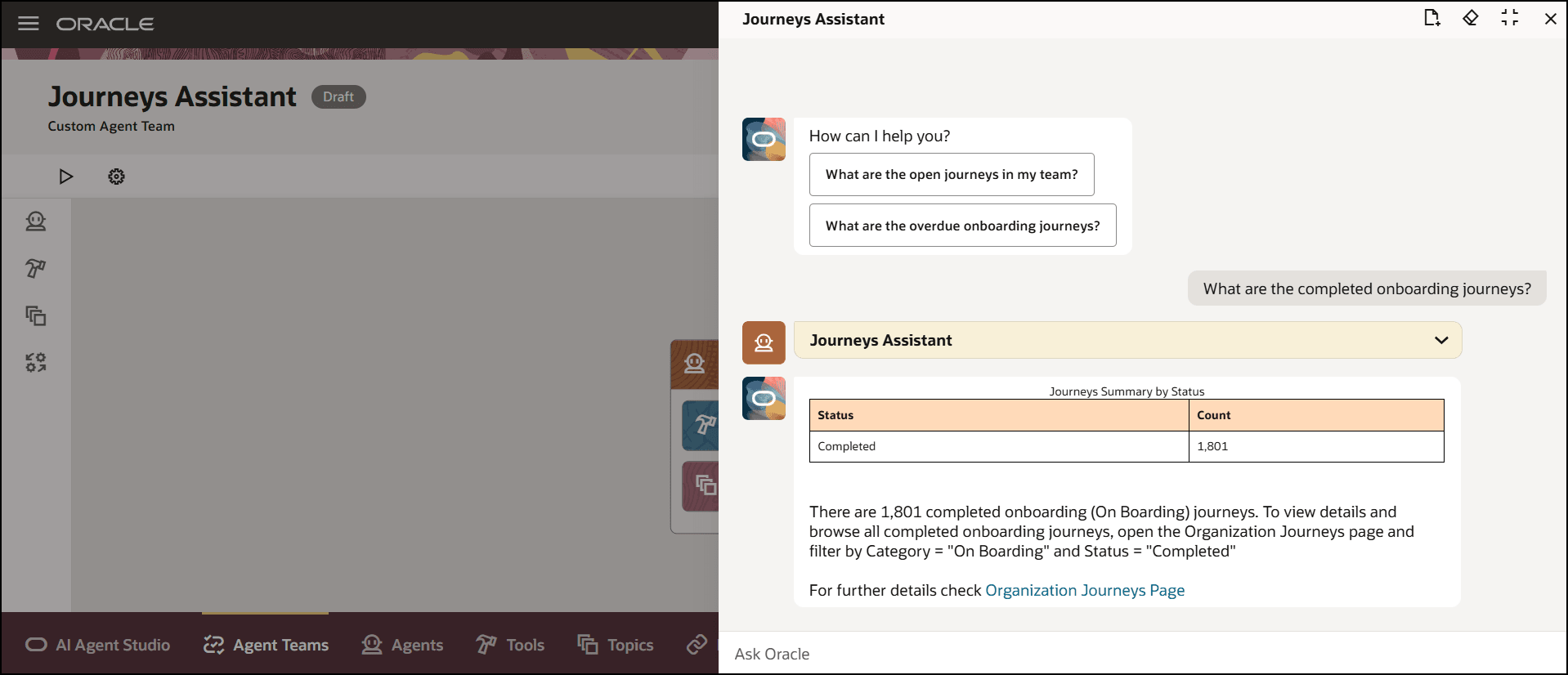
Prompt to Display Completed Onboarding Journeys
Business benefit: Enhance the existing Journeys framework by providing proactive support, personalized guidance, and efficient access to information.
Steps to enable and configure
-
Your environment must have certain necessary configurations. Ask your help desk to contact Oracle Support, who can verify what your environment has and address any gaps. For more information, see FAQ2521 on My Oracle Cloud Support.
-
Set the Enable Security Console External Application Integration (ORA_ASE_SAS_INTEGRATION_ENABLED) profile option to Yes and enable permission groups for the appropriate roles. See Access Requirements for AI Agent Studio.
-
The Journeys Assistant is a preconfigured template. You need to create your own agent using the preconfigured template.
-
To learn how to set up AI agents, see Create AI Agents Using Preconfigured Agent Team Templates.
-
Tips and considerations
-
This feature only works when Oracle Search for Journeys is enabled.
-
You can search journeys or tasks for my team, direct reports, or organization. This table shows for whom the data will be fetched for based on the criteria.
Criteria Audience My team All reports Direct reports Only direct reports No criteria specified Entire organization Controlling what information the agent can return
-
What is honored: Role-based data security (RBAC). Users only see the data that their role permits.
-
What’s not honored: Localization rules and your own business rules in Visual Builder Studio are not enforced by the Agent.
-
What's not included
-
This version of the template provides capability to retrieve, but not edit, the journey information. However, the agent provides deep links to the pages where the employee can update the information, if they have the security to do so.
Key resources
Access requirements
-
The agents you can view depend on the roles and privileges assigned to you. To access this agent, your role must be explicitly granted access to it by an AI Studio Administrator. See How can I give users access to AI agents, and Access Requirements for AI Agent Studio.