Translation Editor Support on Redwood Journey Templates Pages
You can now use the Redwood Translation Editor to translate attributes directly on the Redwood journey template pages. This enhancement eliminates the need to sign out and sign back in with a different language to enter translations, thereby streamlining the translation process.
You can seamlessly translate translatable attributes, such as the journey template name, description, title, subtitle, task names, and description on the journey template pages by using the Redwood Translation Editor. This tool provides an inline, language-aware interface for managing translations, allowing real-time entry and updates of multilingual content.
Additionally, you can use the Redwood Translation Editor on these pages:
-
Guided Journey
-
Task Library
-
Task Groups
-
Category Security
For example, the Onboarding Journey template needs to be translated into Korean language. You click the Onboarding Journey template name and select the Translation Editor value from the More Actions menu.
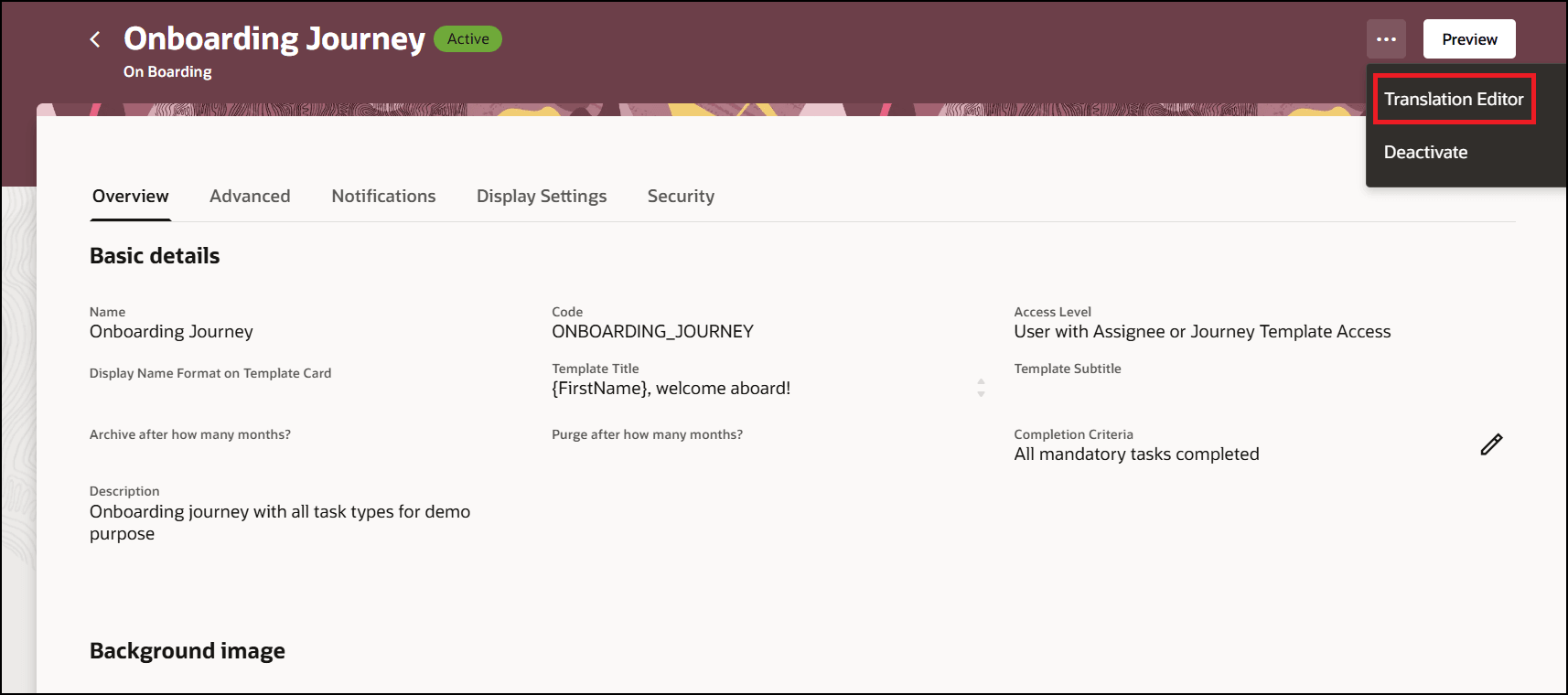
Translation Editor on Journey Template Page
Select the Korean language for which translations need to be added and click Edit.
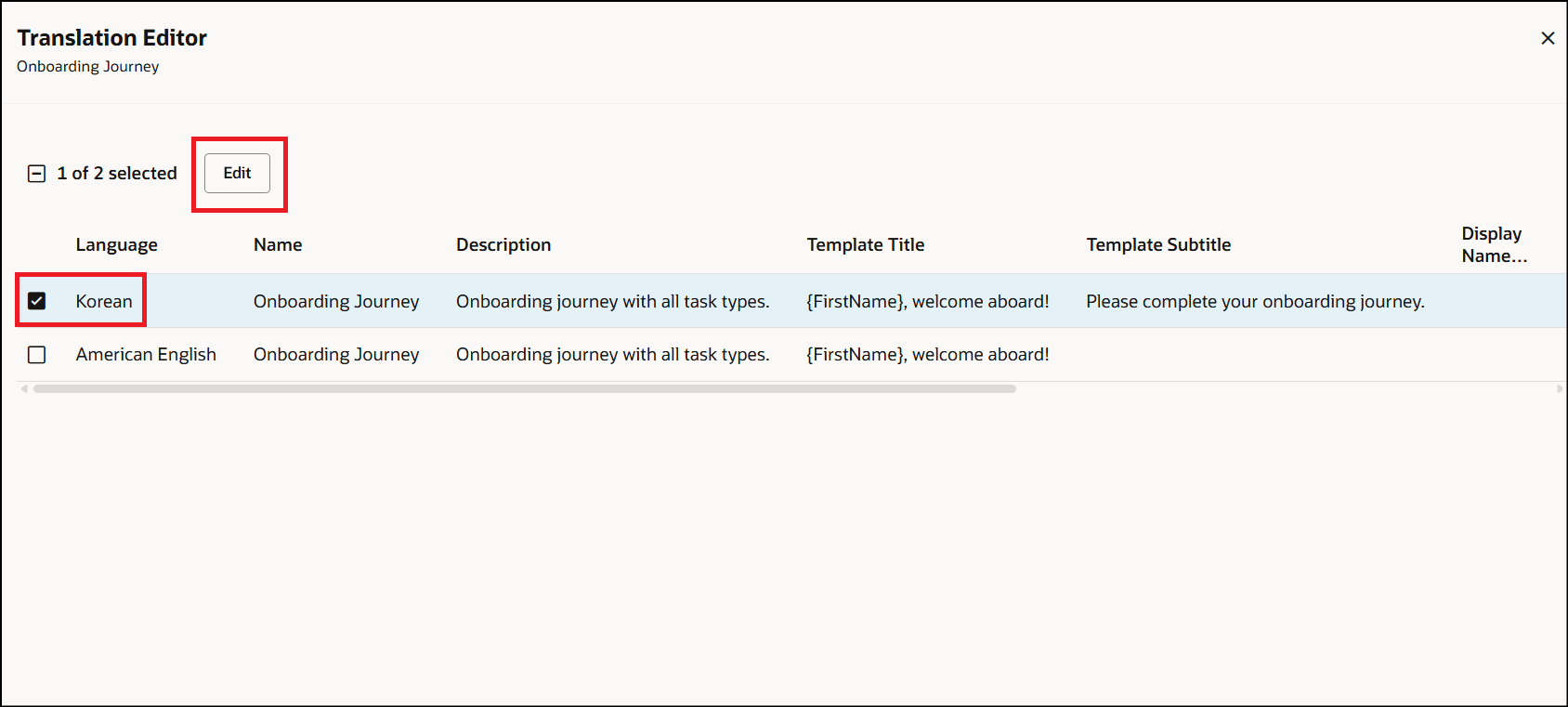
Select Required Language for Translation
Add Korean translations for the different attributes and click Update.
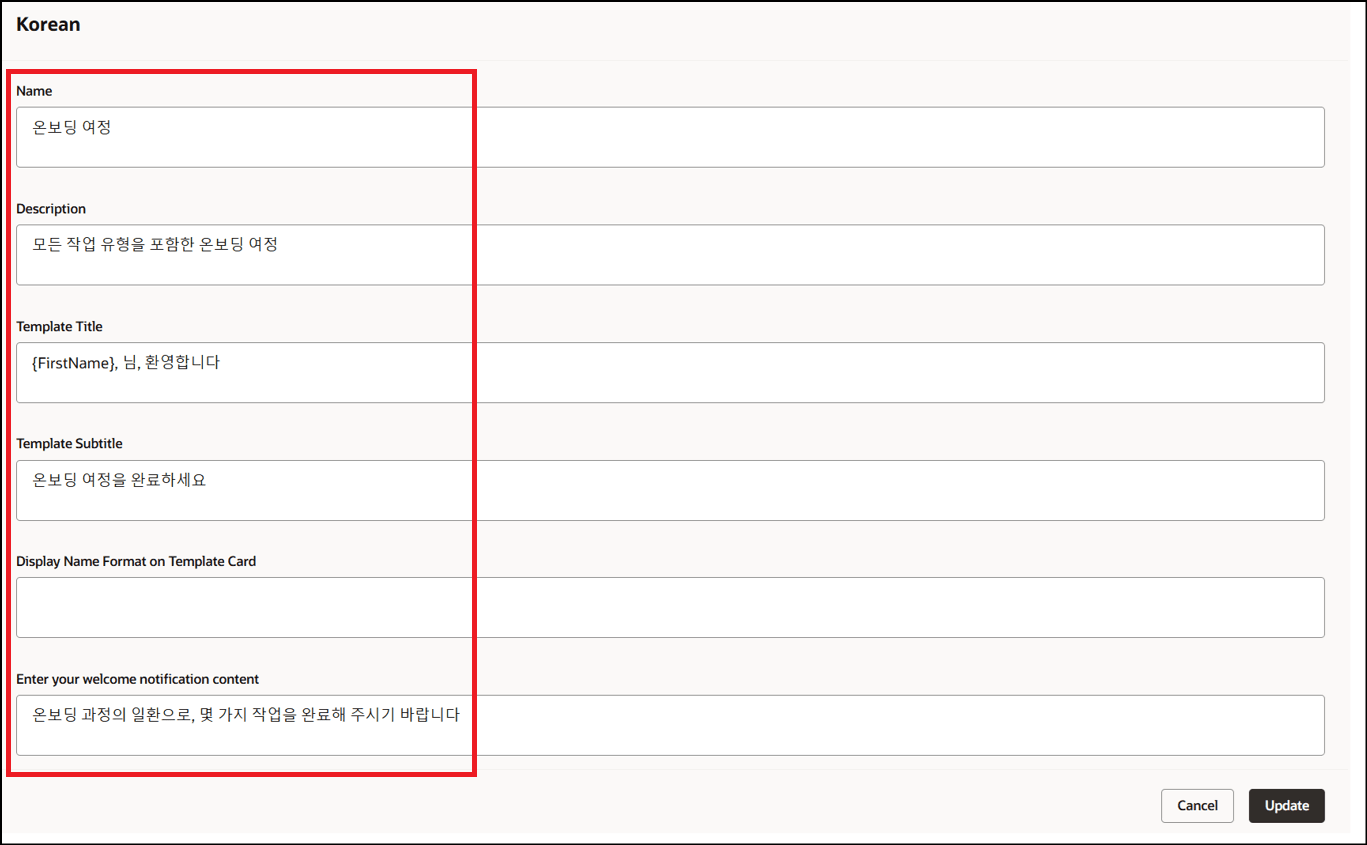
Enter Translated Values
The translated values are added to the table in the Translation Editor.
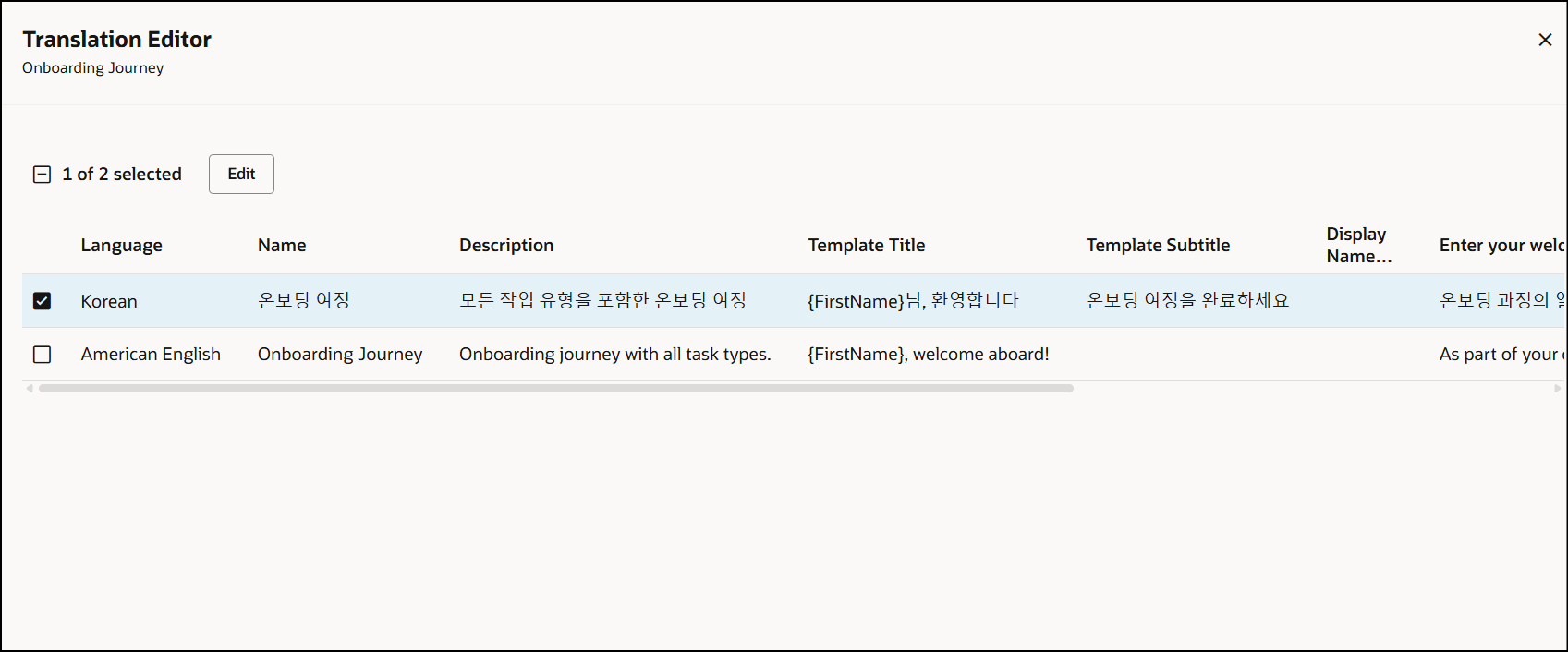
Updated Translations
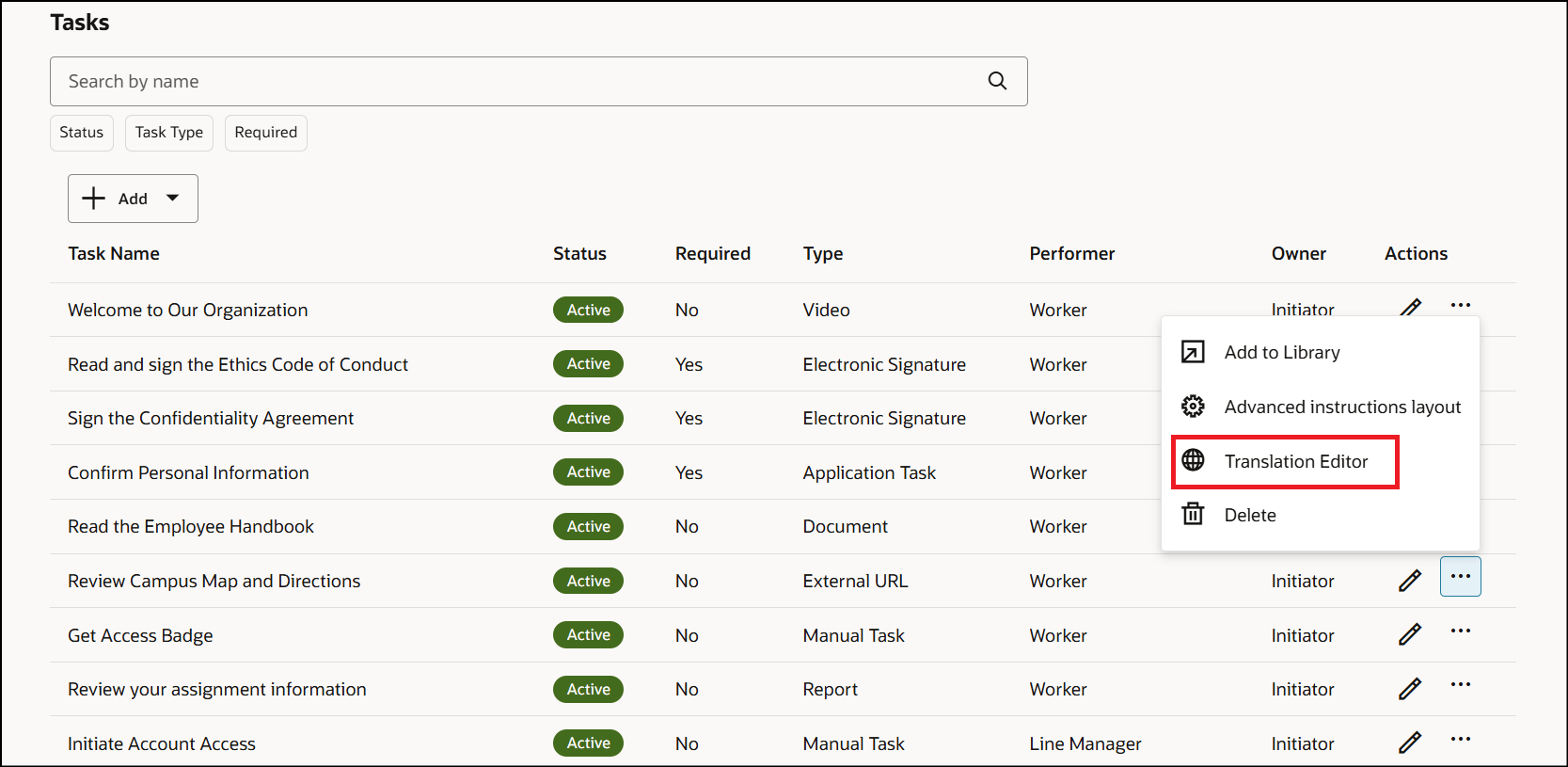
Translation Editor for Journey Tasks
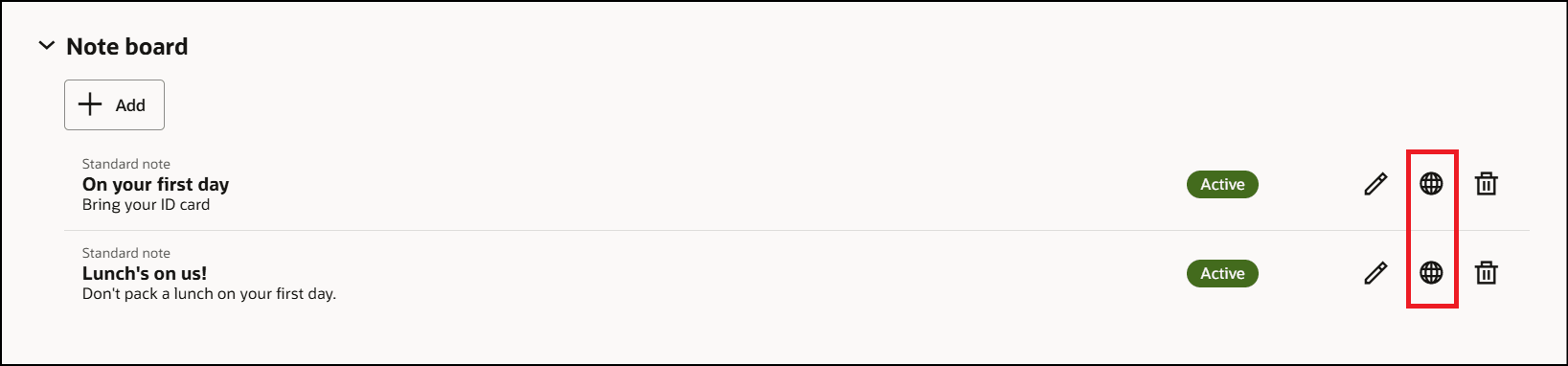
Translation Editor for Notes
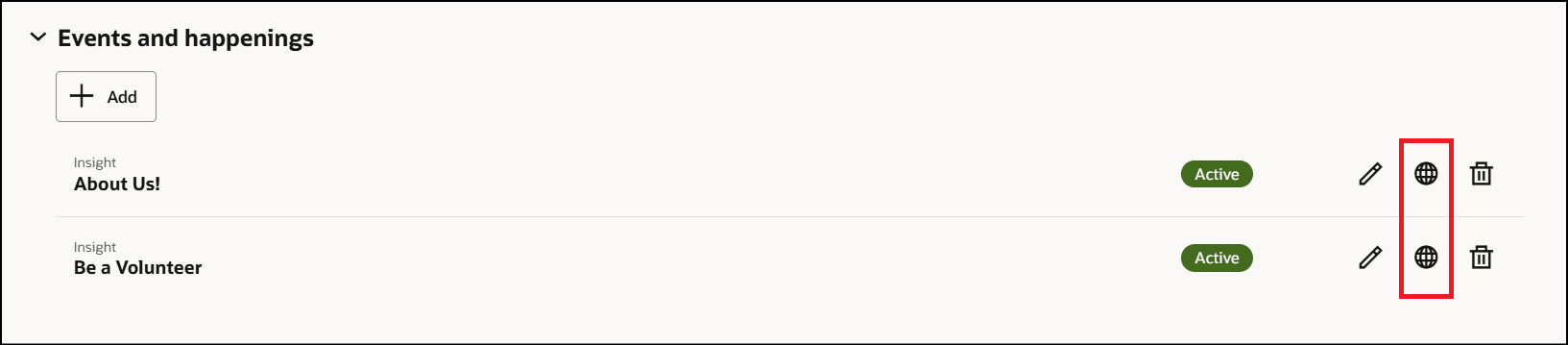
Translation Editor for Events
Business benefit: Improves translation efficiency by allowing users to manage translations in a single session without language switching.
Steps to enable and configure
For more information, see this topic: How do I translate attributes on the Redwood Journey Templates page?
Key resources
For more information, refer to the Implementing and Using Journeys guide.
Access requirements
You must be granted the Manage Journey (ORA_PER_MANAGE_JOURNEY_TEMPLATE) aggregate privilege to work on journey templates.