Notifications Triggered Upon Journey Delegation
You can now enable users to delegate their assigned journeys and tasks to another user known as proxy when they are unavailable. The proxy receives notifications upon delegation and can view and act on the assigned items as if they were the original assignee.
Additionally, you can view the Others and delegated option on the Team Journeys tab.
In this example, Namita is delegating access to all notifications for the Journeys category and Onboarding subcategory to Meg. When the access for journeys and tasks are delegated to Meg, she will receive journey or task notifications along with Namita.
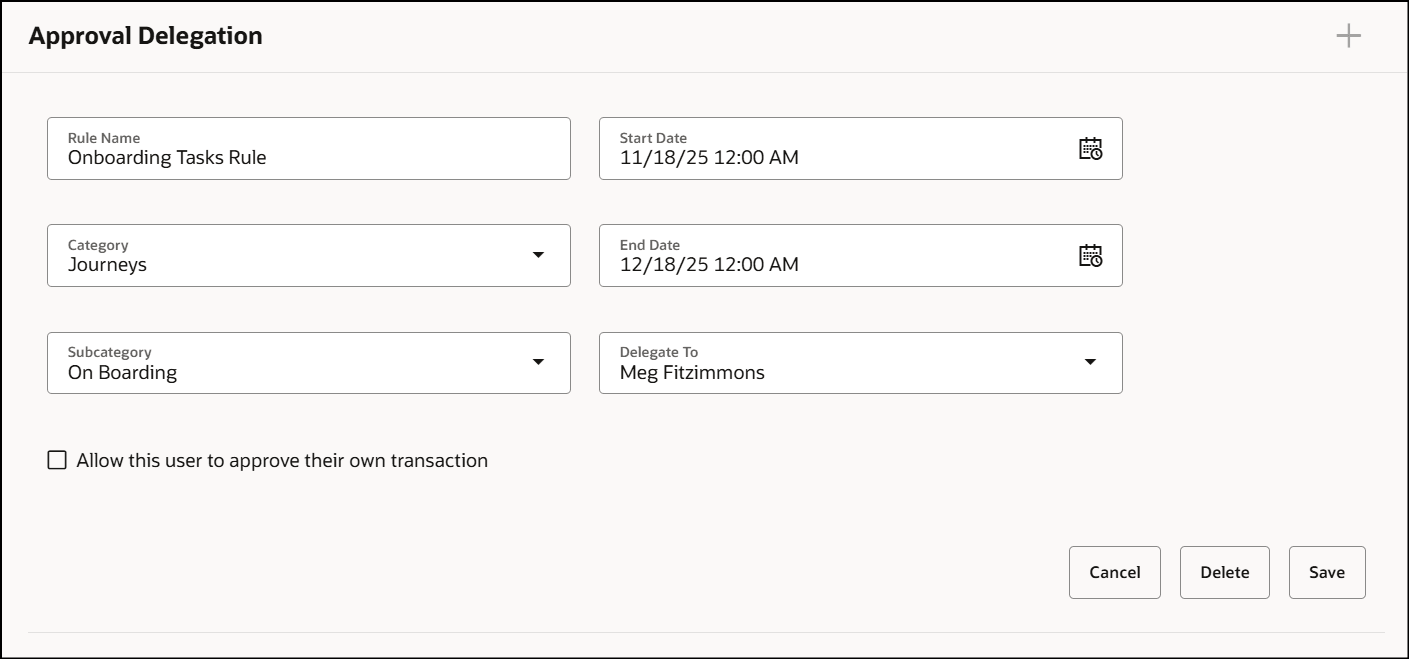
Delegate Notifications for Journey Category and Sub Category
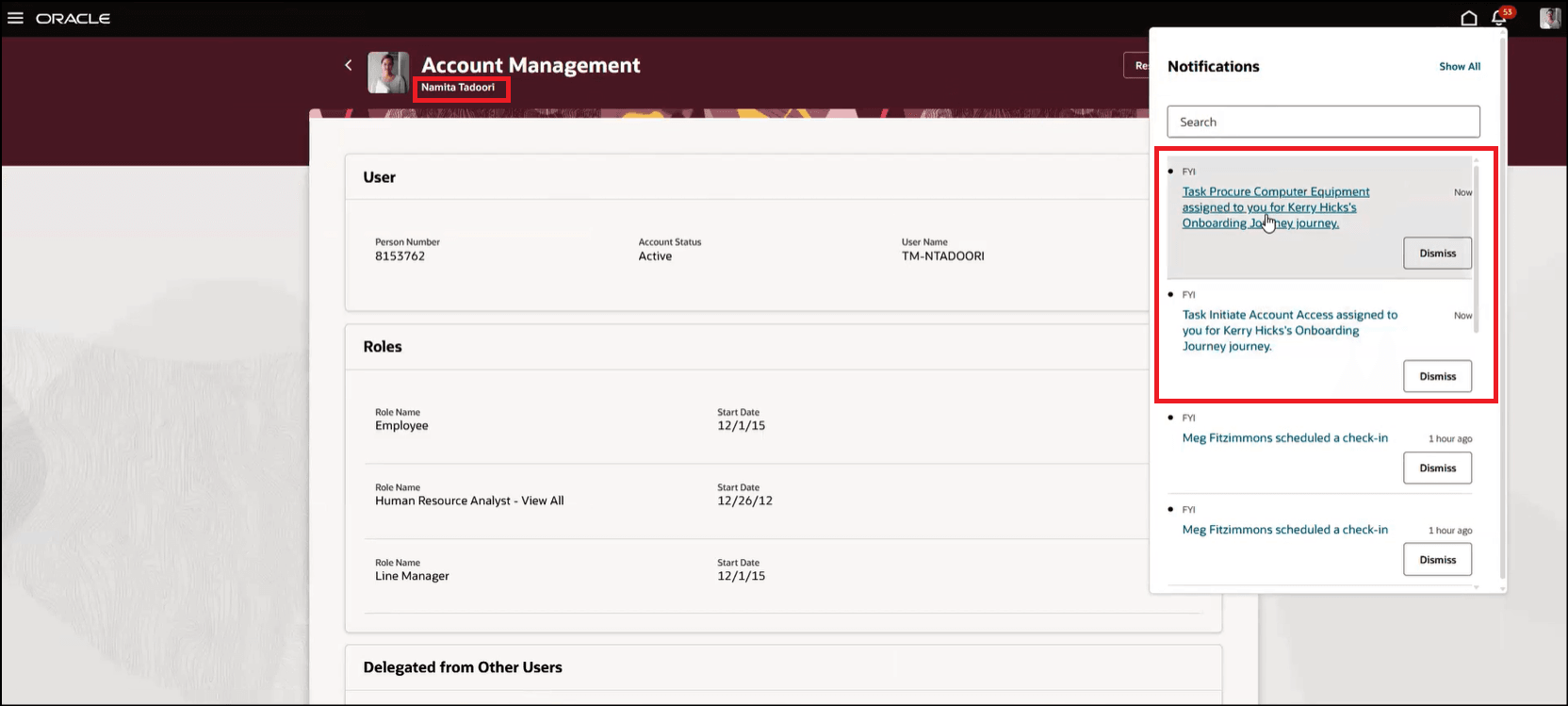
Notification Sent to Performer
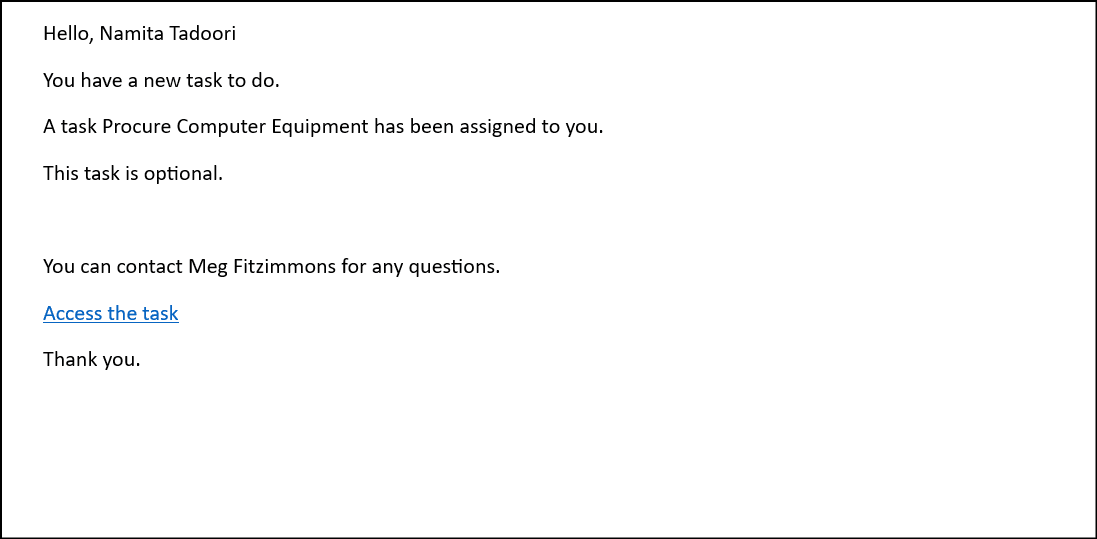
Notification Content for Performer
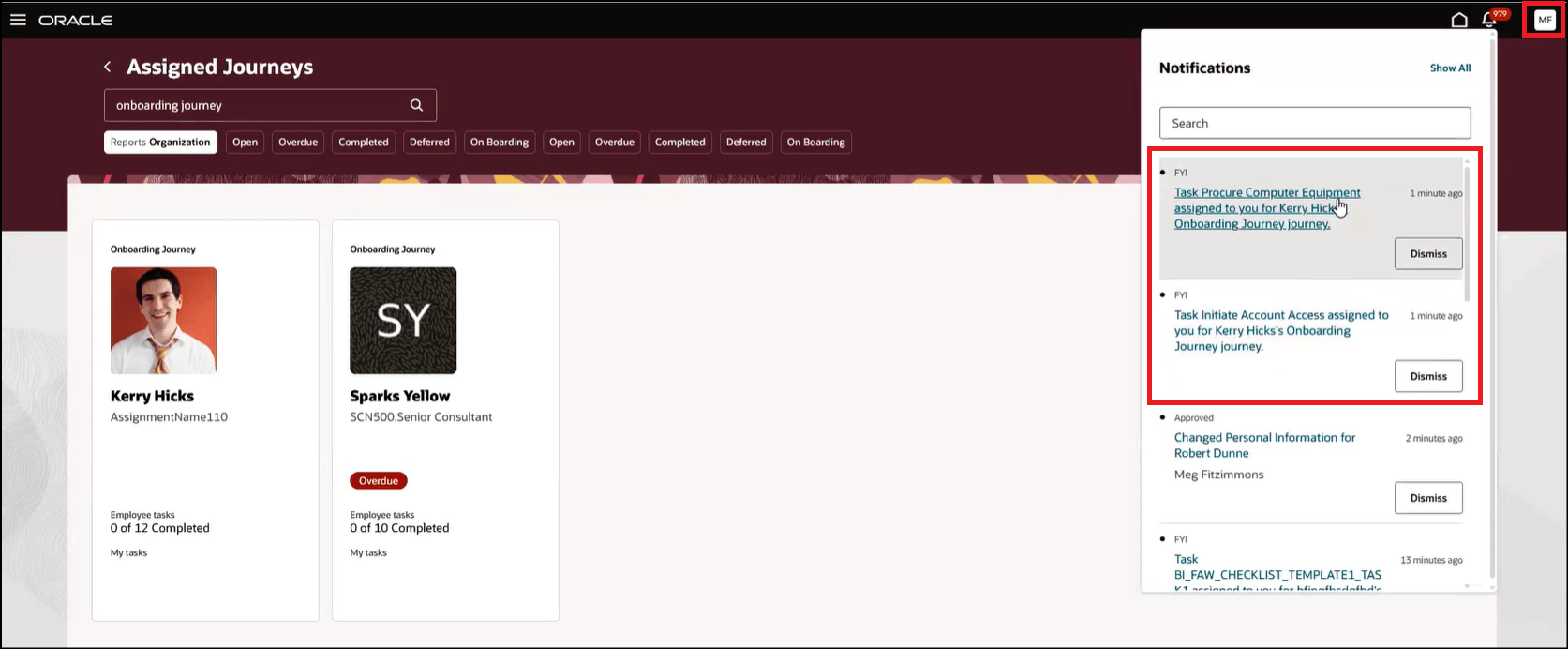
Notification Sent to Proxy
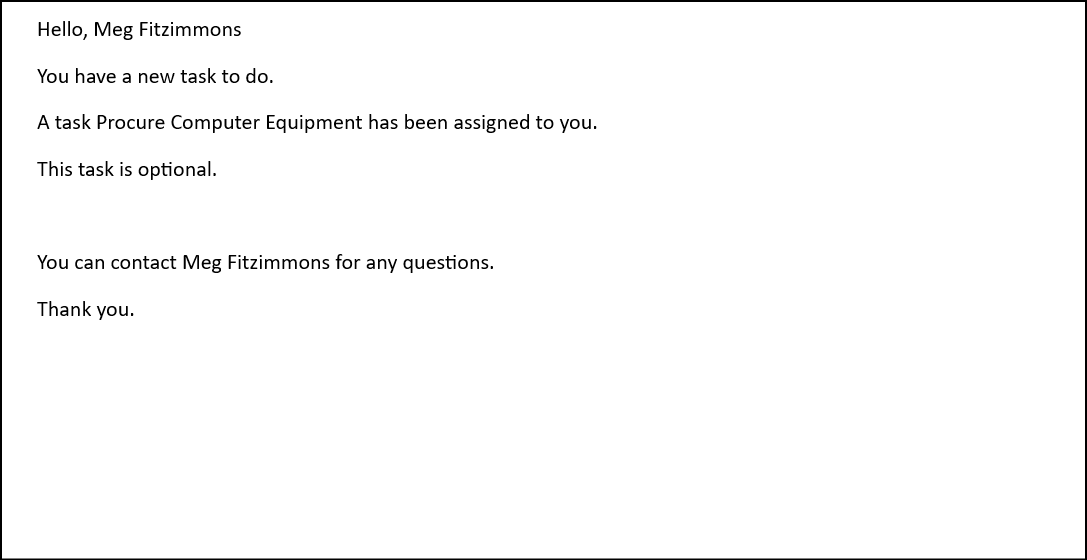
Notification Content for Proxy
When the access for journeys and tasks are delegated to Meg, she can use the Others and delegated filter on the Team Journeys tab. This filter allows Meg to see the persons whose journey data she can view based on person security.
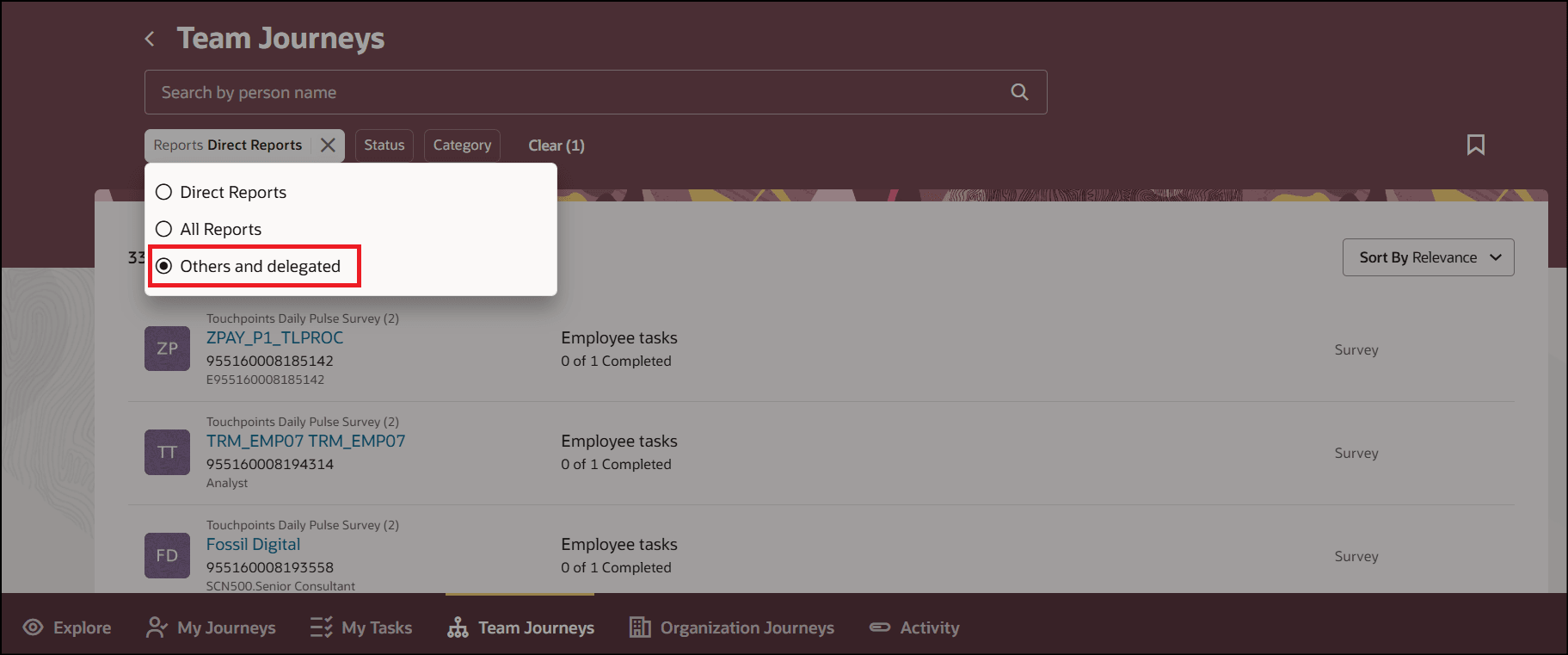
Filter to View Persons that are Delegated Based on Role
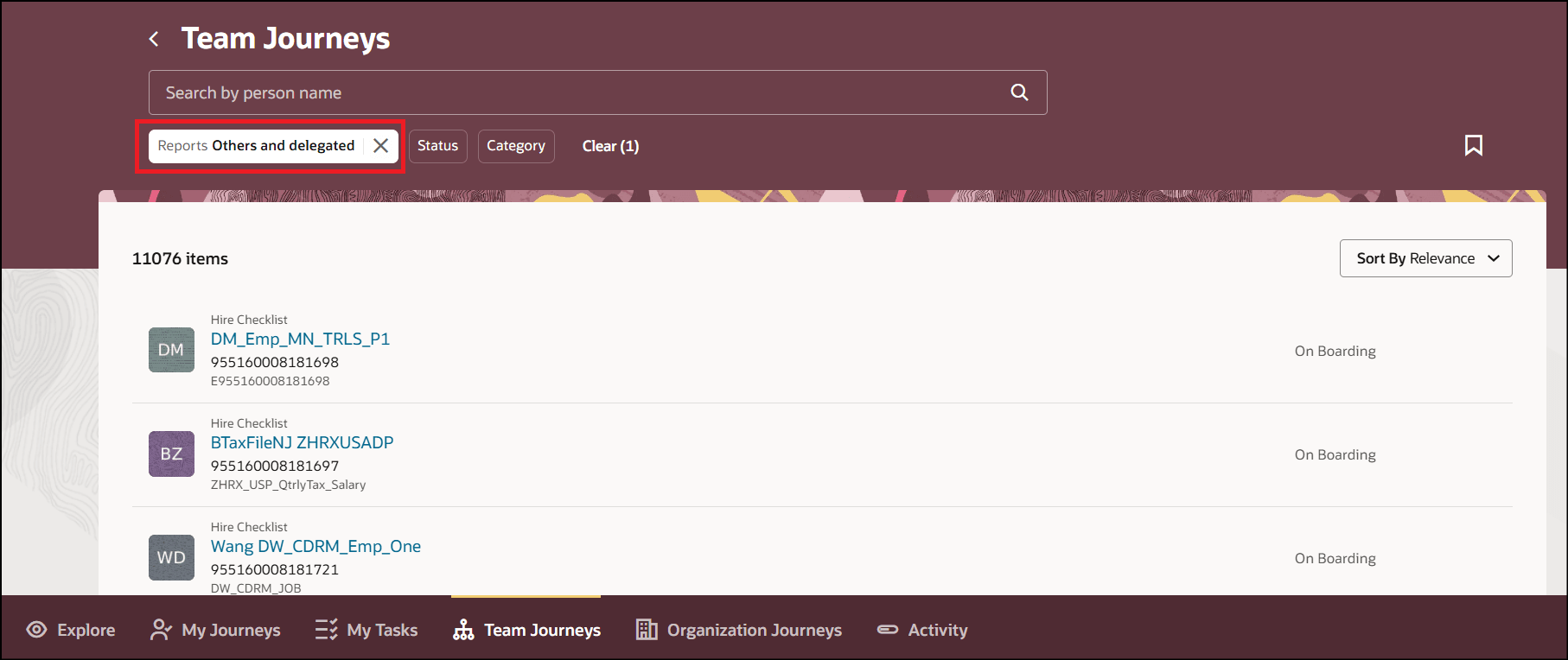
Persons Filtered Based on Role Delegation
Proxy users also receive notifications when the journey or task is delegated in addition to the task performers.
Steps to enable and configure
For more information about configuring delegation for journey or task notifications, see this playbook: How do I delegate my journeys and tasks?
Key resources
For more information, refer to the Implementing and Using Journeys guide.