Enhanced Search Configurability for Workers LoV on Journeys Pages
You can now make use of the Workers REST-based list of values (LoVs) that now supports enhanced search configurability.
The Workers LOVs are available on these Redwood Journey pages:
-
Create Journey > Add New Task
-
Create Journey > Add New Task > Create a task
-
Edit Journey > Add New Task
-
Edit Journey > Edit Task
-
Journey Details > Reassign
-
Journey Details > Reassign Task
-
Journey Details > Add Tasks
-
Journey Details > Add Tasks > Create a task
-
Journey Details > Assign Journey
-
Contextual Journey Details
-
Journey Scheduled Allocations > Edit
-
My Tasks > Reassign
-
My Tasks > Reassign Task
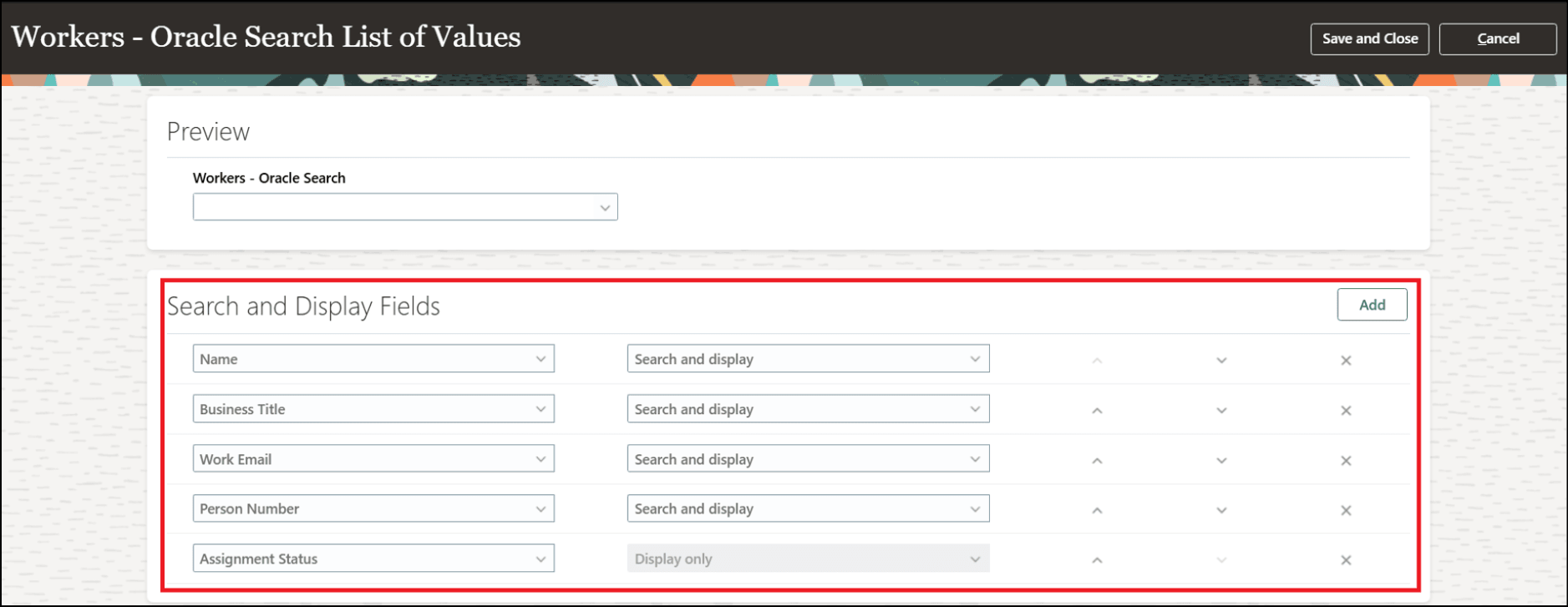
Worker LoV Configuration in HCM Experience Design Studio
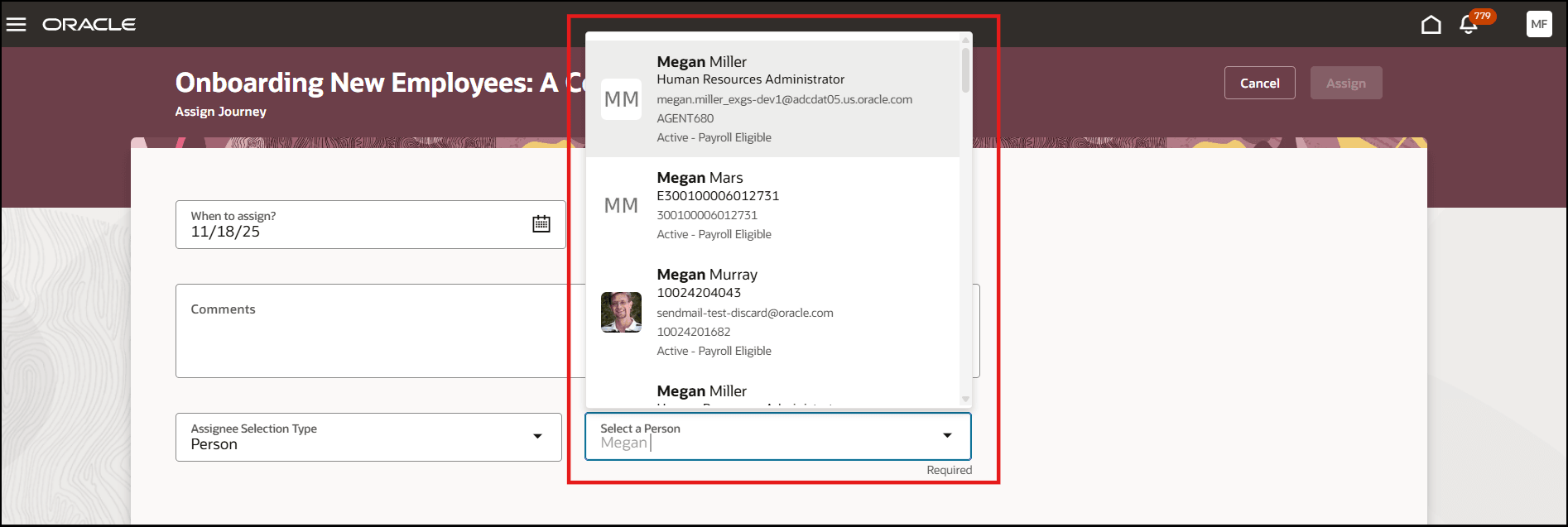
Workers LoV While Assigning Journey
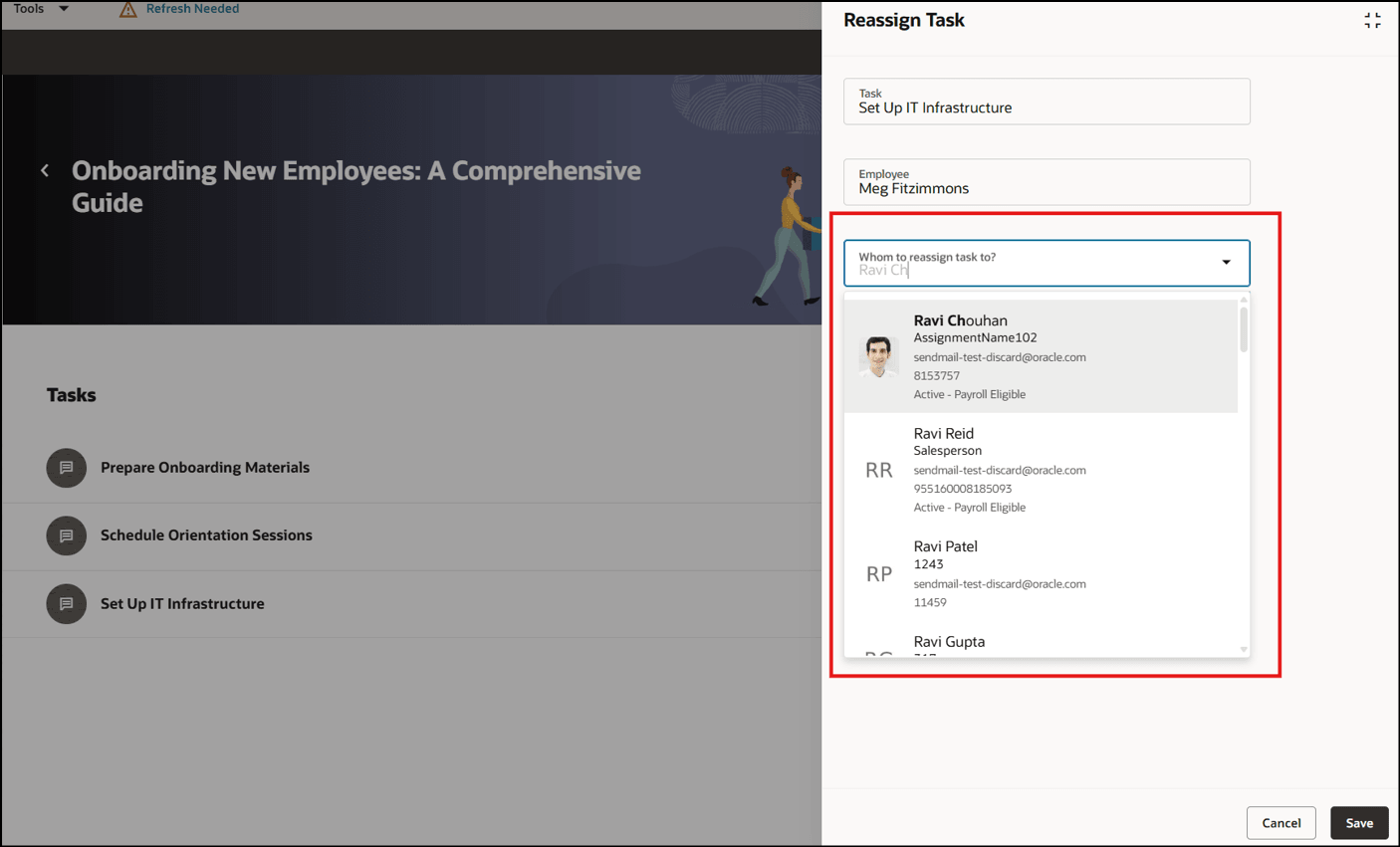
Workers LoV While Reassigning Journey Task
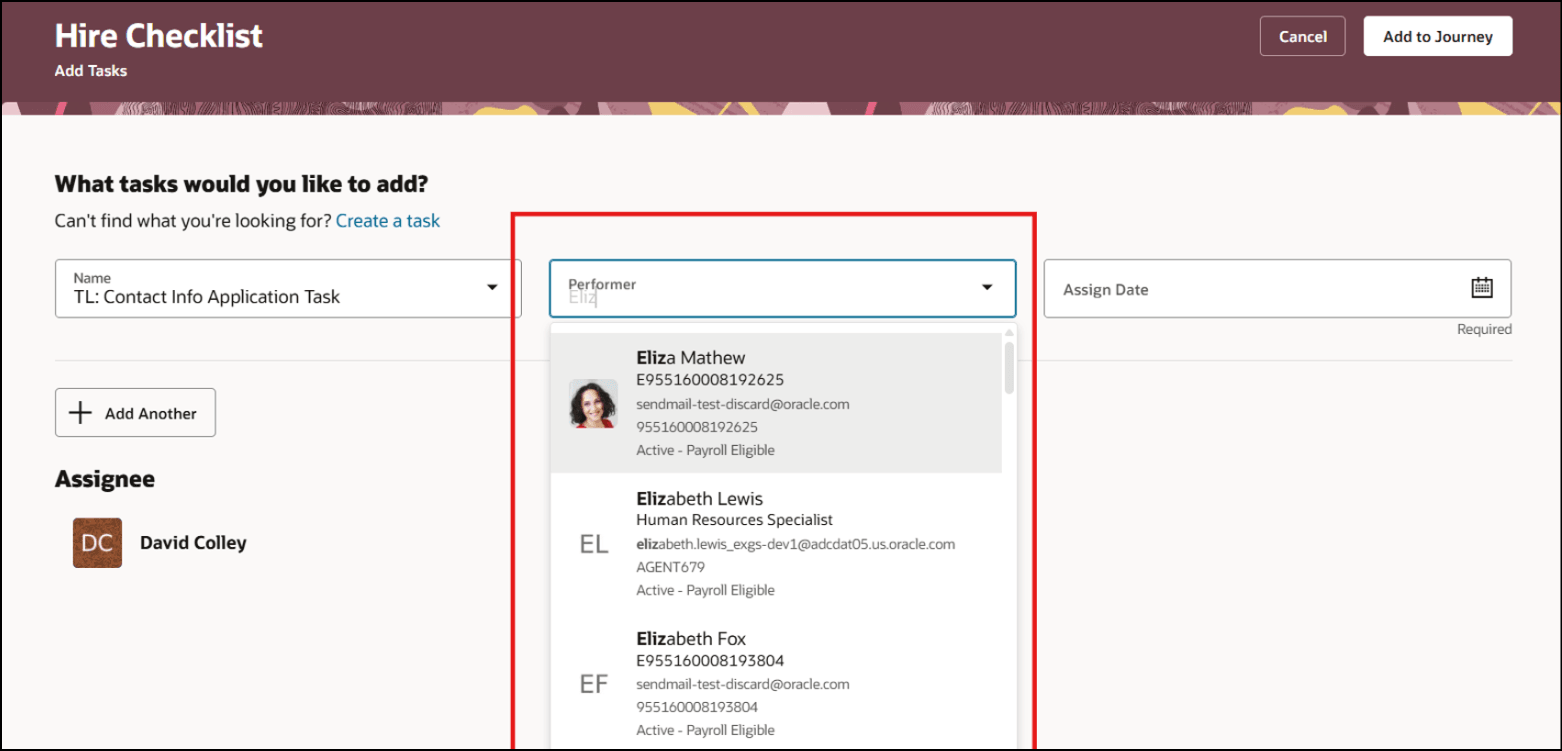
Workers LoV While Adding Journey Task
Users will get a consistent experience of the Workers LoV across all Journey UIs.
Steps to enable and configure
-
To know more about configuring LoVs, see this topic: How do I configure a list of values?
-
To learn about setting up Oracle Search for LoVs, see this topic: How do I set up Oracle Search for List of Values?
Tips and considerations
-
Field configurations that you have done for the Workers LoV won’t be honored after an upgrade, and you need to redo the configurations. For example, you will lose these customizations for the Workers LoV after an upgrade:
-
You modified the filter attributes, such as Assignment Name, Work Email Address, or Person Number, by using the workersLovFilterAttributes VB Constant, the changes will be lost.
-
You set the search character limit for the Workers LoV by using the workerLovSearchCharacterLimit VB Constant.
-
However, these customizations are honored:
-
You apply data security by using the jrnAssigneeSelectionApplyPersonDataSecurity VB Constant. If the value of the constant is false, no data security privilege is added to REST (DataSecurityPrivilege)
-
You set the ORA_PER_JRN_DISPLAY_INACTIVE_WKRS_LOV profile option value to show inactive assignments (AssignmentStatusType=ACTIVE SUSPENDED)
Key resources
For more information, refer to the Implementing and Using Journeys guide.