Faster Access to Relevant Learning with Enhanced Redwood Filters
Learning type and learning format are now visible on My Learning and Team Learning pages, helping learners and managers quickly identify relevant content and make informed decisions. Enhanced search options also help learners locate learning by learning item number or learning assignment number.
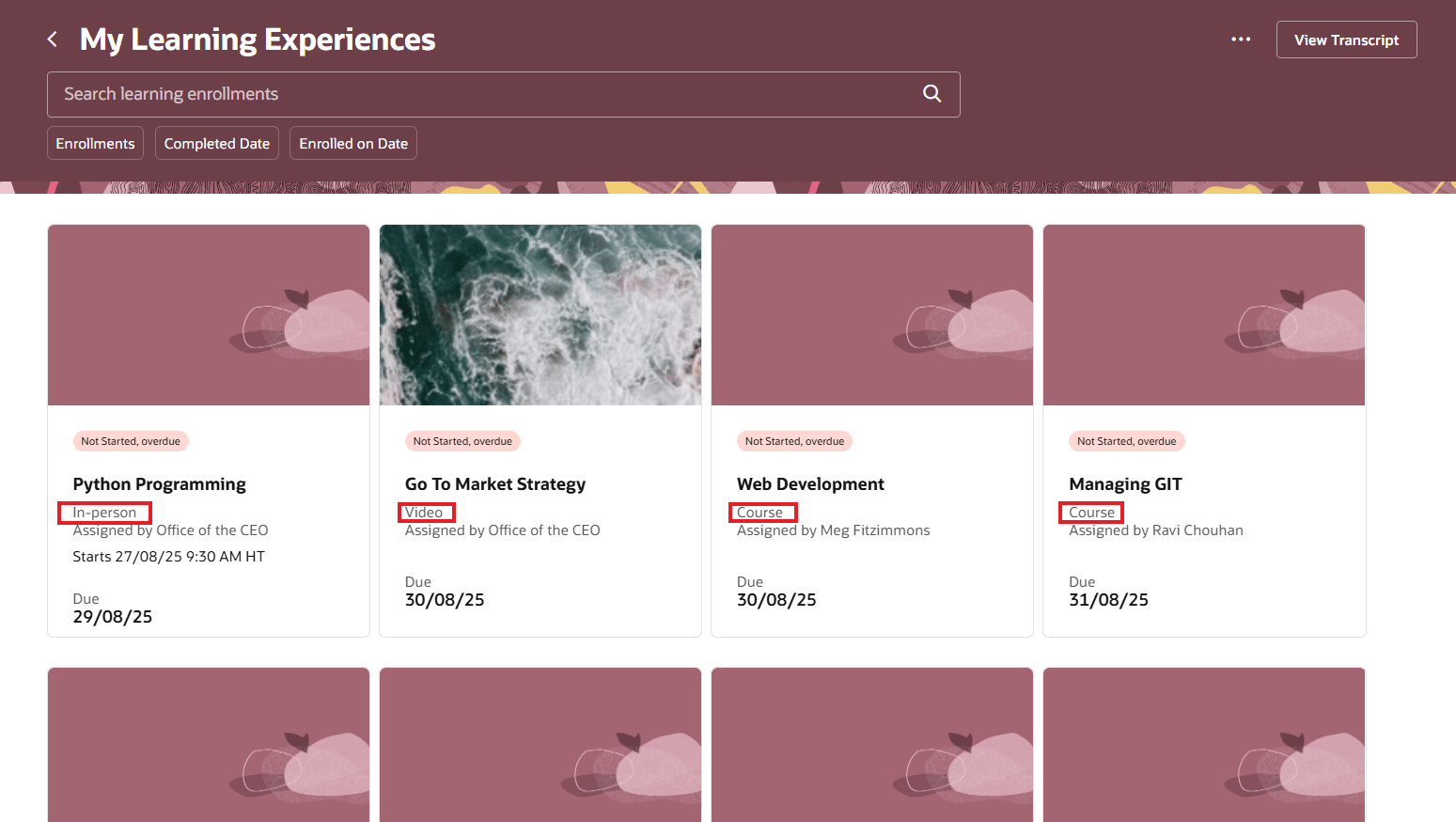
My Learning Experiences Page Showing Learning Format or Learning Type on Learning Cards
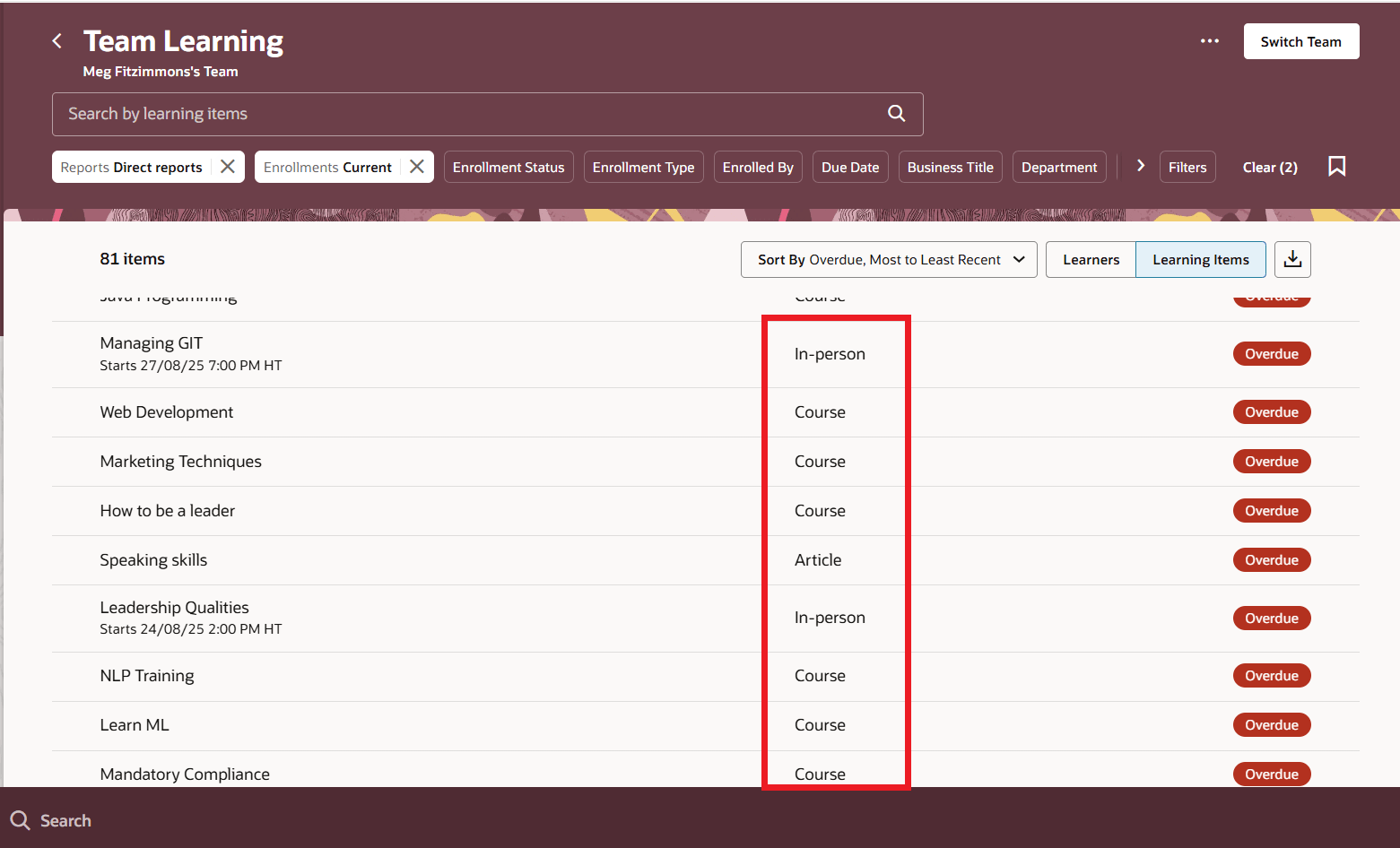
Team Learning Page Showing Combined Learning Formats and Types
Managers can more quickly identify the most relevant content for their teams using new learning type and learning format filters on Team Learning pages. Expanded keyword search that includes learning assignment number and learning item number across both learner and learning item views, further streamlines navigation and improves oversight.
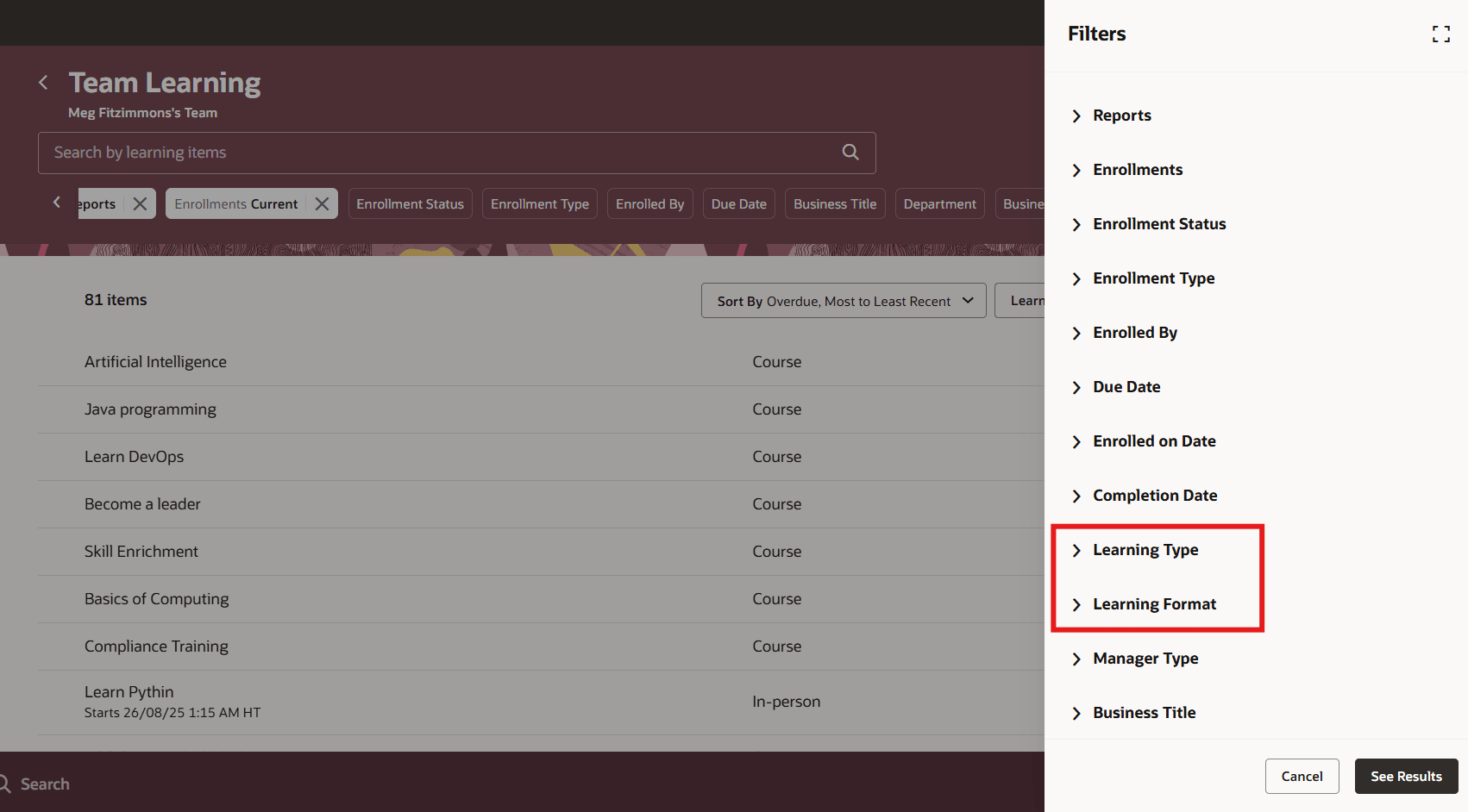
Team Learning Filters Drawer Showing the Learning Type and Learning Format Filters
My Team Learning Search Views
Managers can configure filters on Team Learning pages to surface the most relevant learning data for their teams using My Team Learnings Search View. These configurable filters enhance oversight and efficiency, and can be applied in the default search views across Team Learning pages.
- The learner view on the My Team Learning page
- The learning item view on the My Team Learning page
- The learner view when drilling down to see assigned learning
- The learning item view when drilling down to see assigned learners
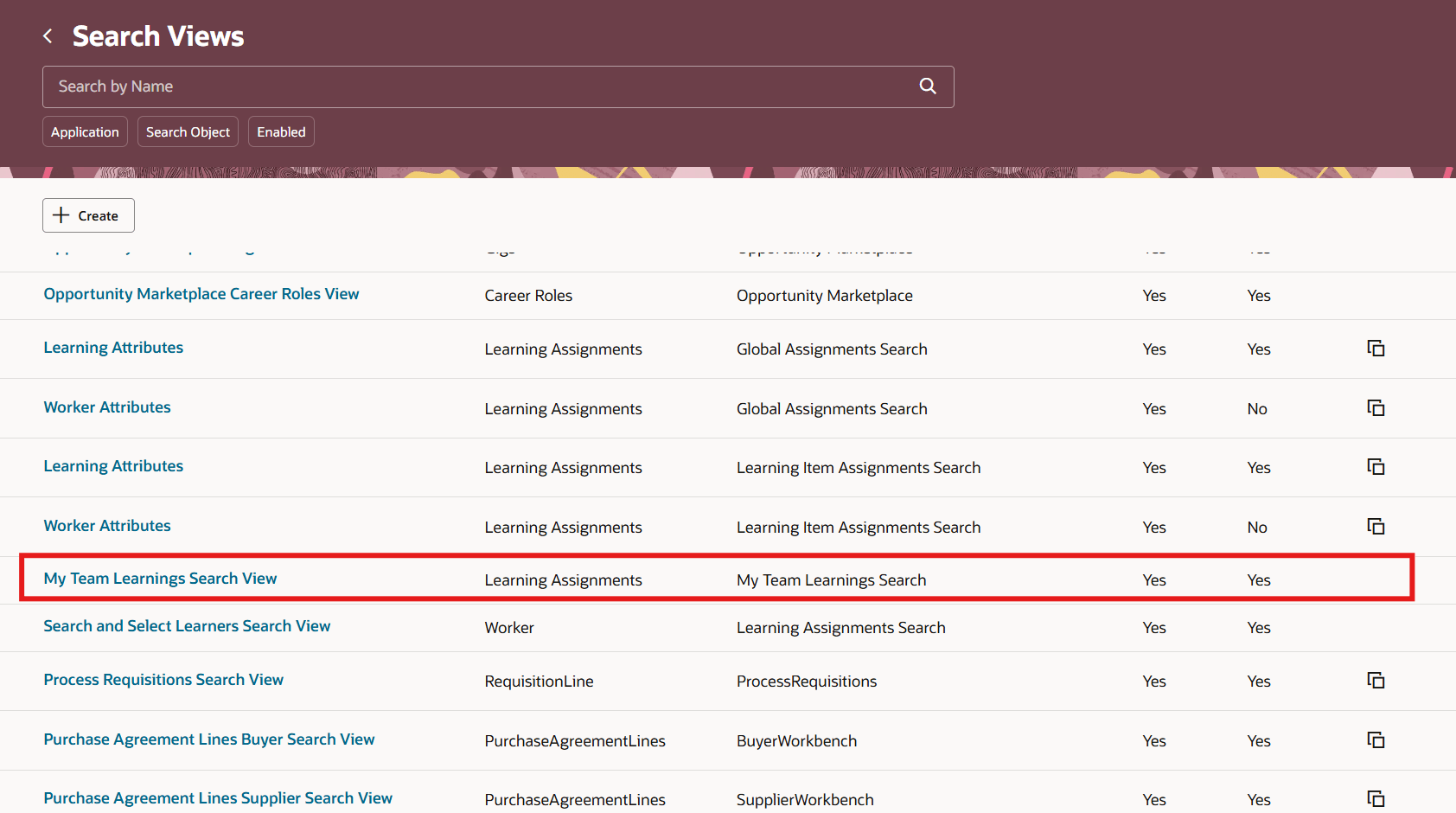
Search Views Page Showing My Team Learnings Search View
These enhancements let organizations standardize learning views and reduce the time workers and managers spend locating relevant content.
Steps to enable and configure
You don't need to do anything to enable this feature.
Tips and considerations
Learning type and format aren't available on downloaded transcripts.