Redwood Experience – Leave Travel Assistance Claim Page
Enhance the employee experience with the Leave Travel Assistance (LTA) Claim self-service page.
Employees can now submit their vacation details with supporting expense bills and claim the LTA. Employees can access the LTA Claim self-service page to enter their journey details, leave details, and also upload the supporting travel bills as proof for their claims.
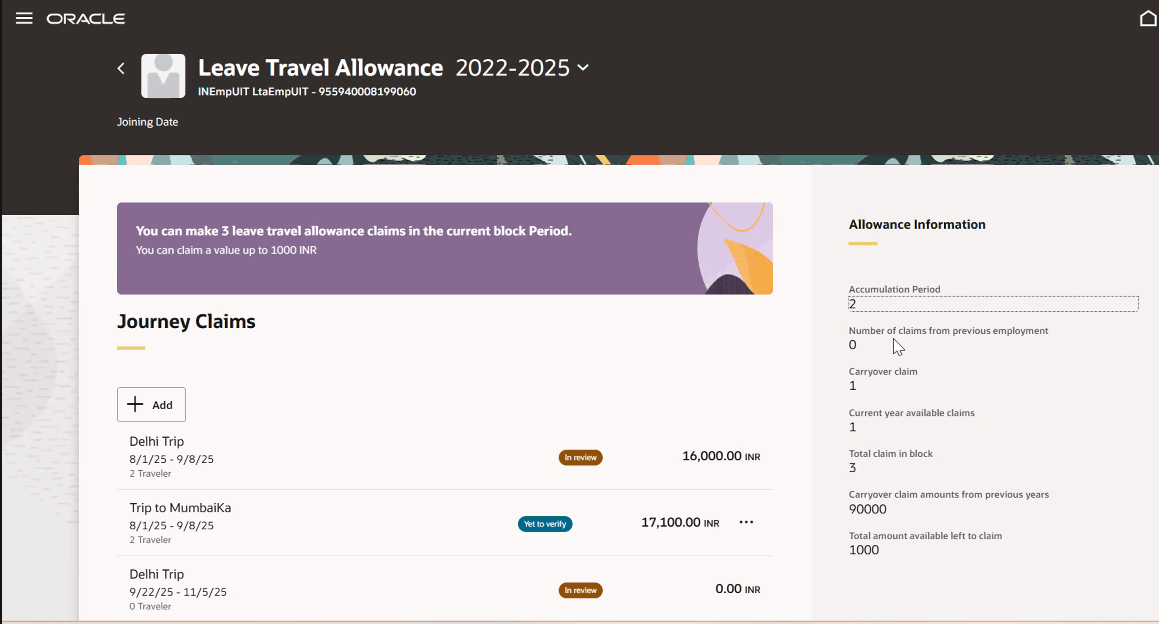
LTA Claims Self-Service page
Payroll administrators can review and verify the submitted proofs and approve claims through the Leave Travel Allowance tab in the Bills Verification and Approval page.
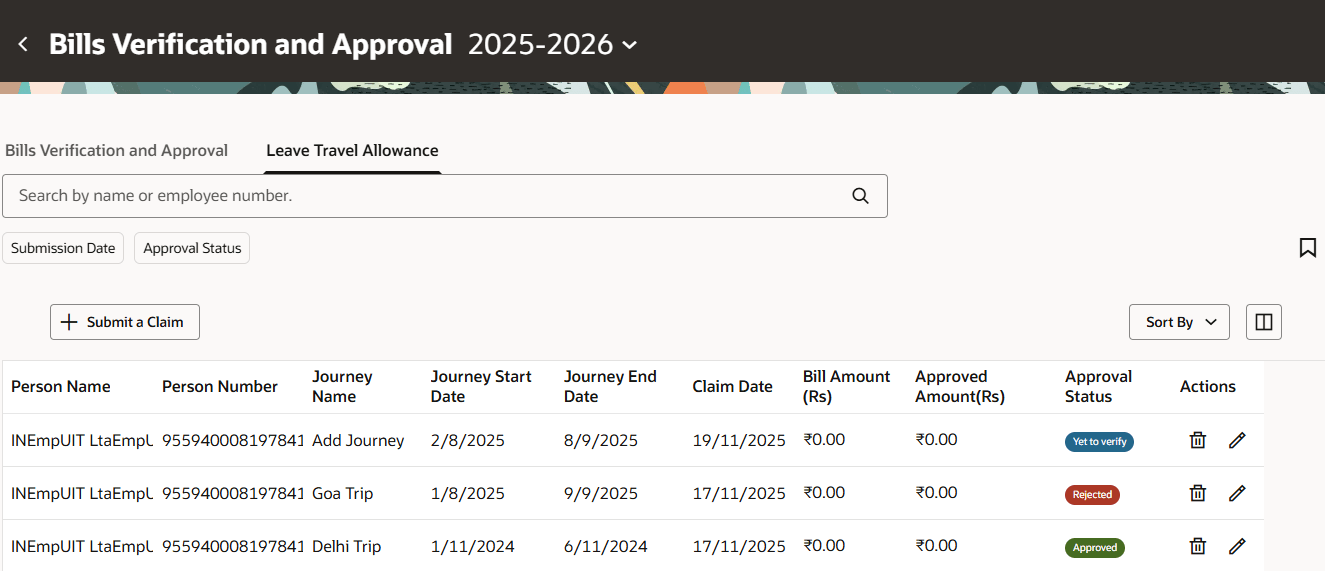
Leave Travel Allowance Administrator View
Simplifies the claim and approval process for managing LTA.
Steps to enable and configure
You don't need to do anything to enable this feature.
Tips and considerations
In the LTA Claim self-service page, employees can add the following:
- Journey details
- Vacation details
- Travel member details
- Upload their travel bills and other documents for the LTA Claim.
Access requirements
Here are the steps to enable the redesigned Redwood Proof Verification and Approval page:
- Navigate to the Setup and Maintenance area and search for the Manage Administrator Profile Values task.
- On the Manage Administrator Profile Values page, search for and select the profile option: ORA_HCM_VBCS_PWA_ENABLED (Enable VBCS Progressive Web Application User Interfaces across the HCM application).
- Set the Level as Site and the profile value to Yes.
- Search for and select the profile option: ORA_PAY_MY_IN_CALCARD_REDWOOD_ENABLED.
- Enter Yes in the Profile Value field.
- Click Save and Close.
To enable any of the Redwood pages, the central profile option ORA_HCM_VBCS_PWA_ENABLED needs to be set to Yes. For more information, see HCM Redwood Pages with Profile Options (Doc ID 2922407.1)