Redwood Experience: Add to Requisition Extensibility in Candidate Pages
The option to create a job application on behalf of the candidate when using the Add to Requisition action in the candidate pages can be selected by default by configuring a page property in Visual Builder Studio.
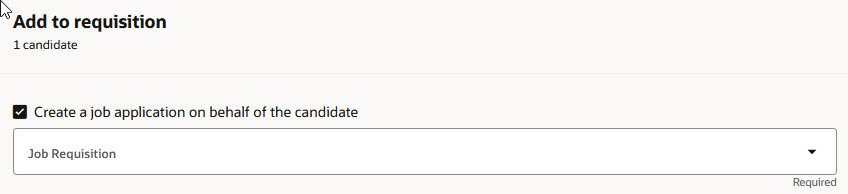
Option to Create a Job Application on Behalf of the Candidate
Business benefit: If you want users to create job applications on behalf of candidates, you can set that option to be selected by default. This will save time and ensure this isn't overlooked or missed by users.
Steps to enable and configure
In Visual Builder Studio, use the Default Option to Create Job Application on Behalf of Candidate page property to define if the option "Create a job application on behalf of the candidate" is selected by default or not. This page property is located in the Search Candidates and Candidate pages. For details, see How do I control the display of a UI element in Visual Builder Studio?
Note: This page property only applies to the Add to Requisition action available in the Redwood candidate lists and candidate details page. There's another page property for the job applications list and details page.
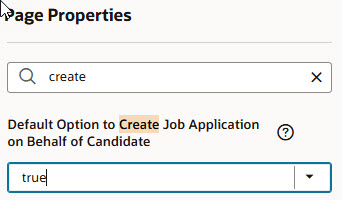
Page Property Used to Select the Option by Default
To use Redwood experience, you need to enable these profile options:
- ORA_IRC_RECRUITING_REDWOOD_ENABLED
- ORA_IRC_JOB_APPLICATION_REDWOOD_ENABLED
- ORA_IRC_CANDIDATE_REDWOOD_ENABLED
- ORA_IRC_REQUISITION_REDWOOD_ENABLED
For details, see How do I enable a profile option?
For details on enabling and customizing Redwood for HCM, see How do I adopt Redwood for HCM? and Extending Redwood Applications for HCM and SCM Using Visual Builder Studio.