Redwood Experience: Candidate Profile Extensibility Enhancements
You can configure the display of the Skills and Qualifications sections in the candidate profile by creating business rules in Visual Builder Studio.
Business benefit: You can configure the sections and fields that should be visible to users based on conditions that align with your business practices.
Steps to enable and configure
By default, Talent Profile content isn’t displayed in Visual Builder Studio, under Fields and Regions. You need to create a business rule to view Talent Profile content. You'll then be able to customize the display of the Skills and Qualifications sections. For details, see How do I hide or show a section in Visual Builder Studio?
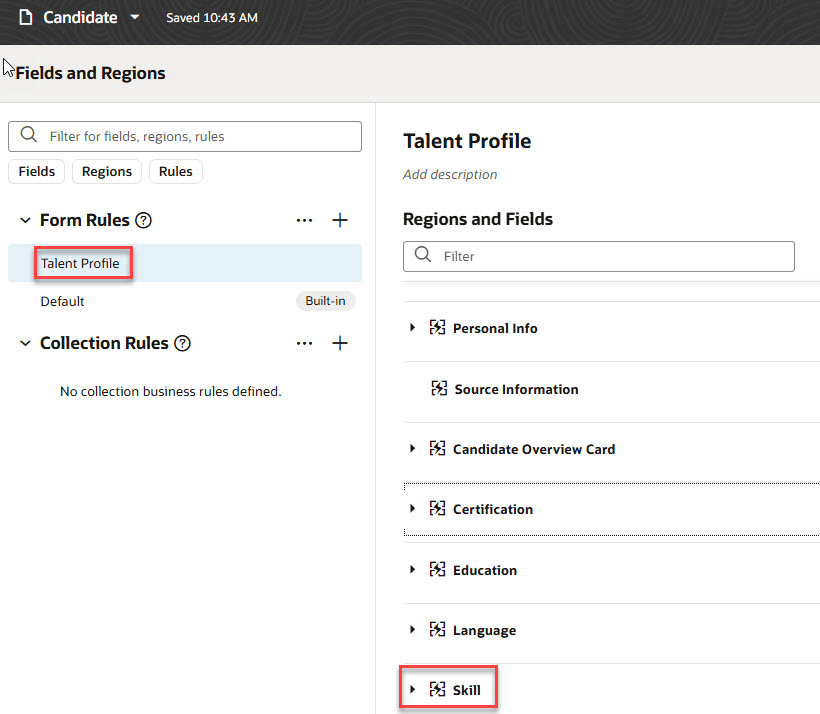
Skill Region in Visual Builder Studio
To use Redwood experience, you need to enable these profile options:
- ORA_IRC_RECRUITING_REDWOOD_ENABLED
- ORA_IRC_JOB_APPLICATION_REDWOOD_ENABLED
- ORA_IRC_CANDIDATE_REDWOOD_ENABLED
- ORA_IRC_REQUISITION_REDWOOD_ENABLED
For details, see How do I enable a profile option?
For details on enabling and customizing Redwood for HCM, see How do I adopt Redwood for HCM? and Extending Redwood Applications for HCM and SCM Using Visual Builder Studio.