Redwood Experience: Relevance Search in Job Requisitions List
The Relevance sort option is selected when you do a keyword search in the Redwood Job Requisitions list page.
When you go to the Job Requisitions list page, the list is sorted based on the creation date of job requisitions. As soon as you type a keyword to search for job requisitions, the Sort By value automatically switches to the Relevance sorting.
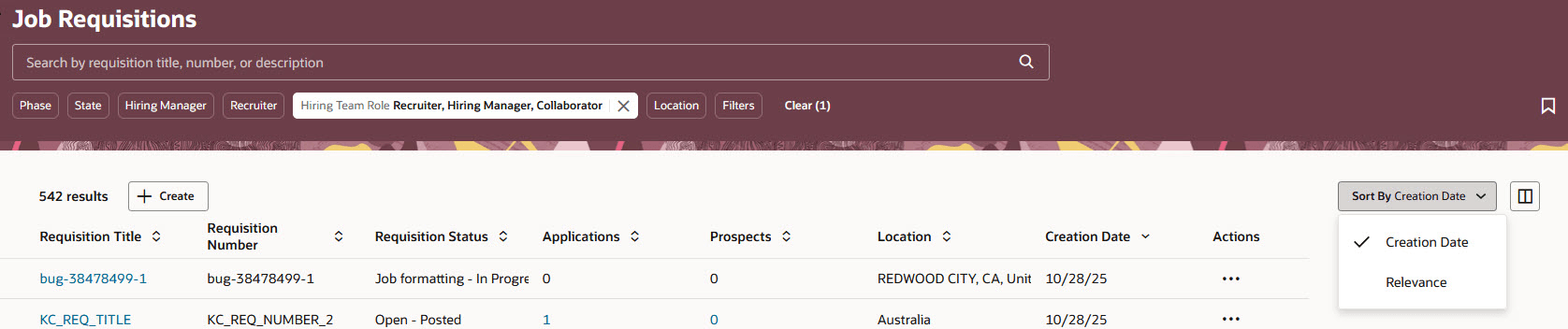
Job Requisitions Sorted by Creation Date
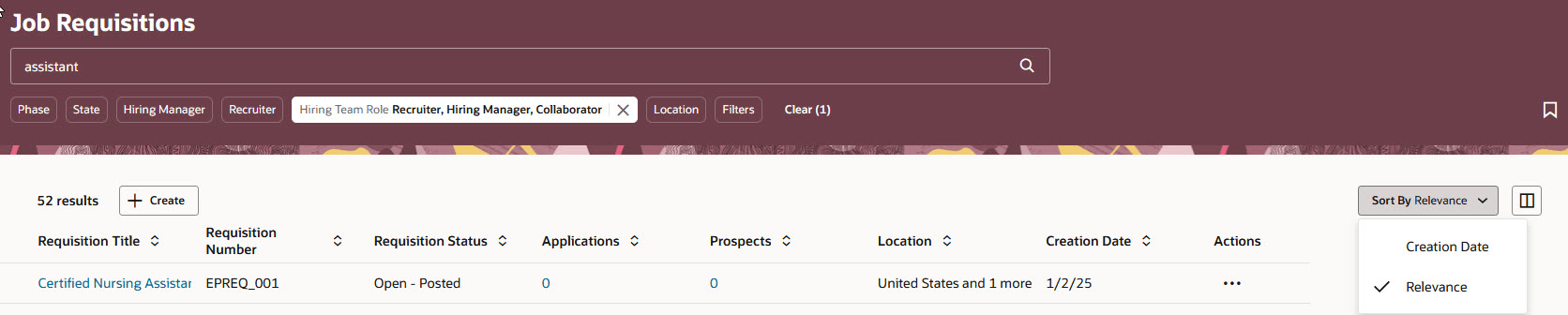
Job Requisitions Sorted by Relevance
When searching job requisitions by keyword, you can use terms like requisition title or requisition number to start your search. If you enclose a phrase in quotation marks, the search engine will return only those job requisitions that match the exact phrase you specified. Without quotation marks, the search engine finds requisitions that match any of the keywords you entered and will give a higher relevance score to requisitions that match the exact phrase.
When search results are returned, the following criteria are applied:
- Precision Tuning: When using 1 or 2 keywords, all of the specified keywords must be found in the job requisition fields. When there’s more than 2 keywords, partial match is allowed, meaning at least one keyword must match.
- Relevance Calculation: Job requisitions with a higher relevance score are displayed at the top of the search results list. The following factors are considered when calculating relevance:
- Field Weight: Fields in job requisitions have different levels of importance, or "weights". When the keyword phrase matches a field with a higher weight, that requisition receives a higher relevancy score than one matching fields with a lower weight.
- Exact Match: When you enter a phrase without using quotation marks, the search engine finds job requisitions that match any of the keywords you entered. Requisitions that have an exact match receive a higher relevance score
- Fuzziness: Search results will find matches when there are misspellings, typos, and variations in words — improving search accuracy and user experience. For example, if you search for "recieve" (misspelled), a fuzzy search will still return results for "receive".
Business benefits:
- More effective and reliable search, which will improve the user experience and reduce the time in finding the correct job requisition.
- Ability to modify the weighting of attributes in keyword search to align with your business process.
Steps to enable and configure
To display the new Relevance sort option in the Redwood Job Requisitions list, you need to enable these profile options:
- ORA_IRC_RECRUITING_REDWOOD_ENABLED
- ORA_IRC_REQUISITION_REDWOOD_ENABLED
Use the new ORA_IRC_REQUISITION_SEARCH_BOOST profile option to change the weighting of these fields as per your business needs:
- Requisition Number: 10
- Requisition Title: 10
- Job Name: 5
- Position Name: 5
- Other Requisition Title: 5
- Internal Description: 3
- External Description: 3
- Internal Short Description: 3
- External Short Description: 3
- Business Unit Name: 3
- Organization Name: 3
- Department Name: 3
- Skill Name: 3
- Internal Responsibilities: 1
- External Responsibilities: 1
- Internal Qualifications: 1
- External Qualifications: 1
For details, see How do I enable a profile option?
For details on enabling and customizing Redwood for HCM, see How do I adopt Redwood for HCM? and Extending Redwood Applications for HCM and SCM Using Visual Builder Studio.