Redwood: Process Mass Actions For All Records Of A Selected Performance Document
You can now process mass actions using a population type of All to process the performance documents for your organization instead of having to process them by department or business unit.
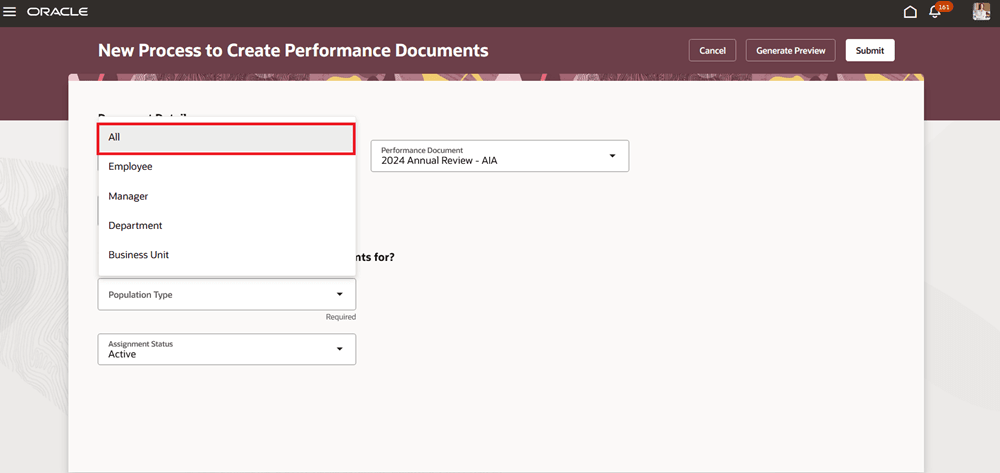
Create Performance Documents for All Population Type
Business Benefit: Simplifies the mass action process instead of having to process them individually by department or business unit.
Steps to enable and configure
For more details, see How do I process mass actions for all population types?
You need to configure the profile options for Redwood performance documents as indicated in the following table.
| Profile Option Code | Description | Value |
|---|---|---|
| ORA_HCM_VBCS_PWA_ ENABLED |
Enable VBCS Progressive Web Application User Interface | Y |
| ORA_HRA_PERFORMANCE_DOCUMENTS_AND_GOALS_REDWOOD_ENABLED | Enable performance documents and employee performance and development goals to display in Redwood. | Yes |
|
ORA_HRA_SETUP_REDWOOD_ |
Enable Redwood setup pages for Performance Management. | Yes |
Key resources
For a listing of all profile options for the recreated pages across HCM, see the following document in My Oracle Support:
• HCM Redwood Pages with Profile Options – MOS Document - 2922407.1