AI Assist in Check-In Pages
To help you make the most of your check-in documents and enrich your conversations with your manager or team, use the AI Assist button. This button offers suggestions and helps you clearly articulate your thoughts based on progress notes from previous check-ins, employee profile, job profile, and employee or manager check-in comments, making your check-ins more productive and insightful.
Using the AI Assist button can lead to more impactful conversations and stronger alignment with your manager or team, as it supports ongoing development by helping you track progress and set clear goals.
Note: The AI Assist button is turned on by default.
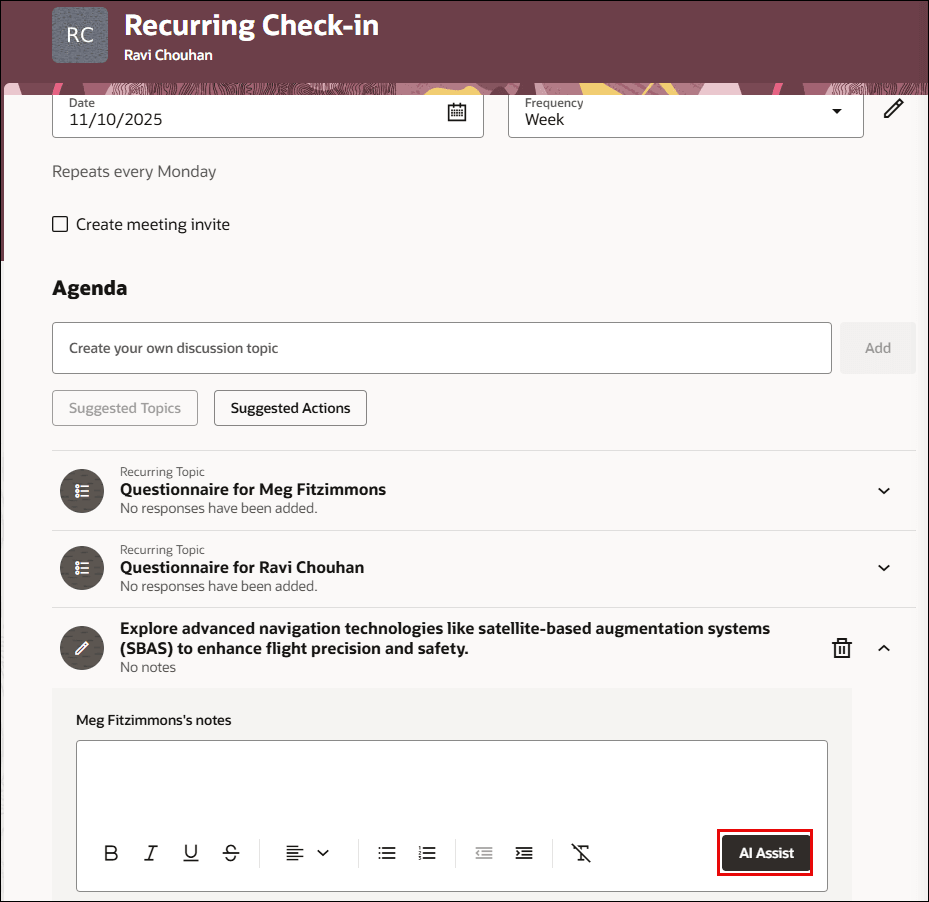
AI Assist button in Suggested Topics notes
Extensibility
To use the AI Assist button to generate check-in notes, these page properties must be configured:
| Property | Description |
|---|---|
| Show Check-Ins AI Assist for Manager | Controls the display of the AI Assist button for managers on the Check-In Details page. |
| Show Check-Ins AI Assist for Employee | Controls the display of the AI Assist button for employees on the Check-In Details page. |
Note: To hide the AI Assist button, select false. The default page property is true, which shows the button.
Business Benefit
By leveraging the AI Assist button, you can:
- Easily organize your notes and highlight key discussion topics.
- Ensure your goals, achievements, and challenges are presented clearly and completely.
- Save time preparing for your meetings, allowing you to focus on meaningful discussion.
- Make your check-in discussions more productive and focused.
Steps to enable and configure
You don't need to do anything to enable this feature.