Questionnaire Visibility Rules in Check-Ins
As a manager or employee, you may want to keep your responses to the questionnaire private until you’ve completed answering them. This allows you to complete the questionnaire at your own pace and ensure they’re completely ready before sharing.
The HR Admin enables this feature by selecting the appropriate options in the Check-in content section during check-in template configuration.
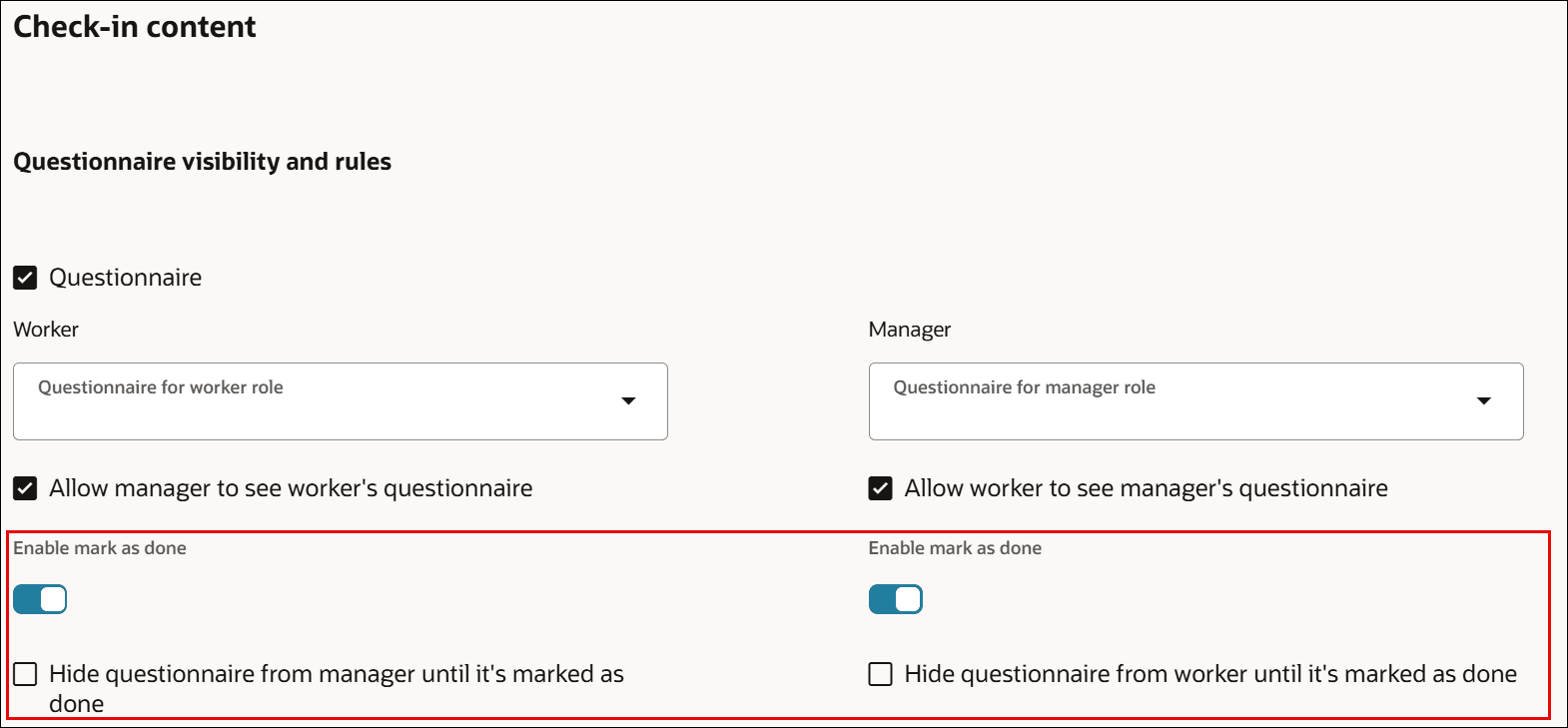
Questionnaire visibility settings
As a manager or an employee, when you update a check-in document, the questionnaire appears based on these configurations in the Check-template page.
| Check-in content Options | Description |
|---|---|
| Enable mark as done | Allow a manager or an employee to set a questionnaire as done. |
| Hide questionnaire from manager until it’s mark as done | Hides the worker questionnaire from the manager until it is marked as done in the check-in document. |
| Hide questionnaire from worker until it’s mark as done | Hides the manager questionnaire from the worker until it is marked as done in the check-in document. |
After the HR Admin configures the questionnaire visibility rules, as a manager or employee, you can show your responses only after selecting the Mark as done option on the check-in page. Until then, responses to the questionnaire aren’t visible.
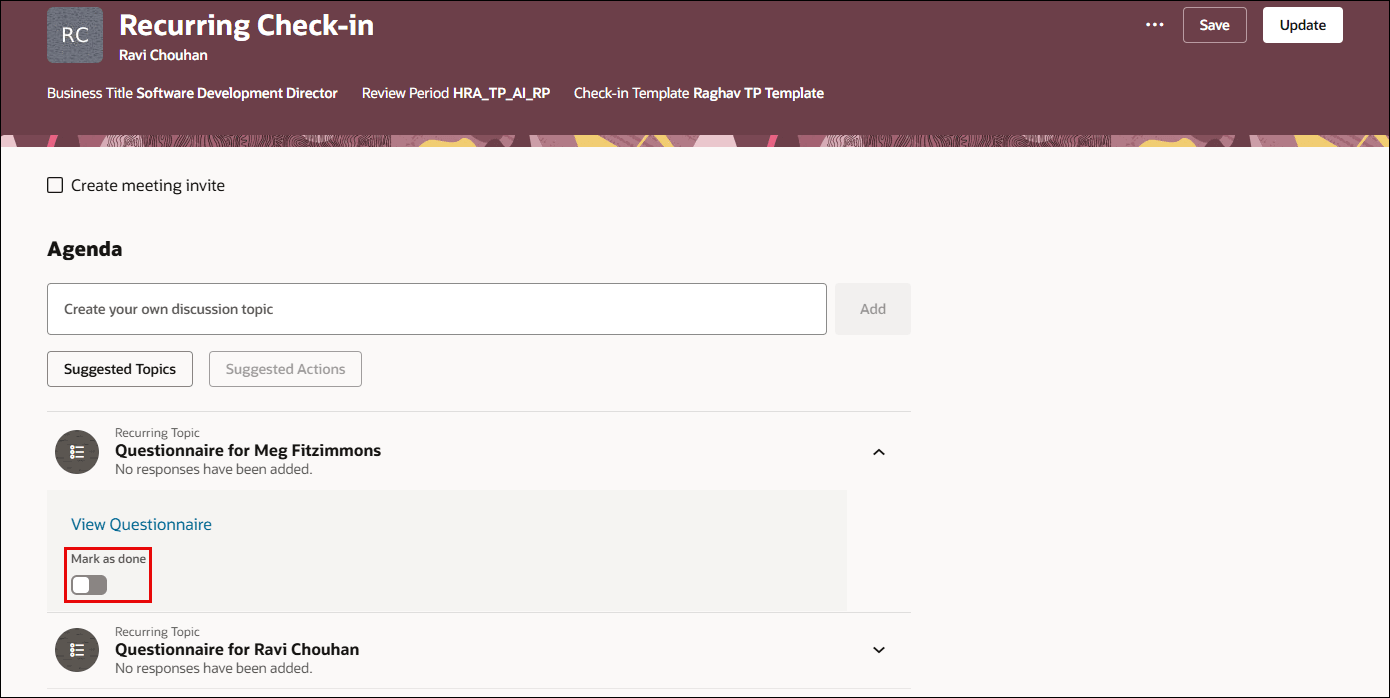
Mark as done option for manager
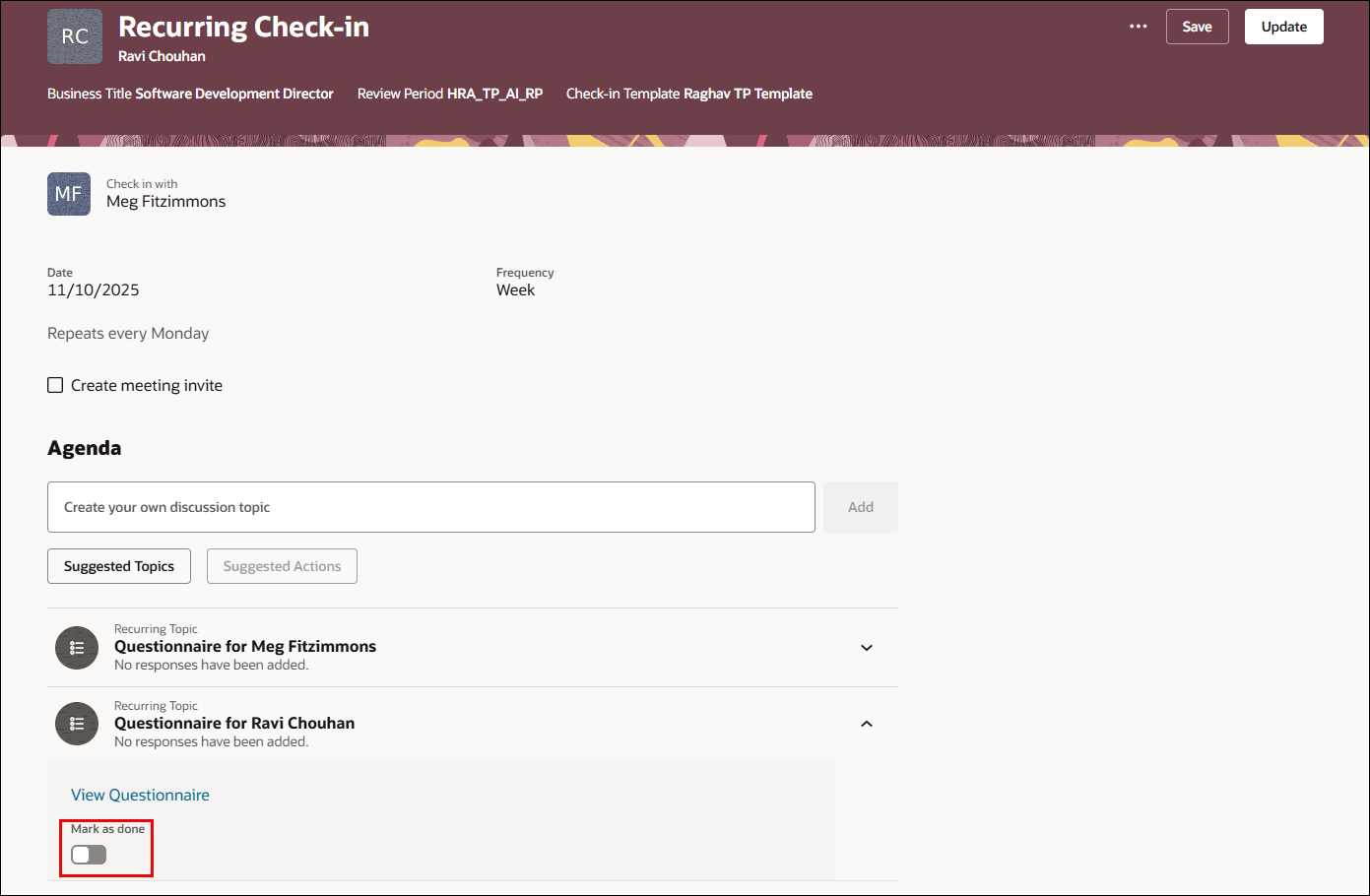
Mark as done option for employee
Note: If the Enable mark as done, Hide questionnaire from manager until it’s mark as done, and Hide questionnaire from worker until it’s mark as done options are not chosen, your questionnaire responses will be visible to your manager or employee, and the Mark as done option will not be visible on the check-in page.
Business Benefit
Managers and employees can now keep questionnaire responses private in check-ins until you’ve completed answering them.
Steps to enable and configure
For details, see: How HR Specialist hides questionnaire responses?