Redwood: User Experience Enhancements
From this release, goal administrators can see goal details in a panel when they create or edit a goal on these pages:
- Goal plan
- Performance goal mass assignment process
- Performance goal mass share process
- Development goal mass assignment process
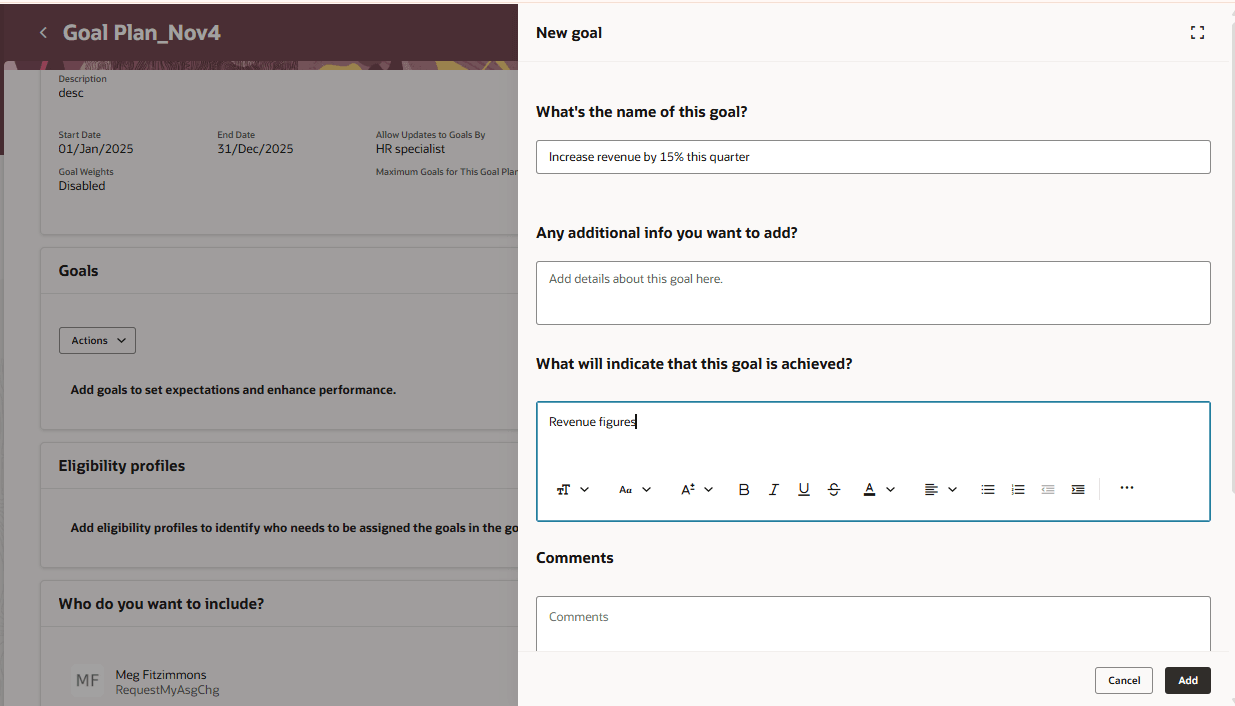
New goal Panel in a Goal Plan
Note: Your implementers need to recreate any Visual Builder studio configurations that were done for the New Goals page or the goal details page that you could see before this release in these panels.
From this release, users can also see an avatar on the Explore page which helps to identify the person for whom the goals are being explored.
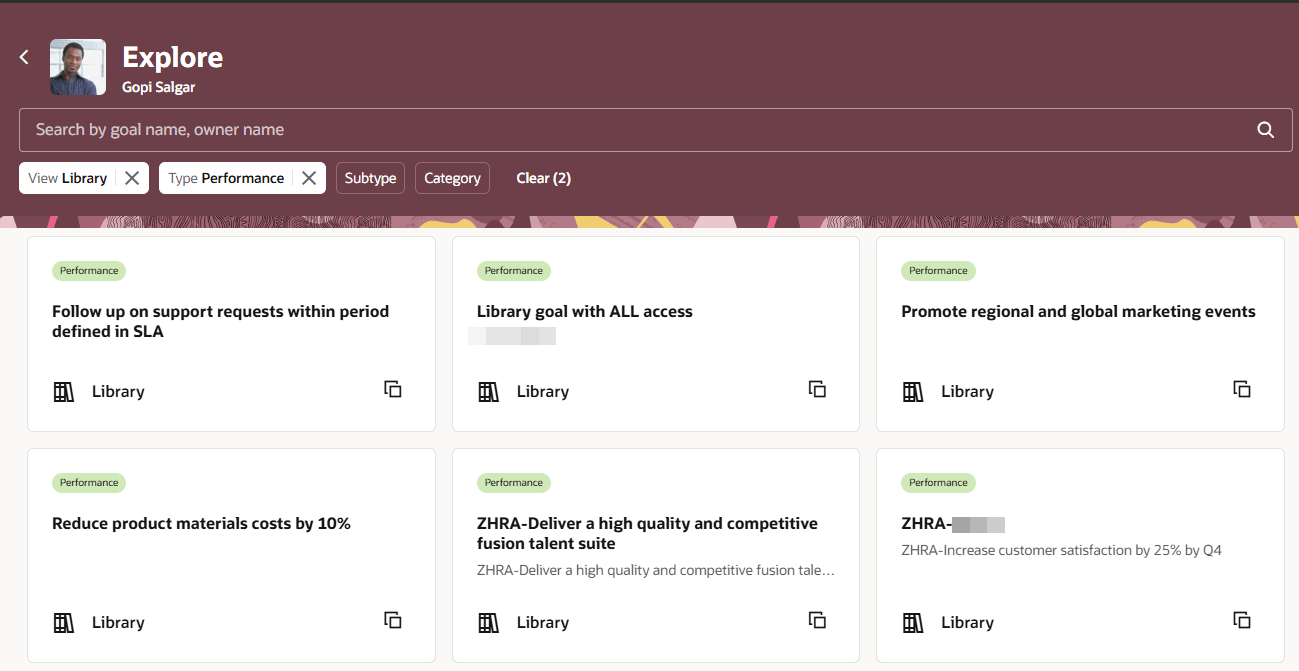
Explore Page with Avatar
Business Benefits
- View the goal details or create a performance or development goal in a panel without leaving the source page. This provides more context for the goal.
- Use the avatar shown to explore goals efficiently.
Steps to enable and configure
To enable Redwood Goals Center, you need to enable the profile options indicated in the table.
|
Profile Option Code |
Profile Option Display Name |
Value |
|---|---|---|
|
ORA_HCM_VBCS_PWA_ENABLED |
Enable VBCS Progressive Web Application User Interface |
Y |
|
ORA_HRA_PERFORMANCE_DOCUMENTS_AND_GOALS_REDWOOD_ENABLED |
Enable Redwood Performance Documents and Goals Center |
Yes |
NOTE: The Performance Document, Check-in, and Goals Center features are closely connected. So, the Redwood version of these pages can all be enabled or disabled only using the common ORA_HRA_PERFORMANCE_DOCUMENTS_AND_GOALS_REDWOOD_ENABLED profile option. These features can't be enabled individually.
For more information, see How do I enable a profile option?.