New Time Calculation Formula and Template That Subtracts Unpaid Time Defined on Scheduled Shifts
Time and Labor now includes a fast formula and rule template that makes it easy to manage and display unpaid break time for shifts. With this improvement, when you set unpaid breaks in a shift, the processed results show the reported shift hours minus unpaid time. You can specify whether to show unpaid time as a separate measure or focus solely on actual work hours, helping clarify time records for payroll and reporting. The rule applies whenever reported time exactly matches a shift that includes defined unpaid periods.
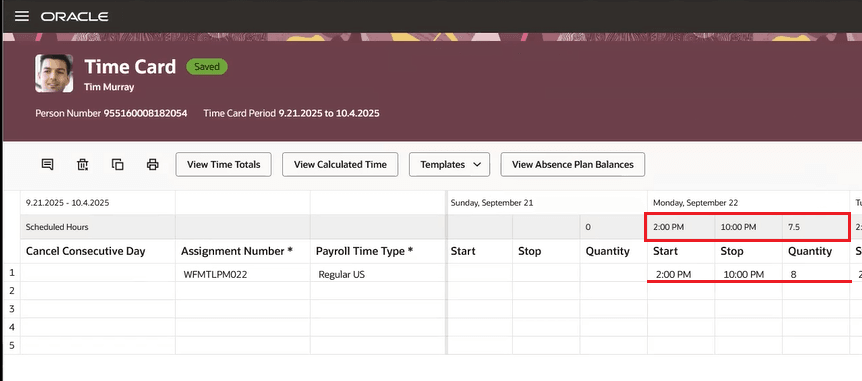
Time Card with Report Time Highlighted
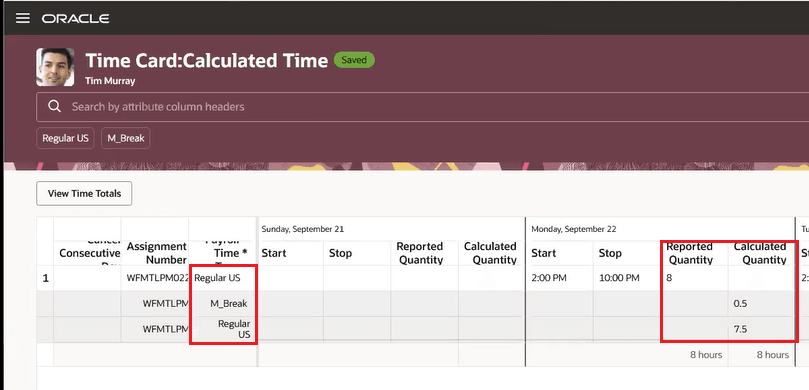
Time Card with Processed Time Highlighted
Organizations can now get a clear and accurate separation of paid and unpaid work directly in their processed time records, improving visibility for employees and payroll teams. This helps streamline compliance, payroll processing, and reporting for any roles subject to unpaid breaks.
Steps to enable and configure
- To display the unpaid time in process results, you need to define a new payroll element that can be used on time cards to identify the unpaid time. For details, see Create Time Card Elements for Global Payroll Time Entries in How do I implement time cards in Time and Labor?
- Create time calculation rules with the new Subtract_UNPAID_BREAK_IN_SHIFT_FROM_CALCULATED_DURATION template. For details, see Create a Time Entry, Time Calculation, or Workforce Compliance Rule in How do I implement time validations, calculations, and processing with Time and Labor?
- If you display the pay time type with unpaid break, select the appropriate payroll time type in the Pay Time Type for unpaid break list.
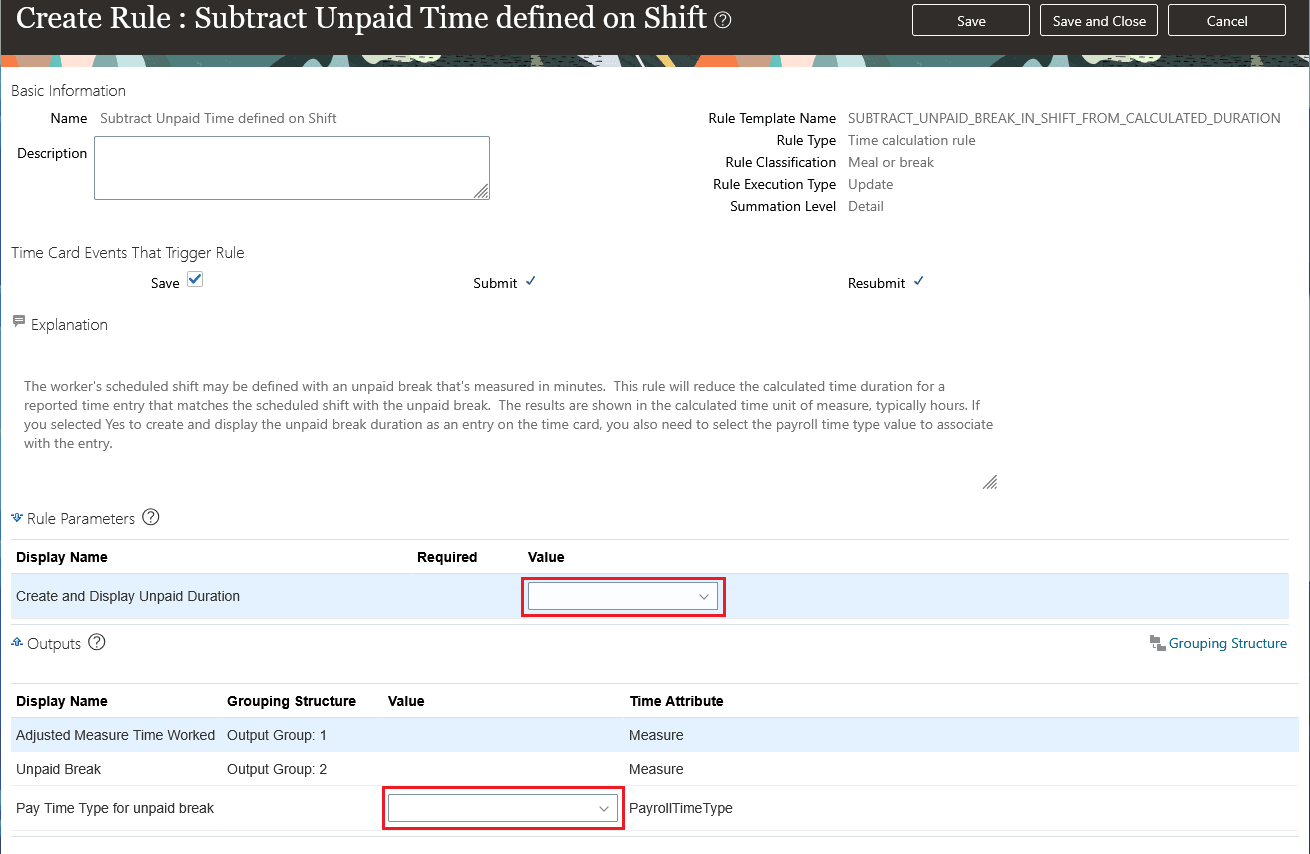
Create Rule Page with the Relevant Rule Parameters and Outputs highlighted
- Add the rules to the appropriate rule sets. For details, see Create a Time Entry, Time Calculation, or Workforce Compliance Rule Set in How do I implement time validations, calculations, and processing with Time and Labor?
- Add the rule set to the relevant worker time processing profiles. For details, see Create a Worker Time Processing Profile in How do I implement time validations, calculations, and processing with Time and Labor?