Time Change Request Enhancements for Workers
You can now access a dedicated page to view and search for all your submitted time change requests. From this list, you can review approval history or withdraw a request that's still pending approval using the new View action.
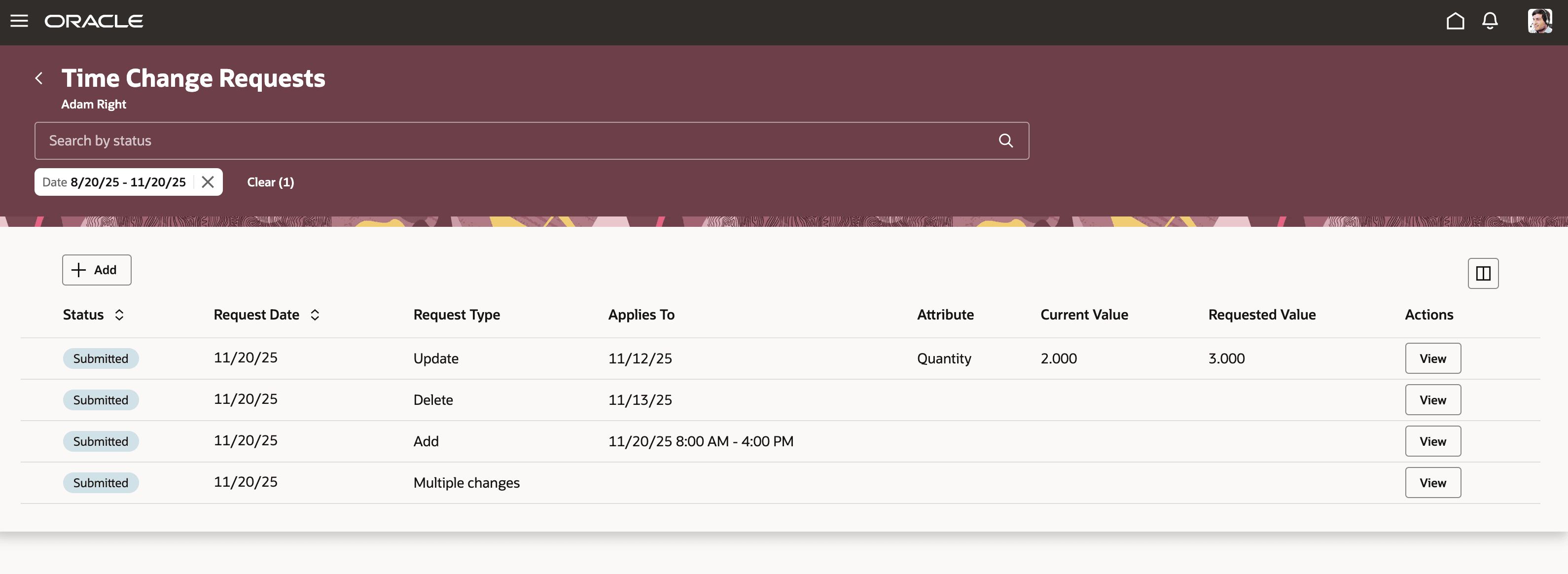
New Time Change Requests Page
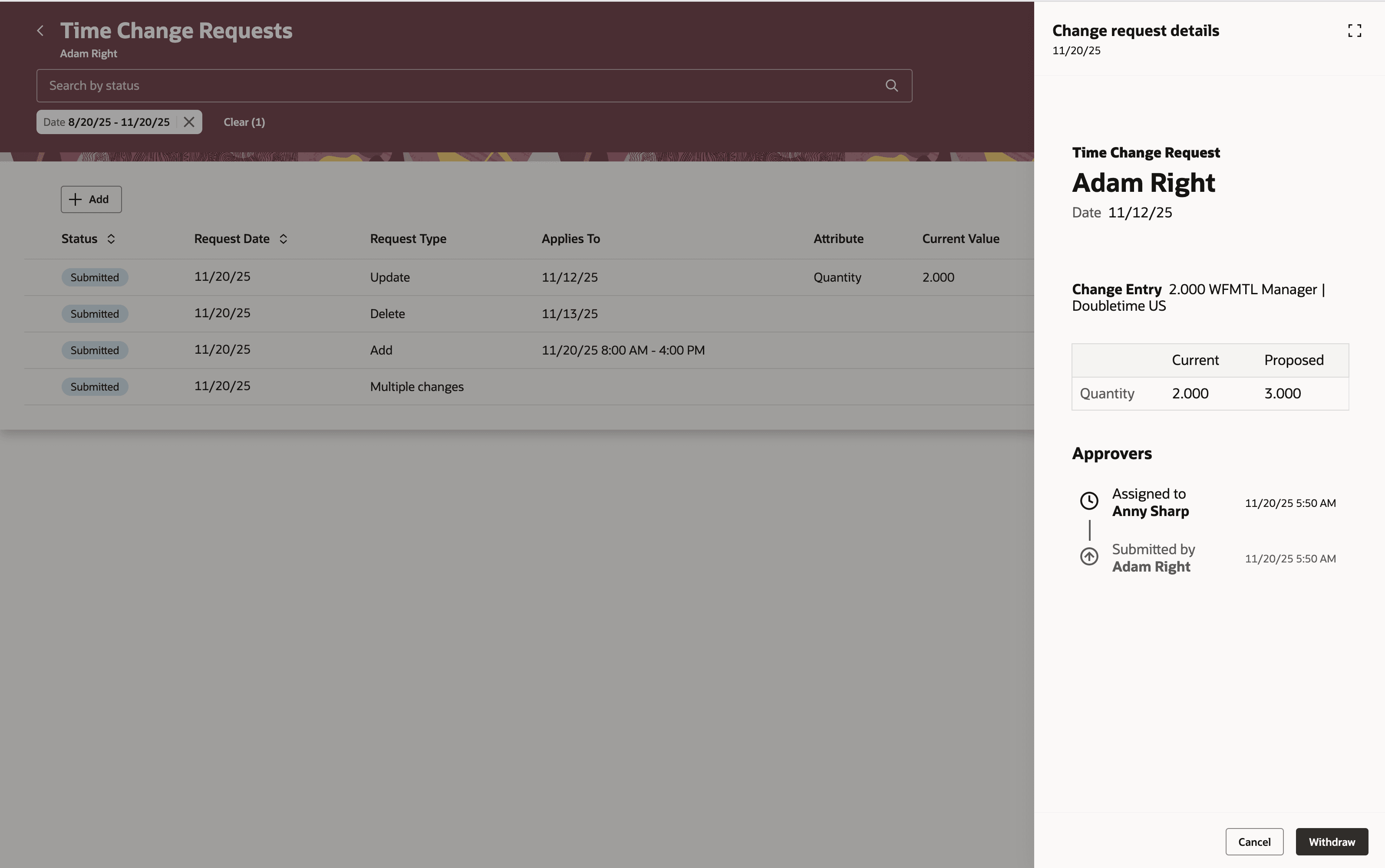
Change Request Details Drawer with the Withdraw Action
Now, you see the change type when you select a date or start creating a change. And the delete process was redesigned so that when you delete an entry as part of the request, it remains as part of the request with the change type set to Delete. Entries marked for deletion are removed after the necessary approvals. Additionally, new project attributes are available for Project Manager approval routing, giving you greater control over how project-time changes are reviewed.
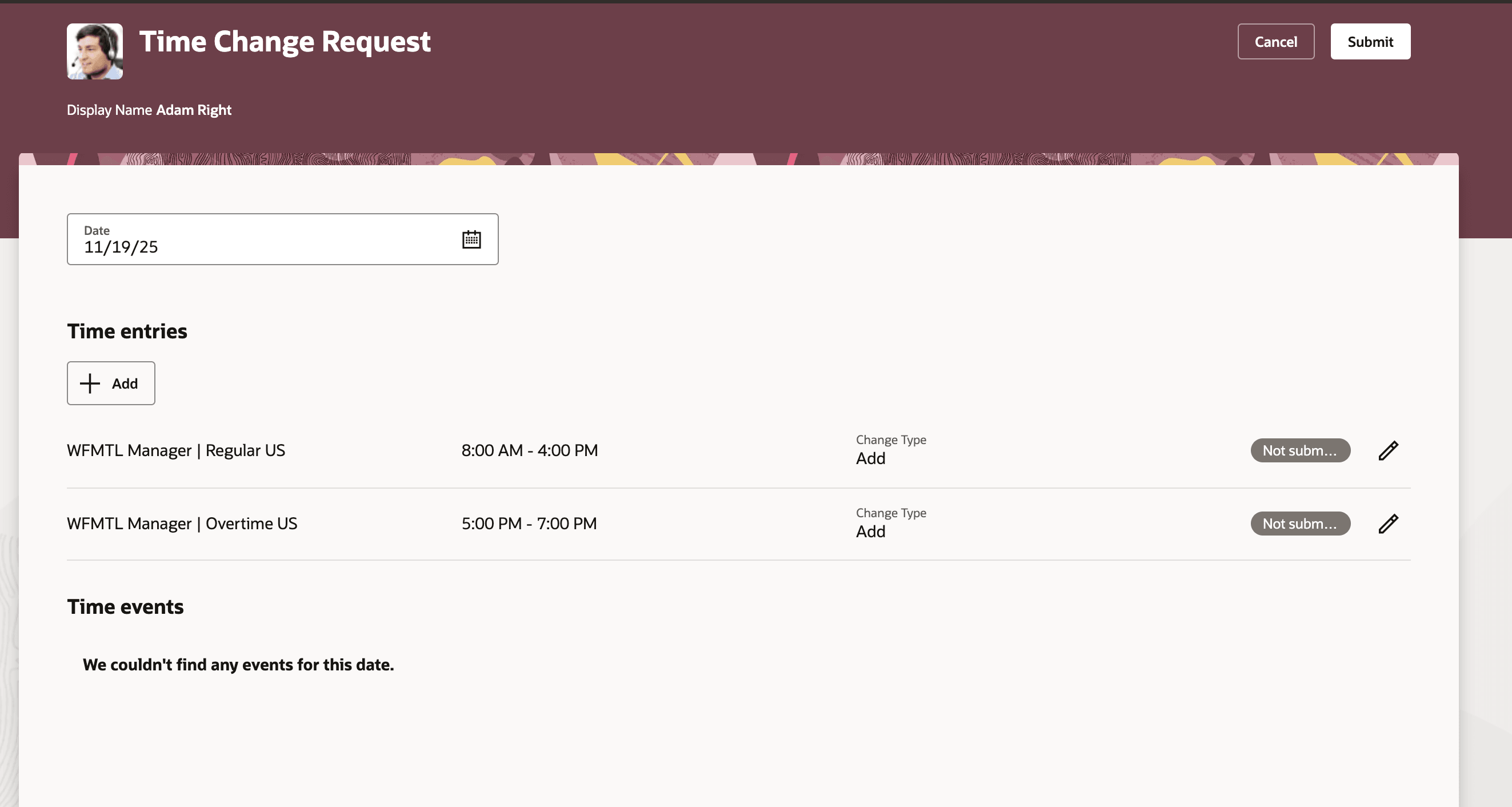
Time Change Request Page with the New Change Type Column
And the ApprovalTimeChangeRequestDetail.projectManager attribute is now available in BPM to configure approval routing for changes to project entries.
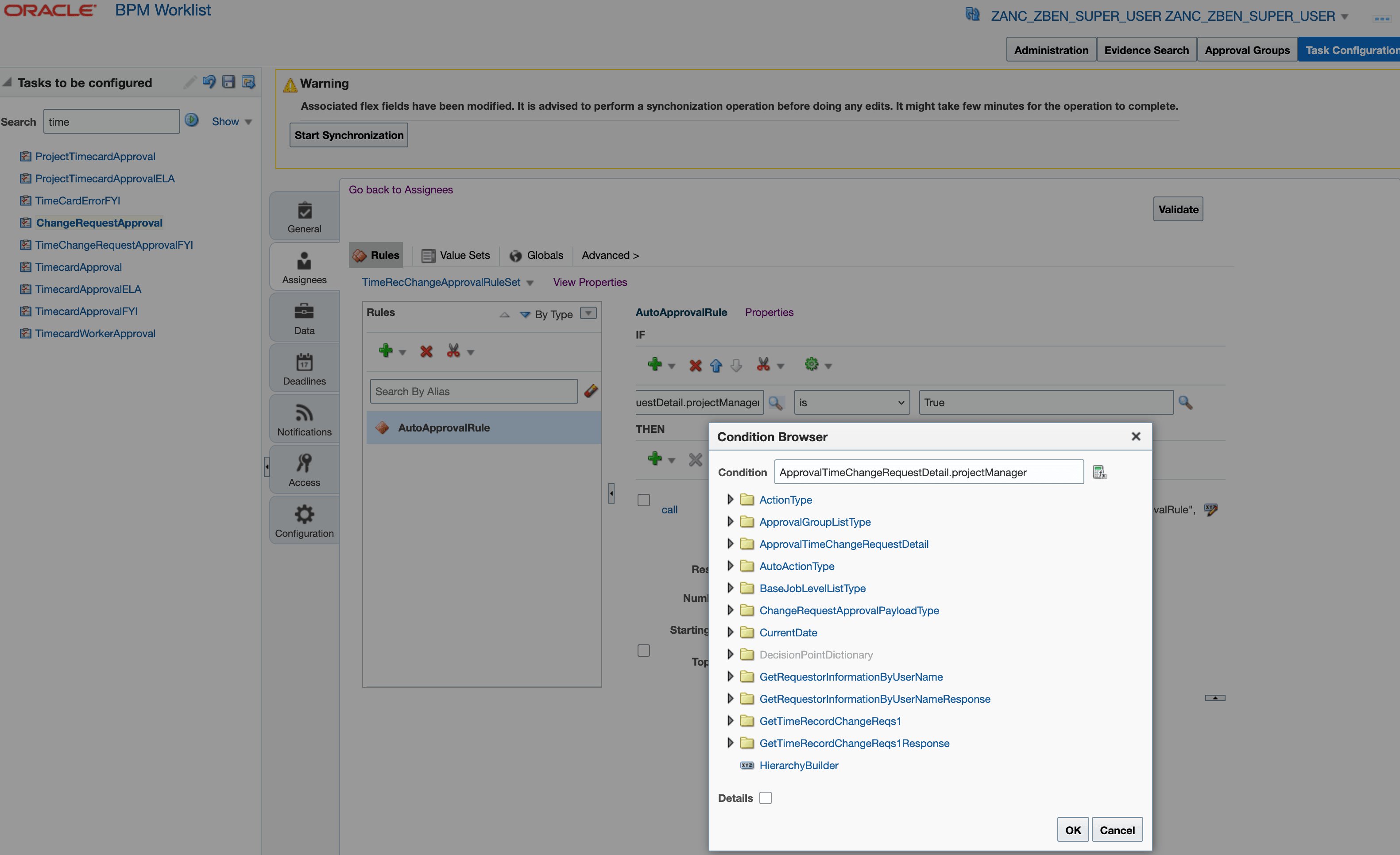
BPM Worklist Showing the ChangeRequestApproval Task and Condition Browser with the New Attribute
With one central place to track, check history, and manage your change requests, submitting and managing changes is simpler than ever. Built-in safeguards tie deletions to approvals, reducing accidental loss of data, while routing configuration adds flexibility for managing project time changes. This feature tidies up workflow and provides an added layer of oversight for time entry requests.
Steps to enable and configure
You need to configure security for the Delete action. See the Access Requirements section.
Tips and considerations
You can make the change request Comments field required using Visual Builder Studio and the Comments required on Request Time Changes page constant.
Key resources
For information about extending HCM apps using Visual Builder Studio, see Extending Redwood Applications for HCM and SCM Using Visual Builder Studio
Access requirements
You control the Delete action on change requests with the Request Deletion of Time Entries privilege that's part of the delivered Employee role. By default, the action is enabled. You need to add this to your applicable corresponding custom roles for the workers who should be able to delete their requests.
| Privilege Name | Code | Description |
|---|---|---|
| Request Deletion of Time Entries | HXT_REQUEST_DELETION_OF_TIME_ENTRIES | Allows workers to request deletion of time entries. |