Approval History Action on Team Time Cards
You can now more easily view the approval history for any submitted, approved, or rejected time card. An Actions column introduces a new overflow menu, giving access to additional options, such as Approval History. And this history includes any administrative overrides that occurred during approval. In cases where data was archived or is no longer available, the drawer provides a clear message about the missing transaction information.
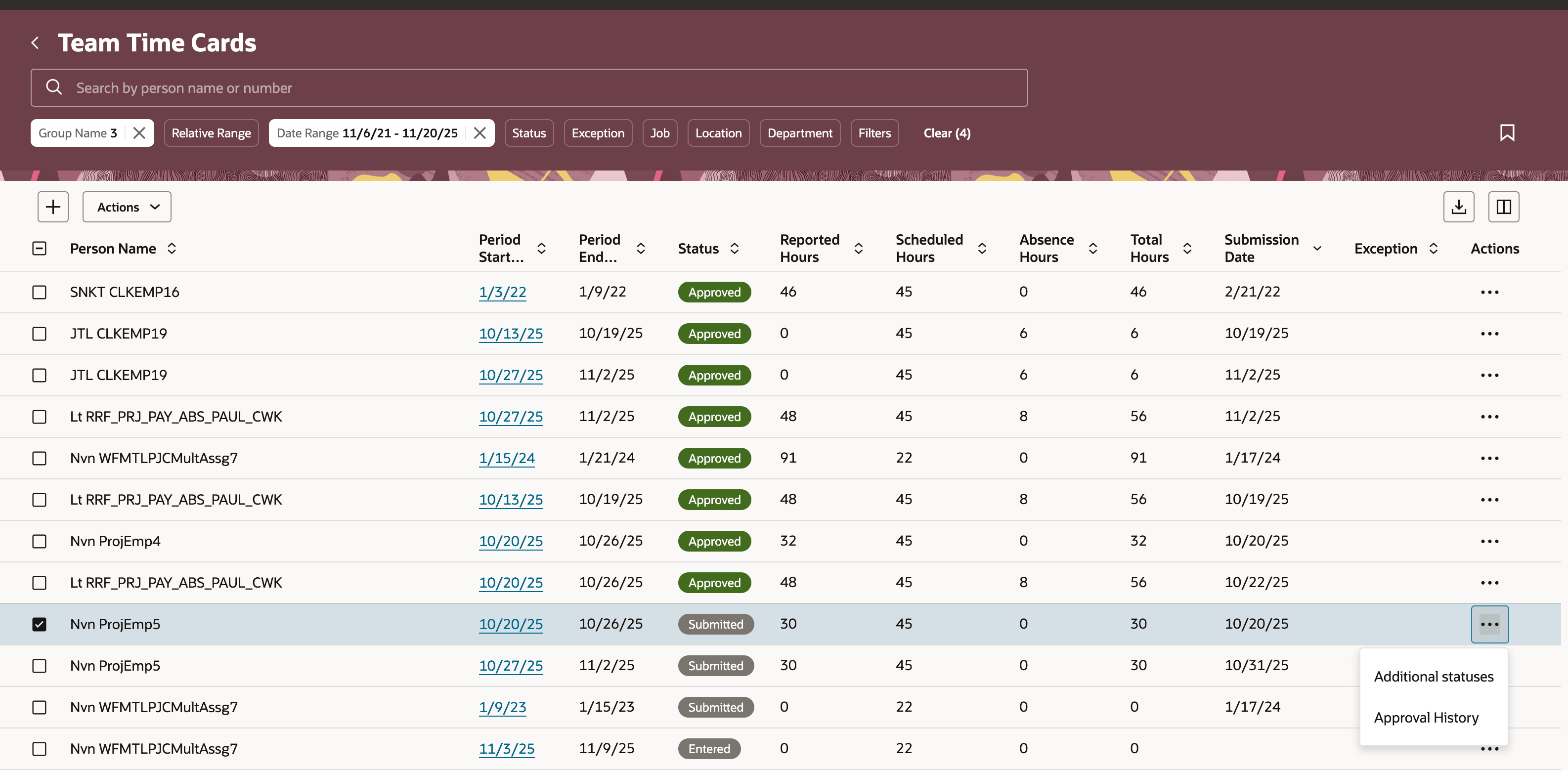
Team Time Cards Page Showing the Row-Level Overflow Actions
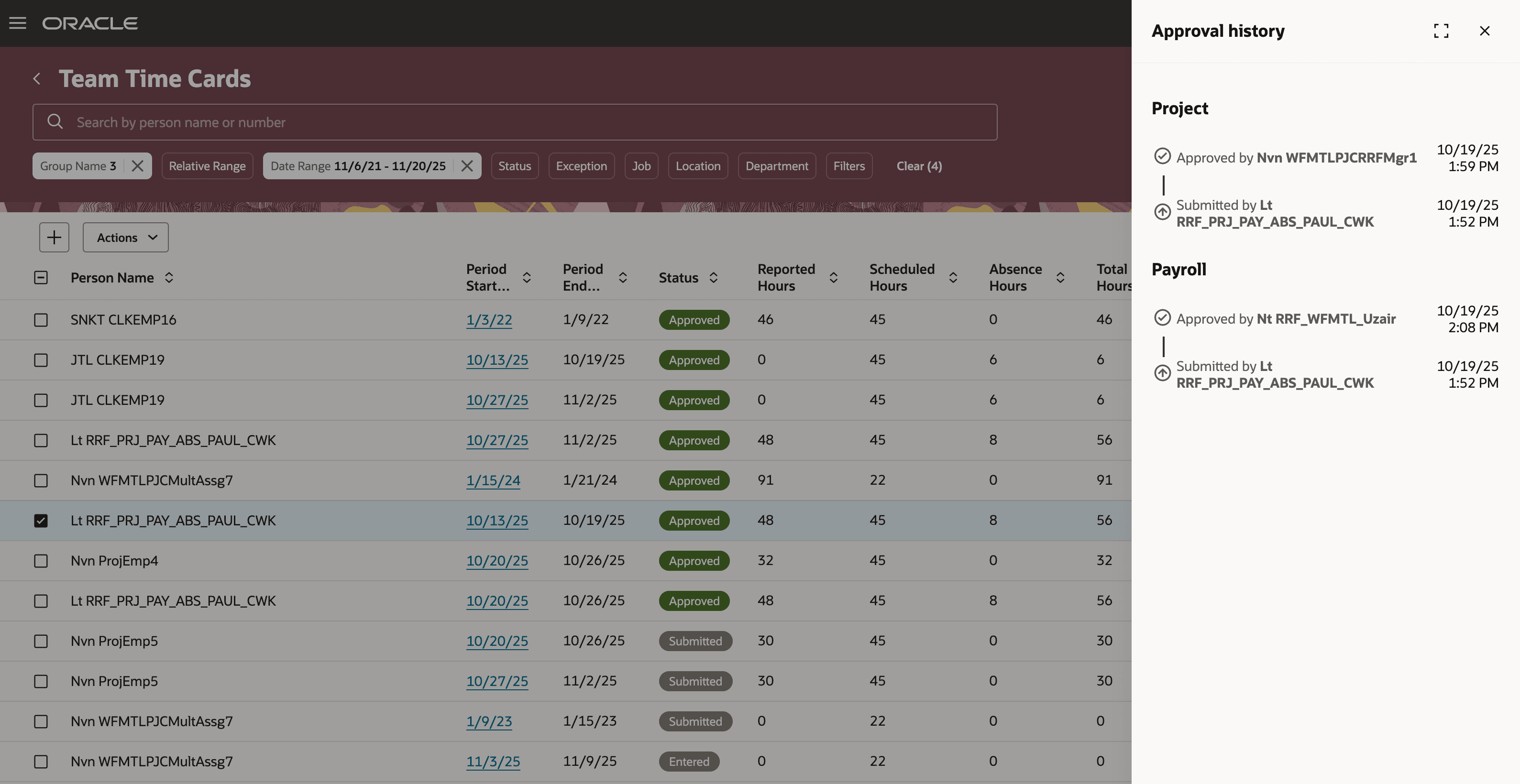
Approval History Drawer Opened from the Team Time Cards Page
This enhancement improves transparency and provides quick, centralized access to approvals. It helps managers and workers better track decision histories, assisting in resolution of workflow questions and compliance monitoring.
Steps to enable and configure
You don't need to do anything to enable this feature.