Time Entry Status Enhancement
There's a new filter option on the Time Entries Redwood page that makes it easier to view just the entries marked as Incomplete. Also, if a current day's time entry has no stop time, the entry shows as Incomplete until the next entry is entered on the time card. If the next time entry also has a start time, both the incomplete entry and affected time card will be clearly marked as in error.
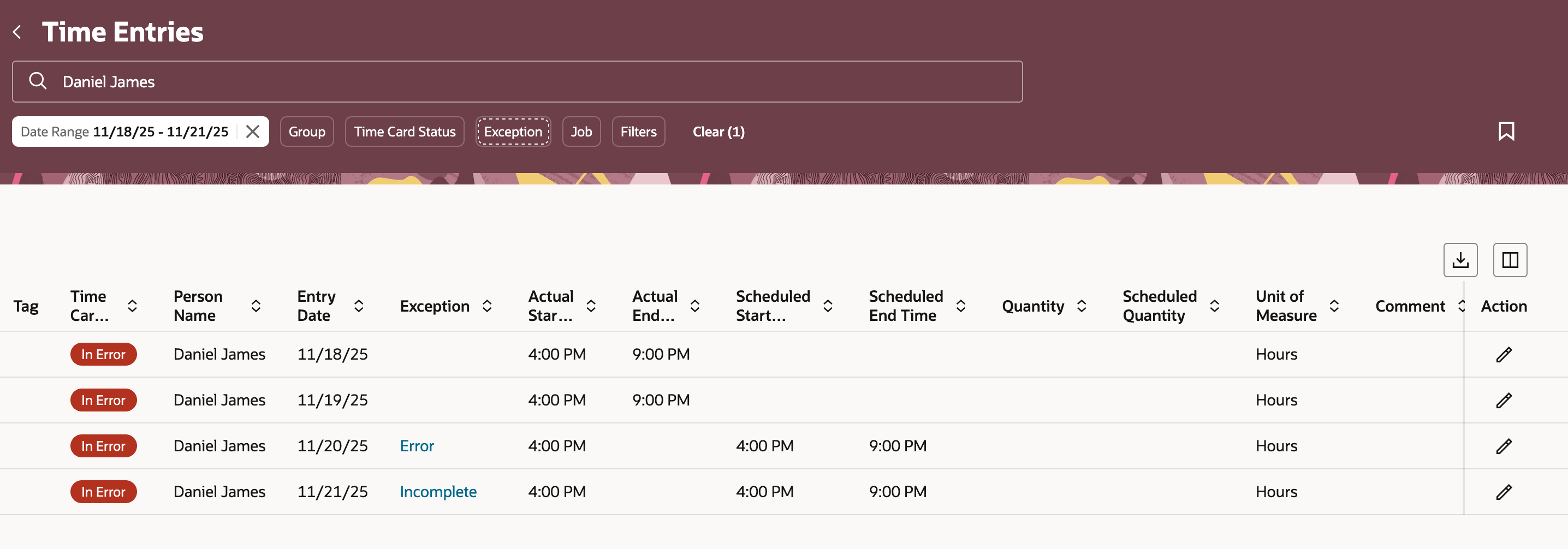
Time Entries Page Showing the New Exception Filter Option and Entries with the Error and Incomplete Exceptions
With these changes, it is easier to spot entries needing attention, helping teams keep accurate and up-to-date records. By automatically marking missing or stopped entries as incomplete, errors are caught early, reducing confusion and follow-ups.
Steps to enable and configure
You don't need to do anything to enable this feature.